Tech Ideas & Best Practices
Introduction: Why Intranets Still Matter
Intranets have evolved far beyond internal newsboards or file repositories.
Today, a modern intranet acts as the central nervous system of an organization a place where communication, collaboration, and knowledge come together to drive productivity.
Yet, many companies struggle to realize their intranet’s full potential. Employees often rely on scattered email threads or outdated file systems because their intranet lacks structure, usability, or engagement features.
A well-designed intranet built on Microsoft SharePoint or a similar platform transforms internal operations. It unites teams, simplifies access to resources, and fosters a culture of transparency.
This guide explores the key components, technologies, and strategies behind a high-performing digital workplace.
Core Components of a High-Performing Intranet
A high-performing intranet isn’t just a place to store documents , it’s the digital backbone of your organization.
It aligns people, information, and workflows under one unified digital workplace.
Modern intranets blend strategy, structure, and technology, ensuring employees can communicate, collaborate, and contribute effectively.
Below are the core pillars that define an effective modern intranet.
1. Structure and Information Architecture
Your intranet’s structure is its nervous system if navigation fails, engagement follows.
A well-defined information architecture ensures employees find what they need in three clicks or fewer.
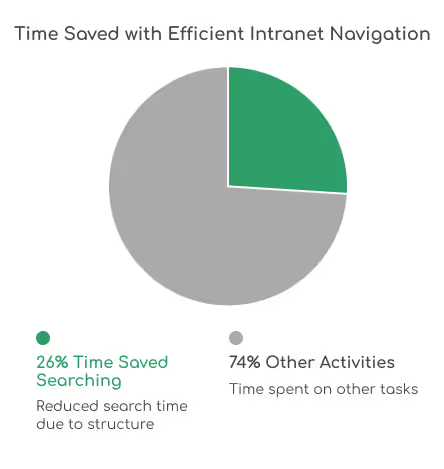
Research by Nielsen Norman Group shows that users spend 26% less time searching when intranet navigation is logically structured.
Start by mapping your content into intuitive categories like Departments, Projects, and Resources.
Use consistent site hierarchies, quick links, and breadcrumbs to guide users smoothly across pages.
A confusing layout can cost hours in lost productivity each week, especially in large enterprises.
Related: 5 Custom SharePoint Quick Links Layouts to Elevate Intranet Navigation
(Discover creative ways to simplify navigation using custom layouts and web parts.)
2. User Experience (UX) and Design
Great intranet design isn’t about flashy visuals, it’s about how effortless it feels to use.
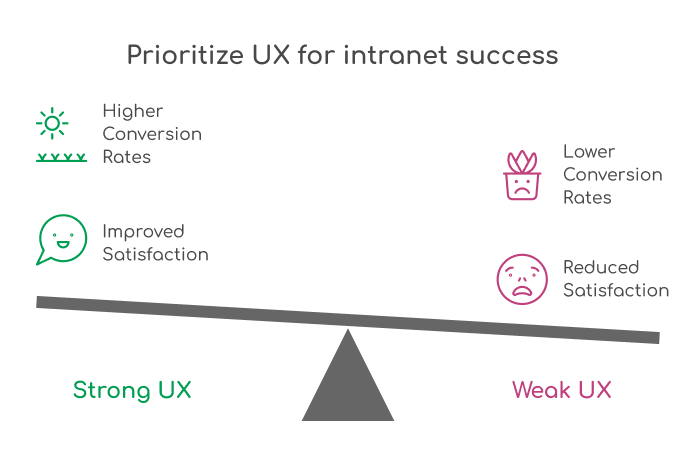
In fact, according to Forrester Research, companies with strong UX see up to 400% higher conversion rates and improved employee satisfaction scores.
Your intranet should reflect your brand identity while keeping accessibility and mobile responsiveness at its core.
Consistency in typography, colors, and page layouts builds familiarity and trust.
Features like personalized dashboards, dark mode, and employee spotlight sections enhance inclusivity and engagement especially for hybrid teams.
Explore our Intranet Design Checklist 2026 (A step-by-step guide to designing a SharePoint intranet your team actually loves to use.)
3. Governance and Compliance
Governance is the invisible framework that keeps your intranet secure, compliant, and scalable.
Without clear ownership and workflows, intranets quickly turn into cluttered repositories.
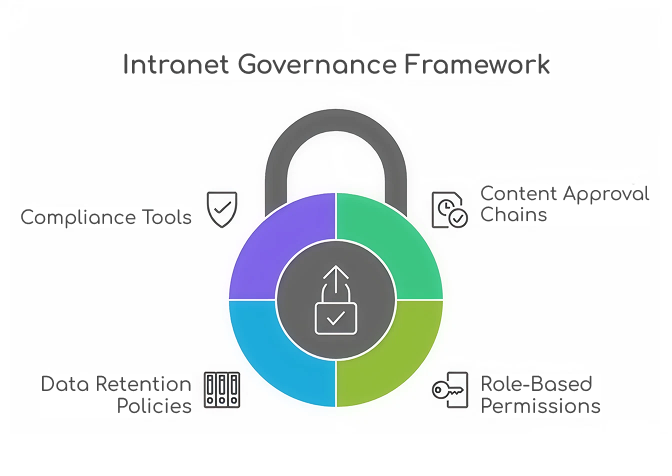
Define content approval chains, role-based permissions, and data retention policies early in your governance model.
According to AIIM, 60% of organizations struggle with document version control due to poor governance.
SharePoint offers built-in compliance tools and policy automation capabilities when properly configured, these can reduce data breaches and policy violations by over 30%.
Learn how to implement effective governance frameworks that protect your intranet and your data with our detailed blog on Governance of Data in SharePoint: Tools, Policies, and Best Practices
4. Content Management
Your intranet’s success is directly tied to the quality and freshness of its content.
Employees should be able to search, filter, and discover information easily.
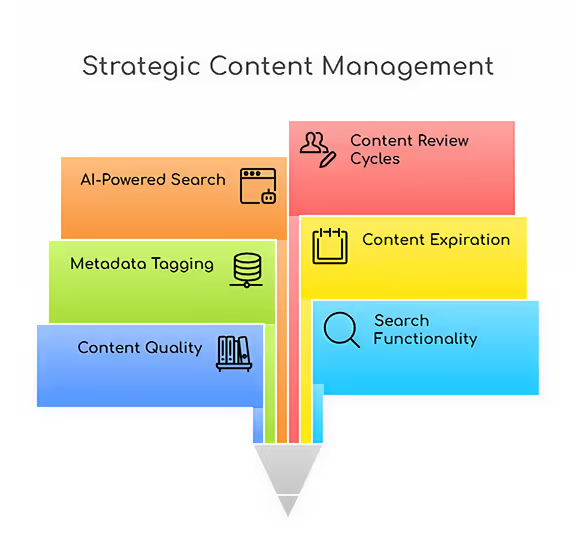
This is where metadata tagging, content expiration policies, and AI-powered search can make a measurable difference.
Microsoft reports that employees spend up to 20% of their time searching for internal information an issue solved by structured content libraries and taxonomy-based metadata.
Set up content review cycles and empower department owners to maintain pages regularly.
Read: 15 Modern SharePoint Document Library Web Part Layouts to explore creative ways to organize, display, and manage your digital assets effectively
5. Integration and Automation
The modern intranet isn’t static, it’s an intelligent workspace.
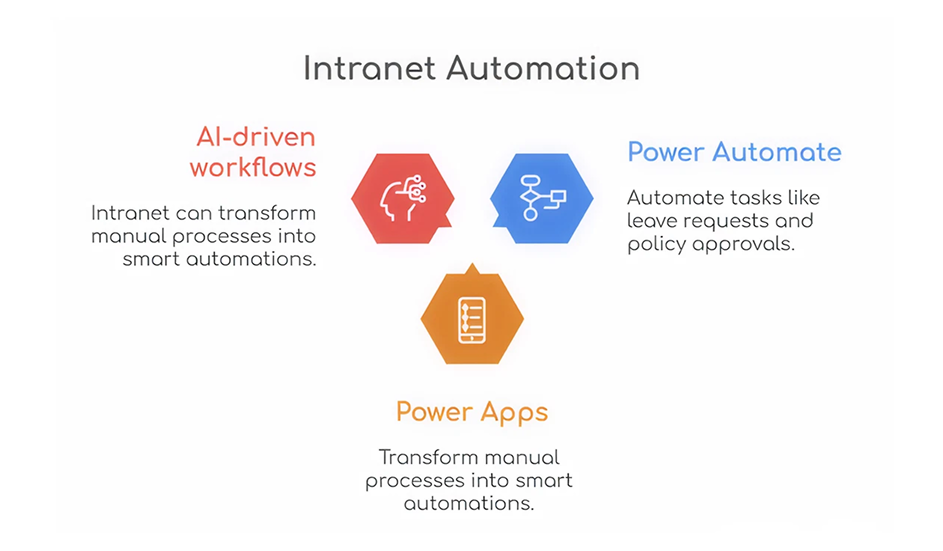
Through Microsoft Power Automate, Power Apps, and AI-driven workflows, your intranet can transform manual processes into smart automations.
Imagine automating tasks like leave requests, policy approvals, or IT ticket routing.
According to Gartner, automation can save organizations 25,000 hours per year in administrative tasks on average.
With SharePoint, integrating Teams, Outlook, and third-party CRMs enhances overall digital synergy.
Bringing It All Together
A truly high-performing intranet aligns these five components structure, UX, governance, content, and automation under a strategic vision.
When each pillar functions cohesively, your organization gains not just an intranet, but a connected, intelligent workspace that drives efficiency and engagement.
The Ultimate Guide to Modern Intranet & Digital Workplace Success
Intranets have evolved far beyond internal news boards or file repositories.

Ever missed a task because you forgot to follow up?
SharePoint reminders and alerts make sure that never happens again.
Whether you’re tracking project deadlines or document approvals, you can automate it all no coding required!
Need help setting up your SharePoint automation? Get a Free Consultation Today
How to Set Up Automated Reminders and Alerts in SharePoint (Step-by-Step Guide 2026)
SharePoint reminders and alerts make sure that never happens again.

Microsoft 365 brings together two powerful platforms for teamwork SharePoint Online and Microsoft Teams. SharePoint provides a secure place to store, organize, and manage content, while Teams enables real-time communication and collaboration. By integrating a new SharePoint site with Teams, organizations can provide employees with a unified hub where conversations, files, and resources live together.
In this blog, we’ll walk through the steps to integrate a new SharePoint site with Microsoft Teams and highlight best practices for seamless collaboration.
Steps to Integrate a SharePoint Site with Microsoft Teams
Step 1: Create a New SharePoint Site
1. Check out this blog for creating a SharePoint site.
(or)
2. Navigate to the SharePoint Admin Center (or directly via the SharePoint home page).
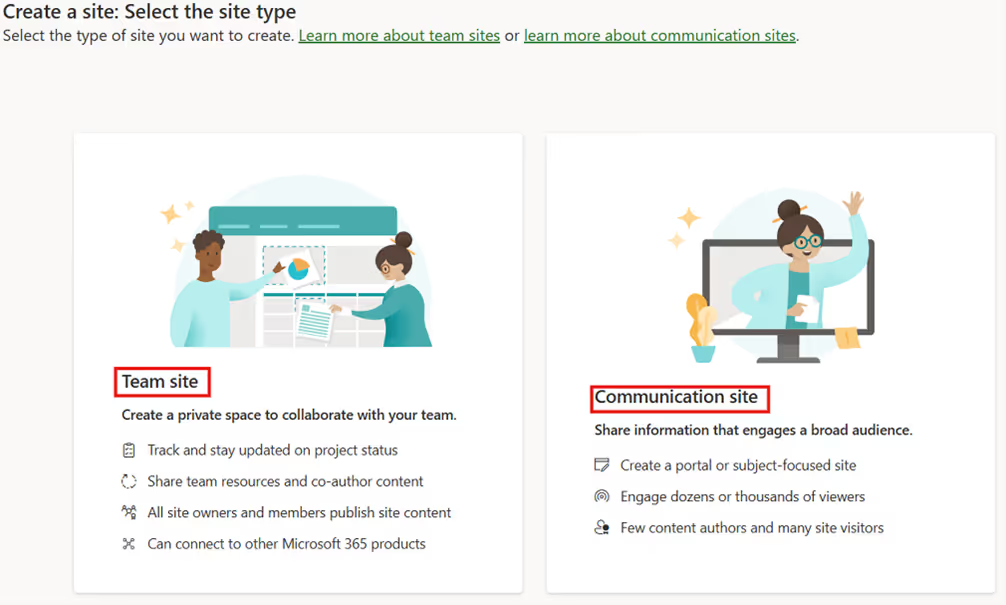
3. Click Create site.

4. Choose the Communication site template (recommended for collaboration).
5. Enter site name, owners.
6. Once created, your site will have its own document library, lists, and permissions.
Note: Use clear and consistent naming conventions so the site is easily recognizable in Teams.
Step 2: Connect the SharePoint Site to Microsoft Teams
You can link your existing SharePoint site to a new or existing Teams channel.
Option A: Add a SharePoint Site to Teams (opens directly within Teams)
1. In Teams, go to your desired team and channel.
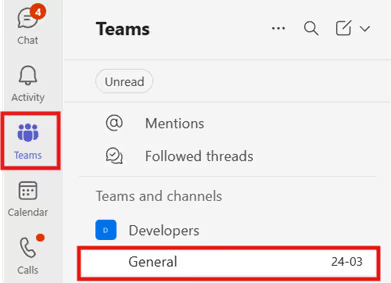
2. Click + (Add a tab).

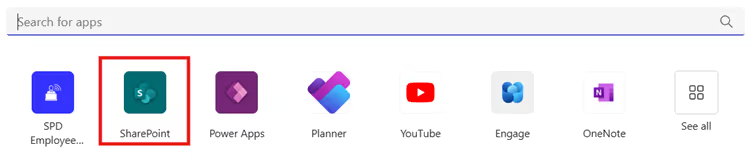
3. Select SharePoint.
4. Select Any SharePoint site and paste the SharePoint site link in the text box.
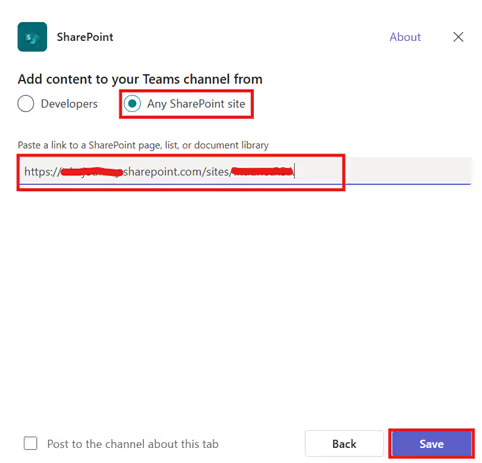
5. Click Save to add it as a new tab.

This allows members to interact with SharePoint pages (like dashboards or news pages) without leaving Teams.
Option B: Add SharePoint Site as a Website Tab (opens in a new browser tab)
If you want to link the entire SharePoint site:
1. Go to the desired team channel in Teams.
2. Click + (Add a tab).
3. Search for Website.

4. Paste your SharePoint site URL.
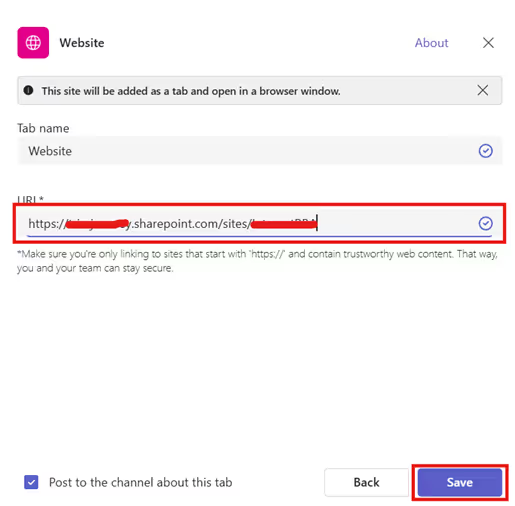
5. Click Save to add it as a new tab.

Step 3: Manage Permissions Effectively
Teams and SharePoint permissions are linked:
- Adding a member to Teams automatically grants them access to the connected SharePoint site.
- Removing a member from Teams revokes SharePoint access.
Conclusion
Integrating SharePoint with Microsoft Teams bridges the gap between structured content management and fluid team communication. By connecting your new SharePoint site into Teams, you create a single hub for collaboration where users can chat, share, and co-author documents all without switching between apps.
Related Blogs
How to Create a SharePoint Site: Step-by-Step Guide
Explore the Best SharePoint Intranet Examples: 16 Practical Applications

Integrate SharePoint with Microsoft Teams for Seamless Collaboration
Microsoft 365 brings together two powerful platforms for teamwork SharePoint Online and Microsoft Teams.

Celebrations are the heartbeat of workplace culture.
Whether it’s a birthday, a work anniversary, or simply welcoming a new colleague, these moments create opportunities to connect, appreciate, and build stronger bonds across teams. But in busy workplaces, it’s easy to let these special days slip by unnoticed.
That’s where Celebration Web Parts come in bringing birthdays, anniversaries, and milestones right onto your intranet. With simple, elegant, and engaging designs, they make it effortless to recognize your people and spread positivity with just one click.
All-in-One Celebrations Web Part
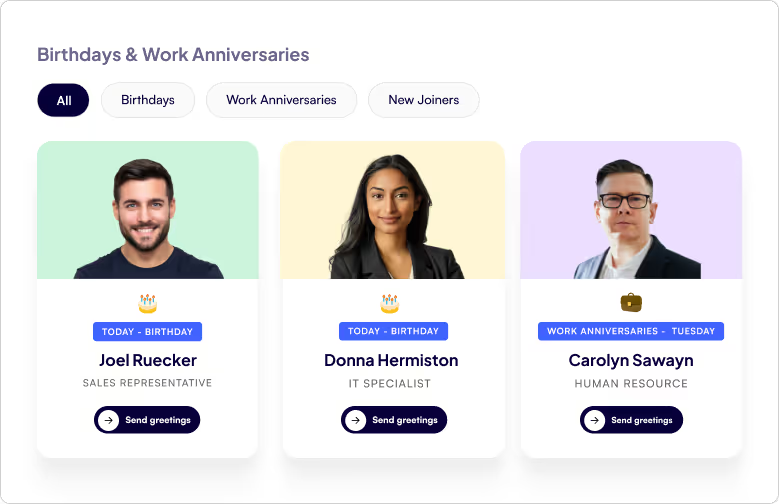
- Web Part Title at the Top Left - A clear, customizable title so employees instantly know what the section is about.
- Tabbed Navigation - Switch effortlessly between Birthdays, Work Anniversaries, and New Joiners with dedicated tabs.
- Employee Cards in a Clean Box Layout - Each person being celebrated gets their own spotlight in a beautifully organized card.
- Profile Image - Displays the employee’s photo to make celebrations more personal and recognizable.
- Celebration Type - Clearly shows whether it’s a Birthday, Work Anniversary, or a New Joiner being introduced.
- Employee Details - Includes the employee’s name and designation, giving context and recognition.
- Send Greeting Button - A one-click “Send Greeting” button that directly opens Outlook, allowing colleagues to instantly send warm wishes or a welcome note.
Celebrations in a Vertical View
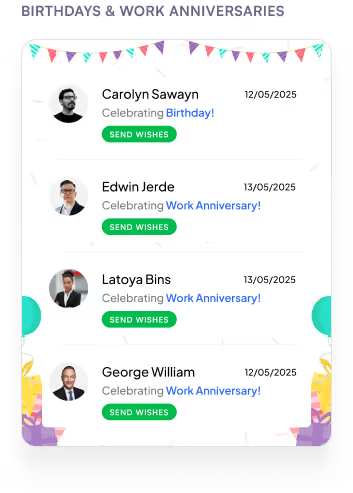
- Web Part Title on Top - A clear heading that immediately tells you what the section is about.
- Vertical List Layout - All employees celebrating a Birthday or Work Anniversary are neatly displayed in a vertical order.
- Profile Picture on the Left - Each employee’s photo is placed on the left for quick recognition.
- Employee Information in the Center
1. Displays the name and designation for context.
2. Includes a Send Greeting button that opens Outlook so you can instantly share wishes.
- Date on the Right - Clearly shows the date of the birthday or work anniversary, so you never miss a celebration.
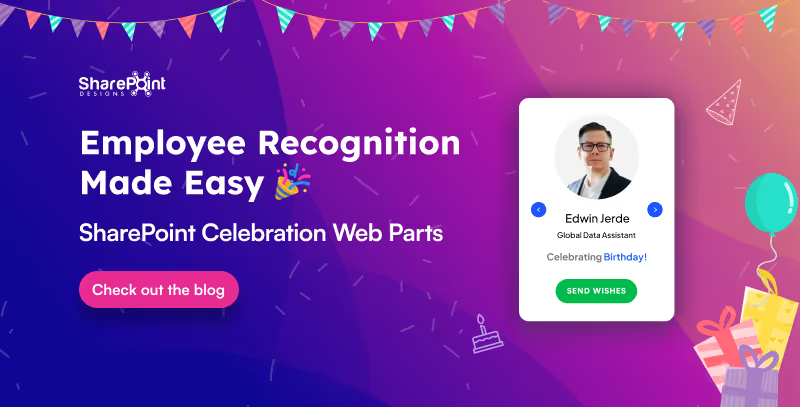
Employee Recognition Made Easy: SharePoint Celebration Web Parts
Celebrations are the heartbeat of workplace culture.

Calendars aren’t just about dates anymore. They’re about making sure you don’t double-book that meeting, forget your training, or miss the office party.
Custom Calendar Web Parts the unsung heroes of workplace organization. They don’t just sit quietly on your intranet, they remind, guide, and sync like a personal assistant who never takes a coffee break.
Whether it’s a new training, an all-hands event, or just keeping tabs on your week, these calendars are here to turn “Oops, I forgot” into “Don’t worry, I’m already on it.”
Plan Smarter with the Classic Calendar Web Part
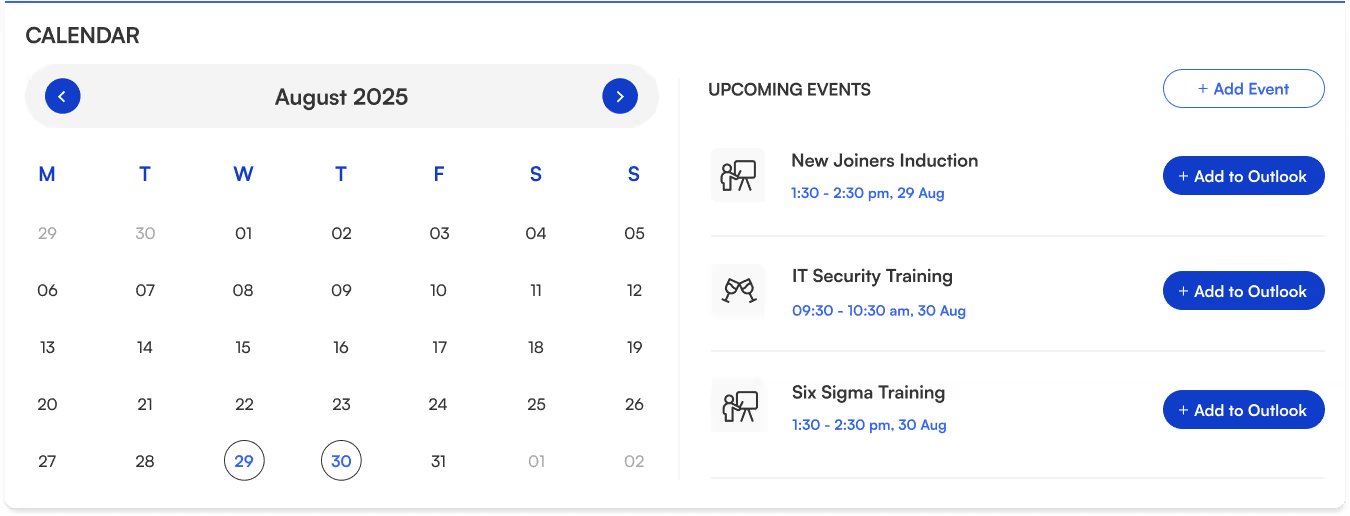
- Title sits neatly at the top-left for quick identification.
- Two-section layout:
Left → interactive calendar view.
Right → upcoming events list.
- Each event shows its name, icon, date, and time clear and scannable.
- “Add to Outlook” button beside every event for instant sync and reminders.
- “Add Event” button (top-right corner) makes creating events quick and easy.
- Perfect for day-to-day scheduling.
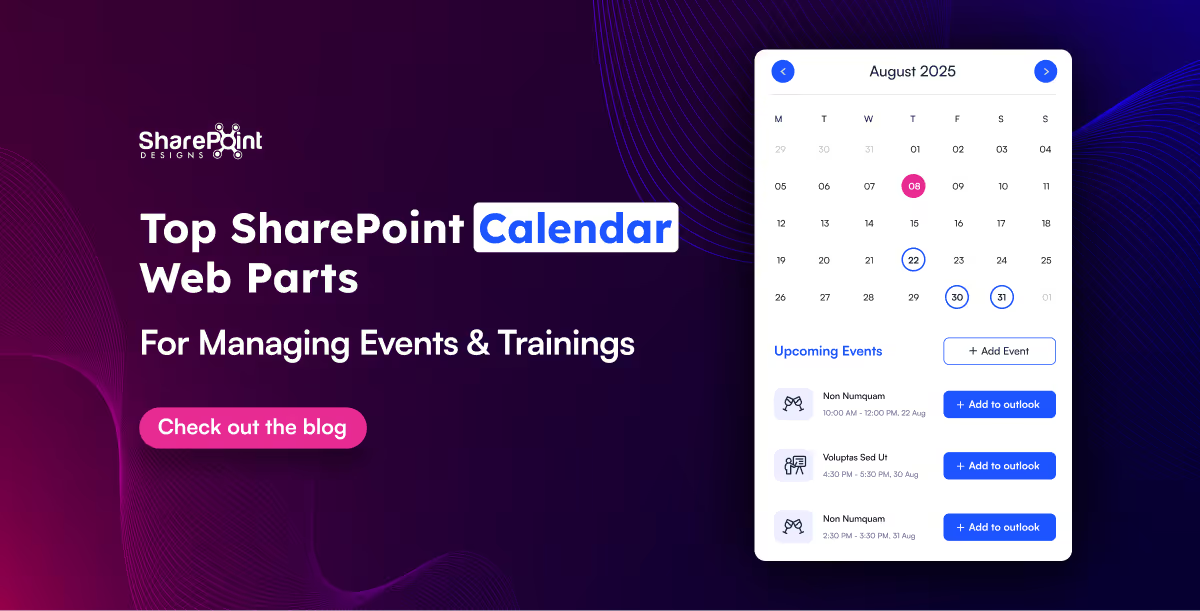
Top SharePoint Calendar Web Parts for Managing Events & Trainings
Calendars aren’t just about dates anymore. They’re about making sure you don’t double-book that meeting, forget your training,
Hunting down a document shouldn’t feel like solving a mystery novel.
That’s where Document Library Webparts swoop in like superheroes for your intranet. From sleek slides to smart filters, they don’t just store your files they showcase them in style, keep everything organized, and make searching as easy as scrolling your Insta feed. Whether it’s policies, SOPs, trainings, or your team’s most important docs, there’s a layout here designed to save your time.
1. Important Documents Library, Your One-Stop Space

- Organized as sleek slides with images, category, title, and short description.
- Shows who last viewed the document and how long ago (down to minutes or seconds).
- Department tabs below the title for instant filtering.
- See All link on the top-right to view the complete library.
- Smart, sleek, and makes key files easy to find.
2. Mandatory Trainings Library, Essential Learning Hub

- Every training document is displayed as slides with cover images.
- Category tag (top-left) and file type icon (bottom-left) on each slide.
- Short descriptions for quick context.
- Department tabs for category-based filtering.
- All links on the top-right for the full training collection.
- Keeps all your must-do training just a click away.

15 Modern SharePoint Document Library Web Part Layouts for Smarter File Management
Hunting down a document shouldn’t feel like solving a mystery novel.
In a big organization, remembering who’s who can feel like trying to recall names at a never-ending party.
The Organization Chart Web Part makes it easy to put faces, names, and roles together in seconds.
Whether you’re welcoming a new joiner, looking for the right colleague to collaborate with, or simply trying to understand the reporting flow, these web parts make navigating your org chart a breeze. They also integrate seamlessly into your SharePoint intranet design, helping employees connect faster and work smarter.
Smart Search & Quick Actions
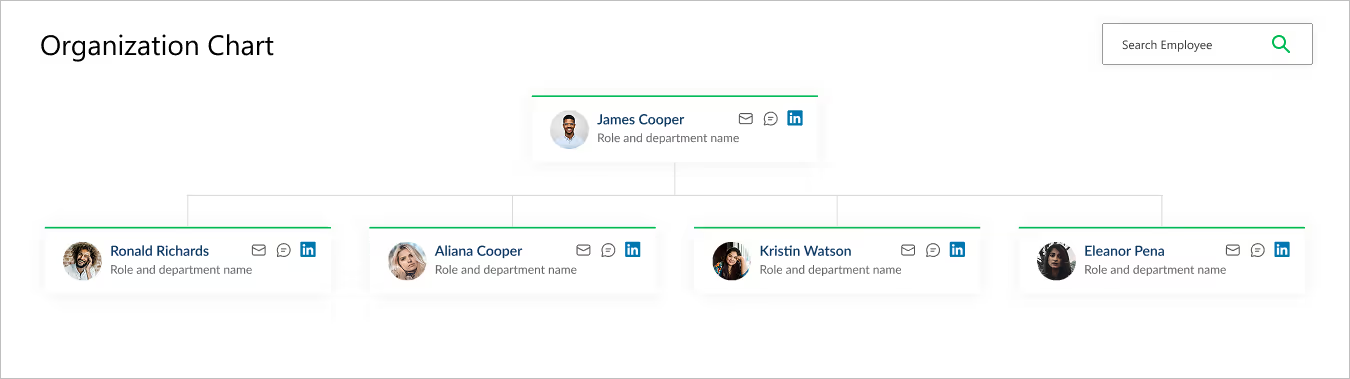
- Title & Search Bar: Title sits at the top left, while a smart search bar on the top right makes it effortless to find employees.
- Profile Cards: Each card brings the chart to life with a photo, name, and role.
- Quick Connect Icons: Handy action buttons on the right let you email, message, or even connect via LinkedIn in a single click.
- Why It’s Great: A simple yet powerful way to explore your company structure and stay connected.
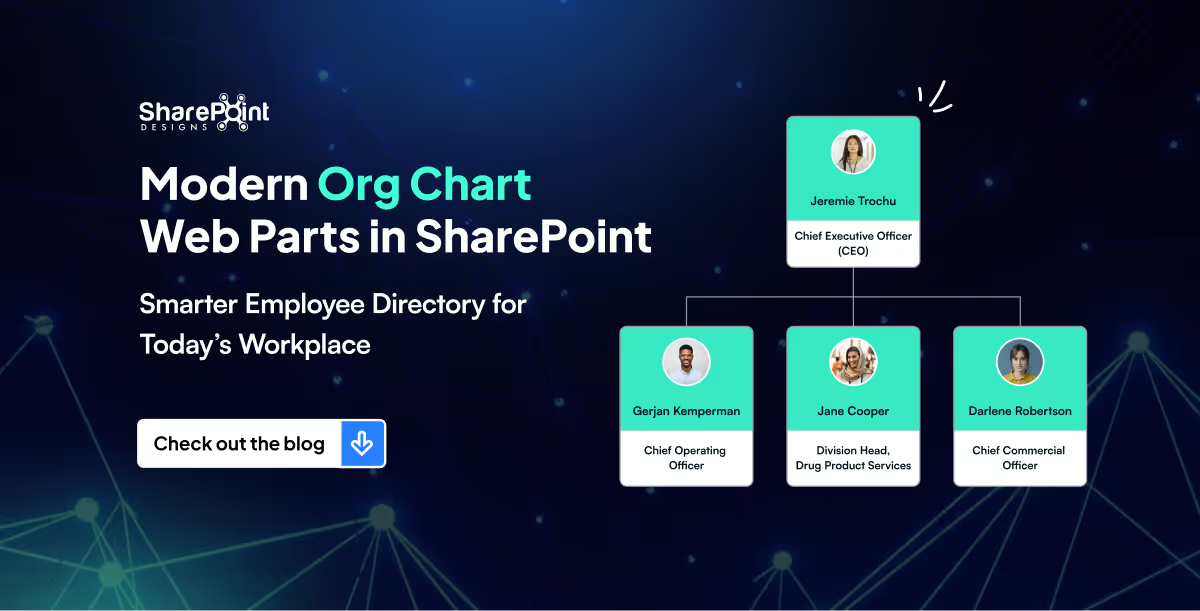
Modern Org Chart Web Parts in SharePoint: Smarter Employee Directory for Today’s Workplace
In a big organization, remembering who’s who can feel like trying to recall names at a never-ending party.
Quick Links aren’t just about getting from point A to point B, they are about making navigation effortless, engaging, and even a little exciting.
Imagine your intranet where every click feels smooth, every layout looks polished, and every user finds what they need without the clutter. From sleek boxed designs to dynamic interactive panels, these Quick Links layouts aren’t just functional, they’re stylish upgrades that bring personality and flow to your digital workspace.
Summary
This guide highlights five SharePoint Quick Links layouts includes Horizontal Boxed, Dropdown Menu, Two-Row Boxed, Department-Based, and Interactive Side Panel that make intranet navigation fast, clear, and visually polished. Each option blends clean design with usability to help users find what they need without clutter. You can mix and match these layouts and implement them quickly using the referenced SharePoint Intranet Templates.
1. Horizontal Boxed Layout

- Sleek and streamlined, this layout lines up your quick links like a well-dressed team of icons and titles.
- Clean, consistent, and perfect for top-of-page navigation, it delivers fast clicks with a fresh, flowing look.
2. Quick Links with Dropdown Menu
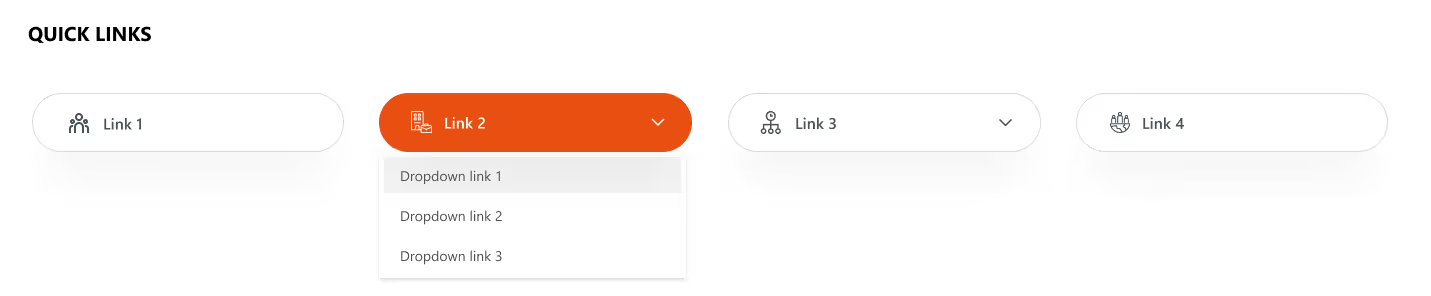
- Turn things up a notch with icons, titles, and a smart dropdown.
- Compact yet clever, this layout lets you pack in more links without clutter.
- Just click, expand, and boom; navigation made simple and stylish.
Explore our SharePoint Intranet Templates to implement these Quick Links layouts instantly.
3. Two-Row Boxed Quick Links
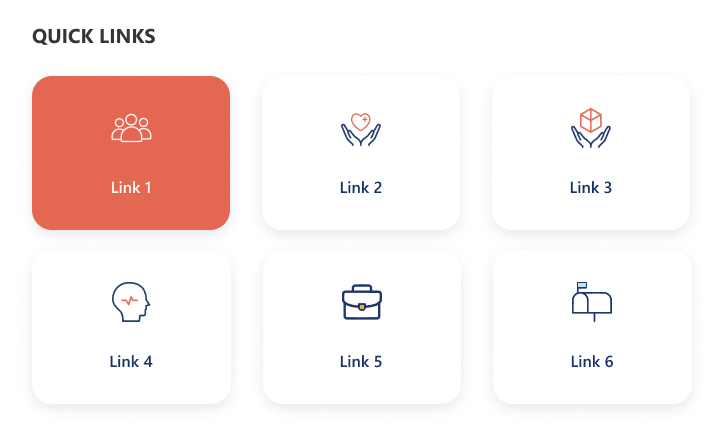
- Balanced and tidy, this design stacks your links in two neat horizontal rows.
- With crisp icons and clear titles, it’s perfect for organizing more content in a way that’s stylish, accessible, and easy on the eyes.
4. Department-Based Quick Links
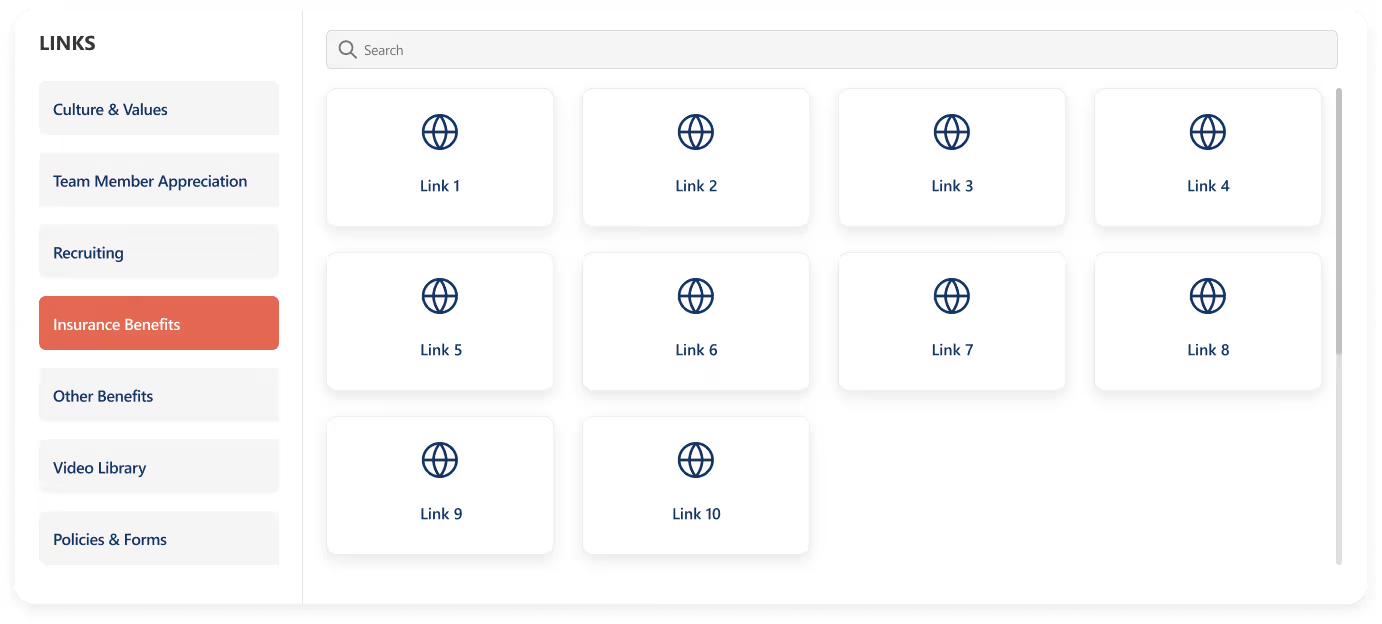
- Built for clarity and speed, this layout stacks departments vertically on the left for quick switching, while the right side features a handy search bar for precision.
- Below, a clean boxed display shows the selected department’s links.
- Add a custom web part title on top for your own flair.
5 Custom SharePoint Quick Links Layouts to Elevate Intranet Navigation
Quick Links aren’t just about getting from point A to point B, they are about making navigation effortless, engaging, and even a little exciting.
News doesn’t have to be boring, especially on your intranet!
Imagine a space where every update feels alive: bold images, smooth layouts, and department filters that make sense. That’s exactly what our Custom News Web Part brings to the table. From dynamic tabs to sleek carousels, we’ve designed layouts that don’t just share information they show it off. Whether your team loves to scroll endlessly, skim quickly, or spotlight the big stories, we’ve got a style that fits.
1. Dynamic Department Tabs
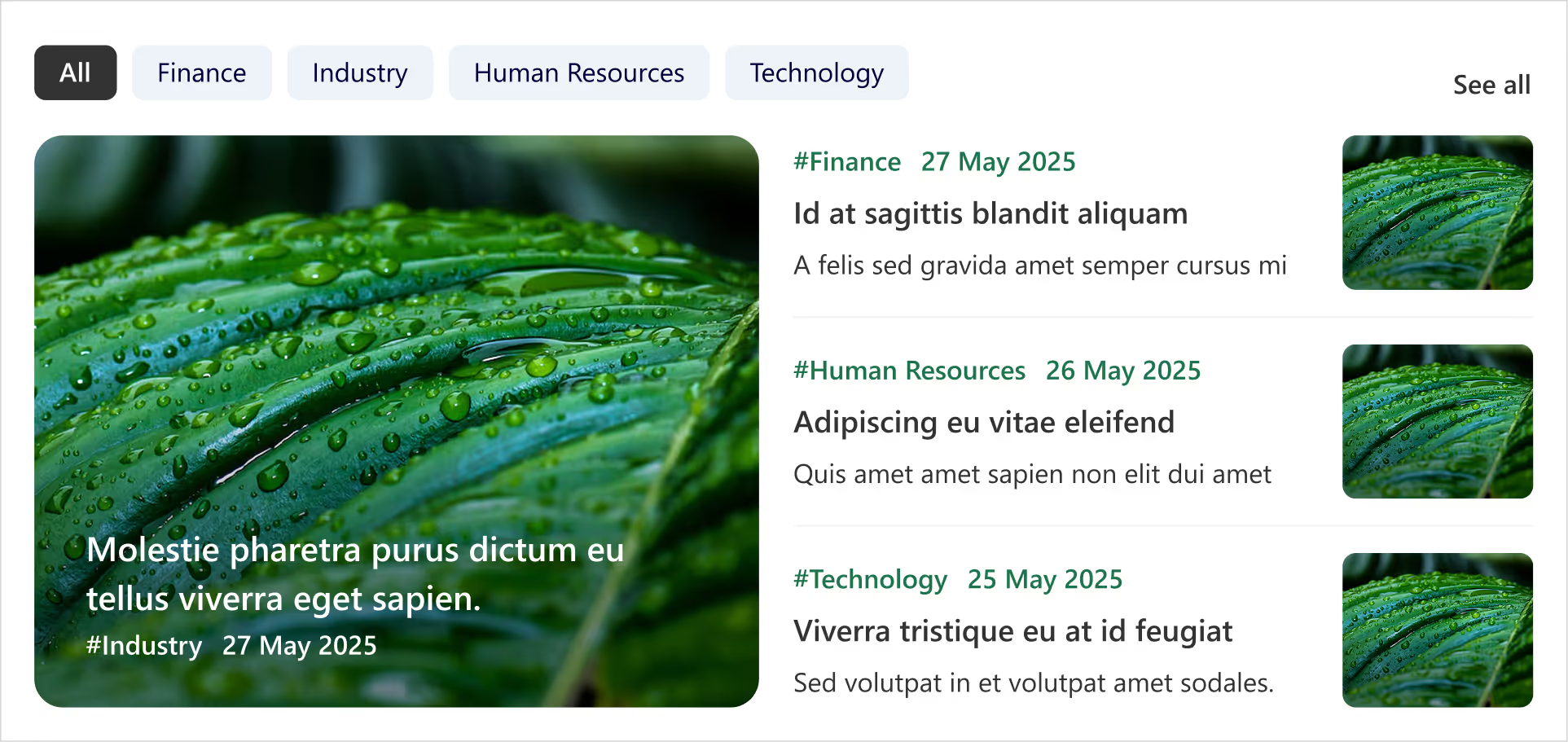
- Clickable tabs for each department (HR, Finance, Marketing, etc.).
- Instantly update the news feed when you tap a tab.
- Each Box includes department tag, crisp images, and publish date.
- Handy ‘See All’ link at the top-right corner for a dedicated news page.
- Smart, fresh, and perfectly tailored for departmental updates.
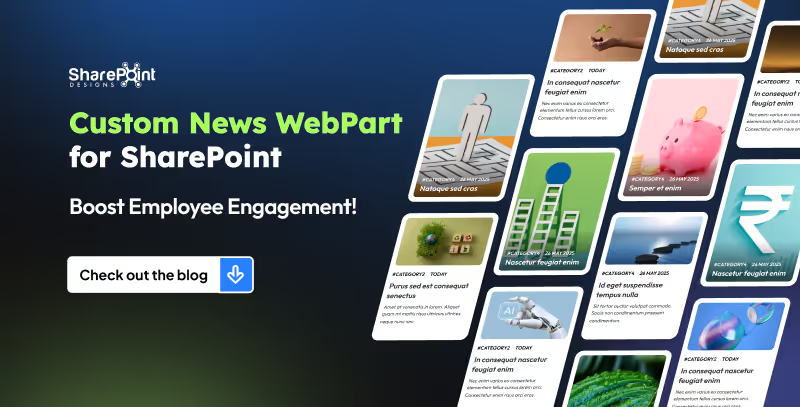
8 Custom SharePoint News Web Part Layouts to Boost Employee Engagement (That Employees Actually Love)
Imagine a space where every update feels alive: bold images, smooth layouts, and department filters that make sense.
Ever spent more time hunting for a document than actually using it?
Let’s be honest in the modern workplace, no one has time to play hide and seek with files. Whether it’s that one policy doc, a video tutorial, or even a quick note from leadership, you need it fast, and you need it now.
Enter the Custom Search Web Part, your digital sidekick that makes searching feel less like a chore and more like a superpower. It’s not just a search box; it’s smart, stylish, and totally customizable. From cheerful greetings and real-time clocks to sleek filters and layouts that fit your vibe, this tool turns the daily hunt for information into a smooth, almost fun experience.
1. Classic Centered Layout
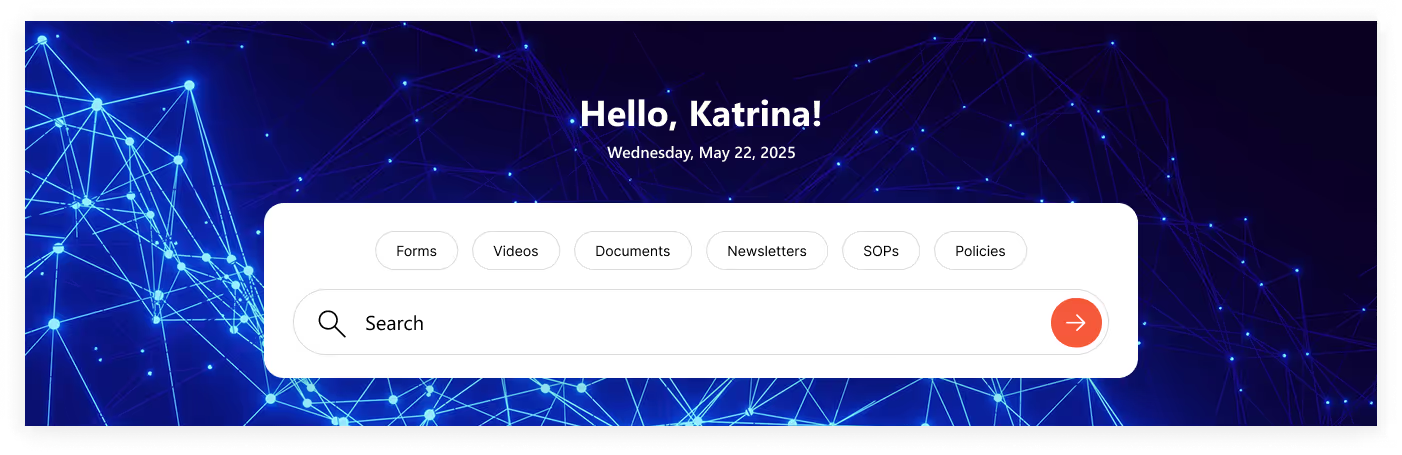
- Customizable Welcome Message: Greet users with “Hello", "Welcome”, “Good Morning” or your own style.
- Personalized Touch: Username of the logged-in user is automatically fetched.
- Always On Time: Displays accurate date & time synced with the user’s time zone.
- Smart Search Bar: Quickly search for file types across the organization.
- Built-In Filters: Narrow results instantly with categories like: Forms, Videos, Documents, Newsletters, SOPs & Policies.
2. Modern Open Layout
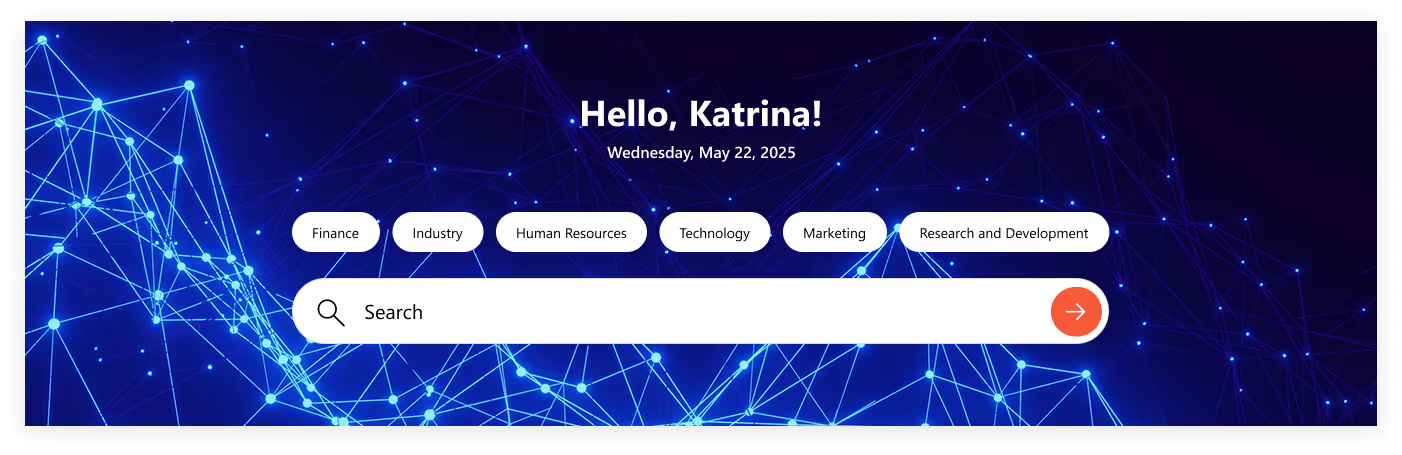
- Same Core Features: Welcome message, username, and real-time date & time.
- Fresh Look: No boxy background, just a clean, open design.
- Seamless Blend: Minimal, modern layout that fits perfectly with your site’s style.
- Smart & Sleek: Functionality remains strong, but with a lighter, more stylish touch.
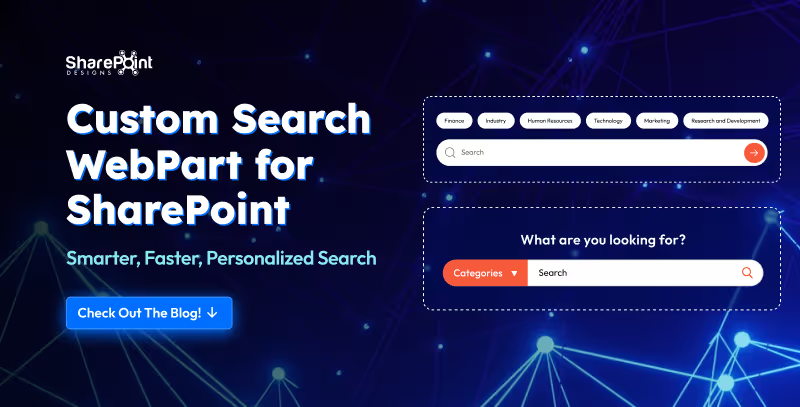
Custom Search Web Part for SharePoint - Smarter, Faster, Personalized Search
Let’s be honest in the modern workplace, no one has time to play hide and seek with files.
Welcome Home Digitally...Meet the Custom Welcome Banner Web Part
Your SharePoint homepage doesn’t have to be just a portal, it can be a personal greeting, a global dashboard, and a daily dose of inspiration all in one. With the Custom Welcome Banner Web Part, every visit feels tailored, a warm welcome message, your name, the current time, and even live updates from around the world.
From rotating messages that showcase your company’s vision to interactive clocks and weather boxes for global teams, this web part turns a standard homepage into a dynamic, engaging experience. Stylish, personal, and smart, your SharePoint home just got a personality upgrade.
Explore Our Custom Welcome Banner Web Parts
Global Time Greeting Banner
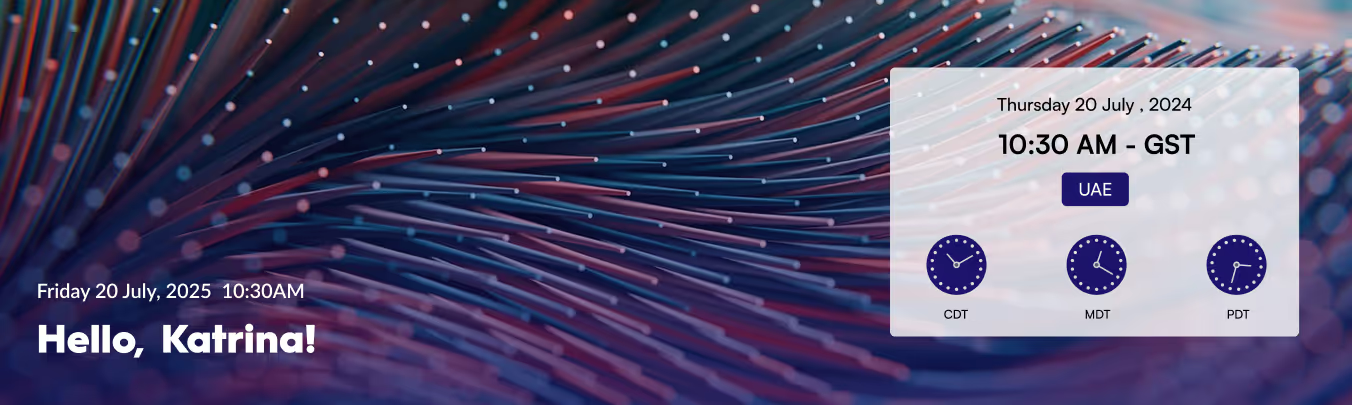
- Left side: Customizable welcome message, user’s name, local date/time.
- Right side: World clock zone
- Box displaying date/day of selected country.
- Three analog clocks showing different UTC time zones.
- Clean, informative, globally connected layout.
Vision & Values Spotlight Banner
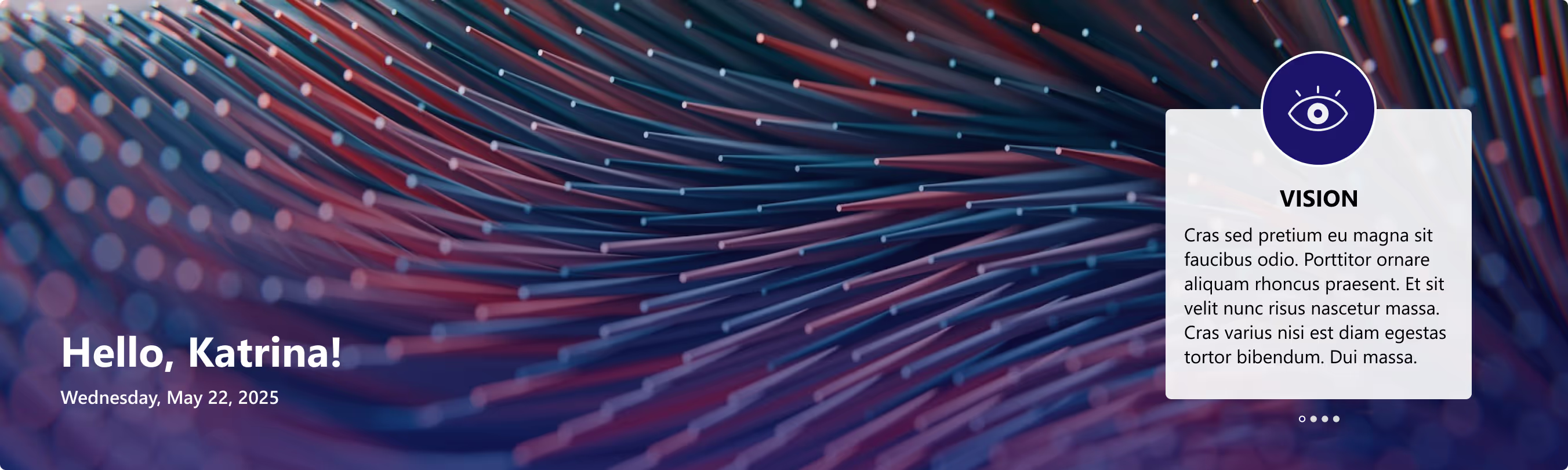
- Right side: Box for organization’s vision, mission, and values.
- Messages rotate dynamically at intervals.
- Highlights the company’s core values in a clear, engaging way.

Transform Your SharePoint Homepage with Custom Welcome Banner Web Parts
Your SharePoint homepage doesn’t have to be just a portal, it can be a personal greeting, a global dashboard, and a daily dose of inspiration all in one.
For today’s employees, getting the right information quickly is critical to staying productive. Employees need to access the right information with minimal clicks, avoiding cluttered menus and outdated links. This is where a Custom Top Navigation Web Part comes into play. This web part is not just a design enhancement, it is a functional solution that makes SharePoint intranets smarter, cleaner, and more user-friendly.
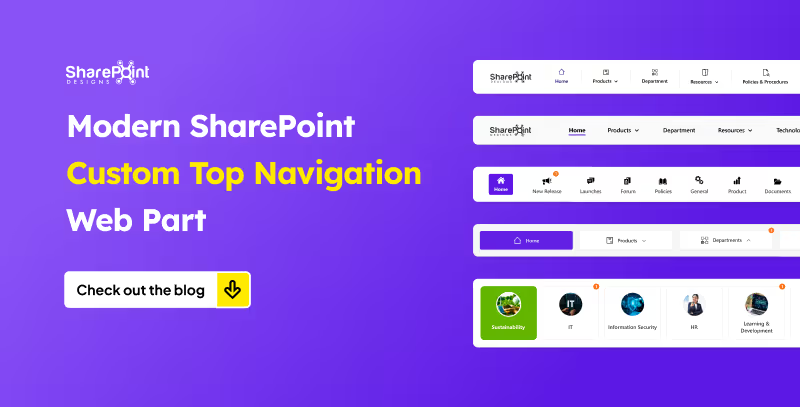
From simple menus to dynamic mega menus, we offer various custom top navigation web parts. Here’s what they look like.
1. The Informative Navigation Bar

- Organization’s Logo: neatly placed on the left, giving the navigation bar a professional, branded look.
- Quick Links: positioned right beside the logo, each with its own icon and label for tools, portals, or important pages just a click away.
- Standout Feature (Right Side):
1. Livestock market updates
2. Current date display
3. Real-time currency values for key countries - Overall Design: clean, functional, and designed to keep users informed and connected directly from the top of the page.
Modern SharePoint Custom Top Navigation Web Part: Boost UX and Productivity
For today’s employees, getting the right information quickly is critical to staying productive.



.svg)





