Tech Ideas & Best Practices
“We’ll Just Use AI to Build Our Intranet.”
A sentence we’ve been hearing in almost every second demo.
A few years ago, the objection was: “We’ll build it ourselves.”
Today, it has changed to: “We’ll just ask ChatGPT or Claude to create our SharePoint intranet.”
Honestly, we understand why.
AI is incredibly good at generating layouts, writing content, suggesting navigation, and even creating SharePoint page structures. It can produce something that looks impressive in minutes.
But after delivering hundreds of SharePoint projects, we’ve learned one thing: looking like an intranet and functioning like an intranet are two completely different things.
The Hidden Problem with AI-Generated Intranets
Most AI tools start with a prompt: “Create a modern HR intranet.” Within seconds, you receive a homepage, a news section, an employee directory, quick links, a hero banner, and department pages. Everything looks polished.
The problem?
It looks exactly like thousands of other intranets.
Your organization isn’t generic. Your employees aren’t generic. Your processes certainly aren’t generic. An intranet should reflect how your business actually works, not how an AI assumes businesses work.
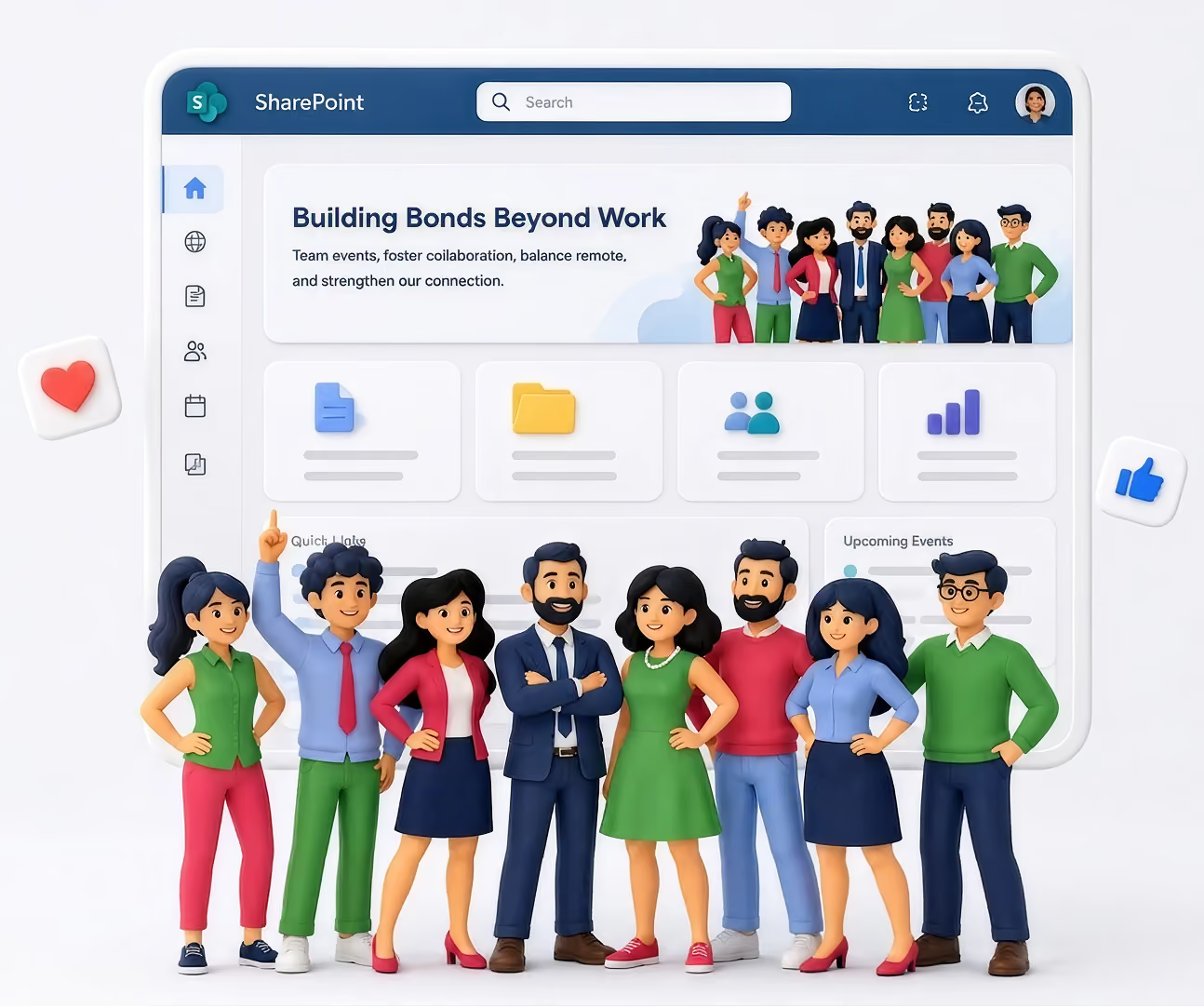
AI Doesn’t Know Your Organization
AI has never attended your leadership meetings.
It doesn’t know
- how employees search for information,
- which departments rarely collaborate,
- which documents are most frequently requested,
- why employees ignore your current intranet,
- which approval processes create bottlenecks,
- how new hires actually onboard,
- what executives want employees to see first.
Without understanding these realities, AI makes assumptions. Great intranets are built on discovery, while AI builds on probability, and those are very different things.
It Designs Pages, Not Employee Experiences
Many AI-generated intranets look beautiful, until employees start using them.
Then the questions begin:
- Where do I find HR forms?
- Why are there three different document libraries?
- Why is search returning outdated files?
- Why is onboarding scattered across multiple pages?
- Why is nobody using this?
Aesthetics doesn’t measure a successful intranet; adoption does. If employees stop using it after two weeks, the design has already failed.
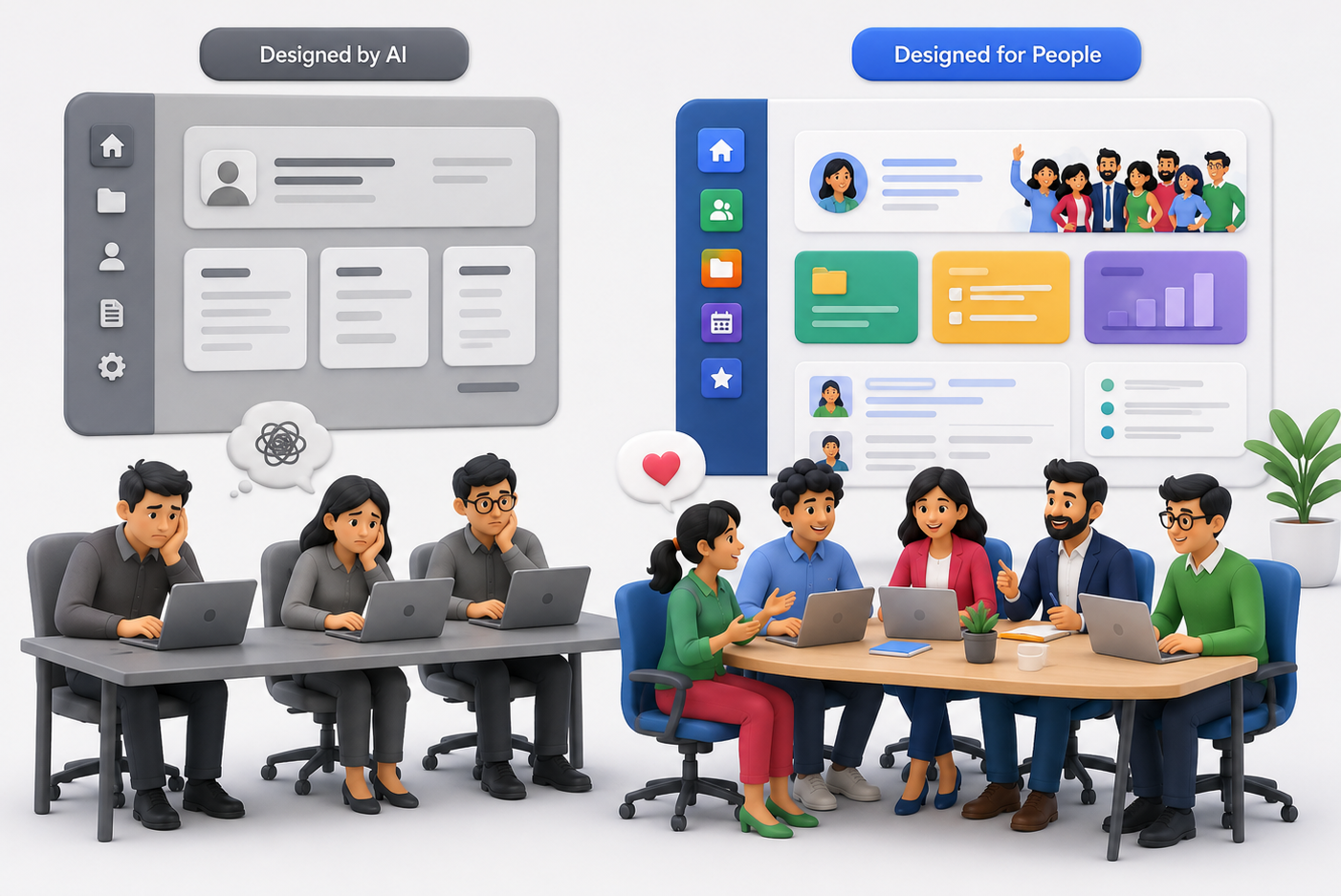
AI Doesn’t Challenge Bad Decisions
One of the most valuable things consultants do isn’t building; it’s asking uncomfortable questions. Questions like:
- Do employees actually need this page?
- Why are there six approval levels?
- Should this content even exist?
- Who owns this information after launch?
AI rarely pushes back; it simply executes your prompt. Human experts question assumptions before they become expensive mistakes.
Every Company Has Hidden Complexity
During discovery sessions, we often uncover things clients didn’t initially mention, like departments using different naming conventions, duplicate document repositories, outdated policies still being referenced, teams relying on personal OneDrive folders, or manual approval workflows that nobody enjoys. None of these appear in a prompt, yet they determine whether an intranet succeeds or fails.
AI Doesn’t Think About Governance
A homepage is only a tiny part of an intranet. Behind every successful SharePoint deployment are decisions like permission strategy, information architecture, metadata planning, search optimization, content lifecycle, governance policies, site ownership, and long-term maintenance.
These aren’t glamorous, but they’re exactly what keep an intranet useful years after launch. Ignoring them creates technical debt that becomes harder and more expensive to fix over time.
The Biggest Risk: False Confidence
Perhaps the biggest downside isn’t poor design; it’s believing the intranet is “done” because it looks complete. Modern AI produces convincing outputs, and it creates confidence before validation. Many organizations launch an AI-generated intranet only to realize months later that employees aren’t adopting it. By then, redesigning becomes significantly more expensive.
A Story We’ll Never Forget
A few months ago, we met with a prospective client. After our discovery session, they thanked us and said something we’ve been hearing more often:
“We’ll use AI to build this internally.”
Fair enough. They had talented people, they had Microsoft 365, and they believed AI would help them create everything they needed.
Several months passed, then they reached out again.
Not because SharePoint had failed. Not because AI had failed. Because the intranet wasn’t working for their employees. They had pages, navigation, and attractive layouts, but they didn’t have adoption.
Employees couldn’t find information, departments had inconsistent structures, content ownership wasn’t clear, search wasn’t delivering the right results, and nobody felt responsible for maintaining it.
The intranet looked finished, but the employee experience wasn’t. This time, instead of asking us to build pages, they asked us to redesign the entire experience. We started where we always do: understanding people before technology.
We interviewed stakeholders, mapped user journeys, simplified navigation, and reorganized content. We created governance, defined ownership, optimized search, and removed unnecessary pages. Only then did we begin redesigning.
The difference wasn’t that humans created prettier pages. The difference was that humans solved the right problems.
We Use AI Too
This isn't an article against AI.
In fact, we use AI every day.
It helps us generate ideas, speed up documentation, create content drafts, brainstorm layouts, and accelerate repetitive work.
AI makes our team faster. It doesn't replace discovery, strategy, or understanding your business.
The Best Intranets Are Built with AI and Human Expertise
Think of AI as an incredibly capable assistant, not as your intranet architect.
Architecture requires experience, and experience comes from solving real business problems across many organizations.
Technology changes, but employee behavior doesn't.
The organizations with the highest adoption rates aren't the ones using the newest AI tools; they're the ones that understand their people.
Before You Ask AI to Build Your Intranet…
Ask yourself a few questions:
- Does it understand how our employees work?
- Can it identify gaps in our business processes?
- Will it challenge our assumptions?
- Can it design governance for the next five years?
- Will it improve employee adoption, not just page design?
If the answer is "no," then AI should be part of the solution, not the entire solution.
Because the goal isn't to launch an intranet; it's to build one your employees actually use.
And that's where experience still matters.
AI vs. Human Expertise: What's the Best Way to Build a SharePoint Intranet?
Thinking of using ChatGPT or Claude to build your SharePoint intranet? Learn where AI adds value, where it falls short and why successful...

2.7 billion workers globally have no desk, no corporate email, and no reliable access to their company's intranet. Here's how to build a SharePoint intranet that actually reaches, engages, and empowers them.
- 2.7B workers globally are deskless - 80% of the world's workforce - Emergence Capital · Flip 2026
- 45% don't have access to their company intranet while at work - Tribe Communications Research
- $80B lost annually in US organizations from frontline communication failures - Dewpoint Communications 2026
- 80% lift in intranet traffic achievable with the right mobile-first SharePoint design - SharePoint Designs client data
Most enterprise intranets are built for one mental model: someone sitting at a desk, logged into a laptop, with time to read and browse. That model describes a minority of the global workforce.
The majority of your employees are on a factory floor, in a hospital ward, behind a retail counter, on a construction site, or behind the wheel of a delivery vehicle. They are the people who make your organization run, and in most companies, they are the last to receive important information, the least connected to company culture, and the most underserved by digital workplace tools.
This is not a peripheral problem. Frontline worker disengagement costs the global economy $8.9 trillion every year (Gallup). Communication failure drives higher turnover, slower adoption of change, and preventable safety incidents. And the evidence is unambiguous: organizations that close the frontline communication gap outperform those that don't across every measured dimension.
SharePoint, properly designed and deployed, can close that gap. This guide shows you exactly how.
Why Most Intranets Fail Frontline Workers
The failure mode is consistent across industries. An organization invests in a SharePoint intranet. IT signs off, leadership announces it, and within six months, usage is stagnant or declining. The reason is almost never the technology. It's the assumption that underlies the design.
Traditional intranet design assumes a corporate email address, a company-issued laptop, a fixed working location, reliable Wi-Fi, and time to browse. Frontline workers have none of these things as standard.
83% of frontline workers say they miss important information because it isn't communicated in a way they can access not because the information doesn't exist, but because the channel doesn't fit their working reality. Workplace Intelligence Research - Tribe Communications
The five design assumptions that exclude frontline workers
- Desktop-first layout - pages that shrink on mobile rather than reflow for it, with tiny tap targets and horizontal scrolling
- Corporate email as the access method - 83% of non-desk employees don't have a corporate email address (Tribe), which means standard SharePoint login flows exclude them before they start
- Wi-Fi dependency - intranets that load slowly on cellular data or don't support offline access are functionally inaccessible to workers on the floor, in transit, or in remote locations.
- Generic content broadcast - all staff announcements not filtered by role, location, or shift are ignored; irrelevant information is the fastest way to train employees to stop checking the intranet.
- IT as gatekeeper - when frontline workers need a helpdesk ticket to reset a password or access a page, they stop trying within days.
The Hidden Cost: The average frontline employee takes more than 8 hours to open a work message. A safety alert sent at the start of a shift will likely go unread until the shift ends. This is not a behaviour problem. It is a channel-fit problem. (Pickcel Deskless Communication Report 2026)
The Deskless Communication Gap - By the Numbers
- 80% of the world's workforce is deskless or frontline - Emergence Capital
- 4% of deskless workers feel strongly connected to their company - SemosCloud
- 68% would stay longer with employers who provide reliable mobile communication - WorkerPulse 2025
The numbers reveal a structural failure, not an engagement challenge. Most deskless worker communication strategies are not failing because employees are disengaged. They're failing because the tools in use were built for a different kind of worker entirely.
Email open rates for frontline workers are 23%compared to 41% for desk workers (Pickcel 2026). Organizations that rely on email as their primary frontline channel miss 77% of their audience with every message.
"Frontline workers are not a hard-to-reach population. They are a differently-connected one." - Pickcel Deskless Worker Communication Strategy 2026
Can SharePoint Work for Frontline Workers?
The honest answer is: yes, but only with intentional design. Out of the box, SharePoint's mobile experience has historically been one of the platform's weakest points. But that picture has changed significantly with the maturation of Microsoft Viva Connections, the Microsoft Teams Frontline Worker license tiers (F1 and F3), and SharePoint's own responsive design improvements.
The SPD Perspective: SharePoint is not the best platform for every frontline use case out of the box. But for organizations already paying for Microsoft 365, it is the most cost-effective path to a capable frontline intranet if you invest in design and configuration rather than defaulting to the out-of-box experience.
Where SharePoint genuinely excels for frontline workers
- Microsoft 365 integration - employees who already use Teams, Shifts, and Outlook can access the intranet from within the tools they're already using, eliminating the 'another app to download' problem
- Role-based personalization - audience targeting means a warehouse operative sees shift updates while a plant supervisor sees safety dashboards.
- Power Automate workflows - self-service forms, incident reporting, leave requests, and compliance sign-offs that replace paper processes
- Viva Connections dashboard - adaptive cards purpose-built for frontline daily tasks, accessible via Teams mobile without a separate login
- Cost efficiency - SharePoint is included in most Microsoft 365 licenses that organizations already hold
Viva Connections: The Game-Changer for Frontline Access
If there is a single feature that has transformed SharePoint's viability for frontline workers in 2025–2026, it is Microsoft Viva Connections. It surfaces the SharePoint intranet directly inside Microsoft Teams, delivering a curated dashboard of information and tasks most relevant to that specific worker, based on their role, location, and shift.
40–60% mobile adoption within 90 days is achievable for organizations with 1,000+ frontline workers when the intranet solves real daily tasks not just corporate announcements.
What you can build on the Viva Connections dashboard
- Shift schedule cards - show the worker their current and upcoming shifts pulled from Teams Shifts
- Safety checklist cards - daily or shift-start safety sign-offs that are submitted to SharePoint lists, creating an auditable compliance record
- Incident reporting cards - one-tap incident or near-miss reporting routed to the right manager via Power Automate
- Targeted news cards - role and location-specific news items surfaced directly on the dashboard
- Training & compliance cards - outstanding training modules and policy acknowledgments with one-tap access
- Manager communication cards - short leadership video messages, shift notes, and two-way feedback forms
Designing a Mobile-First Frontline SharePoint Intranet
Mobile-first design for frontline workers is not about making the desktop site responsive. It's about starting the design process from a 375px phone screen and treating everything else as an enhancement.
The 5 core principles of frontline-first SharePoint design
The 3-tap rule over the 3-click rule
Frontline workers need to reach any piece of critical information within 3 taps on a phone screen. Design your information architecture with the mobile thumb journey, not the desktop click path.
Touch-first interactions
Tap targets should be a minimum of 44×44 pixels. Dropdown menus that require hover states break on touch devices. Navigation should favour large icon tiles over text-heavy menus.
Single-column vertical layouts only
Multi-column SharePoint page layouts become cluttered horizontal scrolling nightmares on mobile. Use single-column sections for critical content. Horizontal scrolling is a hard failure for frontline UX.
Cellular-Optimized performance
Frontline workers are not on corporate Wi-Fi. Pages must load in under 3 seconds on a 4G connection. Compress all images, minimize web part count, and avoid video autoplay.
Offline-first critical content
SOPs, safety procedures, and emergency contacts should be accessible when network connectivity is intermittent. Microsoft Teams mobile caches content locally leverage this for compliance-critical pages.
7 Must-Have Features for a Frontline SharePoint Intranet
Role-based personalized homepage
A warehouse operative and an HR manager should never see the same homepage. SharePoint's audience targeting capabilities allow different news items, quick links, and navigation elements based on department, location, or job title. Implementation tip: Use Azure Active Directory groups to define 5–10 manageable, maintainable audience segments.
Integrated shift scheduling via Teams Shifts
Shift visibility is the single most frequently cited practical need among frontline workers. A SharePoint intranet connected to Microsoft Teams Shifts gives employees a daily reason to open the platform without logging into a separate scheduling system.
Mobile-optimized knowledge base with search
The most common frontline use case after schedule checking is finding a procedure, policy, or how-to. A well-architected SharePoint knowledge base with clean metadata, structured categorization, and a prominent search bar means workers can find SOPs in seconds rather than hours.
Push notification strategy via Power Automate
Intranet traffic is not passive; it is driven by notifications that give workers a reason to open the platform. Power Automate flows can send targeted Teams notifications when relevant content is published. Critical principle: relevance over frequency; no more than 3–4 notifications per day.
R code entry points for physical environments
QR codes posted in break rooms, production line entrances, and locker areas provide instant no-friction access to the most critical intranet pages, safety procedures, emergency contacts, shift rotas, and incident reporting forms.
Two-way communication: surveys, polls, and feedback
Workers who can only receive information disengage from communication tools within weeks. The most successful frontline intranets include embedded Microsoft Forms pulse surveys, reaction buttons on news articles, and direct feedback channels. Workers who receive regular feedback are 50% more likely to understand what's expected of them (goHappy 2026).
Multilingual content delivery
In most large frontline operations, English is not the first language of a significant portion of the workforce. SharePoint's multilingual publishing capabilities, combined with Azure Translator API integration, ensure every worker receives content in their preferred language with no IT overhead for maintenance.
The Frontline SharePoint Intranet Implementation Blueprint
PHASE 1: FRONTLINE DISCOVERY (WEEKS 1–2)
- Conduct 10–15 structured interviews with frontline workers across different roles, locations, and shifts
- Map the 5 most common information needs for each major frontline role.
- Audit existing communication channels: what's actually reaching frontline workers, and what's not?
- Identify your 'anchor use cases': 3–5 functional needs the intranet will solve daily.
- Map connectivity constraints: Do workers have company devices? What's the typical mobile data speed?
PHASE 2: INFORMATION ARCHITECTURE (WEEK 3)
- Design navigation around tasks, not departments. Frontline workers think 'I need to report an incident', not 'I need the Health and Safety section under HR.
- Define 5–8 audience segments and the personalization rules for each.
- Map the Viva Connections dashboard cards for each frontline role.
- Establish content ownership: who updates each section, and what is the review cycle?
PHASE 3: BUILD & TEST (WEEKS 4–7)
- Build the homepage and Viva Connections dashboard first. This is what frontline workers will open every time.
- Test every page in the SharePoint mobile app and on a physical phone before rolling it out wider.
- Run a pilot with 20–30 frontline workers across different roles and sites before full launch.
- Test page load times on 4G/LTE pages must load in under 3 seconds.
PHASE 4: LAUNCH & ADOPTION (WEEKS 8–10)
- Deploy through Teams, not email; the intranet should appear as a tab in frontline workers' existing Teams environment.
- Activate your frontline champion network to demonstrate and advocate in each team before launch day.
- Use physical touchpoints: A4 QR code posters in break rooms, locker areas, and shift handover spaces.
- Establish 30-day, 60-day, and 90-day adoption milestones with named accountability.
Frontline SharePoint Intranet: What Works by Industry
Real-World Results: SharePoint Designs Client Stories
Compass Group Denmark
Food Services · 3,000 employees · 350 canteens across Denmark
THE CHALLENGE
Critical food safety SOPs scattered across folders, email threads, and local drives. Frontline kitchen and cleaning staff predominantly Danish-speaking receiving English-only documentation. No governance workflow and no way to prove staff had understood safety-critical procedures.
WHAT CHANGED
SharePoint Designs built a centralized bilingual (Danish/English) Knowledge Base on SharePoint Online with Danish-priority intelligent search, auto-generated comprehension assessments for food safety SOPs, and a formal author-to-approver governance workflow.
RESULTS
✓ Bilingual Danish-priority search - frontline staff find correct language version automatically
✓ 100% governed approval workflow on every document
✓ Full audit-ready comprehension trail for food safety compliance
✓ Single source of truth replacing scattered multi-system documentation
Read full case-study here
Daikin - Global Digital Workplace
HVAC Manufacturing · 160+ offices · 30+ countries
THE CHALLENGE
160+ offices across 30+ countries with no multilingual support, leaving non-English speaking frontline workers completely disengaged from company communications. Fragmented systems meant employees in different countries used different tools, with no single digital thread connecting the entire workforce.
WHAT CHANGED
SharePoint Designs built a unified global collaboration hub with Azure-powered translation across 8 languages, personalized welcome banners by region, a Power Automate subscription model for daily or weekly content digests, and role-based content surfacing for every country.
RESULTS
✓ 45% faster content discovery
✓ 60% increase in recurring engagement (email subscription model)
✓ 8-language Azure translation coverage
✓ 50% improvement in regional inclusivity
✓ 35% gain in content management efficiency
Read full case-study here
SharePoint vs. Dedicated Frontline Apps: The Honest Comparison
Platforms like Blink, Staffbase, and Flip are purpose-built for frontline workforces. Here is an honest assessment of where they outperform SharePoint out of the box and where SharePoint, properly implemented, closes the gap or wins.
The Verdict: For organizations deeply standardized on Microsoft 365, SharePoint + Viva Connections is the most cost-effective and functionally comprehensive frontline intranet platform available but only when designed by a team that understands frontline UX.
The Frontline Intranet Launch Checklist
Before you go live - tick every box
☐ Homepage loads in under 3 seconds on a 4G mobile connection
☐ All pages tested on the SharePoint mobile app (not just desktop browser)
☐ Viva Connections dashboard configured with at least 3 role-relevant cards per frontline segment
☐ Audience targeting active: each role segment sees personalized content
☐ Navigation uses action-oriented labels ('Report an incident', not 'H&S Forms')
☐ Search configured with bookmarks for 10 most-searched frontline terms
☐ All Power Automate flows tested end-to-end on mobile, including routing to correct approvers
☐ QR codes designed, printed, and posted in all physical access points
☐ Content owner assigned and review date set for every page
☐ Frontline champion network briefed and equipped with demo scripts
☐ Push notification strategy defined: no more than 3 per day per worker
☐ Multilingual content live for all languages present in the workforce
☐ 30-day adoption target set and measurement dashboard configured
☐ Feedback channel open: workers can submit suggestions from day one
Ready to build a frontline intranet that actually gets used?
SharePoint Designs has deployed frontline intranets for organizations across the manufacturing, healthcare, food services, and retail sectors. We bring the design expertise and frontline UX knowledge that turn SharePoint from a compliance checkbox into a tool employees open every day.
Book a free consultation
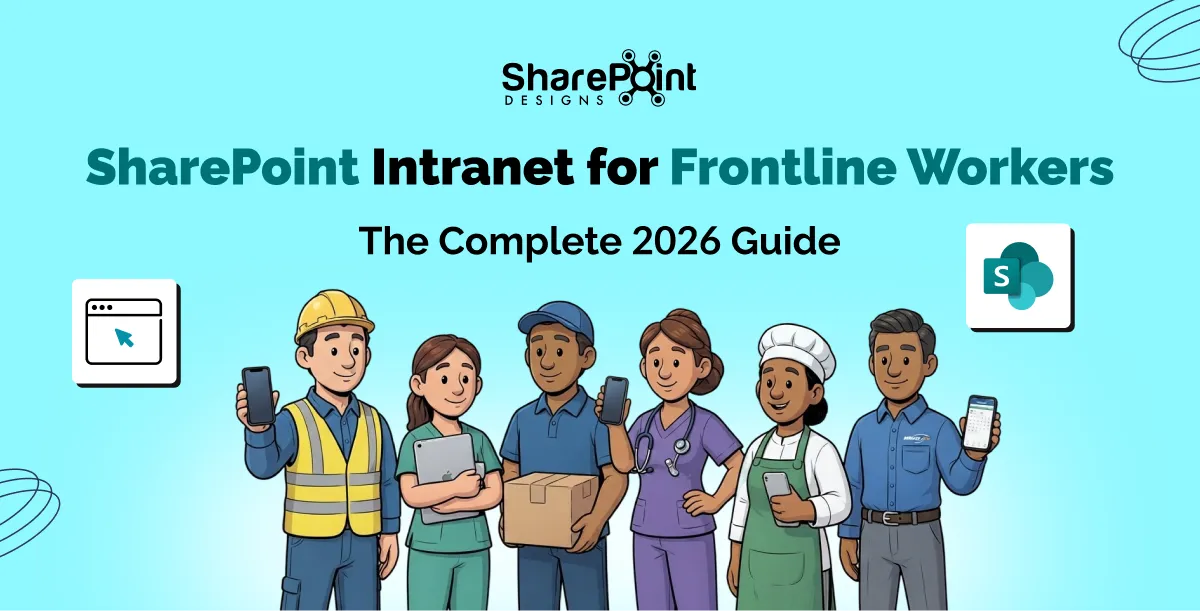
SharePoint Intranet for Frontline Workers: The Complete 2026 Guide
Build a SharePoint intranet for frontline workers with mobile-first UX, Viva Connections, Teams integration, offline access, and proven 2026 best practices.

Most organizations shopping for a SharePoint intranet ask the same first question: "Which product has the best features?"
That is the wrong question.
The right question is: "Do we need a product we configure ourselves, or a partner who builds and supports the solution for us?"
The answer to that question determines everything: your timeline, your total cost of ownership, your design quality ceiling, and critically, whether your employees actually use the intranet after it launches.
According to Social Edge Consulting, 91% of organizations run an intranet yet only 13% of employees use it daily, and nearly a third never log in. That is not a features problem. That is a fit problem. Organizations chose a platform built for administrators, not employees. Or they chose a product that looked great in a demo but couldn't be tailored to how their teams actually work.
This article breaks down the fundamental choice between an intranet-in-a-box product and a managed intranet design partner using real client outcomes, independently verified statistics, and an honest look at which approach delivers lasting employee adoption.
What is the Difference Between an Intranet Product and an Intranet Partner?
These terms get used interchangeably, but they describe fundamentally different relationships with your digital workplace.
Intranet Products
An intranet product is software you license and configure yourself. The vendor provides a set of pre-built components, web parts, templates, navigation structures, and your IT team installs and configures them within your Microsoft 365 tenant. The product has a fixed scope: what the web parts can do is what your intranet can do. Customization is limited to the configuration options the vendor has built in.
The advantages are real. Products are typically faster to get off the ground for organizations with capable IT teams and standard requirements. Origami Connect, for example, provides 40 pre-built SPFx web parts and installs directly into your Microsoft 365 tenant. A typical setup costs approximately $17,500 as a one-time perpetual license.
The constraint is the ceiling. Once you reach the boundary of what the product can configure, you are stuck. If your brand standards require something the template cannot produce, or your HR team needs a custom onboarding workflow, or you want Copilot Studio integrated into your search experience, a product cannot take you there.
Intranet Partners (e.g., SharePoint Designs)
An intranet partner is a firm that designs and delivers your intranet. Rather than selling you a license to configure, they take responsibility for the entire design and delivery from requirements and wireframes through to deployment, user training, and post-launch support.
SharePoint Designs operates this way. They offer two engagement models: pre-built intranet templates from $2,500 for organizations that need a fast, professional launch, and a fully custom bespoke design engagement at $50/hr for organizations that need a website-quality intranet built entirely to their specification.
The difference in outcomes lies in design quality, scalability, and the ability to build beyond standard intranet features into Power Platform workflows, AI agents, compliance systems, and custom web part development with no ceiling on what can be built.
Why do So Many Intranets Fail After Launch?
Understanding why intranets fail is essential before choosing how to build one. The statistics here are sobering.
- 91% of organizations run an intranet; only 13% of employees use it daily (Social Edge Consulting)
- Employees spend an average of 1.8 hours per day searching for information, often because the intranet does not surface what they need (McKinsey & Company)
- 54% of organizations manage documentation across five or more platforms (KM World Survey), meaning the intranet has failed to become the single source of truth
- Fortune 500 companies lose an estimated $31.5 billion per year through poor knowledge sharing (Bloomfire Research)
- According to Gallup's 2026 State of the Global Workplace, employees who find internal communication relevant to their work report higher engagement and retention. A platform that delivers the wrong content to the wrong people actively harms engagement.
The common thread across intranet failures is that the platform was chosen based on features in a demo, not on how the organization actually works. And it was configured by IT, not designed for employees.
A well-designed intranet built around actual user needs with clear navigation, brand alignment, personalization, and integrated workflows consistently outperforms a feature-complete product that employees have stopped checking.
What Makes a SharePoint Intranet Worth the Investment?
The ROI question matters. An intranet is not a quick tool you can swap out in six months; it is a core system your employees rely on every day.
Here is what genuinely drives return on investment from a SharePoint intranet:
Employee Adoption - The Only Metric That Matters Long-Term
An intranet nobody uses is not an asset. It is a liability. Every month of low adoption represents hours of lost productivity, continued reliance on email chains and disconnected file systems, and eroding trust in the platform.
Design quality is one of the strongest predictors of adoption. When an intranet looks and functions like a polished corporate website with branded visuals, logical navigation, personalized content, and fast search, employees engage. When it looks like a configured template that was not built for them, they do not.
This is where a managed design partner has a structural advantage over a self-serve product.
Integration With How Work Actually Happens
Most organizations do not just need an intranet homepage. They need the intranet to connect to the tools their teams actually use: approval workflows in Power Automate, compliance tracking for SOPs, document management with version control, HR onboarding checklists, dashboards in Power BI, and AI-powered search.
An intranet product provides what its web parts support. A design partner builds what your organization needs.
A Design That Scales as the Organization Evolves
Organizations change. Teams restructure, acquisitions happen, new compliance requirements emerge, and AI capabilities are now an expectation rather than a differentiator. An intranet that cannot evolve costs more to replace than it cost to build.
SharePoint Designs builds on Modern SharePoint from day one, the current, supported foundation within Microsoft 365, and extends it with Power Platform integrations, Copilot Studio, and AI agent development that can be added as the organization's needs grow. There is no ceiling on what can be built within the Microsoft ecosystem.
How Has SharePoint Designs Delivered This in Practice?
The following case studies are published on the SharePoint Designs website and represent verified client engagements across multiple industries.
Healthcare - London Women's Clinic Sees 80% Surge in Intranet Traffic
Industry: Healthcare | Clinics: 13 across England and Wales | Challenge: Deploy a branded intranet within one month
London Women's Clinic, established in 1985 on Harley Street, London, had previously engaged SharePoint Designs in 2022 to build a custom intranet but, due to internal circumstances, it was never launched. When they returned in late 2025, the requirement was clear: a ready-to-install SharePoint intranet template, deployed within one month, fully mobile-responsive, with custom web parts, and maintainable by a single intranet owner.
SharePoint Designs delivered a hybrid approach that combined template efficiency with custom flexibility. The solution included:
- Custom branding aligned to LWC's latest brand identity and dynamic theme.
- An interactive homepage featuring vision, mission, values, quick links, employee spotlights, and a message from the Managing Director
- An interactive facilities map web part, a custom build showing all 13 clinic locations with hover-detail functionality unique to LWC's requirement
- Reusable page templates for scalability as new clinics or departments are added.
- Full mobile responsiveness across desktop, tablet, and smartphone
Measured outcomes:
- 80% increase in intranet traffic following launch
- Significant improvement in internal navigation efficiency across 13 clinics
- Higher employee engagement and positive staff feedback on usability
- Reduced technical dependency through a single-admin management model
The intranet evolved from an information repository into a year-round engagement hub. (McKinnon & contributors, 2022)
Read the full case study here
Consumer Goods - Renewal by Andersen Achieves 80% Holiday Traffic Increase
Industry: Home Improvement | Company: Window replacement subsidiary of Andersen Corporation (110+ year legacy)
Renewal by Andersen needed a modern, vibrant, and visually distinctive design, including fully integrated festive seasonal branding for Halloween, Christmas, New Year, and Easter. The challenge was to design seasonal experiences that increased engagement without distracting from the core homepage content.
SharePoint Designs delivered a design-first engagement with custom layouts, branded icon sets and visual elements, an interactive homepage with quick links, news highlights, and event countdowns, animated custom web parts, a mobile-responsive experience, and reusable seasonal design templates that make future holiday updates fast and effortless. All original assets were created by the in-house design team specifically for RBA's intranet.
Measured outcomes:
- Holiday intranet traffic increased by 80%, driven by seasonal themes and interactive features.
- Employees praised the appealing, functional, and festive design.
- Navigation and usability improved across the organization.
- The intranet became a year-round engagement hub, strengthening employees' connection to the RBA brand. (Renewal by Andersen: Transforming Employee Engagement with a Modern SharePoint Intranet, 2025)
Food Services - Compass Group Denmark Centralizes Knowledge for 3,000 Employees Across 350 Canteens
Industry: Contract Food Services | Employees: 3,000 | Sites: 350 canteens | Operating brands: Food & Co, Eurest Facility Services, ESS
Compass Group Denmark faced a knowledge management crisis that reflects one of the most common and costly problems in distributed organizations. SOPs, food safety procedures, and compliance guides were scattered across disconnected systems, lacked bilingual support for the Danish-speaking frontline workforce, lacked governance workflows, and, most critically,lacked a way to verify that employees had actually understood what they read.
In a food safety environment, that last gap is not abstract. It is regulatory and operational risk.
SharePoint Designs delivered a centralized, bilingual Danish-English Knowledge Base on SharePoint Online, built specifically around Compass Group Denmark's operational structure.
The defining features of the solution:
Bilingual architecture that works structurally, not manually. When a food safety SOP is uploaded in English and a Danish translation is linked to it, the platform automatically surfaces the Danish version for Danish-speaking users without requiring any manual language selection. The language barrier was removed at the system level, not patched with a translation toggle.
Auto-generated document assessments. When uploading a compliance-critical document, authors can enable an assessment requirement. The platform automatically generates comprehension questions from the document content. The result: an auditable record confirming that a named employee at a named site read and understood a specific SOP on a specific date. No separate LMS. No manual question-writing. Full compliance audit trail.
Governed approval workflow. Every document passes through a structured author → approver → publish chain before reaching the workforce. No content reaches 3,000 employees without a named reviewer and a governance timestamp.
Advanced layered search with Danish-language prioritization baked into the algorithm, not a user preference, a system default. A kitchen team member searching for a food safety procedure finds the Danish-language version first.
This solution directly addressed the three industry-wide statistics that framed the challenge:
- Employees spend 1.8 hours/day searching for information (McKinsey)
- 54% of organizations manage documentation across five or more disconnected platforms (KM World)
- Fortune 500 companies lose $31.5 billion/year through poor knowledge sharing (Bloomfire)
Manufacturing - Kalsec Reduces Information Search Time by 40%, Navigation Time by 50%
Industry: Natural Food Ingredients | Location: Kalamazoo, Michigan, USA
Kalsec's out-of-the-box SharePoint intranet had four specific problems: low employee engagement, cluttered quick links with insufficient search, complex navigation producing a fragmented user experience, and no brand alignment or personalization.
These are the exact problems that plague self-configured SharePoint intranets not because of the platform, but because configuration-led implementation prioritizes what the tools can do over what employees actually need.
SharePoint Designs redesigned the intranet with:
- Smart quick links with search and categorization by relevance and department
- A personalized homepage with a dynamic welcome banner, improved search, and role-relevant content surfacing
- Simplified top navigation restructured around how employees actually move through the intranet.
- A modern, brand-aligned UI reflecting Kalsec's identity
Measured outcomes:
- ~40% reduction in time to find content, enabling quicker task completion across the organization
- Structured quick links reduced clutter and eliminated unnecessary navigation clicks.
- A modern interface measurably increased employee interaction and engagement.
- Simplified menus helped employees access key tools 2x faster.
Global Enterprise - Daikin Connects 160+ Offices Across 30+ Countries
Industry: HVAC Manufacturing | Scope: Global enterprise
When a global enterprise operates across 160+ offices on multiple continents, the intranet is not an internal website. It is the infrastructure of organizational culture and cross-border collaboration.
Daikin needed a solution that simplified collaboration, enhanced information accessibility, and built shared culture across geographically dispersed teams operating in vastly different contexts. SharePoint Designs delivered a modern SharePoint intranet that transformed fragmented regional systems into a unified global digital workplace connecting people, content, and communication across 30+ countries.
Fortune 500 - Johnson & Johnson Automates Work Order Management Across Markets
Industry: Healthcare | Employees: 130,000+ globally
Johnson & Johnson required an end-to-end Power Platform application to track and manage work orders and external consultants, replacing manual Excel-based processes that lacked real-time lifecycle tracking, consolidated reporting, and automated reminders for delays.
SharePoint Designs built a canvas Power App with data from multiple SharePoint lists, custom work order creation and assignment forms, a Power Automate flow for approvals and rejection notifications with automated delay reminders, and a Power BI performance dashboard filterable by timeframe and consultant.
Outcomes: Streamlined daily activities across markets and regions, significant time savings, reduced human error across the work order lifecycle, and automated approvals accessible from mobile via Teams and email.
When Should You Choose an Intranet Product Over a Partner?
Intellectual honesty matters here. Not every organization needs a managed design partner.
Organizations searching for an Origami Connect alternative are usually at the point where the product model has hit its ceiling either in design quality, Power Platform capability, or the need for a managed partner rather than a self-managed installation. If that describes your situation, the sections above and below set out exactly where the two approaches diverge.
That said, Origami Connect remains a strong product for specific use cases. Here is an honest breakdown:
An intranet-in-a-box product like Origami Connect is the right choice when:
- Your intranet requirements include standard news, navigation, people directory, quick links, and events, and you do not anticipate needing custom development.
- Your IT team is capable and willing to independently manage installation, configuration, and ongoing maintenance.
- You prefer a predictable one-time perpetual license cost (~$17,500) with no ongoing subscription or partner relationship.
- You need GCC or GCC High support for US federal or defense environments (where Origami Connect has a structural advantage)
- The speed of self-managed deployment is prioritized over design quality or the depth of customization.
A managed intranet partner like SharePoint Designs is the right choice when:
- Your brand standards are strict, and the intranet must match your corporate identity precisely.
- You need Power Platform integration: Power Apps, Power Automate, Power BI, Power Pages as part of the intranet, not bolted on separately.
- You want AI features: Copilot Studio, AI Agents, intelligent search, auto-generated compliance assessments.
- You need compliance-critical systems: SOP management with approval workflows, document management with version control, knowledge bases with audit trails.
- You do not want your team to manage configuration, troubleshooting, and ongoing maintenance.
- You want to start with a template at $2,500 and have a clear path to a fully custom intranet as your organization grows.
- You want 3 months of free post-launch design support without additional retainer costs.
Is SharePoint Designs the Right Origami Connect Alternative for Your Organization?
If you are actively evaluating SharePoint Designs as an Origami Connect alternative, the honest answer is: it depends on the gap you are trying to close.
Organizations typically start looking for an Origami Connect alternative for one of three reasons. First, they have reached the design ceiling: the intranet looks like a template and cannot be pushed any further to meet brand standards. Second, they need capabilities that fall outside Origami's web part scope, such as Power Platform workflows, Copilot Studio integration, compliance audit trails, or custom application development. Third, they want a partner relationship rather than a product relationship someone who is accountable for outcomes after launch, not just for providing a license.
SharePoint Designs addresses all three. As an Origami Connect alternative, it offers a lower entry point (templates from $2,500 vs. Origami's ~$17,500 one-time license), a higher design ceiling (fully custom, website-quality intranets built to exact brand specification), and a broader capability set (Power Platform, AI, Copilot Studio, and custom web part development with no ceiling). Crucially, it includes three months of free post-launch design support something no intranet product includes by default.
For a full side-by-side feature comparison across design, pricing, support, and AI capabilities, see the dedicated SharePoint Designs vs. Origami Connect comparison.
What is the True Cost of Getting the Intranet Decision Wrong?
This question deserves a direct answer because intranet projects that fail or underperform are not just a sunk cost. They create ongoing drag on the organization.
Every month of low adoption means:
- Employees continue to rely on email chains, shared drives, and word of mouth rather than a centralized system.
- HR teams manually field questions that an intranet policies section should answer
- New employees take longer to onboard because knowledge is fragmented.
- Compliance gaps accumulate because SOPs are not verified as having been read or understood.
- IT and internal comms teams spend time on maintenance rather than on value-adding work.
When these costs are annualized against the price of getting the intranet right from the beginning, the economics consistently favor investing in a partner who delivers a solution designed for adoption rather than a product configured to specification and then left in the hands of whoever has time to manage it.
How Do Review Platforms Rate SharePoint Designs vs. Intranet Products?
Review evidence is the most reliable signal of real-world experience. Here is what independent platforms show:
SharePoint Designs is rated 4.9/5 on Clutch and 4.5/5 on G2. Clutch recognizes them as a Top Microsoft ECM Company. Reviewers consistently highlight strong communication, ability to deliver tailored solutions, cost-effective pricing, and flexibility. Testimonials from Harvard University, Vanderbilt University, and Renewal by Andersen specifically call out the quality and responsiveness of the team relationship and the hands-on managed support model.
Origami Connect is rated 4.1/5 on G2 and receives positive feedback on Capterra for ease of use and responsive support. Some Capterra reviewers note there are "elements they wish they could customize further," a signal that the product ceiling is real for certain organizations.
The gap in ratings reflects the difference between a managed partner relationship and a self-serve product: when a partner is accountable for outcomes rather than just providing a license, the client experience is fundamentally different.
What Features Does SharePoint Designs Include That Go Beyond a Standard Intranet Product?
Beyond the intranet itself, SharePoint Designs delivers solution suites that extend the Microsoft 365 investment:
Document Management System (DMS) with Copilot smart tagging: files are automatically tagged and categorized, improving discoverability without manual metadata entry.
SOP and Policies Manager with compliance tracking, structured approval workflows, version control, and an auditable record of who read and acknowledged which policy and when.
Knowledge Management System (KMS) is a centralized, searchable, governed knowledge base that can support bilingual content, role-specific surfacing, and auto-generated assessments (as demonstrated in the Compass Group Denmark engagement).
Employee Onboarding Solution: a structured, workflow-driven onboarding experience built inside SharePoint, reducing time-to-productivity for new hires.
Copilot Studio and AI Agent development building conversational AI assistants that operate within the intranet context, answering employee questions, surfacing relevant documents, and automating common HR and IT requests.
Microsoft Teams app development extending the intranet experience into Teams, where many employees spend the majority of their working day.
None of these are available through an intranet-in-a-box product. They require a partner with deep Microsoft ecosystem expertise and a track record of delivering at enterprise scale.
Who is SharePoint Designs Right For?
Specific indicators that SharePoint Designs is the right choice:
- You are an organization with brand standards that a template cannot match.
- You are a regulated industry (healthcare, food safety, legal, financial services) where compliance tracking and audit trails are operational requirements.
- You are a global or multi-site organization that needs multilingual support, role-based content personalization, and governance at scale.
- You are a growing organization that needs an intranet with a clear path to Power Platform automation, AI integration, and custom development as needs evolve.
- You are an HR or internal comms team that wants a true partner for post-launch design support, not a product to troubleshoot independently.
What Does the Intranet Decision Look Like in Practice? A Direct Comparison
For organizations directly comparing SharePoint Designs and Origami Connect, a full feature-by-feature comparison is available at SharePoint Designs vs Origami Connect.
The headline summary:
Conclusion: The Intranet Your Employees Will Actually Use
An intranet is not a quick project. It is the system your employees interact with every single day, and the ROI is not measured at launch. It is measured in daily adoption, in how fast new employees find what they need, in whether the HR team stops fielding the same questions repeatedly, and in whether your compliance documentation is verifiably read and understood.
The question is not which product has the most web parts. The question is: what does your organization actually need, and who is the right partner to deliver it?
If your answer is a fully custom, AI-ready, brand-quality intranet delivered and supported by a Microsoft-certified partner with a clear path from a $2,500 template through to enterprise-scale Power Platform automation, SharePoint Designs is built for that.
Schedule a free consultation | View the Intranet Lookbook | Compare SharePoint Designs vs. Origami Connect | Explore Templates from $2,500
Intranet Product vs. Intranet Partner: Which is the Right Choice in 2026?
Choosing between a self-configured SharePoint product and a managed design partner comes down to one question: do you want to configure an intranet, or have one built and supported for you?

Many users assume that Microsoft OneDrive and Microsoft SharePoint are the same because both allow users to store and share files in Microsoft 365.
But the real difference is actually very simple:
- OneDrive is built for personal work and individual productivity.
- SharePoint is built for team collaboration and organizational content management.
In modern workplaces, organizations use both platforms together because each serves a different purpose. Understanding when to use OneDrive and when to use SharePoint helps employees collaborate more effectively while keeping information organized and secure.
Why does Microsoft 365 Include Both OneDrive and SharePoint?
Since both tools store files and documents, many people naturally ask:
“Why are there two separate tools?”
The answer lies in how the files are being used.
While both platforms manage documents, they are designed for completely different types of work environments.
What is OneDrive?
Microsoft OneDrive is designed for individual use.
It allows users to securely store personal files, drafts, notes, and work-in-progress documents in the cloud. By default, files remain private unless the user decides to share them.
Common OneDrive Use Cases
Users commonly store:
- Draft presentations
- Personal reports
- Temporary work files
- Individual notes
- Files under development
- Personal backups and synchronization files
In most cases, the content is managed and controlled by the individual employee.
What is SharePoint?
Microsoft SharePoint is designed for team collaboration and organizational content management.
Instead of personal storage, SharePoint provides a shared environment where departments and teams can:
- Store documents together
- Collaborate in real time.
- Manage permissions
- Organize information centrally
- Build communication portals and intranet sites.
SharePoint uses team sites and document libraries to help organizations manage shared content efficiently.
OneDrive vs SharePoint: Core Feature Comparison
Security and Governance Comparison
Both platforms are secure and part of the Microsoft 365 ecosystem, but they manage access differently.
- OneDrive focuses on personal ownership and privacy.
- SharePoint focuses on organizational governance and control of collaboration.
Pricing and Licensing Comparison
One important thing many businesses do not realize is that organizations typically do not choose OneDrive instead of SharePoint.
In most Microsoft 365 business subscriptions, both services are included together because they complement each other.
OneDrive vs SharePoint: Understanding the Real Difference in Microsoft 365
Many users assume that Microsoft OneDrive and Microsoft SharePoint are the same because both allow users to store and share files in Microsoft 365.

SharePoint is moving beyond libraries, folders, and permissions. Microsoft is building an intelligent content platform where AI agents handle documents, letting you focus on meaningful work. Here’s what IT leaders and intranet owners must know for 2025-2026.
The Copilot Era Isn't Coming. It's Already Here.
Let's start with the biggest shift. Microsoft 365 Copilot, now an AI-powered assistant across Word, Excel, PowerPoint, Teams, and SharePoint, has moved from blog post previews to full production. But 2025's story isn't about Copilot itself. It's about what happens when Copilot gets specialized.
Copilot Agents (Agent 365)
Think of these as dedicated AI employees for each SharePoint site. A legal site might have an agent trained on contract templates and regulatory filings. An HR portal could have one that answers benefits questions using your company's actual policy documents. These are not generic chatbots. They are site-specific AI assistants that understand your content.
Agentic Workflows
This is where automation becomes autonomy. An agentic workflow (an automated process managed by AI systems rather than just following preset steps) does more than move a document from folder A to folder B when you click "Approve." It reads the document, finds which approval chain is required, routes it, follows up with stalled approvers, and escalates when deadlines pass. The human stays in the loop but no longer deals with the plumbing.
Key distinction: Traditional Power Automate flows (Microsoft’s service for automating repetitive tasks) follow rigid IF-THEN rules. Agentic workflows use AI reasoning (artificial intelligence logic that can adapt to exceptions) to handle edge cases that would have previously required a human to intervene.
Work IQ and Semantic Search
Work IQ is Microsoft's name for the contextual intelligence layer across your entire M365 tenant. It knows which files you've worked on, which meetings discussed a topic, and which emails are project-related, even if nobody tagged them properly.
The result is semantic search. Instead of searching for "Q3-budget-final-v2-REVISED.xlsx," you search for "the budget spreadsheet Sarah shared after the board meeting." The system understands your intent, matches it to your activity graph, and surfaces the right file. This saves knowledge workers hours each week. It reduces the time spent finding things to 20%.
AI Meeting Summaries
Teams meetings now generate structured summaries. These are not just transcripts, but distilled outputs: decisions made, action items assigned, and questions left open. Summaries are automatically stored as team SharePoint documents, creating a searchable decision log that did not exist before.
SharePoint Premium: Your Documents Learn to Read Themselves
SharePoint Premium (formerly Syntex) is Microsoft's answer to a common problem. Every organization has mountains of unstructured content that no one can find, classify, or govern at scale. The 2025–2026 updates push SharePoint Premium from an "interesting add-on" to strategic infrastructure.
Content Assembly
Imagine you have a SharePoint list with 200 rows of client data. Content Assembly lets you create a Word or PDF template, such as a consulting agreement. You can auto-generate 200 personalized documents in minutes. No mail merge and no manual copy-paste. The templates are modern, using structured content controls rather than legacy fields. The output is clean, branded, and ready to send.
For any organization that generates contracts, proposals, or compliance reports at volume, this capability alone justifies the Premium license.
Taxonomy Tagging
Here's the dirty truth about metadata: everyone agrees it is important. Nobody wants to do it manually. SharePoint Premium solves this with AI-driven auto-tagging. Upload a document, and the system reads it and matches its content to your organization's term store. It automatically applies the right tags.
The accuracy is not perfect on day one, but the model improves as it processes more content. The real value is consistency. Instead of 50 people tagging documents 50 different ways (or not tagging them at all), you get a single, enforced taxonomy across the organization.
Why does this matter for intranets :Taxonomy tagging is the foundation for metadata-driven navigation. Without clean, consistent tags, your smart intranet filters are just empty dropdowns. With good tags, employees find what they need in seconds.
Unstructured Document Processing and OCR
Not every document in your company follows a neat template. Letters, internal memos, invoices, and scanned certificates are messy files that traditional DMS platforms struggle with. SharePoint Premium's AI models read these documents, extract key metadata (like dates, names, amounts, and categories), and index them for search.
OCR is now built into SharePoint libraries. Scanned PDFs and photos of documents become fully searchable text without any third-party tool. For legal, healthcare, or government fields, where paper-to-digital conversion is a constant headache, this is a genuine game-changer.
Smart PDF Tools
This feature is simple but extremely useful. SharePoint and OneDrive now have native PDF operations: merge PDFs, extract pages, add annotations, and apply watermarks. You no longer need to download, open in Adobe, edit, and re-upload. It happens in place, in the browser, with version history kept intact.
Forget Files. The Future Is Living Objects.
The biggest shift in Microsoft 365 is not about a single feature. It's a new way to think about content. Files are static; you create them, save them, and share them, then hope everyone's looking at the right version. Living objects are different.
Loop Components
A Loop component is a piece of content, such as a table, a task list, or a status tracker, that exists independently of any single app. Drop it into a Teams message, and your colleague can edit it there. Paste the same component in an Outlook email; it stays synced. Update it in one place, and it updates everywhere.
This breaks the old model of "files live in folders." Loop components live in the Microsoft Graph. They are objects with relationships, not documents with paths. For organizations still struggling with "which version of the spreadsheet is current," this is the answer.
The file was the atom of digital work for 40 years. Loop components are splitting that atom.
Shared Channels (Teams Connect)
External collaboration has always been painful in Microsoft 365. Guest access is clunky. Tenant switching is even worse. Shared Channels let you create a single Teams channel that spans organizations. Both your team and your client's team work in the same space, with the same files, and under separate tenant governance.
For agencies, consulting firms, and any company with heavy partner or vendor collaboration, this removes significant friction.
Holographic Meetings (Microsoft Mesh)
This feature is further out on the adoption curve. Microsoft Mesh creates 3D virtual meeting spaces where participants appear as avatars. With the right hardware, they can appear as holograms. Today, the practical use case is immersive workshops and brainstorming sessions. Spatial presence adds value in design reviews, architecture planning, or training simulations.
Asynchronous Video and Quick Steps
Two features sound small but change daily habits. Clipchamp integration lets anyone record a quick video update. You can post it to a SharePoint page or Teams channel, replacing a 30-minute meeting with a 2-minute video. Quick Steps in SharePoint libraries add one-click buttons for approve, route, archive, and notify actions. These used to require navigating approval workflows or switching to Power Automate.
AI Made Governance Non-Negotiable
Here's the uncomfortable truth about Copilot: AI is only as good as your data governance. If your SharePoint has oversharing, stale permissions, or sensitive documents in "Everyone" folders, Copilot will surface this content to anyone who asks the right question. The 2025 governance toolkit exists to prevent this.
Data Access Governance (DAG)
DAG gives admins a new tool: a clear dashboard. It shows which sites are overshared, which files have "Everyone" or "Everyone except external users" permissions, and where the highest data risk exists. This is not theoretical. In pilot deployments, organizations often discover that 30-40% of SharePoint sites have broader permissions than intended.
Pre-Copilot audit:If you're planning a Copilot rollout, run a DAG report first. Every overshared site is a potential exposure vector once AI starts indexing and surfacing content. Fix permissions before you flip the switch.
Restricted Access Control (RAC)
RAC is the override button. Set a site-level policy to restrict access to a specific security group, regardless of file or folder permissions. If someone accidentally shares a file with the organization, RAC blocks access for anyone not in the group.
For executive sites, M&A deal rooms, and any workspace with genuinely sensitive content, RAC is the safety net that didn't exist before.
Sensitivity Labels and Document-Level Encryption
Sensitivity labels are persistent metadata that travel with a document when it is downloaded, emailed, copied to a USB drive, or opened on a personal device. The label stays, and its policies (encryption, watermarking, print restrictions) stay with it. This is "data protection that follows the file," not "data protection that depends on the file staying in the right location."
Document-level encryption goes further. For genuinely critical files, board minutes, IP documentation, and pre-announcement financials, encryption ensures that even if the file is exfiltrated, the content is unreadable without the right credentials. Crucially, it also blocks external AI tools from parsing the document's text.
Content Lifecycle Management
The average enterprise SharePoint environment doubles in size every 18-24 months. Most of that growth is content nobody looks at, maintains, or needs, but nobody deletes either. Content Lifecycle Management automates the identification of inactive sites and stale documents, triggers review cycles, and can automatically archive or delete content in accordance with retention policies.
This isn't just about storage costs. Every orphaned document is a governance liability and a distraction for AI-powered search. Cleaning up content sprawl is the single highest-ROI governance activity you can do in 2025.
Building Intranets That People Actually Use
All the AI and governance tooling in the world doesn't matter if employees can't find what they need or won't visit the intranet in the first place. The 2025-2026 architecture and UX trends are about making SharePoint intranets feel less like IT infrastructure and more like a product employees genuinely want to open.
Flat Architecture with Hub Sites
The old model: a single root site with deeply nested subsites, each with its own permissions, navigation, and branding. The new model: independent sites connected through Hub Site associations. Each site manages its own content, but they share navigation, search, and branding through the hub.
This flat architecture is faster to build, easier to govern, and far more flexible. Need to reorganize departments? Detach a site from one hub and attach it to another. No migration required.
Modern Site Theming
SharePoint's new "expressive" templates and adaptive layouts bring modern web design conventions into the intranet: asymmetric hero regions, card-based content, clean typography, and responsive layouts that look good on any device. The days of intranets that look like they were built in 2012 are (finally) ending.
Design tip:The best intranets now look and feel like consumer-grade products. Your intranet is competing for attention with Slack, email, and every other tool on your employees' screens. It needs to earn their click.
Mobile-First Design
Frontline workers, field teams, and hybrid employees don't sit at desktops all day. Designing SharePoint pages for the mobile app first, then adapting them for desktop, ensures that your intranet serves the entire workforce, not just those in the office.
Metadata-Driven Navigation
Instead of clicking through five levels of folders to find a document, users filter by metadata such as department, document type, project, date range, and status. This requires clean taxonomy (see Section 2), but when it's done right, it reduces the average "time to document" from minutes to seconds.
The combination of metadata-driven navigation and semantic search makes the traditional folder structure increasingly irrelevant. Not gone folders still exist for backward compatibility, but no longer the primary way people find things.
What This Means for Your Organization
The trends above aren't a buffet, but they're interconnected layers of the same platform shift. Here's the practical sequence for organizations looking to act on this:
The Three-Step Priority
Step 1:Fix governance first. Run DAG reports, apply RAC policies, and implement sensitivity labels. No AI deployment is safe without this foundation.
Step 2:Build your content intelligence layer. Deploy SharePoint Premium for taxonomy tagging and document processing. Clean, classified content is what makes semantic search and Copilot Agents actually useful.
Step 3:Redesign the experience. Adopt flat architecture, modern theming, and metadata-driven navigation. Layer in Loop components for collaboration and Quick Steps for daily efficiency.
The organizations that will get the most value from this platform in 2025-2026 aren't the ones chasing the shiniest new feature. They're the ones that build the foundation of governance, taxonomy, and architecture, and then let the AI amplify what they've already done well.
The file folder isn't dead yet. But it's definitely on notice.
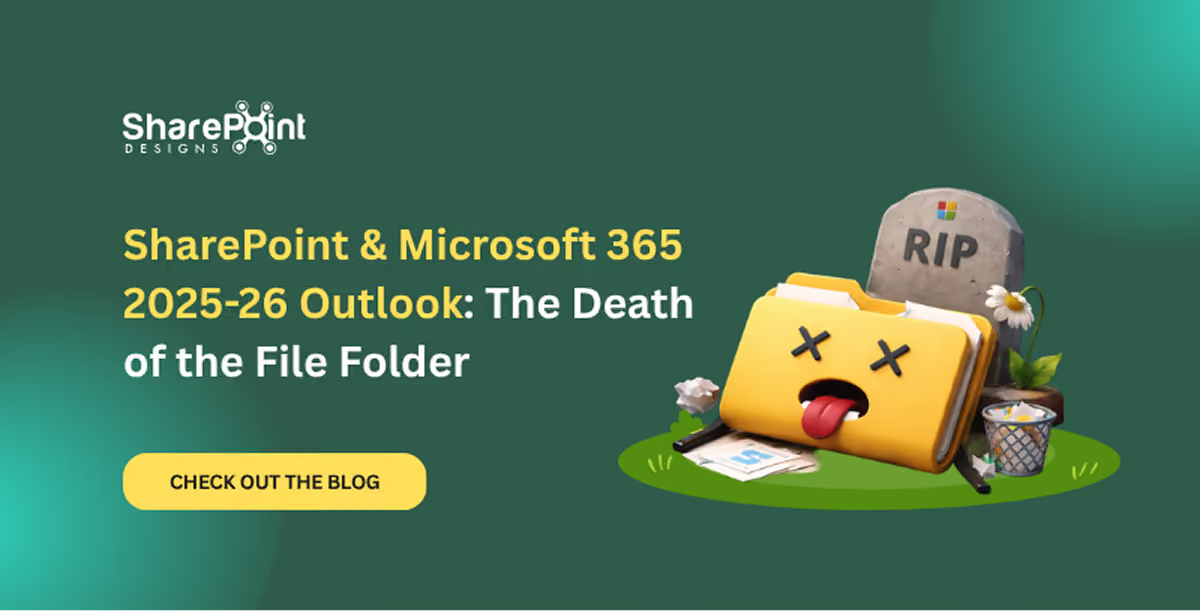
SharePoint & Microsoft 365 2025–26 Outlook: The Death of the File Folder
SharePoint is moving beyond libraries, folders, and permissions. Microsoft is building an intelligent content platform
Unleashing the Economic Impact of Microsoft 365 E3
In the rapidly evolving digital landscape, businesses continually seek solutions that offer both operational efficiency and cost-effectiveness. Microsoft 365 E3 emerges as a formidable player in this arena, promising not just enhanced productivity but also significant cost savings. A comprehensive analysis of the Total Economic Impact™ of Microsoft 365 E3 reveals its potential to transform the financial dynamics of organizations.
1. Cost-Effective Licensing and Infrastructure Management
One of the most striking benefits of Microsoft 365 E3 is the considerable reduction in licensing costs. Organizations can consolidate their solution sets under Microsoft 365 E3, eliminating redundant licenses for communication, collaboration, file sharing, endpoint management, and more. This strategic move results in an average of 60% decrease in per-user licensing spend, translating to substantial savings over time.
2. Streamlining End-User Device Management
The shift towards a Bring-Your-Own-Device (BYOD) model, supported by Microsoft 365 E3, leads to a notable reduction in corporate expenditures on hardware, device plans, and administrative efforts. This strategic approach not only enhances mobile productivity but also fosters a more flexible and cost-efficient work environment.
3. Simplified IT Management and Reduced Workload
The inclusion of Microsoft Intune in Microsoft 365 E3 simplifies the deployment and management of software, security updates, and operating systems. This unified endpoint management tool significantly reduces the resources and time required for IT administration, freeing up IT personnel to focus on higher-value tasks.
4. Boosting End-User Productivity
Microsoft 365 E3 integrates seamlessly with tools like Microsoft Teams, OneDrive, and SharePoint, improving communication and collaboration. This integration saves users an average of 60 hours per year, enhancing overall organizational productivity and reducing time spent on routine tasks.
5. Travel and Expense Savings
The capability of Microsoft Teams to facilitate remote meetings cuts down on travel and associated expenses. This shift to virtual collaboration not only fosters a sustainable work culture but also results in substantial cost savings in terms of airfare, meals, insurance, and more.
6. Enhanced Security and Reduced Risk
Microsoft 365 E3 enhances organizational security, reducing the risk of data breaches and other cybersecurity threats. Features like Multi-Factor Authentication (MFA), conditional access policies, and integrated security logs fortify the organization’s defense against emerging digital threats.
Conclusion
The shift to Microsoft 365 E3 represents a strategic decision that goes beyond mere technological upgrade. It embodies a cost-effective, secure, and productivity-enhancing solution, aligning perfectly with the needs of modern businesses. The economic impact of this transition is evident in the significant cost savings, enhanced security, and improved operational efficiency it brings. As organizations continue to navigate the complexities of the digital era, Microsoft 365 E3 stands as a beacon of efficiency and economic viability.
Note: The insights and data presented in this blog are based on a comprehensive study, The Total Economic Impact™ of Microsoft 365 E3, commissioned by Microsoft and conducted by Forrester Consulting. The study provides an in-depth analysis of the financial impacts and benefits of Microsoft 365 E3 adoption.

Smart Ways to Reduce Costs with Microsoft 365 E3
In the rapidly evolving digital landscape, businesses continually seek solutions that offer both operational efficiency and cost-effectiveness.
United Kingdom based nonprofit Leonard Cheshire doesn’t just provide care and support for people with disabilities around the world, it changes lives for the better permanently. The organization works to make the support that enables independent, rewarding living more accessible to all, and it is in the middle of a major digital transformation.
With Power Apps, Leonard Cheshire can change the game in the way we support people with disabilities to achieve their goals and aspirations.
-Deepash Shah: Business System Manager
Leonard Cheshire

Transforming lives through digital innovation
Millions of people around the world live with disabilities and have full, rewarding, and personally fulfilling lives. Leonard Cheshire supports thousands of them by providing more than just social care. The nonprofit supports individuals to live, learn, and work independently, giving them freedom, choice, and greater structure in their lives.
Leonard Cheshire focuses on a single, simple goal to deliver real and sustained positive changes in the lives of people with disabilities by improving the accessibility of education, employment, and independent living support. To help it make support services more accessible, Leonard Cheshire uses technology in creative and intuitive ways.
“We knew we could create better outcomes for the people we support by changing our technology,” says Jon Petty, Executive Director of Technology at Leonard Cheshire. “So we launched an organization-wide transformation initiative we call Project Connect.”
Project Connect is designed to shift mindsets and processes throughout Leonard Cheshire by using digital technology to connect people and streamline operations. But before Project Connect, the nonprofit relied on numerous disparate systems and manual processes.
“The limitations of the tools we were working with were well known,” says Petty. “The need for change was clear costs kept going up, and we had to make decisions based on little to no data, because it was all stored in different places. There was no single version of the truth.”
Establishing a foundation for greater transformation
Leonard Cheshire worked with QuantiQ a Gold-competency member of the Microsoft Partner Network to consolidate its systems and build new apps and workflows using Microsoft Dynamics 365 and the Microsoft Power Platform. The nonprofit will use the Dynamics 365 Customer Service and Dynamics 365 Finance apps to consolidate information across services, provide simple, streamlined support, and manage social care billing and project accounting. With the Dynamics 365 Healthcare and Nonprofit Accelerators, Leonard Cheshire saved time and effort by reusing existing blueprints with Common Data Model standards. On the platform, it built customized apps for end-to-end fundraising and billing management.
At the center of its transformation, Leonard Cheshire is using the Microsoft Power Platform to build new, intuitive apps for handling care plans, assessments, and notifications; uploading images to Microsoft Azure Blob storage; and creating data visualization and business insights for reporting. Before, support workers at Leonard Cheshire used Microsoft Word and Excel files to build care plans and assessments, and they used third-party or house-built finance and compliance apps.
“Our old systems hadn’t seen any investment in years,” says Laura Crandley, Executive Director of Partnerships at Leonard Cheshire. “People did what you would expect they came up with their own solutions. We had thousands of Word documents in use. Our people will be able to manage and record care easily from anywhere using a streamlined mobile app.”

Better experiences, better lives
Using this blend of Dynamics 365 apps and Microsoft Power Automate, Microsoft Power Apps, and Microsoft Power BI on the Microsoft Power Platform, Leonard Cheshire is building a complete, cohesive platform for modern, streamlined operations. That new foundation is bringing the organization’s entire digital world together, creating an ecosystem that’s far more valuable than the sum of its previously disparate parts.
Leonard Cheshire is improving management, service delivery, and reporting while reducing administration and overall costs. An independent ROI study predicted full payback in less than 36 months. The investment pays off in productivity and collaboration, too. Leonard Cheshire staff now work on a common platform with a single view of the information they need.
For example, the nonprofit had a paper-based staff rostering system that it is now fully digitizing. This will give decision makers full visibility into how many external agency staff the nonprofit is using and an opportunity to reduce this expense by better scheduling according to staffing gaps.
“We’ve identified a lot more ways that we can make a difference using Dynamics 365 and the Microsoft Power Platform,” says Crandley. “We’re now using them to improve our financial operations, with customer relationship management and compliance monitoring capabilities to follow in the next few months.”
As Project Connect continues, Leonard Cheshire is finding more ways to empower its employees and the people they help. For those who rely on Leonard Cheshire’s support, the transformation initiative will make services more accessible and understandable, ultimately enabling them to live more fulfilling, independent lives from the moment they first engage with the organization.
Find out more about Leonard Cheshire on Twitter, Facebook, YouTube, and LinkedIn.
Our old systems hadn’t seen any investment in years. People did what you would expect—they came up with their own solutions. Our people will be able to manage and record care easily from anywhere using a streamlined mobile app.
-Laura Crandley: Executive Director, Partnerships
Leonard Cheshire

Leonard Cheshire supports people to live, learn, and work independently with the help of Power Apps and Dynamics 365
United Kingdom–based nonprofit Leonard Cheshire doesn’t just provide care



.svg)





