How Daikin Achieved Global Collaboration with a SharePoint Intranet: A brief Case Study
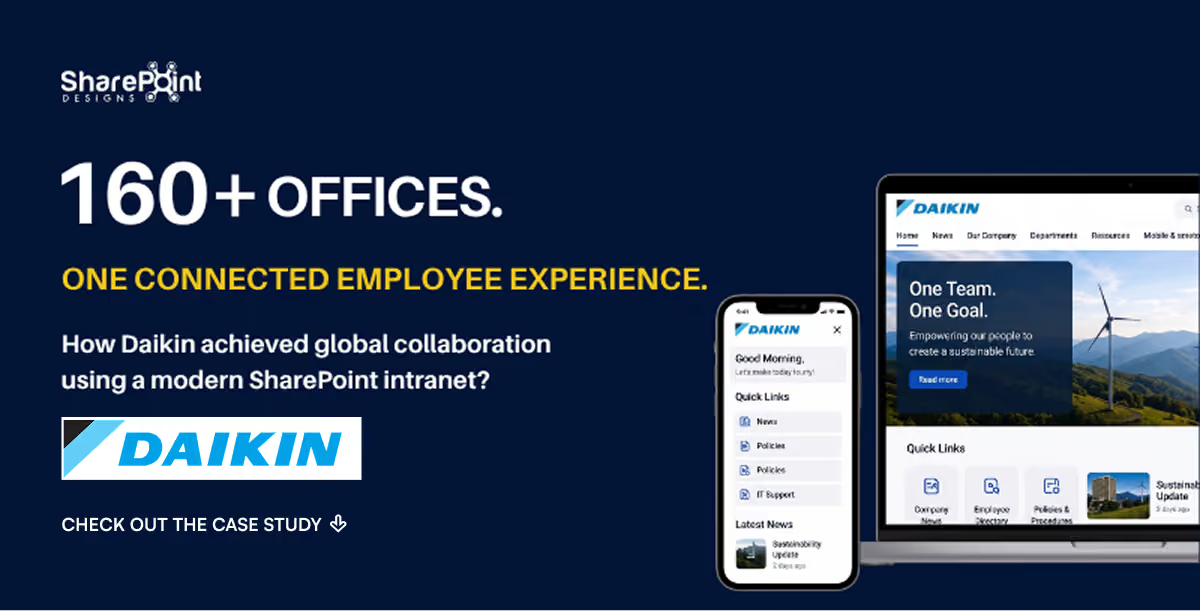
Connecting 30+ Countries Through a Unified Digital Workplace
When a global enterprise like Daikin operates across continents, connecting people, content, and communication becomes a major challenge.
To bridge the gap between 160+ global offices, Daikin needed a solution that simplified collaboration, enhanced accessibility, and built a shared culture.
The answer was a modern SharePoint intranet a platform that transformed fragmented systems into a unified global digital workplace.
The Challenge: Disconnected Teams and Outdated Systems
Before adopting SharePoint, Daikin’s internal communication faced serious roadblocks:
- Fragmented systems with limited integration across regions.
- Employees struggling to locate key documents and company updates.
- Lack of multilingual support, reducing engagement for non-English users.
- Outdated intranet design with poor mobile accessibility.
- Minimal visibility into leadership communications and announcements.
Daikin wanted a platform that could scale globally while delivering localized experiences empowering every employee, no matter where they worked.
The Solution: A Global Collaboration Hub Powered by SharePoint
Partnering with SharePoint Designs, Daikin transformed its traditional intranet into a powerful, intuitive Microsoft 365 intranet solution designed for seamless collaboration and engagement.
Key Features Implemented
To create a seamless and engaging user experience across Daikin’s global offices, several custom-built intranet features were developed.
1. Unique Top Navigation Bar
A custom extension was developed to display the top navigation bar across the entire site.
The navigation includes quick links to the Home Page, Discussion Board, Upload Form, and other folders.
This allows users to navigate the site from anywhere, while also showing the count of new uploads for the day improving content visibility by 40%.
2. Personalized Welcome Banner
A Personalized Welcome Banner greets the logged-in user and displays the current date and time.
It also provides quick links for manuals and contact details, making essential information accessible in seconds.
3. Custom Upload Form
A custom-developed Upload Form enables users to create site pages easily.
All related files are stored in a unique folder within the document library, ensuring organized storage and quick access.
This improved content management efficiency by 35%.
4. Discussion Board
The latest three discussion topics appear on the homepage with brief descriptions.
Clicking the title navigates users directly to the discussion topic, encouraging faster collaboration and increasing engagement by 25%.
5. Latest Uploads & Press Releases
The recent four press releases and latest five uploads from all folders are dynamically displayed on the Home Page.
This ensures that important updates are always visible, resulting in a 30% boost in user interactions.
6. Advanced Search
A custom search bar is available throughout the site.
Search results are refined to display only items from the Site Pages library.
Users can find content using keyword searches or filters, with an enhanced results page designed for usability.
This led to a 45% faster content discovery rate across teams.
7. Recommended Read Corner
A section dedicated to Select and Featured Articles showcasing the most viewed or liked site pages each month.
It also doubles as a space to announce contest winners or internal campaigns, strengthening engagement.
8. Multilingual Experience
To support Daikin’s diverse employee base, the intranet features an Azure-powered Translator Tool with 8 language options.
All site content (excluding files) uses Azure translation services, empowering employees to read content in their preferred language and improving inclusivity across regions by 50%.
9. Subscribe to Periodic Emails
The “Subscribe” feature helps users stay updated with instant, daily, or weekly summaries of uploads.
Available on every folder page, it’s powered by Microsoft Power Automate flows that send automated email updates based on user preferences.
This led to a 60% increase in recurring intranet engagement.
- Smart Document Management: Centralized library with version control and advanced metadata search reducing document retrieval time by 45%.
- Departmental Micro-Sites: Each department had its own space for announcements, tasks, and resources.
- Mobile-First Design: Fully responsive layout ensuring employees stay connected on any device.
- Leadership Communication Hub: Video broadcasts and digital town halls strengthened engagement between leadership and employees.
The Results: From Silos to Seamless Global Collaboration
After deploying the new SharePoint intranet, Daikin achieved measurable and lasting improvements across its organization.
Key Metrics:
- 1 unified platform serving teams in 30+ countries
- 45% faster document access through intelligent search and tagging
- 60% boost in employee engagement with interactive polls, recognitions, and social feeds
- Reduced communication delays between departments by 35%
- Improved compliance and governance with role-based permissions and audit trails
Today, Daikin’s intranet acts as the digital heartbeat of its organization, connecting teams, empowering knowledge-sharing, and driving a culture of transparency.
Intranet Design Best Practices Applied
- User-Centric Navigation: Simplified structure allowing quick access to tools and information.
- Consistent Visual Identity: Global branding aligned with Daikin’s corporate culture.
- Interactive Web Parts: Modern SharePoint components for news, events, and KPIs.
- Accessibility First: Optimized for all screen sizes and assistive technologies.
- Integration with Microsoft Teams: Unified messaging and collaboration through Microsoft 365.
Key Takeaways
- A SharePoint intranet can turn scattered teams into connected global communities.
- Multilingual intranets boost engagement and inclusivity.
- Modern intranets are strategic business tools, not just communication platforms.
- Measurable ROI comes from better content findability, engagement, and efficiency.
Client Insight
“They took care of our concerns.”
-Daikin
Ready to Build Your Own Modern SharePoint Intranet?
Your intranet can do more than store files, it can build culture, improve productivity, and connect your workforce globally.
Book a Free SharePoint Consultation
Related Resources
Explore Our SharePoint Consulting Services





.svg)





