Tech Ideas & Best Practices
Good Microsoft AI agents for mid-size companies answer HR and IT questions, triage requests, classify documents, prepare meeting briefs and track commitments. Most are built in Copilot Studio or as SharePoint agents, using data already in Microsoft 365. Agents that need custom models, heavy document processing or complex orchestration are built in Azure AI Foundry. Running costs are often tens of dollars a month per agent.
Last updated: 10 October 2026
An AI agent is software that uses a large language model to answer questions or take actions on a user's behalf, using defined data sources and tools. This page lists twelve agents with their platform, data, effort and cost. It ends with the guardrails to set before any agent goes live.
Which Microsoft platforms are used to build AI agents?
Microsoft offers three main places to build agents: SharePoint agents, Copilot Studio and Azure AI Foundry. SharePoint agents answer questions from chosen sites and files with almost no setup. Copilot Studio adds conversations, actions and connectors through a low-code designer. Azure AI Foundry is a developer platform for custom models, retrieval pipelines and multi-agent orchestration.
Our guide to Microsoft Copilot products explains how these fit with Microsoft 365 Copilot.
What are 12 practical AI agent examples for mid-size companies?
The twelve examples below are agents that mid-size organisations can build and run today. Each uses data the organisation already holds. Each also has a clear measure of success, such as fewer tickets or hours saved. Start with one agent whose questions are frequent, repetitive and answered by existing documents.
Agents 6 and 7 are based on agents we have built. Our post on AI document classification for family offices describes the classifier approach.
How do you choose between Copilot Studio and Azure AI Foundry?
Choose Copilot Studio when the agent mainly answers questions and takes standard actions inside Microsoft 365 and common business systems. Choose Azure AI Foundry when you need custom prompts at scale, specialised models, high-volume document processing or several agents working together. Many organisations start in Copilot Studio and move individual agents to Foundry when they outgrow it.
Use Copilot Studio when:
- The data lives in SharePoint, Dataverse or a system with a Power Platform connector.
- Business users will maintain the agent after launch.
- Volume is moderate, such as hundreds of conversations a day.
Use Azure AI Foundry when:
- You process thousands of documents a day.
- You need model choice, evaluation and fine control over prompts.
- The agent coordinates several steps or other agents.
How much does it cost to run a Microsoft AI agent?
Running costs depend on platform and usage. Copilot Studio uses Copilot Credits: a pack of 25,000 credits costs $200 per month, or pay-as-you-go costs $0.01 per credit. A generative answer uses 2 credits and an agent action uses 5. Internal use by staff with a Microsoft 365 Copilot licence does not consume credits. Azure AI Foundry is billed by model usage and Azure resources.
Worked example for the HR policy assistant:
Build effort usually costs more than running costs. A focused SharePoint agent takes hours. A Copilot Studio agent with two or three actions typically takes one to three weeks. A Foundry agent with custom document processing typically takes four to eight weeks. Pricing figures are Microsoft list prices as of October 2026.
Which guardrails should you set before launching an AI agent?
Set five guardrails before launch. Limit sources, check permissions, define refusals, log conversations and name an owner who checks answers monthly. These guardrails prevent the two most common failures: confident answers from outdated content, and answers that reveal content to the wrong people.
- Approved sources only. Point the agent at curated libraries, not entire tenants.
- Permissions checked. Fix over-shared sites first, because agents respect existing access.
- Refusal rules. Define topics the agent must hand to a human, such as legal advice or grievances.
- Logging and review. Keep transcripts and review a sample each month.
- Named owner. One person is accountable for accuracy and updates.
Our article on why Copilot returns the wrong document explains how source quality affects answers.
How do you measure whether an AI agent is working?
Measure an agent against the work it replaces. Track how many questions it answers without escalation, how often users rate answers as helpful, and how much the related ticket or email volume falls. Review these figures monthly for the first quarter. Retire or redesign any agent that does not reduce workload within three months.
- Resolution rate. Share of conversations closed without a human.
- Answer accuracy. Share of sampled answers judged correct by the owner.
- Volume shift. Change in related tickets or emails.
- Adoption. Weekly active users as a share of the target audience.
See our AI agents service for how we scope a first agent, and our Copilot Studio use cases for more ideas.
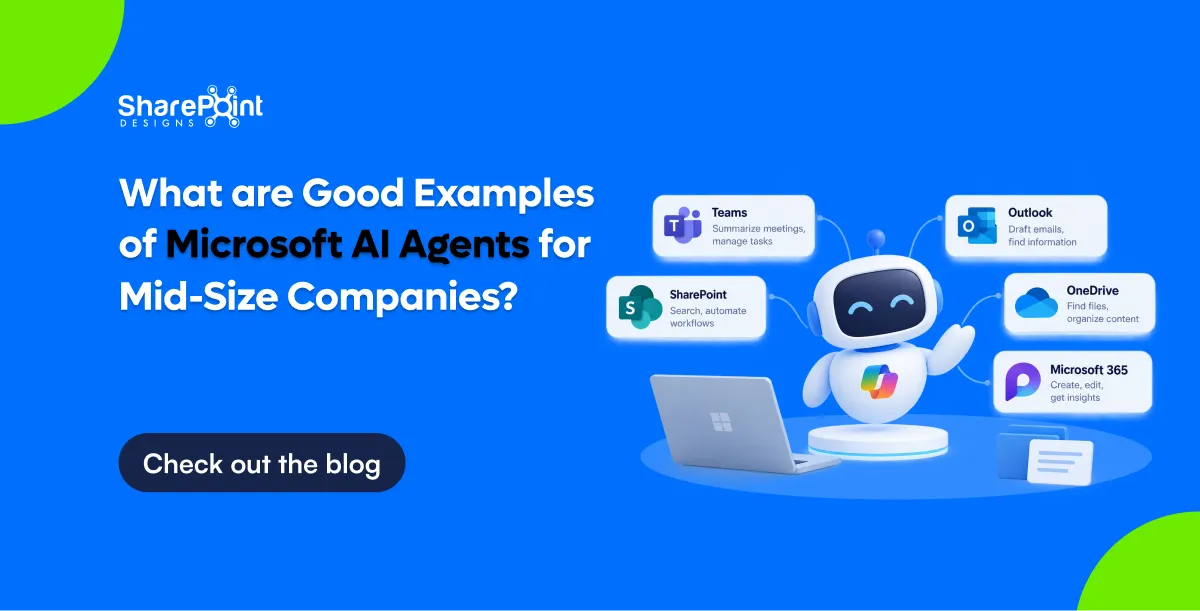
What Are Good Examples of Microsoft AI Agents for Mid-Size Companies?
Good Microsoft AI agents for mid-size companies answer HR and IT questions, triage requests, classify documents, prepare meeting briefs and track commitments.

AI document classification reads a document's content and decides what it is and where it belongs. In a family office, that means identifying the document type, such as a lease or a K-1. It also means identifying the entity it relates to, such as a trust, LLC or property. The system then applies metadata and files the document in the right place. A person confirms anything the AI is unsure about.
What Is AI Document Classification?
AI document classification is the automated labelling of documents by their content rather than their file name. A language model reads the text, recognises the document type and extracts key facts. Those facts include parties, dates, amounts and entity names. The system then writes them into metadata fields. Good classification turns an unstructured upload into a governed, searchable record that is linked to the right entity.
Traditional filing depends on the person who saves the file. They choose a folder, type a name and hope colleagues follow the same logic. Classification moves that decision from the person to the system.
Three capabilities sit underneath most classification tools:
- Document type recognition. The model decides whether a file is a lease, an operating agreement, a tax return or an insurance policy.
- Entity extraction. The model finds names, addresses, tax identifiers and account references inside the text.
- Metadata population. The system writes the results into structured columns, such as Entity, Document Type, Tax Year and Expiry Date.
Microsoft now builds this into SharePoint. Its autofill columns feature uses large language models to extract, summarise or generate content from uploaded files. It then saves the results as metadata automatically. Classification is therefore no longer a specialist add-on. It is becoming a standard part of document management.
Classification works best on a well-structured tenant. Our free AI Ready SharePoint Score shows how prepared an environment is before AI is switched on.
Why Do Family Offices Struggle to File Documents Correctly?
Family offices struggle because one document often relates to several entities at once. A single lease can involve a property LLC, a holding trust and a family member as guarantor. Folder trees force one location per file. Staff therefore duplicate files or file them inconsistently. Over time, nobody can say with confidence which version is current or which entity it belongs to.
The typical family office manages a dense web of structures. These include trusts, LLCs, partnerships, foundations, operating companies, properties and individual family members. Each structure generates its own steady stream of documents.
Common pain points include:
- Multi-entity documents. A capital call notice may affect a fund interest, a holding LLC and a trust beneficiary.
- Many contributors. Accountants, attorneys, advisers and family members all send documents by email.
- Long retention horizons. Tax filings, trust deeds and property records must stay findable for decades.
- High sensitivity. Estate plans and financial statements need strict, role-based access.
- Small teams. Most family offices have few staff, so manual filing competes with higher-value work.
The result is familiar. Documents sit in inboxes, personal drives and generic "Scans" folders. Search returns twenty near-identical files. Audits and tax deadlines become stressful document hunts.
How Does AI Decide Which Entity a Document Belongs To?
AI decides by matching facts inside the document against a register of known entities. The model extracts names, addresses, tax identifiers and account numbers. It then compares them with the family office's entity list. When a strong match appears, the system proposes that entity with a confidence score. When matches conflict or are weak, the document goes to a person for review.
The entity register is the critical ingredient. Without it, the AI can recognise "a lease" but cannot know which of twelve property LLCs owns the building.
The Classification Flow, Step by Step
- Step 1: Capture. A user drags a file into the system, or a rule picks it up from an email inbox.
- Step 2: Read. The system extracts text, including text from scanned images, using optical character recognition.
- Step 3: Identify type. The model classifies the document, for example "Commercial Lease" or "Schedule K-1".
- Step 4: Extract facts. The model pulls out parties, property addresses, tax years, amounts and key dates.
- Step 5: Match the entity. The system compares extracted facts against the entity register and scores each candidate.
- Step 6: Propose a destination. The system suggests the library, folder and metadata values.
- Step 7: Confirm or auto-file. High-confidence results file automatically. Lower-confidence results wait for one-click confirmation.
- Step 8: Log. The system records who filed what, when, and what the AI recommended.
What Signals the AI Uses
Strong entity signals include a legal entity name, an employer identification number, a property address and a policy or account number. Weaker signals include a family member's first name, an email sender or a file name. A well-designed system weights strong signals far more heavily than weak ones.
Should Family Offices File by Folder or by Metadata?
Family offices should file primarily by metadata and use folders only as a light, familiar wrapper. Metadata lets one document carry several entity tags at once, which folders cannot do. Folders still help people browse, so a hybrid works best. In practice, keep a shallow folder structure by entity and let metadata handle document type, year, status and cross-entity links.
A folder answers one question: where is this file? Metadata answers many questions at once: what is it, who does it relate to, when does it expire, and who can see it?
AI classification makes the metadata approach practical. The old objection to metadata was that people never fill in the fields. When the AI fills them in, that objection largely disappears.
For a wider view of where different Microsoft 365 tools fit, see our guide to choosing between SharePoint, OneDrive and Teams for company documents.
What Does an Entity-Centric Information Architecture Look Like in SharePoint?
An entity-centric information architecture treats each trust, company, property and family member as a first-class record. Documents link to those records through metadata rather than living only inside a folder. In SharePoint, the entity register is a list. Document libraries use lookup columns that point to it. AI classification then fills those columns automatically when documents arrive.
A practical metadata model for a family office usually includes the following columns:
This model supports the views family office staff actually need. Examples include "every document for Maple Street Holdings", "all K-1s for tax year 2025" and "leases expiring in the next 180 days".
Which Family Office Documents Can AI Classify Reliably?
AI classifies standardised documents very reliably and needs more human review on bespoke legal agreements. Tax forms, account statements and insurance certificates follow predictable layouts, so accuracy is high. Leases, operating agreements and trust deeds vary widely in wording and structure. For those, the AI should propose a classification and a person should confirm it before filing.
Reliability improves over time. Each confirmation or correction gives the system a clearer picture of how the office files documents.
Some offices go further and build a custom agent for the edge cases. Our AI agents built on Microsoft Copilot can handle multi-step filing rules, such as routing a capital call to finance before it is filed.
What Are the Main Options for AI Filing in a Family Office?
Family offices generally choose between three approaches. The first is a purpose-built family office platform. The second is a standalone metadata-driven document management system. The third is AI classification built natively into Microsoft 365. The right choice depends on where documents already live, how many tools the office wants to run, and how much control it needs over its data.
How Does DocVault Handle AI Classification Inside Microsoft 365?
DocVault, our AI-powered SharePoint document management system, runs inside the client's own Microsoft 365 tenant. It applies Copilot-powered auto-tagging and titles, governed templates, version approvals, audit trails and automated retention. Documents never leave the tenant. Because DocVault uses existing Microsoft 365 licences, a family office adds AI classification without adding a separate platform.
For family offices, the most relevant DocVault capabilities are:
- AI auto-tagging and titles. Copilot reads documents and applies consistent metadata and naming.
- Natural-language search. Staff ask "show me the Maple Street lease" instead of guessing folder paths.
- Dynamic filters. Users narrow results by entity, document type, status or date in a few clicks.
- Review and expiry tracking. The system sends pre-expiry and overdue notifications for leases, policies and agreements.
- Role-based permissions. Estate documents stay restricted while routine records stay widely accessible.
- Full audit trail. Every upload, edit, approval and access event is logged.
DocVault also supports compliance requirements, including SOX, ISO 27001, GDPR and HIPAA controls. Our post on document control in SharePoint for ISO, SOX and GDPR explains how those controls work in practice.
How Should a Family Office Roll Out AI Document Classification?
A family office should roll out AI classification in five stages. First, build the entity register. Second, agree the metadata model. Third, test on a sample of real documents. Fourth, set confidence thresholds. Fifth, migrate historical files in batches. Testing on the office's own leases, K-1s and trust documents matters most, because accuracy on real documents is the only meaningful benchmark.
- Step 1: Build the entity register. List every trust, company, property, account and family member, with legal names and identifiers.
- Step 2: Agree the metadata model. Define the columns, allowed values and collections before any AI runs.
- Step 3: Test on real samples. Run 20 to 50 representative documents and measure how often the AI picks the right entity and type.
- Step 4: Set confidence thresholds. Decide which document types may auto-file and which always need confirmation.
- Step 5: Migrate in batches. Classify historical content collection by collection, reviewing exceptions as you go.
Choosing the right migration tool affects how much clean-up the AI must do later. Our comparison of SharePoint migration tools covers the main options.
Our SharePoint document management solution covers the design and migration work behind these stages. Before starting, the free DMS Compliance Score tool gives a quick baseline of current document controls.
What Governance Controls Should Surround AI Filing?
AI filing needs four governance controls: human review for low-confidence results, role-based access, a complete audit trail and automated retention. These controls matter more in a family office than in most organisations. A misfiled trust document can expose sensitive family information. A deleted tax record can create real legal and financial risk.
- Human in the loop. The AI proposes; people decide on anything ambiguous or sensitive.
- Access by role and entity. Permissions should follow the entity and sensitivity metadata, not only the folder.
- Audit trail. The system should log the AI's recommendation alongside the final human decision.
- Retention policies. Tax, trust and property records need defined retention periods and protected disposal.
Classified documents also become far easier to search and reuse. Our AI knowledge management system for SharePoint builds on the same metadata to answer staff questions directly.
Microsoft Purview handles retention natively in Microsoft 365. Our guide to Microsoft Purview retention for SharePoint documents explains how to set it up correctly.
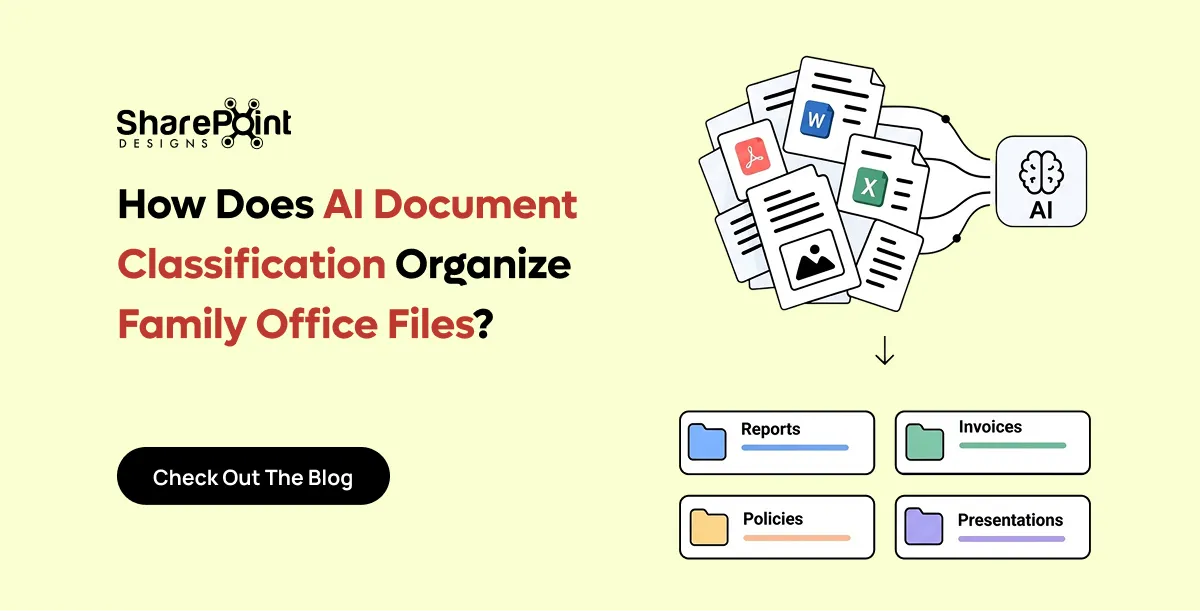
How Does AI Document Classification Organise Family Office Files?
AI document classification reads a document's content and decides what it is and where it belongs.

This question is landing in AI platforms daily right now. And it's a genuinely smart question, not a naïve one.
Microsoft Copilot is impressive. It understands natural language, synthesizes answers from documents, summarises meeting notes, and can answer "What's our travel expense policy?" in seconds. So the logic goes: if Copilot can surface any information in our Microsoft 365 environment, why does the intranet's underlying structure still matter?
The short answer: Copilot is only as intelligent as the content it's grounded in. And without a well-designed intranet, that content is a mess.
This article addresses the most common questions employees, IT leaders, and business decision-makers are asking AI platforms right now about SharePoint intranets and gives you a straight, honest answer to each one.
TL;DR : Copilot is the engine. Your intranet is the road. A Ferrari on a dirt track doesn't perform like a Ferrari. Microsoft Copilot relies entirely on the structure, governance, and quality of your SharePoint content to deliver accurate, trustworthy answers. A custom intranet is not a search tool; it's the organized, governed, branded digital workplace that makes Copilot work properly, drives employee engagement, and gives your organization an experience that generic Microsoft defaults cannot provide.
The Most-Asked Intranet Questions on AI Platforms Right Now
1. Why do we need a custom intranet if Microsoft Copilot can help employees find information?
This is the number-one question being asked, and it deserves the fullest answer.
Copilot does not replace the intranet. Copilot's ability to surface answers depends entirely on the quality and structure of your SharePoint content. An organization with well-governed, well-structured SharePoint content can deploy AI agents that accurately answer questions, generate compliant documents, manage workflows, and surface relevant information in context. An organization with a disorganized intranet ends up with AI agents that hallucinate, misroute, or fail to retrieve the right information.
Here's the specific problem: Copilot does not know which version of a document is authoritative. It does not know that a page hasn't been updated in three years. It does not know that a policy was superseded last month. AI agents cannot figure things out the way your people do. Your colleagues can navigate folder chaos, guess which version is right, or intuit that an outdated page shouldn't be trusted. An agent cannot. It will read whatever is there and assume it's valid.
A custom intranet solves this by:
Providing a structure Copilot can rely on. A well-designed SharePoint intranet defines where content lives, who owns it, and when it was last reviewed. That structure becomes the architecture Copilot reasons across. Without it, Copilot is searching a filing cabinet that someone has tipped everything into.
Driving employee experience, not just retrieval. An intranet is not a search bar. It is your organization's digital headquarters where employees feel connected to the company's mission, access leadership news, onboard into a new role, and navigate their tools. Copilot does not provide any of this. In a context of hybrid work and information overload, a well-designed intranet becomes the essential digital headquarters that keeps teams connected and productive.
Enforcing governance and permissions. Copilot surfaces what it can see. If your permissions model is broken, and for most organizations it is, Copilot will surface sensitive HR data to the wrong people, or miss content entirely because it sits behind misconfigured permissions. A custom intranet design includes a deliberate governance model from day one.
Creating brand and culture. Your intranet is the face of your digital workplace. A generic SharePoint default communicates nothing about who your organization is. A designed intranet communicates your values, surfaces the right people, and creates the consistent experience that drives adoption.
The answer to this question is not "Copilot vs. intranet." Copilot is designed as a general-purpose AI assistant rather than a specialized tool for intranet design. They are built for different things. The intranet is the foundation. Copilot is the intelligence layer that sits on top of it.
2. What is the difference between SharePoint out-of-the-box and a custom SharePoint intranet?
SharePoint out-of-the-box gives you the platform. A custom intranet gives you the workplace.
Out of the box, SharePoint provides document libraries, sites, pages, Teams integration, and basic search. These are infrastructure components. They are not a finished digital workplace any more than an empty office building is a workplace.
A custom intranet built on SharePoint adds:
- Intentional information architecture - content organized the way your employees think, not the way Microsoft organizes it by default
- Branded design - visual experience aligned to your identity, not a generic Microsoft template
- Purpose-built navigation - menus, hub sites, and landing pages designed around your departments, roles, and workflows
- Governance model - defined content ownership, retention policies, review cycles, and access controls
- Employee experience features - news aggregation, people directory, quick links, events calendar, onboarding journeys, and department portals.
- Copilot readiness - content structure, metadata, and permissions configured so Copilot can deliver accurate, trusted answers
SharePoint is undergoing its most significant transformation in over two decades, powered by artificial intelligence. In 2026, organizations are moving beyond traditional document management to embrace AI-driven knowledge platforms. But that transformation only delivers value if the underlying platform is built properly.
3. Does SharePoint still need a custom design in 2026 or has Microsoft improved the default experience?
Microsoft has made significant improvements to the default SharePoint page. Building is faster, branding controls are broader, and AI is accelerating design with tools like the SharePoint Page Agent. Instead of navigating menus, understanding information architecture principles, and configuring settings manually, SharePoint now asks one question: "What do you need this to do?" You describe your goal in plain language, and SharePoint responds with a plan covering site structure, pages, lists, libraries, and starter content.
But these improvements solve a different problem. They make it faster to build SharePoint pages. They do not solve governance, information architecture, adoption, or the employee experience gap that persists in almost every default Microsoft 365 deployment.
The reality in 2026 is that organizations using default SharePoint without a deliberate design and governance strategy are experiencing three consistent failures:
Low adoption. Employees visit the intranet once, find it hard to navigate, and default to asking colleagues or searching Teams instead. Copilot adoption suffers as a result because the underlying content is not maintained.
Content chaos. Organizations create over two million SharePoint sites and upload more than two billion files daily, creating content chaos where critical information becomes impossible to find. Without governance, this compounds every month.
Copilot failures. When Copilot returns wrong or outdated answers, trust collapses quickly. Employees lose confidence in both the AI and the platform. Recovering that trust is significantly harder than building the intranet correctly from the start.
4. What does a well-structured intranet actually do for Microsoft Copilot?
This question is being asked more and more as organizations move to Microsoft 365 Copilot licensing and discover that the AI underperforms. The reason is almost always the same: poor intranet structure.
A SharePoint intranet built for agents is not flashy. It is predictable. Clean. Governed. Something an AI can understand without guesswork. When your content follows consistent patterns and your governance model reflects how your organization actually operates today, agents become dramatically more reliable.
Specifically, a well-structured intranet gives Copilot:
Clean, authoritative content. When content owners are defined and review cycles are enforced, the information Copilot retrieves is current and accurate. Copilot becomes genuinely useful rather than a source of doubt.
Correct permissions boundaries. Microsoft has introduced a SharePoint Admin Agent, a new AI-driven governance tool that identifies overshared content and monitors inactive sites to prevent Copilot sprawl, where AI accidentally reveals sensitive data due to poor permissions. Good intranet design prevents oversharing from being a problem in the first place.
Structured metadata. Tagged content, properly organized libraries, and consistent naming conventions allow Copilot to locate and cross-reference information accurately. Without this, Copilot's retrieval is imprecise.
Curated knowledge sources. A new dynamic FAQ web part powered by Microsoft 365 Copilot automatically curates and updates frequently asked questions by analyzing user behavior and connected data sources. But that only works when the underlying content is well-organized and maintained.
Think of it this way: if you want Copilot to be your organization's most trusted assistant, your intranet needs to be the most well-organized library it has ever worked from.
5. What is the SharePoint Knowledge Agent, and do I need a custom intranet for it to work?
SharePoint Knowledge Agent represents Microsoft's solution for preparing large volumes of content for AI consumption while maintaining governance and accuracy.
It can summarise documents, compare versions, spot outdated content, suggest structure, and answer questions directly from your SharePoint content. It is Microsoft's acknowledgment that most environments are not AI-ready, and it is a tool to help organizations close that gap.
But here is the critical limitation that most teams discover too late: Knowledge Agent won't rewrite your information architecture for you.
It can tell you that your intranet has problems. It cannot fix them. It cannot define a hub site structure, create content ownership frameworks, establish governance policies, or design an employee-facing experience that people will actually use.
A custom intranet design does all of those things before you deploy Knowledge Agent, so that when you switch it on, it has a well-organized, well-governed environment to work from, not a filing cabinet it needs to apologize for.
6. How long does it take to build a SharePoint intranet and what does it cost?
This is the most practically asked question, and it deserves a direct answer.
A typical custom SharePoint intranet project with SharePoint Designs covers the following phases:
Cost varies significantly based on organization size, content volume, and complexity. Smaller organizations (under 500 employees) typically pay a salary within a few months of a junior developer's salary. Enterprise projects scale with complexity.
The more relevant question is: what does a poor intranet cost? Research consistently shows that employees in organizations with poorly designed digital workplaces spend an average of 45 minutes per day searching for information they cannot find. Across a 500-person organization, that is the equivalent of dozens of full-time employees producing nothing. The cost of building the intranet right is almost always a fraction of the productivity drain of not building it properly.
Don't Have 3–6 Months? There's a Faster Path.
If the timeline above feels too long for where your organization is right now, there is a proven alternative that does not compromise on quality.
SharePoint Designs offers a prebuilt, ready-to-use SharePoint intranet that can be installed in hours and is fully operational from Day 1.
Rather than building from a blank canvas, our prebuilt intranet gives you a professionally designed, Copilot-ready SharePoint environment with everything already in place: navigation, branding templates, department pages, news hub, people directory, quick links, HR and IT portals, governance framework, and content structure installed directly into your Microsoft 365 tenant.
What you get from Day 1:
- Fully branded, modern SharePoint intranet live in hours, not months.
- Pre-configured hub site structure with department portals built in
- Governance framework and content ownership model included
- Copilot-ready information architecture from the moment it's installed.
- Mobile-friendly, accessible from any device
- Built on your own Microsoft 365 tenant, your data never leaves your environment.
- Works natively with Microsoft Teams, Viva Connections, and Microsoft 365 Copilot
And you can try it free for 15 days - no commitment, no credit card required.
The 15-day free trial gives your team full access to the complete intranet environment inside your own Microsoft 365 tenant, so you can see exactly how it looks, how it works, and whether it fits your organization before any decision is made.
Already on SharePoint 2016 or 2019? Our prebuilt intranet is also the fastest path to a modern, Copilot-ready environment post-migration. Start Your 15-Day Free Trial →
The custom-built path (3–6 months) remains the right choice for organizations with complex enterprise requirements, highly customized workflows, or large content migration needs. But for organizations that need a production-ready, professional intranet quickly, the prebuilt route provides the same foundational quality in a fraction of the time.
7. Should I wait for Microsoft to improve SharePoint defaults before investing in a custom intranet?
This is a reasonable question, and the honest answer is that the improvements Microsoft makes will make your intranet better, not make it unnecessary.
SharePoint is no longer just where you store company knowledge. It is the environment in which AI agents operate. The quality and structure of your SharePoint environment directly determine the quality of what those agents can do.
Every Microsoft improvement, Knowledge Agent, Copilot integration, agentic AI, and dynamic FAQs amplifies the value of a well-structured intranet. It does not replace the need for one. If your intranet is disorganized today, Microsoft's AI improvements will surface that disorganization to your employees faster and more visibly than ever before.
The organizations winning in 2026 are not the ones waiting for Microsoft to solve their workplace problems. They are the ones who built a clean, governed, Copilot-ready intranet and are now layering AI capabilities onto a foundation that actually supports them.
8. What's the difference between SharePoint intranet and Microsoft Viva?
Microsoft Viva is the employee experience platform built on top of SharePoint and Microsoft 365. It includes modules for communications (Viva Connections), learning (Viva Learning), engagement (Viva Engage), and workforce analytics (Viva Insights).
Viva Connections is the most directly intranet-relevant module, as it surfaces your SharePoint intranet inside Microsoft Teams, bringing your news, quick links, and dashboard into the tool employees use most.
A custom SharePoint intranet is the content and governance layer that makes Viva Connections valuable. Without a well-designed intranet underneath it, Viva Connections surfaces the same poorly organized content in a different interface.
Think of the relationship as:
- SharePoint intranet - the well-organized, governed, branded knowledge environment
- Viva Connections - the employee-facing interface that surfaces the environment inside Teams
- Microsoft Copilot - the AI intelligence layer that reasons across all of it
All three need each other. None of them replaces the others.
9. Can SharePoint Designs build a Copilot-ready intranet from scratch?
Yes. And this is exactly what the most forward-thinking organizations are commissioning in 2026.
A Copilot-ready intranet built by SharePoint Designs is not just a pretty SharePoint deployment. It is architected from day one with AI performance in mind:
- Information architecture designed around how Copilot retrieves and reasons across content, not just how humans navigate
- Metadata taxonomy is defined to enable Copilot to accurately filter, rank, and contextualize information.
- Permissions model that prevents oversharing while ensuring Copilot can access what employees are authorized to see
- Content governance framework with defined owners, review cycles, and archiving policies so content stays current and trustworthy
- Branded employee experience that drives adoption because an intranet no one uses produces content Copilot cannot learn from
- Migration and clean-up of legacy content so you do not import years of outdated information into your new Copilot-ready environment
The result is a SharePoint environment that looks and feels like a premium digital workplace on day one and gets measurably smarter as Copilot learns from the well-governed content inside it.
The Bottom Line
Microsoft Copilot does not make your intranet redundant. It makes your intranet more important than ever.
Every AI capability Microsoft releases in 2026, from Knowledge Agent to Copilot grounding to agentic workflows, runs on top of your SharePoint environment. The quality of those AI experiences is a direct reflection of how well your intranet is designed, governed, and maintained.
Organizations that invest in a custom, Copilot-ready intranet now are building the foundation for an AI-powered digital workplace that works. Organizations that skip that investment are deploying expensive AI licenses onto a content environment that makes those AI tools look bad.
The question was never "intranet or Copilot." The question is: how do we build an intranet worthy of Copilot's capabilities?
Ready to Build a Copilot-Ready Intranet?
SharePoint Designs specializes in modern SharePoint intranet design, Copilot readiness, and Microsoft 365 digital workplace transformation.
- SharePoint Intranet Design Service - Custom, branded, Copilot-ready intranet build
- Prebuilt Intranet - 15-Day Free Trial - Fully operational SharePoint intranet installed in hours, free to try for 15 days
- Microsoft 365 Copilot Integration - AI grounding, governance, and Knowledge Agent setup
- SharePoint Site Audit - Full assessment of your current environment's Copilot readiness
- Free Migration Checklist - If you're still on SharePoint 2016/2019, start here
- Migration Tools Comparison - SPMT vs ShareGate vs AvePoint compared.
- Contact SharePoint Designs - Speak to a specialist this week.
Why Do We Need a Custom Intranet If Microsoft Copilot Can Help Employees Find Information?
Microsoft Copilot is impressive. It understands natural language, synthesizes answers from documents, summarises meeting notes, and can answer "What's our travel expense policy?" in seconds.

“We’ll Just Use AI to Build Our Intranet.”
A sentence we’ve been hearing in almost every second demo.
A few years ago, the objection was: “We’ll build it ourselves.”
Today, it has changed to: “We’ll just ask ChatGPT or Claude to create our SharePoint intranet.”
Honestly, we understand why.
AI is incredibly good at generating layouts, writing content, suggesting navigation, and even creating SharePoint page structures. It can produce something that looks impressive in minutes.
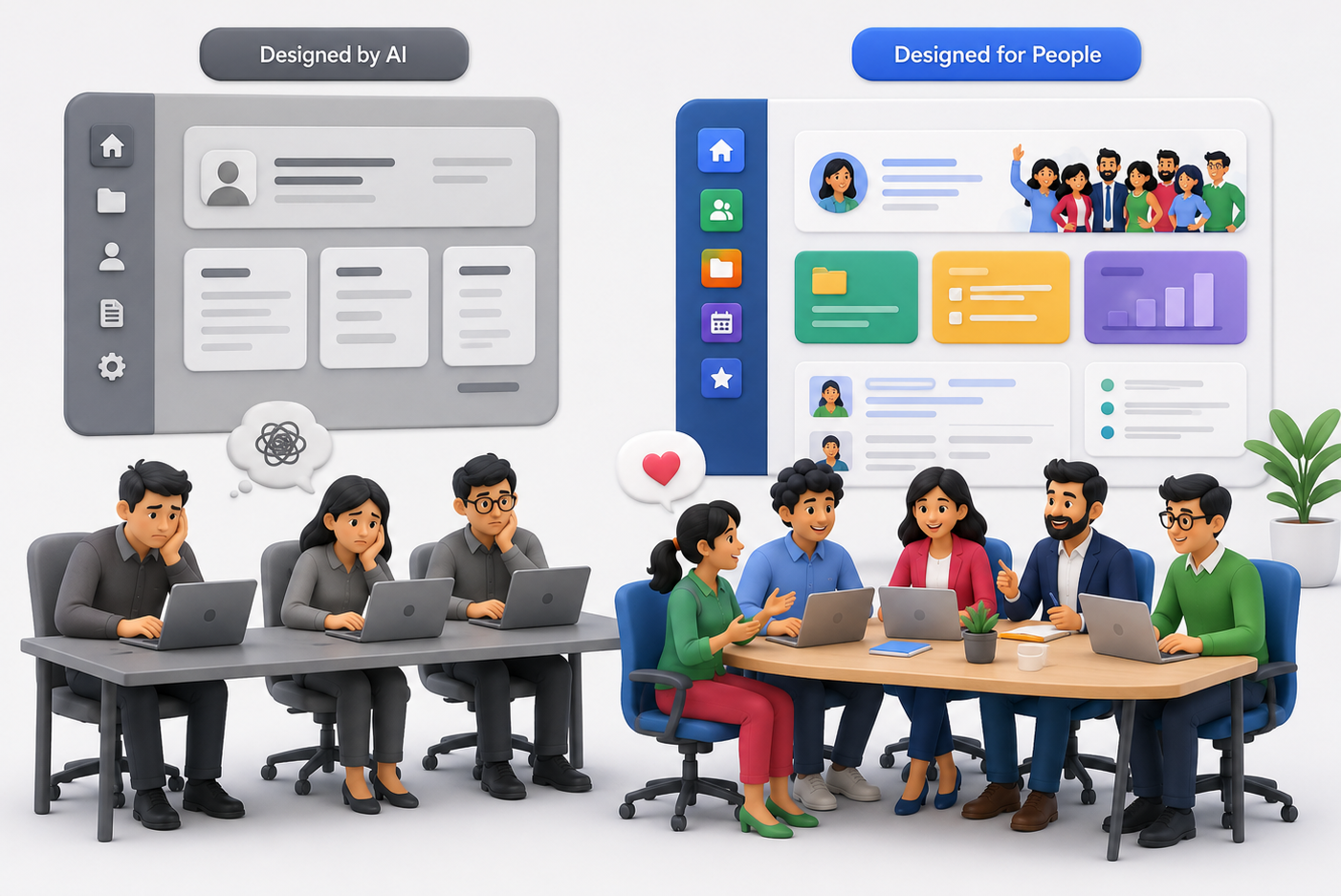
But after delivering hundreds of SharePoint projects, we’ve learned one thing: looking like an intranet and functioning like an intranet are two completely different things.
The Hidden Problem with AI-Generated Intranets
Most AI tools start with a prompt: “Create a modern HR intranet.” Within seconds, you receive a homepage, a news section, an employee directory, quick links, a hero banner, and department pages. Everything looks polished.
The problem?
It looks exactly like thousands of other intranets.
Your organization isn’t generic. Your employees aren’t generic. Your processes certainly aren’t generic. An intranet should reflect how your business actually works, not how an AI assumes businesses work.
AI Doesn’t Know Your Organization
AI has never attended your leadership meetings.
It doesn’t know
- how employees search for information,
- which departments rarely collaborate,
- which documents are most frequently requested,
- why employees ignore your current intranet,
- which approval processes create bottlenecks,
- how new hires actually onboard,
- what executives want employees to see first.
Without understanding these realities, AI makes assumptions. Great intranets are built on discovery, while AI builds on probability, and those are very different things.
It Designs Pages, Not Employee Experiences
Many AI-generated intranets look beautiful, until employees start using them.
Then the questions begin:
- Where do I find HR forms?
- Why are there three different document libraries?
- Why is search returning outdated files?
- Why is onboarding scattered across multiple pages?
- Why is nobody using this?
Aesthetics doesn’t measure a successful intranet; adoption does. If employees stop using it after two weeks, the design has already failed.
AI Doesn’t Challenge Bad Decisions
One of the most valuable things consultants do isn’t building; it’s asking uncomfortable questions. Questions like:
- Do employees actually need this page?
- Why are there six approval levels?
- Should this content even exist?
- Who owns this information after launch?
AI rarely pushes back; it simply executes your prompt. Human experts question assumptions before they become expensive mistakes.
Every Company Has Hidden Complexity
During discovery sessions, we often uncover things clients didn’t initially mention, like departments using different naming conventions, duplicate document repositories, outdated policies still being referenced, teams relying on personal OneDrive folders, or manual approval workflows that nobody enjoys. None of these appear in a prompt, yet they determine whether an intranet succeeds or fails.
AI Doesn’t Think About Governance
A homepage is only a tiny part of an intranet. Behind every successful SharePoint deployment are decisions like permission strategy, information architecture, metadata planning, search optimization, content lifecycle, governance policies, site ownership, and long-term maintenance.
These aren’t glamorous, but they’re exactly what keep an intranet useful years after launch. Ignoring them creates technical debt that becomes harder and more expensive to fix over time.
The Biggest Risk: False Confidence
Perhaps the biggest downside isn’t poor design; it’s believing the intranet is “done” because it looks complete. Modern AI produces convincing outputs, and it creates confidence before validation. Many organizations launch an AI-generated intranet only to realize months later that employees aren’t adopting it. By then, redesigning becomes significantly more expensive.
A Story We’ll Never Forget
A few months ago, we met with a prospective client. After our discovery session, they thanked us and said something we’ve been hearing more often:
“We’ll use AI to build this internally.”
Fair enough. They had talented people, they had Microsoft 365, and they believed AI would help them create everything they needed.
Several months passed, then they reached out again.
Not because SharePoint had failed. Not because AI had failed. Because the intranet wasn’t working for their employees. They had pages, navigation, and attractive layouts, but they didn’t have adoption.
Employees couldn’t find information, departments had inconsistent structures, content ownership wasn’t clear, search wasn’t delivering the right results, and nobody felt responsible for maintaining it.
The intranet looked finished, but the employee experience wasn’t. This time, instead of asking us to build pages, they asked us to redesign the entire experience. We started where we always do: understanding people before technology.
We interviewed stakeholders, mapped user journeys, simplified navigation, and reorganized content. We created governance, defined ownership, optimized search, and removed unnecessary pages. Only then did we begin redesigning.
The difference wasn’t that humans created prettier pages. The difference was that humans solved the right problems.
We Use AI Too
This isn't an article against AI.
In fact, we use AI every day.
It helps us generate ideas, speed up documentation, create content drafts, brainstorm layouts, and accelerate repetitive work.
AI makes our team faster. It doesn't replace discovery, strategy, or understanding your business.
The Best Intranets Are Built with AI and Human Expertise
Think of AI as an incredibly capable assistant, not as your intranet architect.
Architecture requires experience, and experience comes from solving real business problems across many organizations.
Technology changes, but employee behavior doesn't.
The organizations with the highest adoption rates aren't the ones using the newest AI tools; they're the ones that understand their people.
Before You Ask AI to Build Your Intranet…
Ask yourself a few questions:
- Does it understand how our employees work?
- Can it identify gaps in our business processes?
- Will it challenge our assumptions?
- Can it design governance for the next five years?
- Will it improve employee adoption, not just page design?
If the answer is "no," then AI should be part of the solution, not the entire solution.
Because the goal isn't to launch an intranet; it's to build one your employees actually use.
And that's where experience still matters.
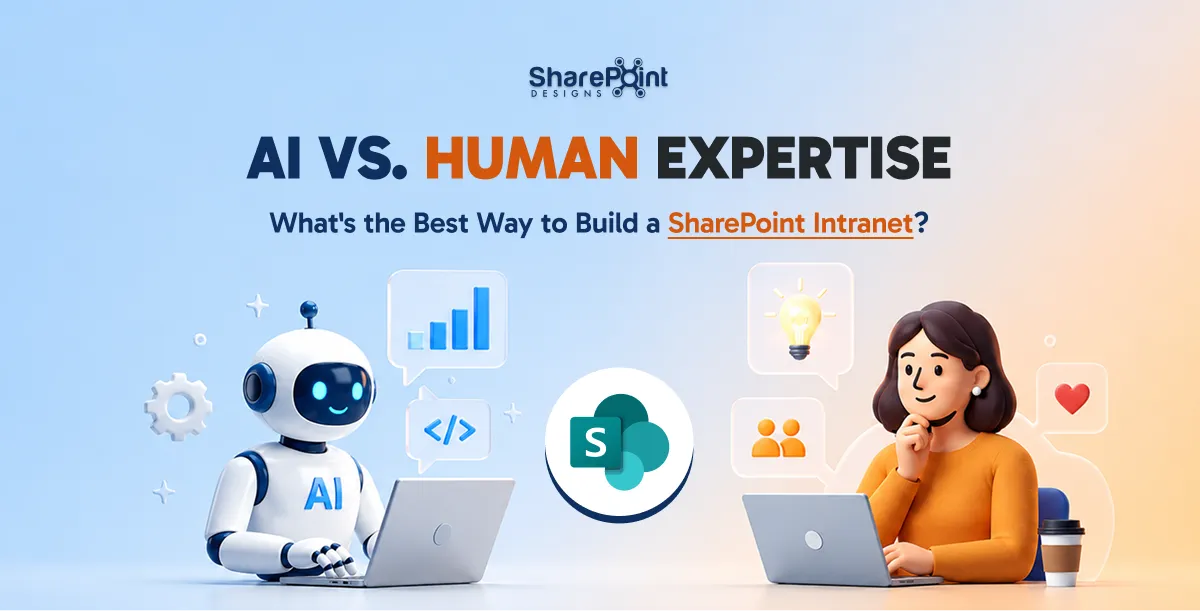
AI vs. Human Expertise: What's the Best Way to Build a SharePoint Intranet?
Thinking of using ChatGPT or Claude to build your SharePoint intranet? Learn where AI adds value, where it falls short and why successful...
SharePoint Syntex, a part of Microsoft 365, is an AI-driven tool that empowers organizations to automate content management processes, enhance productivity, and ensure compliance across various types of content. Whether dealing with documents, images, videos, or app-managed content, Syntex offers a suite of features designed to optimize how information is captured, processed, and utilized within your organization. This blog will explore all the key features of SharePoint Syntex, categorized under Documents & Images, Video, Storage, and App Features.
Documents & Images
1. Autofill Columns
Feature Overview: Autofill Columns allow users to add prompts to specific columns in SharePoint lists or libraries to automatically extract or generate information from the contents of files stored within those locations.
Use Case: This feature is particularly useful for automating metadata generation, ensuring consistency across documents, and reducing the manual effort required to input data into SharePoint lists. For instance, legal teams can extract contract expiration dates or parties involved directly into corresponding columns.
2. Content Assembly
Feature Overview: Content Assembly enables users to create modern templates linked to data sources, such as SharePoint lists, to generate repetitive structured documents automatically.
Use Case: Organizations can streamline the creation of standard documents like contracts, proposals, or reports by pulling data directly from structured data sources, reducing errors, and ensuring consistency in document generation.
3. Document Translation
Feature Overview: The Document Translation feature allows users to create translated copies of documents directly within SharePoint Syntex.
Use Case: This feature is invaluable for global organizations that need to maintain multilingual versions of key documents, such as company policies or marketing materials. It ensures that all employees and stakeholders have access to documents in their preferred language.
4. eSignature (SUPPORTED REGIONS ONLY)
Feature Overview: eSignature functionality within SharePoint Syntex enables users to set up PDFs for electronic signatures by internal and external stakeholders.
Use Case: This feature simplifies the process of gathering signatures for contracts, agreements, and other formal documents, reducing the need for physical document handling and expediting approval processes.
5. Image Tagging
Feature Overview: Image Tagging allows users to categorize and label images with descriptive keywords automatically.
Use Case: This feature is particularly beneficial for marketing, media, and creative teams that manage large libraries of images. By automating the tagging process, it enhances the discoverability of images and improves organization within SharePoint libraries.
6. Optical Character Recognition (OCR)
Feature Overview: OCR capabilities in SharePoint Syntex enable enhanced search functionalities by recognizing and extracting text from images within documents.
Use Case: This feature is essential for organizations that deal with scanned documents, handwritten notes, or images that contain text. It allows users to search for and retrieve information from these documents as if they were regular text documents
7. Prebuilt Document Processing
Feature Overview: Prebuilt Document Processing models in Syntex allow users to configure pretrained models to extract information from common business documents like contracts, invoices, and receipts.
Use Case: These models are pre-trained to recognize and extract structured data from standard documents, making it easy for businesses to automate document processing without the need for extensive model training.
8. Structured and Freeform Document Processing
Feature Overview: This feature lets users train custom models to extract information from structured documents like forms or freeform documents like letters and contracts.
Use Case: Organizations can tailor these models to handle specific document formats unique to their business processes, such as customer service letters or legal contracts, enhancing the precision of data extraction.
9. Taxonomy Tagging
Feature Overview: Taxonomy Tagging automates the process of tagging files using terms from your organization’s managed metadata.
Use Case: This feature helps maintain consistency in how content is categorized and retrieved across the organization, which is critical for compliance and content management.
10. Unstructured Document Processing
Feature Overview: Unstructured Document Processing allows users to train custom models to classify and extract information from a wide range of file types, regardless of format.
Use Case: This feature is ideal for organizations dealing with a diverse array of document types that do not conform to a specific structure, enabling effective content management across various departments.
Video Features
Video Transcript Translation
Feature Overview: SharePoint Syntex allows for the translation of video transcripts and closed captioning files. This feature supports multiple languages and ensures that video content is accessible to a broader audience.
Use Case: Organizations with multilingual teams can use this feature to make video content understandable across different regions by providing translated transcripts or captions, thus improving communication and training efficiency.
Storage Features
1. Microsoft 365 Archive
Feature Overview: The Microsoft 365 Archive is a long-term storage solution for inactive or historical SharePoint content. It maintains the same searchability, security, and compliance standards as active data, ensuring that archived content remains accessible and compliant with organizational policies.
Use Case: Organizations can use the Microsoft 365 Archive to store large volumes of historical data securely, which is not frequently accessed but needs to be retained for compliance purposes.
2. Microsoft 365 Backup
Feature Overview: This feature provides backup and recovery capabilities for SharePoint, Exchange Online, and OneDrive for Business. It ensures that your content is securely backed up and can be restored efficiently in case of accidental deletion or other data loss scenarios.
Use Case: Organizations requiring robust data protection strategies can rely on Microsoft 365 Backup to ensure quick recovery of critical business data, minimizing downtime and data loss risks.
App Features
1. SharePoint Embedded
Feature Overview: SharePoint Embedded is a solution that allows developers to use the SharePoint file and document storage platform within their applications. This API-only solution creates secure, isolated storage partitions within a Microsoft 365 tenant that are accessible only through the specific app that created them.
Use Case: Independent Software Vendors (ISVs) and enterprises can utilize SharePoint Embedded to manage content securely within their applications while benefiting from Microsoft 365's advanced content management features like search, sharing, versioning, and compliance.
2. App-Managed Content Experiences
Feature Overview: Content stored by applications using SharePoint Embedded does not count toward the organization's SharePoint storage quota. Instead, it is billed separately via an Azure subscription based on the total storage used and the number of API calls.
Use Case: This feature is ideal for apps that require extensive storage but need to isolate their data from the organization's general SharePoint usage. It provides a flexible, scalable, and secure storage solution.
Conclusion
SharePoint Syntex is more than just a document management tool; it is a comprehensive AI-powered platform that enhances the way organizations handle a variety of content types, including documents, images, videos, and application-specific data. By automating key processes, improving accessibility, and ensuring robust data management, Syntex empowers businesses to operate more efficiently, stay compliant, and drive innovation.
Whether you are looking to streamline document processing, improve video accessibility, manage large volumes of data securely, or integrate content management capabilities into your apps, SharePoint Syntex offers a wide range of features to meet your needs. As organizations continue to adapt to the evolving digital landscape, the adoption of tools like Syntex will be crucial in maintaining a competitive edge and achieving operational excellence.

Comprehensive Guide to SharePoint Syntex Features and Use Cases: Unlocking the Power of AI for Content Management
SharePoint Syntex, a part of Microsoft 365, is an AI-driven tool that empowers organizations to automate content management processes, enhance productivity,
TL;DR
The simple answer is Yes and No. If you use a prompt into ChatGPT to generate a result, you cannot claim copyright protection for the output. On the bright side, if you modify the output in creative ways, it may be eligible for copyright protection! It's important to remember that only the parts of the work that are authored by humans can be copyrighted.
In a world where artificial intelligence is increasingly contributing to creative endeavours, a question arises regarding the copyrightability of AI-generated content. The debate surrounding this topic is complex and multifaceted. Hence, it requires a thorough examination to fully understand the issue. Let’s dive into this murky digital pool with a dash of wit.

Picture this: A robot tapping away at its keyboard, spewing out sonnets that would make Shakespeare blush. Now, who owns those sonnets? The robot? Its creator? Or perhaps the ghost of the Bard himself? Cue dramatic music.
Sure, AI can churn out content faster than a caffeinated squirrel on a treadmill, but does that mean it deserves the same copyright protections as human-made masterpieces? It’s like asking if a blender can claim royalties for the smoothie it blends.

Legal scholars are scratching their heads (and probably reaching for the Advil) trying to decipher this conundrum. After all, copyright law was crafted with human ingenuity in mind, not algorithms that binge-watch cat videos for inspiration.
On the flip side, denying AI copyright protection could stifle innovation faster than you can say “404 error.” Imagine a world where AI creators throw in the towel because they can’t monetize their digital brainchildren. It’s like telling a toddler they can’t keep their finger paintings.

So, can AI-generated content be copyrighted? The answer is about as clear as mud in a hurricane but there's some light at the end of this tunnel.
The U.S. Copyright Office has recently provided some guidance on this topic. AI-generated content can sometimes be copyrighted, according to David Siegel, partner at Grellas Shah LLP. Thus far, the Copyright Office, has explained that, for a work to be afforded copyright protection in the U.S., it must have a human author. Yet, Siegel said he is not sure what that means in the world of AI.
If the only human involvement is the input of a chat prompt into ChatGPT, for example, one cannot obtain copyright protection for the raw result of that prompt," Siegel said. On the other hand, if a user inputs a prompt into an AI tool, gets a response and then modifies the result in creative ways, that can potentially result in content afforded copyright protection. However, only human-authored parts of the work can be copyrighted.
One thing’s for sure: as long as there are humans behind the AI, there’ll be a legal circus worthy of the big top. Grab your popcorn and enjoy the show!
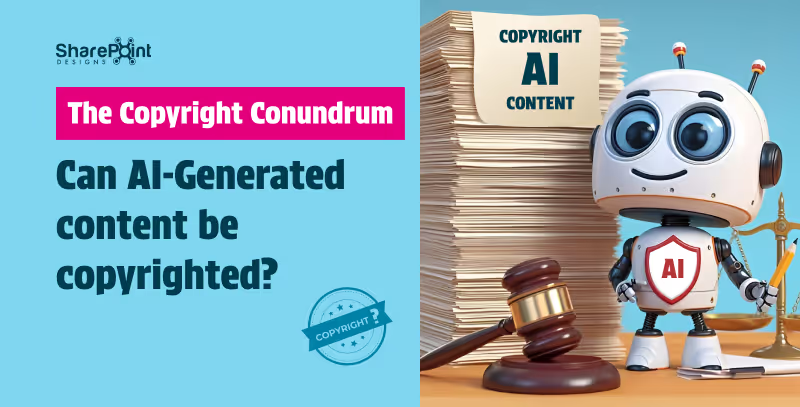
The Copyright Conundrum: Can AI-Generated Content be copyrighted
In a world where artificial intelligence is making strides in creative endeavours, one burning question arises: Can AI-generated content be copyrighted? It’s a debate that’s as perplexing as trying to teach a goldfish to fetch.
In the rapidly evolving digital landscape, Artificial Intelligence (AI) stands as a transformative force, reshaping how businesses operate, innovate, and deliver value to customers. As organizations embark on their AI journey, crafting a clear and strategic roadmap is imperative for unlocking AI's full potential. This guide outlines essential steps for business leaders to develop a robust AI strategy, ensuring successful integration and sustainable growth.
1. Aligning AI with Business Strategy
The journey begins by aligning AI initiatives with overarching business goals. Key actions include:

- Defining Business Objectives: Identify critical areas such as enhancing customer experience, boosting productivity, driving revenue growth, and enriching employee experience.
- Measuring Success: Establish metrics to gauge the impact and value of your AI-driven objectives.
- Prioritizing AI Use Cases: Select AI applications that align closely with your strategic goals, ensuring a focused approach to adoption.
- Investment Planning: Develop a portfolio management plan to guide investment in AI technologies, maximizing returns and strategic impact.
2. Crafting a Technology Strategy for AI
Technology serves as the backbone of AI implementation. Crucial considerations include:

- Application Strategy: Decide whether to buy existing solutions, modernize current applications, or build new AI applications from scratch.
- Infrastructure Assessment: Ensure your infrastructure supports secure, scalable, and efficient AI application deployment.
- Cloud vs. On-Premises: Evaluate hosting options for your data and AI applications, considering scalability, performance, and reliability.
- Zero Trust Security: Strengthen your security posture to protect data and AI assets against emerging threats, leveraging AI for enhanced security measures.
3. Developing an AI Strategy and Experience
To fully leverage AI, understanding and integrating generative AI into your business processes is key:

- Exploring Generative AI: Learn about generative AI applications and their potential to drive business innovation.
- Systematic AI Integration: Establish a process for evaluating AI's applicability across various use cases.
- Building Intelligent Apps: Utilize your data to develop apps that enhance the relevance and intelligence of AI model outputs.
- Leveraging Microsoft 365 Copilot: Consider using or developing your own AI copilot to expedite learning and value realization.
4. Fostering an Organizational Culture for AI
Success with AI transcends technology, deeply rooted in the organization's culture and operations:

- AI Operating Model: Define how AI will function within your organization, ensuring alignment with business strategies.
- Leadership and Support: Secure executive backing, underpinned by adequate resources and a vision for AI-driven transformation.
- Change Management: Strengthen your organization's adaptability to change, fostering an environment conducive to AI integration.
- Learning and Development: Implement learning paths and skill-building initiatives to empower your workforce with AI competencies.
5. Implementing AI Governance
Responsible AI use and governance are paramount for ethical and effective AI deployment:

- Responsible AI Practices: Share resources and adopt models that align with your organization's values and ethical standards.
- Governance Models: Choose a governance model (hub-and-spoke, centralized, distributed) that fits your organizational structure and needs.
- Secure AI Principles: Ensure comprehensive data protection, from the platform to applications and end-users.
- Data Privacy and Security: Develop processes and controls for AI governance, addressing data privacy and security implications.
Conclusion
Embarking on an AI journey requires meticulous planning, strategic alignment, and a commitment to ethical principles and continuous learning. By following this guide, leaders can lay a solid foundation for AI success, driving innovation and achieving strategic objectives. As AI continues to evolve, staying agile and informed will be key to leveraging AI's transformative potential.

Building a Foundation for AI Success: A Leader’s Guide
In the rapidly evolving digital landscape, Artificial Intelligence (AI) stands as a transformative force, reshaping how businesses operate, innovate, and deliver value to customers.
Navigating Microsoft Copilot: A Guide to Its Products
Microsoft’s AI offerings, such as Bing Chat and Microsoft 365 Copilot (including GitHub Copilot), are paving the way for a more productive future. These intelligent tools simplify tasks through features like conversational bots and custom searches tailored to your needs. Let’s explore how you can use Microsoft Copilots to optimize your workflow today.
The Pioneers of AI Productivity
Microsoft integrates AI across its products, making them user-friendly and intuitive.
- Bing Chat leverages large language models within Microsoft Edge.
- Integration with Microsoft Graph ensures seamless connection between apps and services.
Available Across:
- Bing
- Edge
- Microsoft 365
- Windows (Windows Copilot)
Microsoft recently launched a Copilot, offering a unified AI productivity experience in Windows 11, allowing users to manage tasks and settings through a centralized assistant.
1. Best for Integrated OS Experience - Microsoft Copilot
Microsoft Copilot in Windows 11 offers:
- AI-powered assistance integrated into Windows 11
- App launching and system setting adjustments (volume, dark mode) via voice command
- Bing Chat Enterprise integration for combining web and work data
IT admins can deploy Copilot with access control, ensuring security and personalization.
2. Best for Conversational AI - Bing Chat
Microsoft Edge + Bing Chat:
- Ideal for remote work and flexible workflows
- Powered by Open AI’s GPT-4 for deep understanding
- DALLE 3 generates activity-specific images
- Free and always available at bing.com/chat
Microsoft continues improving Bing Chat to reduce hallucinations and enhance reliability.
3. Best for Office Productivity - Microsoft 365 Copilot
Microsoft 365 Copilot boosts productivity in Teams, Word, Outlook, Excel, and PowerPoint:
- Generate text and tables in Word
- Summarize and draft emails in Outlook
- Create Python visualizations in Excel
- Access insights in OneDrive without opening files
Enterprise Plan: $30/user/month – offering:
- Intelligent writing assistance
- Advanced data analysis and visualization
- Personalized productivity insights
- Automated email management
- Voice dictation and transcription
Integration ensures a streamlined experience across Microsoft 365 apps for everyday efficiency.
4. Best for Modern Computing - Windows 11
Windows 11 offers:
- Modern UI with upgraded Start menu and Taskbar
- Microsoft Copilot for AI assistance in system settings
- Gaming features: Game Bar, Direct Storage, Auto HDR, Game Mode, Game widget store, Xbox app
Access to Android apps via Windows Subsystem for Android and Amazon Appstore
5. Best for Developers - GitHub Copilot
GitHub Copilot helps developers:
- Get real-time code suggestions
- Work with multiple programming languages
- Reduce errors and accelerate workflows
Supported languages:
- JavaScript, Python, C#, C++, Java, PHP, Ruby, Go
- Pricing: $10/month or $100/year.
Powered by OpenAI Codex, Copilot translates comments or code lines into natural language.
Choosing Your AI Copilot
- Microsoft Copilot: For unified AI in Windows 11
- Bing Chat: For advanced conversational AI
- Microsoft 365 Copilot: For office productivity and automation
Select the copilot that fits your specific workflow needs.
Summary
To sum up, Microsoft’s AI copilots can provide the perfect solution for any need. Ranging from workplace efficiency to coding and regular computing. By understanding how these tools differ, you can decide which works best in accordance with your requirements and take advantage of all the features that this technology has to offer.
Welcome to a new era with an AI-driven productivity upgrade due to its empowering capabilities. Take full control over every aspect of your job thanks to artificial intelligence - don’t miss out on such groundbreaking opportunities!
Ready to harness AI in your workflow?
Contact us for Microsoft Copilot Consulting Services and elevate your productivity. Embrace AI-driven solutions tailored for your needs get in touch now!

Mastering Microsoft Copilot: Your Complete Product Guide
Microsoft’s AI offerings, such as Bing Chat and Microsoft 365 Copilot (also known as GitHub Copilot), are paving the way for a more productive future.
In today's rapidly evolving digital landscape, the way we work and collaborate is undergoing a significant transformation. At the forefront of this change is SharePoint Premium, a powerful tool reshaping the dynamics of business operations. As highlighted in the 2023 Work Trend Index, the integration of AI and digital tools in the workplace is not just a trend but a necessity. SharePoint Premium stands out as a pivotal platform in this journey, offering robust solutions for enhanced collaboration, streamlined processes, and informed decision-making.
Enhancing Team Collaboration
The core strength of SharePoint Premium lies in its ability to facilitate seamless collaboration across diverse teams and departments. With advanced document management capabilities and seamless integration with Microsoft Teams, SharePoint Premium breaks down silos and fosters a collaborative environment. This integration is crucial in today's context, as the 2023 Work Trend Index reveals a threefold increase in Microsoft Teams meetings and calls since 2020. SharePoint Premium ensures that collaborative efforts are more efficient and productive, irrespective of geographical boundaries.
Streamlining Business Processes
In an era where 70% of people would prefer to delegate work to AI to lessen their workloads, SharePoint Premium emerges as a key player in automating routine tasks. Its integration with Power Automate allows businesses to create custom workflows, reducing manual effort and increasing efficiency. Additionally, PowerApps enables businesses to develop custom applications tailored to their unique needs, further enhancing operational efficiency and user experience.
Data-Driven Decision Making
Data is the new currency in the business world, and SharePoint Premium provides an effective platform for consolidating, managing, and visualizing data. This capability is crucial for data-driven decision-making, aligning with the AI advancements highlighted in Microsoft Ignite 2023. SharePoint Premium's integration with various AI tools enables businesses to analyze trends, generate actionable insights, and make informed decisions swiftly.
Ensuring Security and Compliance
In the current era of AI and digital transformation, data security and compliance are more critical than ever. SharePoint Premium addresses these concerns with robust security features and compliance tools, ensuring that business data is protected and regulatory requirements are met. This aspect is particularly vital for IT managers and CTOs, who are responsible for safeguarding their organization's data integrity.
SharePoint in the Future of Work
As we look to the future, SharePoint Premium aligns perfectly with the emerging trends in AI and digital transformation. The platform is continuously evolving, integrating new AI capabilities to reshape how work is done, as indicated in Microsoft Ignite 2023. SharePoint Premium is not just a tool for today but a strategic investment for the future, empowering businesses to stay ahead in a rapidly changing digital world.
Conclusion
SharePoint Premium offers a suite of features that are essential for modern businesses, especially in the realms of collaboration, process optimization, and decision-making. For IT managers, directors, CTOs, and COOs, embracing SharePoint Premium is a strategic step towards successful digital transformation. The platform's alignment with current and future AI advancements makes it an indispensable tool for businesses aiming to thrive in the digital era.

Revolutionizing Business Collaboration with SharePoint Premium: Key Use Cases for Decision-Makers
In today's rapidly evolving digital landscape, the way we work and collaborate is undergoing a significant transformation.
Let’s be honest. AI is everywhere right now, but most conversations around it feel unnecessarily complicated.
You hear terms like machine learning, LLMs, or prompt engineering and suddenly it feels like you need a technical background just to keep up. The truth is you don’t.
This article breaks down 11 common AI terms everyone should know, explained in a simple, conversational way, using examples you can actually relate to.
If you’ve ever thought “I know AI is important, but I don’t fully get it”, this is for you.
What is Artificial Intelligence (AI)?
At its core, Artificial Intelligence is about machines doing things that usually require human thinking.
That could be understanding language, recognizing images, making recommendations, or answering questions.
AI already shows up in daily work through search, automation, and digital workplace tools. As AI becomes more embedded in platforms like Microsoft 365 and intranets, understanding the basics helps teams adopt it more confidently.
What is Machine Learning?
Machine Learning is a part of AI where systems learn from data instead of being manually programmed for every scenario.
Instead of defining every rule, the system identifies patterns and improves over time.
Example: Spam filters that get better the more emails you receive.
This is why many AI-powered workplace tools improve gradually rather than being “perfect” on day one.
What is Generative AI?
This is the term everyone’s talking about.
Generative AI doesn’t just analyze data. It creates new content such as text, images, summaries, or even code.
You’ve likely seen it used to:
- Draft emails
- Summarize documents
- Create first versions of content Generative AI is increasingly being explored in digital workplaces and intranets to reduce manual effort and improve productivity.
What is a Large Language Model (LLM)?
A Large Language Model (LLM) is the engine behind most text-based AI tools.
It’s trained on massive amounts of text so it can understand context and generate human-like responses.
Think of it this way:
- The LLM is the brain
- The chatbot or interface is what you interact with
Most users never see the model itself, only the experience it powers.
What is Prompt Engineering?
Prompt engineering sounds technical, but it’s really just learning how to ask AI better questions.
For example:
- “Summarize this document”
- “Summarize this document in 5 bullet points for leadership”
Clear prompts almost always lead to better results.
This is especially important when AI is introduced into shared environments like intranets, where clarity and consistency matter.
What is AI Hallucination?
An AI hallucination occurs when AI generates an answer that sounds confident but is incorrect.
This can include:
- Made-up facts
- Incorrect explanations
- Non-existent sources
This is why human review is still essential, particularly in business, HR, or decision-making scenarios.
What is Natural Language Processing (NLP)?
Natural Language Processing (NLP) allows AI to understand and respond to everyday human language.
It’s what makes it possible to:
- Search using full sentences
- Chat with AI assistants
- Get summaries from documents
NLP is a big reason AI feels more accessible to non-technical users today.
What is Computer Vision?
Computer vision enables AI to interpret images and videos.
It’s used for:
- Document scanning
- Facial recognition
- Quality checks
- Visual pattern detection
This capability is often paired with automation to reduce manual review work.
What is AI Automation?
AI automation focuses on letting AI handle repetitive or rule-based tasks.
Examples include:
- Automatically categorizing content
- Routing support tickets
- Generating routine reports
In many organizations, AI automation works best when it’s embedded into tools people already use rather than introduced as a separate system.
What is Ethical AI?
As AI adoption grows, ethical AI becomes critical.
Ethical AI focuses on:
- Fairness and bias reduction
- Transparency in decisions
- Data privacy and security
Trust is one of the biggest factors influencing whether employees actually use AI-powered tools.
What is AI Adoption?
AI adoption isn’t about deploying tools. It’s about people actually using them.
Many AI initiatives struggle because:
- The tools feel disconnected from daily work
- Users don’t trust the outputs
- The value isn’t clear
Successful AI adoption usually happens when AI is introduced gradually and aligned with real workflows.
Common AI Confusions (Quick Clarity)
- AI vs Machine Learning: AI is the umbrella; ML is how systems learn
- Generative AI vs Traditional AI: Generative AI creates content; traditional AI analyzes data
- LLM vs Chatbot: LLM is the engine; chatbot is the interface
Final Thoughts
AI doesn’t need to feel overwhelming.
Once you understand the language, AI conversations become far more approachable. You don’t need to understand algorithms or training models to use AI effectively.
This guide reflects real questions people ask when they’re trying to understand AI in practical, everyday terms. Clarity matters more than complexity, especially as AI becomes part of modern digital workplaces.
Understanding the basics is always the first step.

11 AI terms everyone should know
You probably know what hallucination is IRL, but do you know what Hallucination is with respect to an AI? If not, continue reading to know more about the top AI Jargons.



.svg)





