SharePoint Policy Management Software

Every policy current, approved and evidenced inside the Microsoft 365 you already pay for.

Sharepoint Document management system

The problem is never the writing. It is everything after.

Most organisations write good policies. Then they lose control of them.

A copy lives in SharePoint, another in someone's Teams chat, a third in a folder called Final_v3_APPROVED. Nobody is certain which one is current. The annual review slips because it was in a calendar belonging to someone who left. And when the auditor asks who read the updated safety procedure, the honest answer is that nobody knows. None of this is a writing problem. It is a lifecycle problem, and SharePoint on its own does not solve it.

What SharePoint does and does not do for policies

Worth being straight about this, because it determines whether you need us at all.

SharePoint already handles

Central storage with version history. Permissions by role. Full-text search. Retention through Microsoft Purview. Basic approval via built-in Rules or Power Automate.

SharePoint does not handle

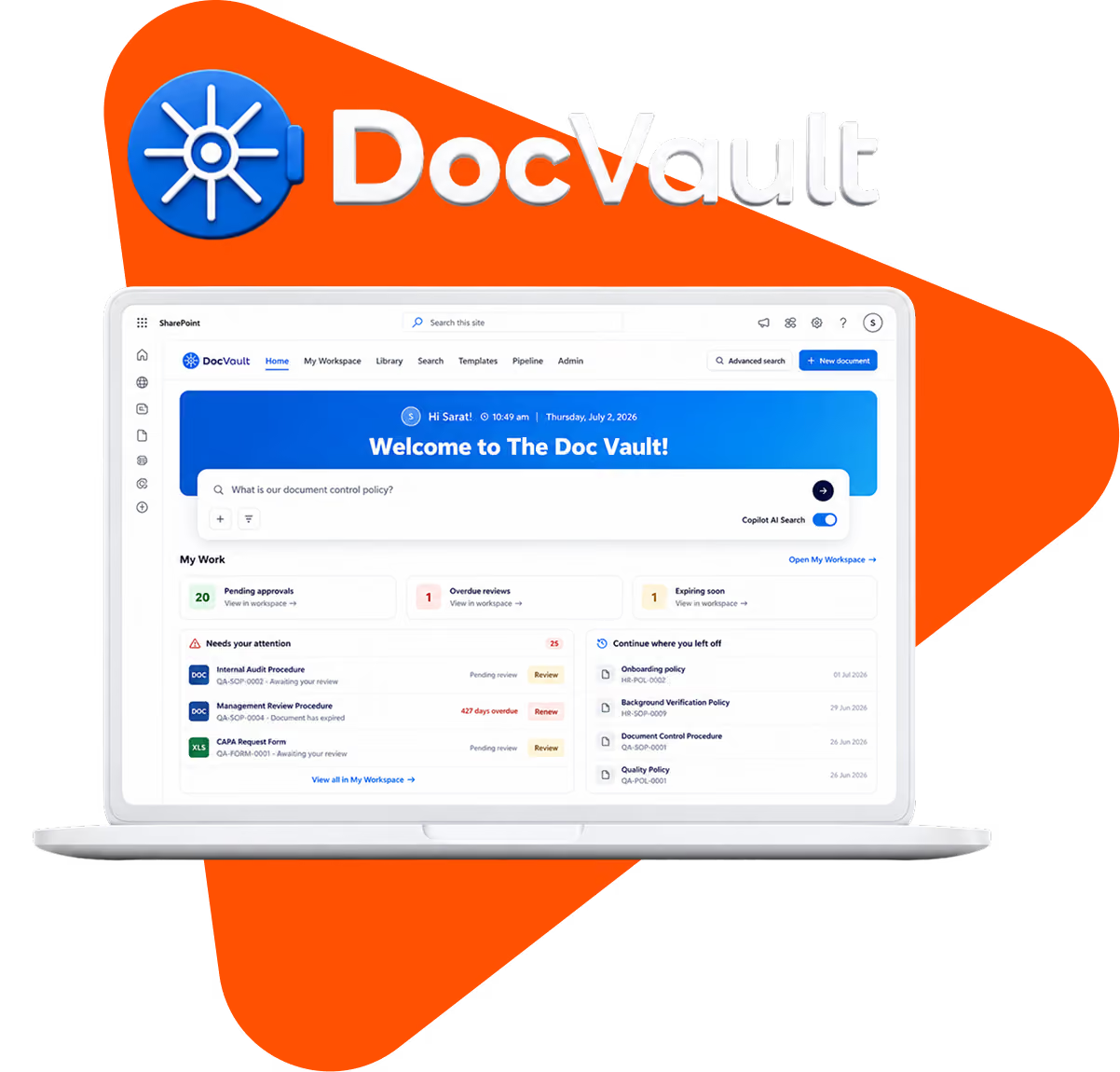
Automatic policy numbering. Scheduled review cycles with warnings before expiry. A single view of what is approved, in draft, or overdue. Multi-stage approval with escalation when someone sits on it. Reporting an auditor will accept without a spreadsheet.

If your policy set is small and stable, configure SharePoint and save your money. If you are managing dozens of policies across departments with a regulator watching, the gap is where the risk lives.

For a true document management system, you need purpose-built controls for policy lifecycle, review, approval, and compliance tracking.

How the SOP & Policy Manager works

One lifecycle, running automatically, inside your own tenant.
1. Draft
Authors start from a governed template. Numbering, owner and department are applied automatically, so documents are born compliant.
2. Review
Named reviewers get the document routed to them with a deadline. No chasing by email.
3. Approve
Multi-stage approval with escalation when an approver goes quiet. Every decision is recorded against the version.
4. Publish
The approved version becomes the only one staff can see. Previous versions stay in history for the auditor, out of sight for everyone else.
5. Acknowledge
Staff confirm they have read it. You see who has, who has not, and who needs reminding.
We-solve
6. Review on schedule
Each policy carries a review date. Owners are warned before it expires, not after.
7. Archive
Superseded policies retire into a retention-labelled archive rather than being deleted.

Which compliance controls this satisfies?

Control
SOX
ISO 27001
GDPR
HIPAA
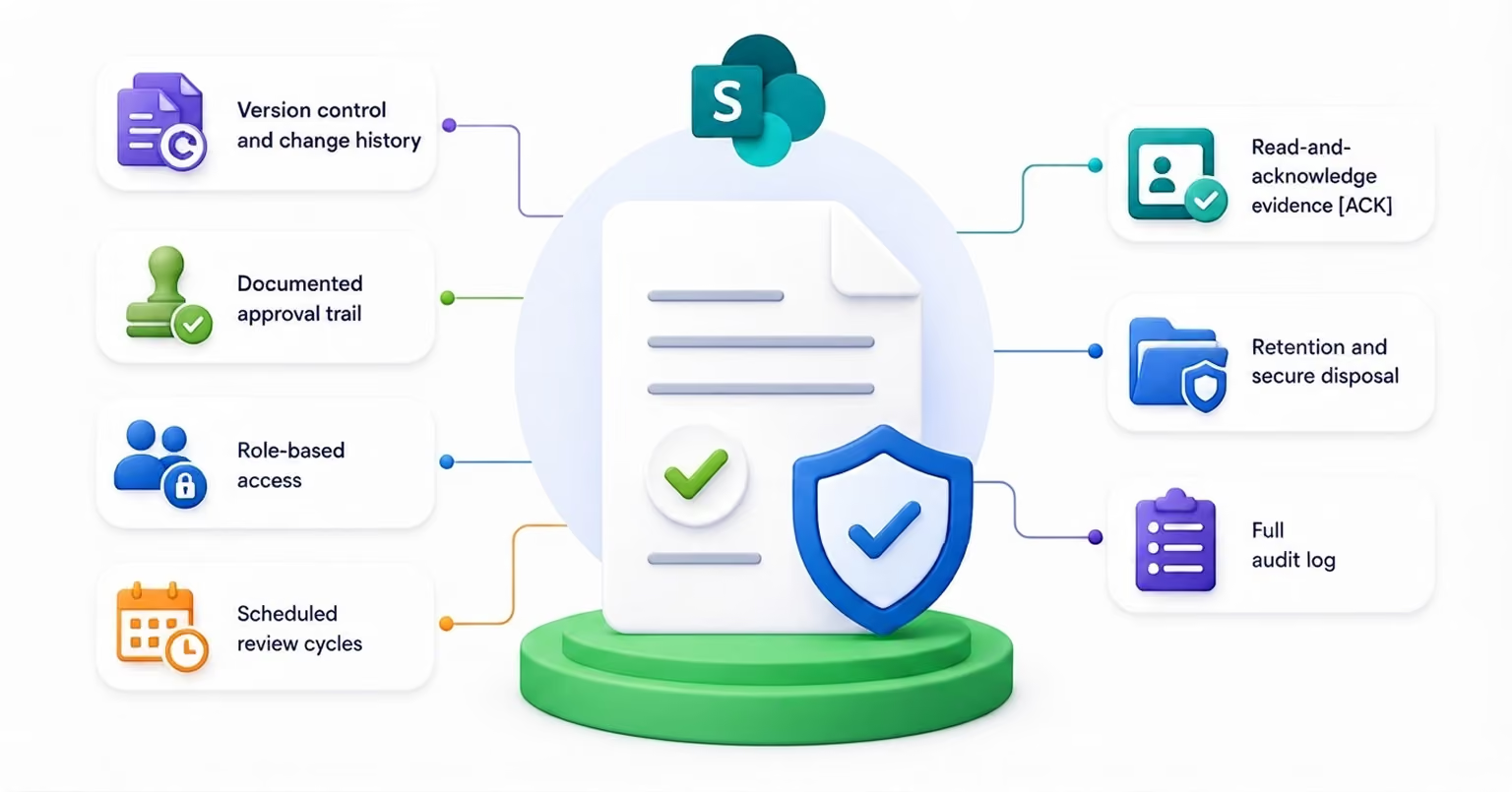
Version control and change history
Yes
Yes
Yes
Yes
Documented approval trail
Yes
Yes
-
Yes
Role-based access
Yes
Yes
Yes
Yes
Scheduled review cycles
Yes
Yes
-
Yes
Read-and-acknowledge evidence
Yes
Yes
-
Yes
Retention and secure disposal
Yes
Yes
Yes
Yes
Full audit log
Yes
Yes
Yes
Yes
Blue-SubtractBlue-Subtract

How We Compare

Three serious alternatives, and they are genuinely good products. The difference is architectural.

ConvergePoint, DocRead and Xoralia all install into or alongside Microsoft 365 and charge per user. That is a fair model, and it scales with your headcount whether or not your policy count grows.

We price flat and deploy inside your tenant. For an organisation of 500 people with 60 policies, that maths usually favours us. For 30 people with 200 policies, it may not. We will tell you which one you are.

Pricing

Flat rate, unlimited users, deployed in your own Microsoft 365 tenant.
Starts at $6,000 One-time
No per-seat pricing. No Azure subscription. No premium connectors. Nothing leaves your environment
Start at $6,000 and work with us to customise the solution to fit your unique processes, workflows, and business needs.
Underline

Customer Success story

AVA Group · Healthcare
AVA Group was looking to streamline the Standard Operating Procedures (SOPs) of our group companies across various functional units. During this process, we engaged with Mr. Venkatesh Maran of M/s SharePoint Designs.
We were highly impressed with his clear presentation of the company's capabilities and deep expertise in Microsoft 365 and SharePoint solutions.The solution covered the entire lifecycle of SOP management, including creation, document control, accessibility, review, training, and structured renewal processes.
The SOP Manager has significantly strengthened our governance systems for documents and SOPs across all functional groups and divisions.
We are extremely happy and fully satisfied with the solution delivered by M/s SharePoint Designs. We wholeheartedly recommend them for their professional excellence, thorough understanding of SharePoint solutions, and their effective teamwork and client coordination.
arrow
Read the full case study
AVA Group
AVA Cholayil Health Care Pvt.Ltd
SharePointPolicyManagement Software
Checks
Centralized SOP Management
Checks
Improved Governance
Checks
Streamlined Review & Renewal

Contact us to know more about the project

Submit the form to know more about our work with AVA Care
Thank you! Your submission has been received!
Oops! Something went wrong while submitting the form.
decorated-cornerdecorated-corner

Frequently Asked Questions

Have other questions? Contact us here so we can help.
Can you use SharePoint for policy and procedure management?

Yes, with configuration. SharePoint provides storage, versioning, permissions and search. Scheduled reviews, automatic numbering, escalating approvals and acknowledgement reporting need either a custom build or a product layer on top.

Does SharePoint have policy management software built in?

No. Microsoft does not ship a dedicated policy management product. SharePoint supplies the document platform; policy lifecycle management is built on top of it.

How do you track who has read a policy in SharePoint?

Not with SharePoint alone. Our SOP & Policy Manager records each acknowledgement against the specific version, reminds people who have not responded, and produces a report you can hand to an auditor.

Where does the data live?

Entirely inside your own Microsoft 365 tenant. Nothing is copied to our systems.

How long does deployment take?

Standard implementations go live in 10 business days. Migrating an existing policy set adds time depending on volume and how much cleanup it needs.

Can it handle policies for multiple business units?

Yes. Policies are scoped by department and role, so each unit sees its own set while central compliance sees everything.

bgbg