Tech Ideas & Best Practices
For nearly two decades, SharePoint has been at the core of enterprise collaboration, document management, and intranet solutions. Over time, it has evolved from the Classic SharePoint experience to today’s Modern SharePoint experience.
Many organizations now face a common question: Should we continue with Classic sites, or transition to Modern sites?
The decision is not as simple as flipping a switch, it depends on your existing environment, level of customization, user adoption needs, and your digital transformation strategy. Let’s explore both approaches in depth to help you make the right choice.
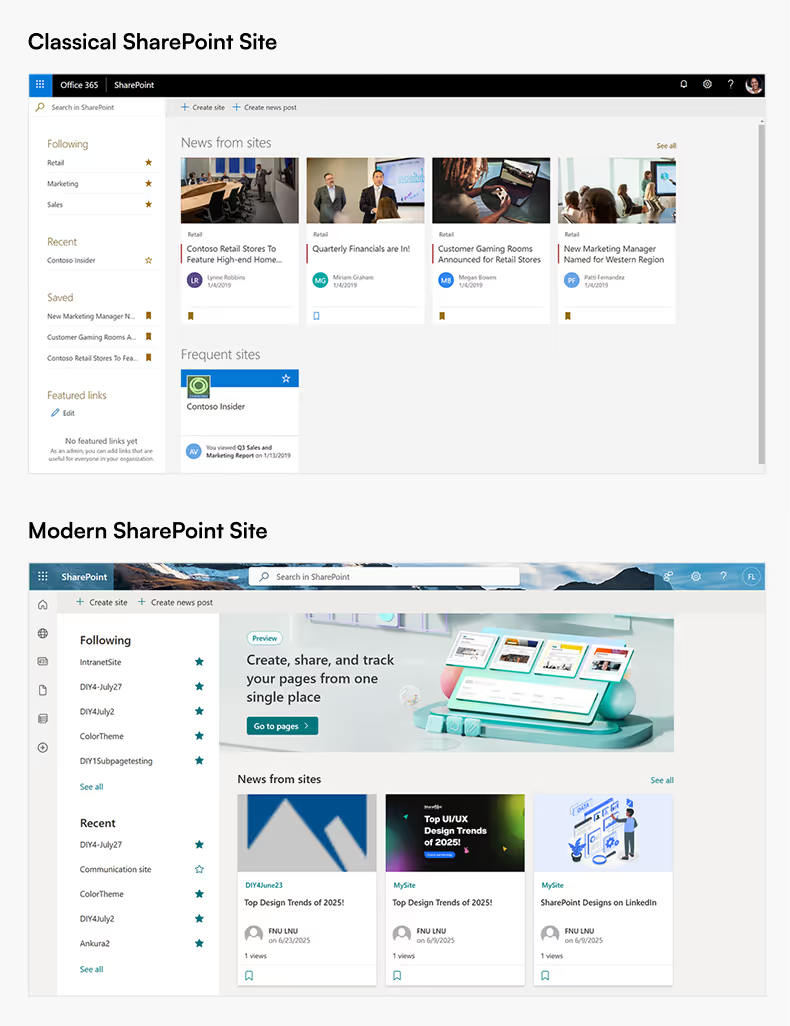
What are Classic SharePoint Sites?
Classic SharePoint sites represent the long-standing interface that many enterprises have relied on for years.
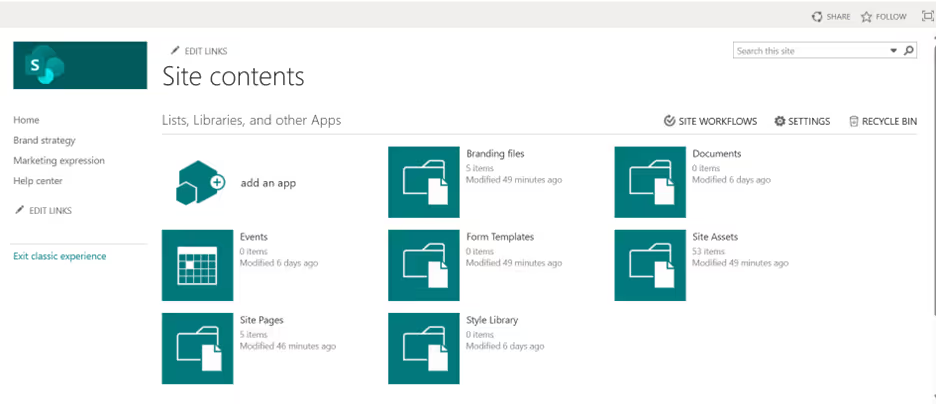
Key Characteristics:
- Traditional User Interface: A familiar, structured layout that legacy SharePoint users know well.
- Extensive Customization: Supports master pages, page layouts, and script injection, giving developers granular control.
- Legacy Tools: Compatible with SharePoint Designer workflows and InfoPath forms, which are still critical in some organizations.
- Detailed Control: Offers deep configuration options for site navigation, branding, and permissions.
Challenges with Classic Sites:
- Outdated, less intuitive design compared to modern web standards.
- Limited responsiveness for mobile users.
- Heavy reliance on custom development, increasing maintenance costs.
- Only maintained for compatibility, no new features are being developed for Classic.
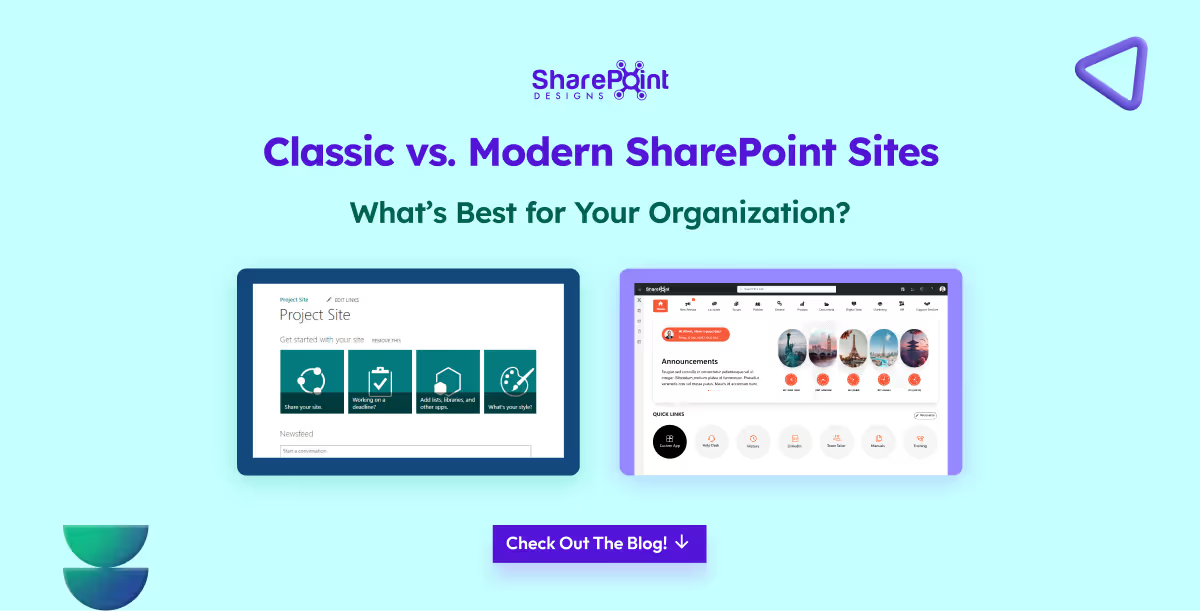
Classic vs. Modern SharePoint Sites - What’s Best for Your Organization?
For nearly two decades, SharePoint has been at the core of enterprise collaboration, document management, and intranet solutions.

Logging into a company intranet should feel like walking into a great party. Imagine stepping into a room where you’re greeted warmly, the atmosphere feels alive, and there’s something fun or useful waiting for you at every corner.
You wouldn’t want to hang around at a dull party where no one talks to each other, the music is flat, and the vibe feels lifeless. The same goes for an intranet; if it feels static and boring, employees won’t engage with it.
What is Employee Engagement?
Employee engagement is the emotional commitment employees have toward their work, team, and organization. It’s not just about job satisfaction , it’s about employees feeling motivated, connected, and willing to go the extra mile because they believe in the company’s mission.
When engagement is high, employees actively participate, share ideas, and contribute beyond their basic responsibilities. An engaging intranet plays a big role in nurturing this commitment by making communication, recognition, and collaboration more seamless.
Why is Employee Engagement Important?
Employee engagement is more than just a “feel-good” factor; it drives measurable business impact:
- Higher Productivity: Engaged employees are more focused and proactive.
- Lower Turnover: They feel valued, reducing resignation rates.
- Stronger Collaboration: Engagement improves teamwork and communication.
- Better Customer Experience: Happy employees create better customer interactions.
- Culture Building: Recognition and inclusion foster a positive workplace culture.
A well-designed modern intranet directly fuels engagement by offering recognition, communication, personalization, and collaboration tools making it a hub where employees feel connected to the company and each other.
So how to make some small adjustments to your intranet home page so that your employees keep coming back for more every day?
In this article, we’ll explore 14 modern, Gen Z-inspired ways to boost intranet engagement practical ideas designed for today’s workplaces that want to blend productivity, collaboration, and fun.
1. Personalized welcome message with a small animation to water a plant or feed a fish
Imagine logging in and being greeted by your own virtual plant or a goldfish that you can take care of with just a click. This small act adds a personal, fun touch to the start of the workday. It creates a sense of ownership and routine, making employees feel more connected.
Simple animations like watering a plant or feeding a fish bring joy while reinforcing engagement.
When they're not logged in for more than 3 days may be send a notification saying, "you plant is dying or please feed your fish", that way they login, of course this feature can be disabled when they are on vacation.
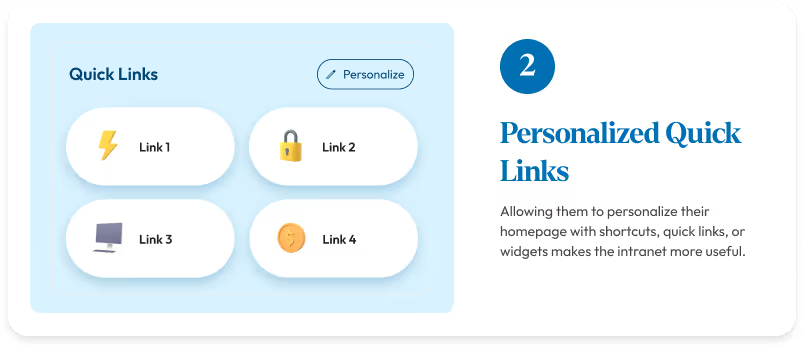
2. Personalized Quick links
Employees have different needs based on their roles.
“Allowing them to personalize their homepage with shortcuts, quick links, or widgets makes the intranet more useful."
Instead of spending time to search for the information, now everything is within reach. This saves time and keeps them coming back to use the platform.
3. Shoutouts & Kudos with animations
Recognition is one of the strongest motivators. Adding shoutouts and kudos with fun animations makes appreciation more visible and engaging.
A simple “well done” can feel special when paired with a celebratory animation like confetti or balloons.
It makes the employees feel motivated and valued.
14 Fresh Intranet Content Ideas to Boost Employee Engagement (Inspired by Gen Z)
Logging into a company intranet should feel like walking into a great party.

Intranets once felt revolutionary, a digital space to find documents, read announcements, and access links. But in reality, they never went beyond that.
Think of the old intranet like an office bulletin board, HR pinned policies, IT posted updates, and management shared announcements. Employees glanced, downloaded a form, and moved on.
Conversations? None. Connections? Missing.
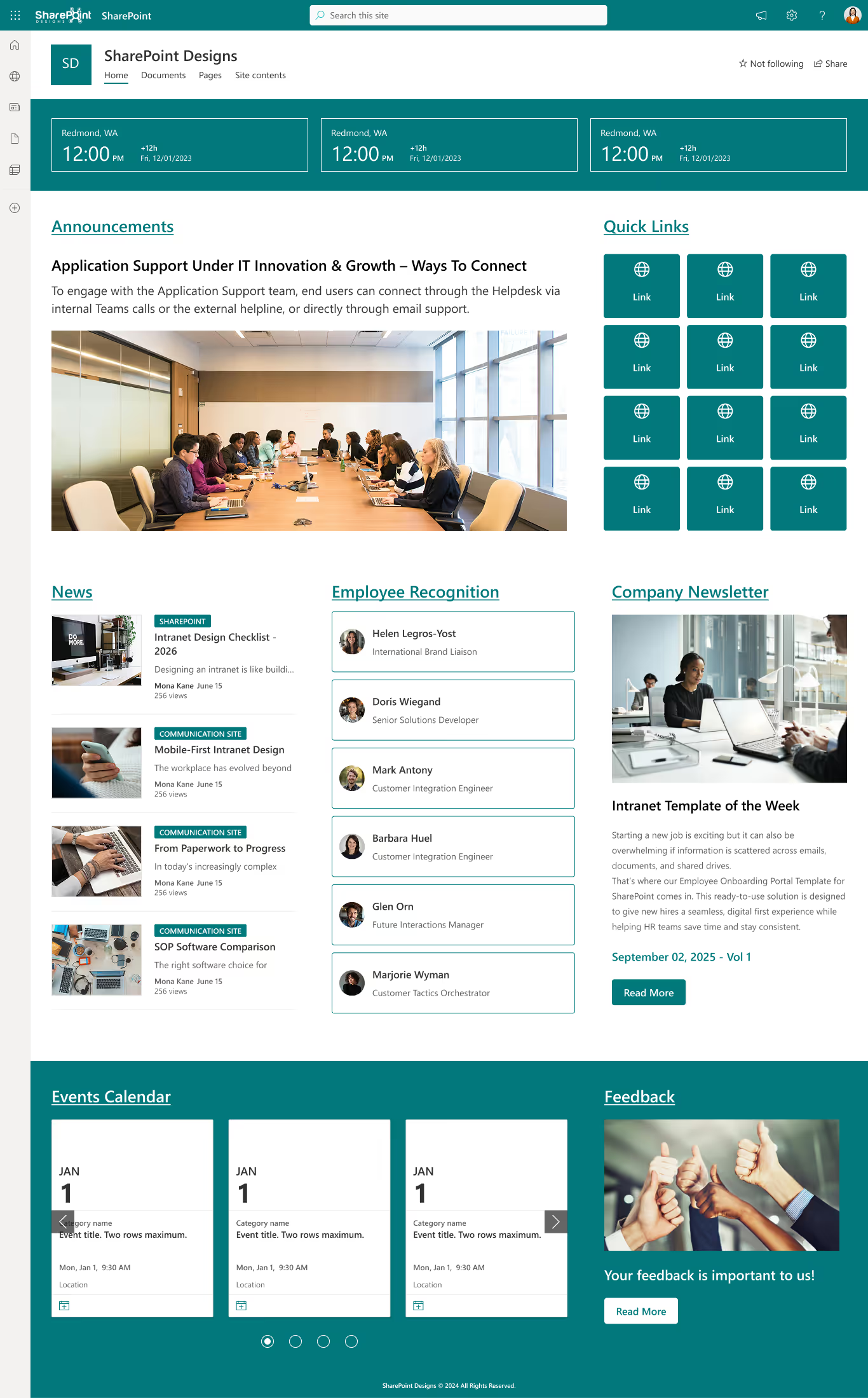
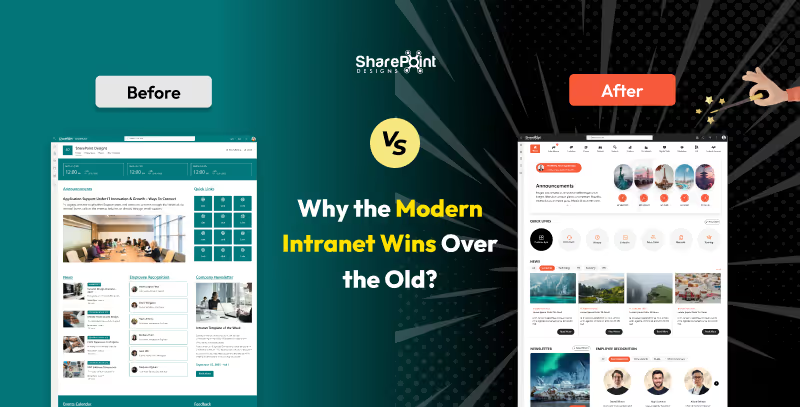
Here is the old intranet,
The chaotic arrangement can really throw you off, making it tricky to locate things swiftly and adding a touch of confusion to the hunt.
Whereas, the modern intranet is streamlined, user-friendly, and free of clutter. Everything is organized logically, so employees genuinely enjoy using it.
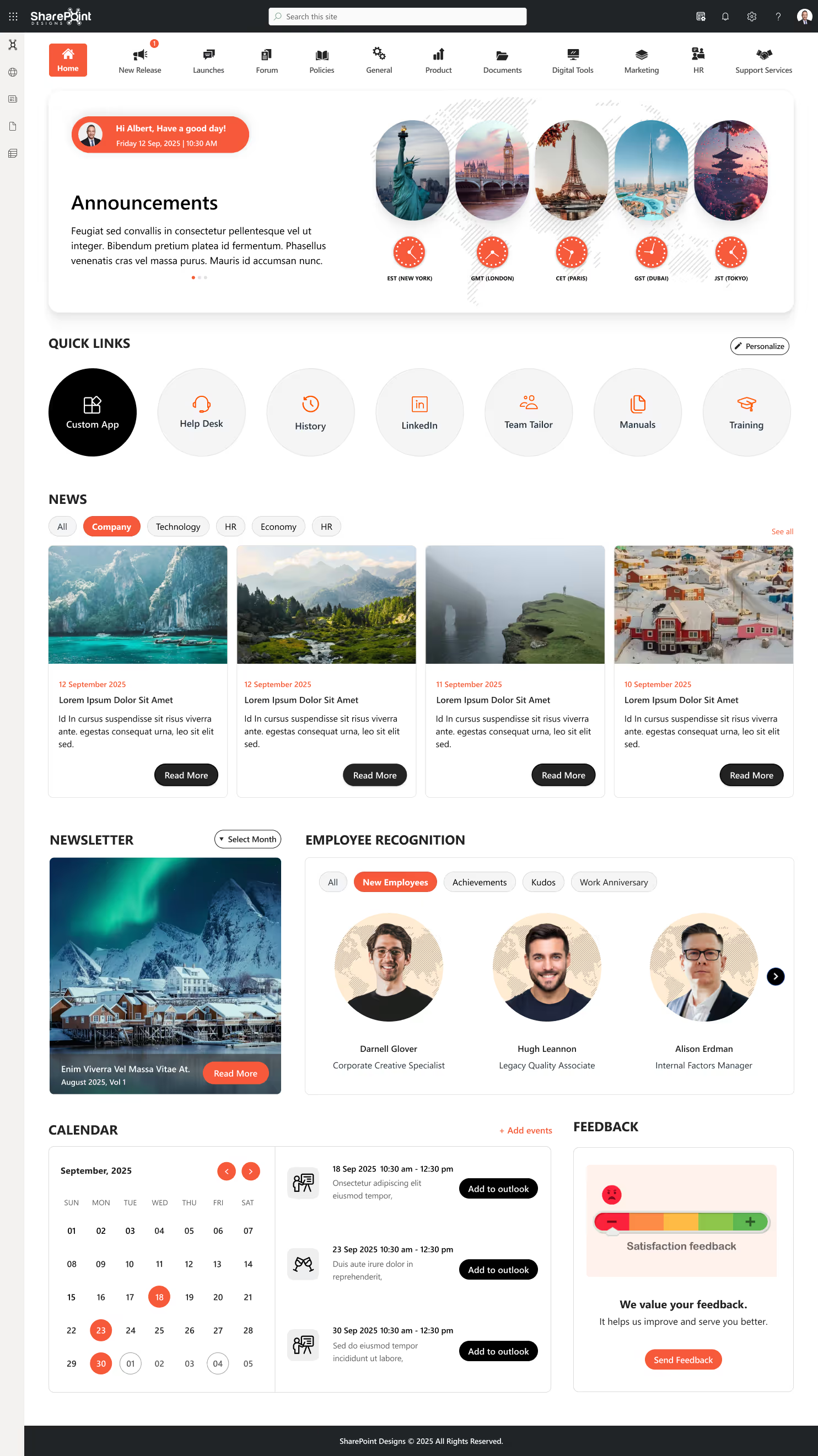
You can clearly spot the difference between the old intranet and the modern one. Now, let’s break it down further.
Web parts are the building blocks of any intranet, and they tell the story best. So, let’s compare how web parts looked and felt in the old intranet versus how they shine in the modern intranet.
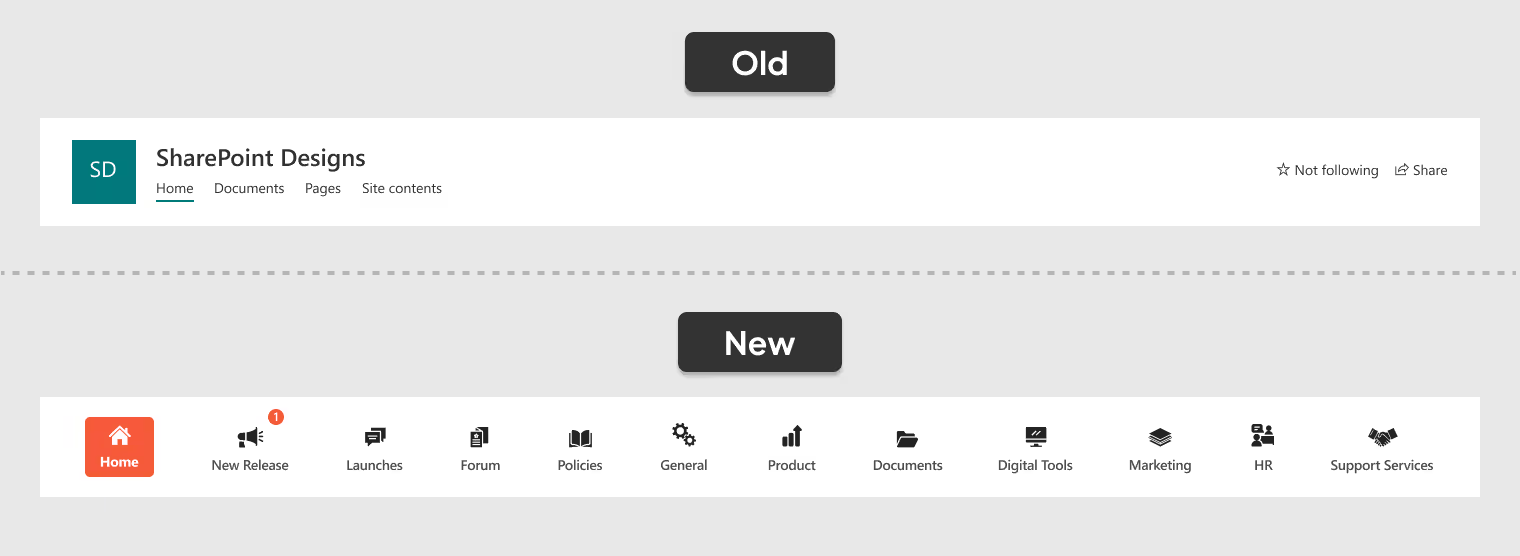
1. A Smarter Way to Navigate
- Old Navigation: A simple, text-based menu with no icons, hierarchy, or alerts, making it functional but less engaging and harder to scan quickly.
- New Navigation: A centralized, icon-based menu with real-time alerts, organized categories, and a modern design that makes navigation effortless and engaging.
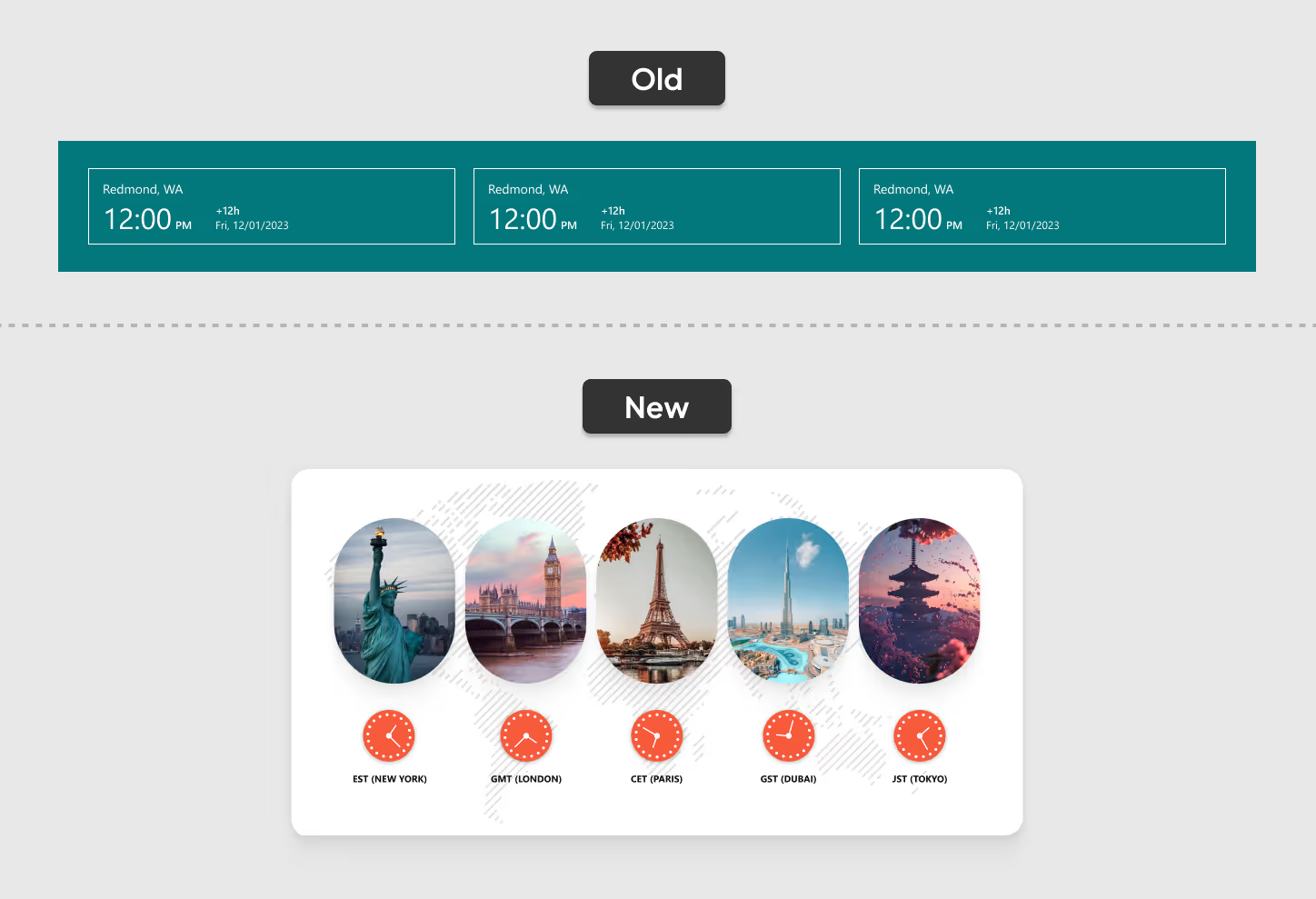
2. Global Time Zones at a Glance
- Old Clocks: Three small, cluttered clocks made it hard to read time zones and left users guessing.
- New Clocks: Five neatly displayed clocks in the Welcome Banner show key time zones clearly making global collaboration effortless.
Modern Intranet vs Old Intranet: Why the Modern Intranet Wins Over the Old?
Intranets once felt revolutionary, a digital space to find documents, read announcements, and access links.

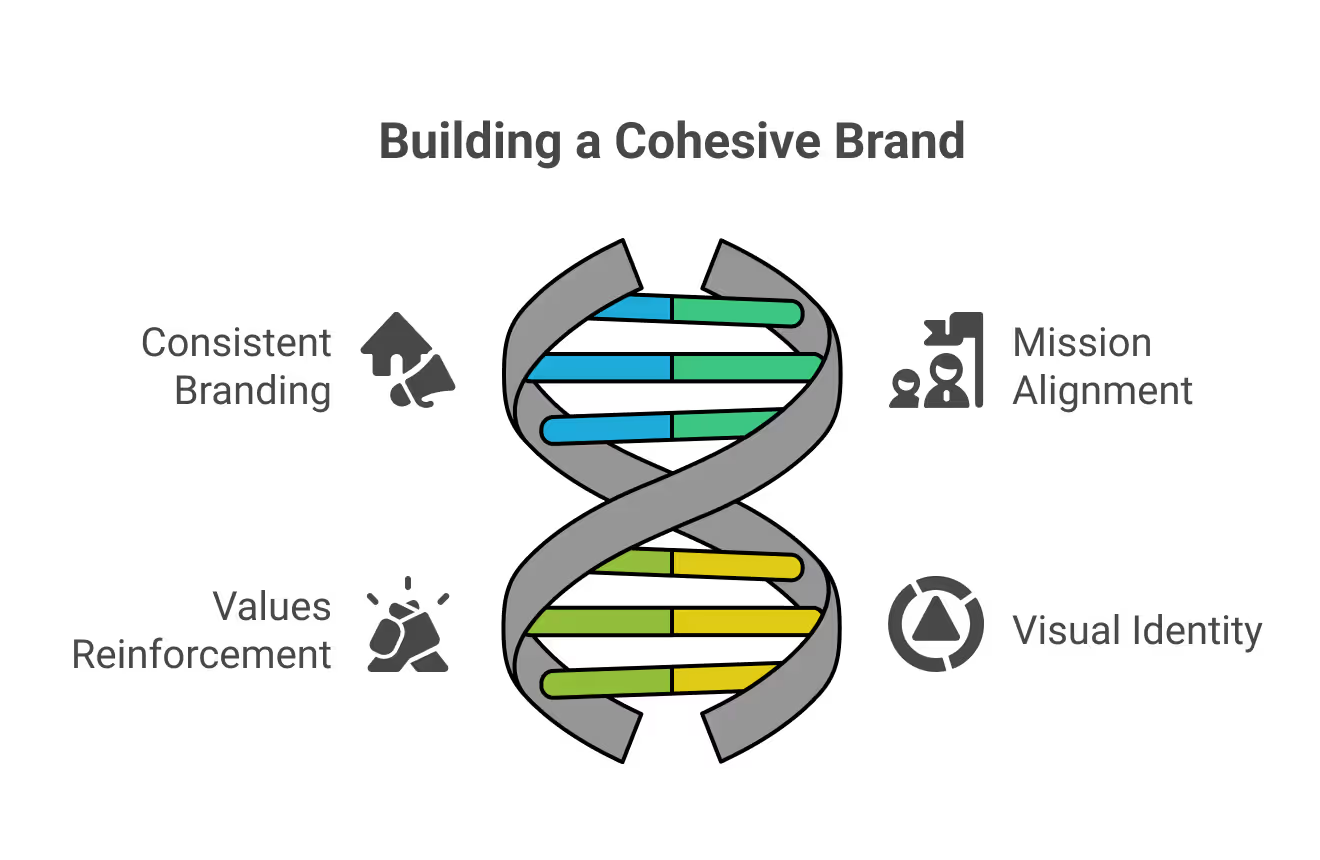
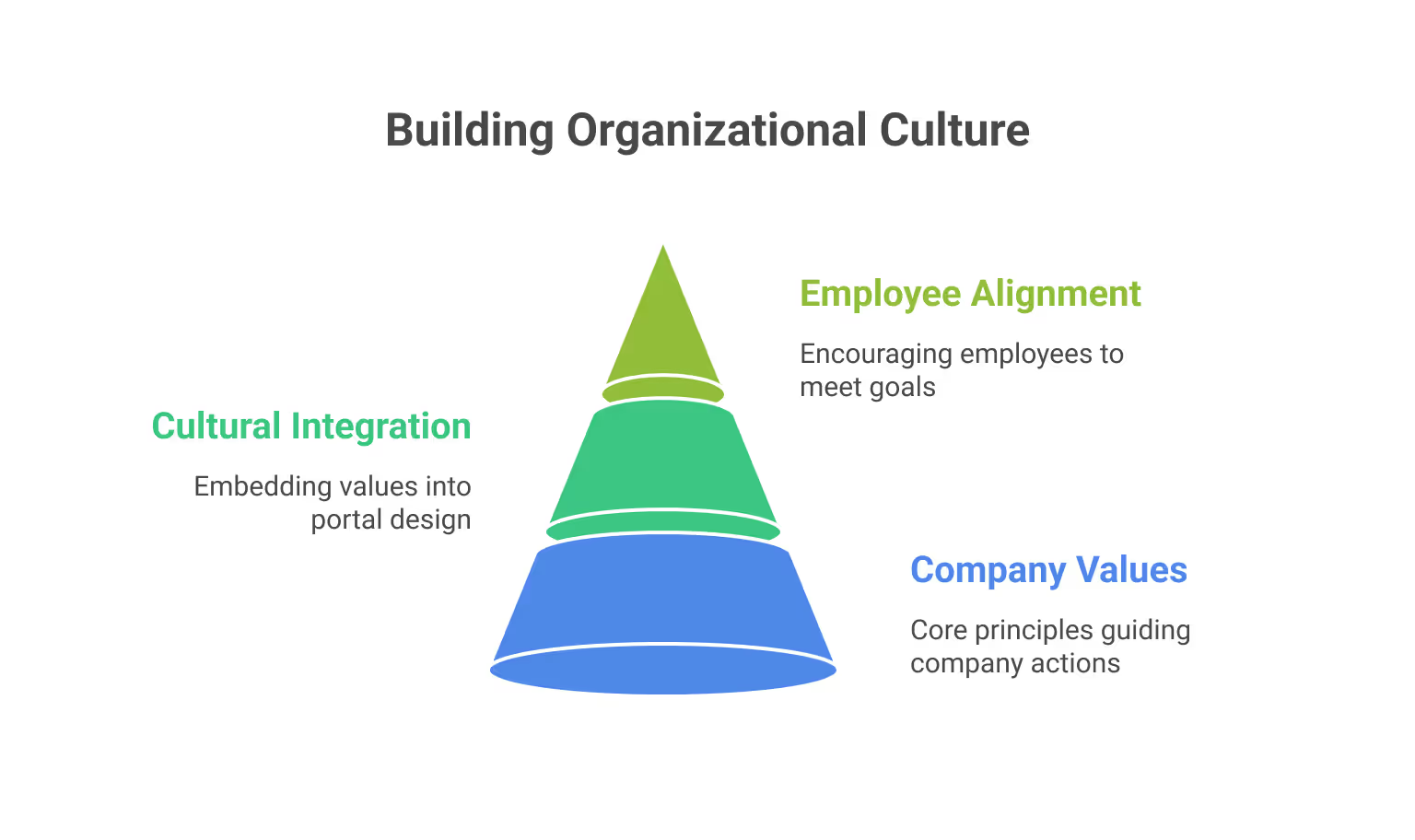
1. Unified Company Identity
When the intranet reflects the same branding used across other platforms, employees feel more connected to the organization’s mission, values, and visual style. This alignment helps everyone work toward shared goals.
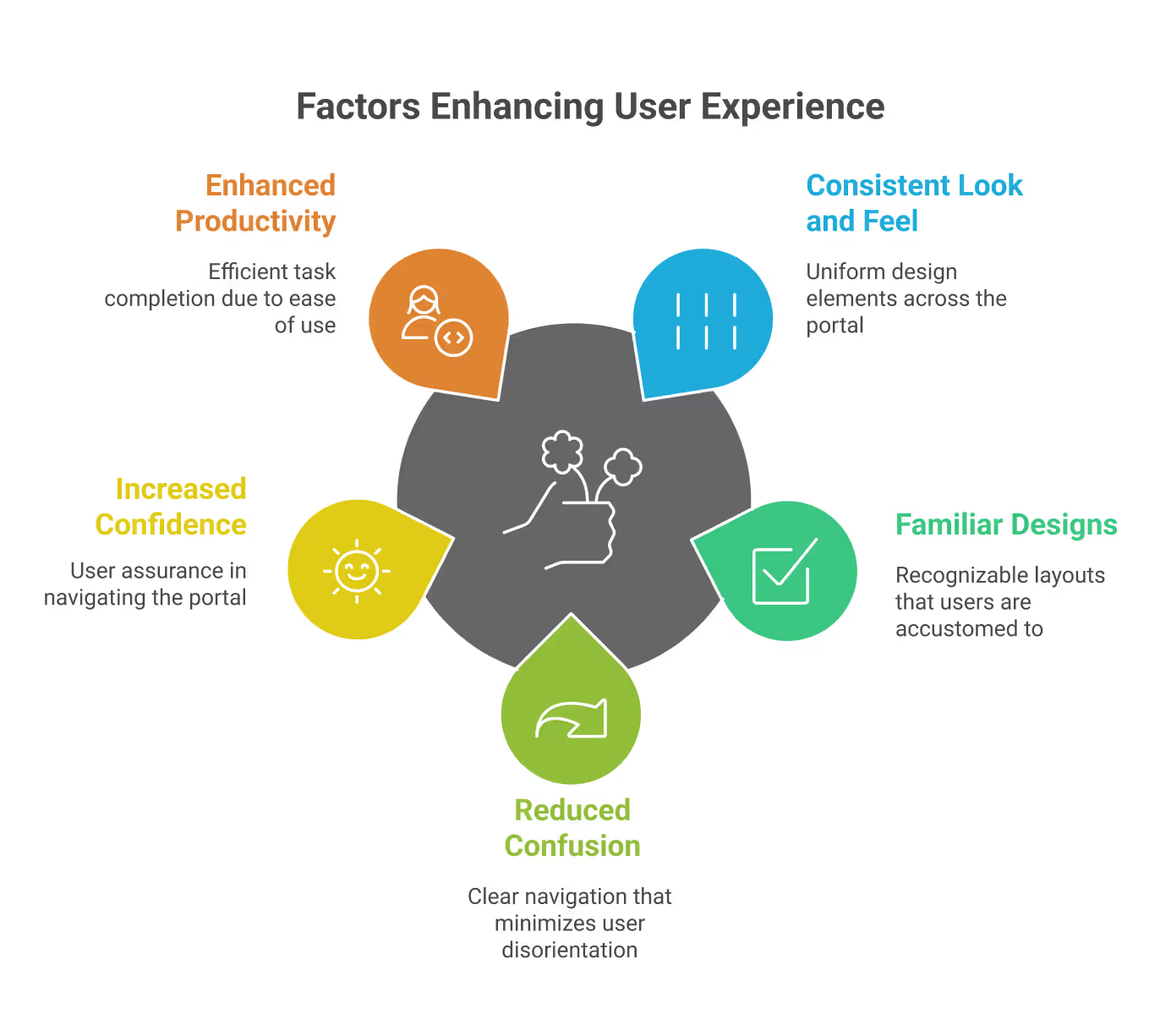
2. Better User Experience
A familiar and consistent design minimizes confusion, making it easier to navigate. Employees quickly recognize patterns, which improves efficiency and allows them to focus on their tasks instead of adapting to different layouts.
3. Stronger Workplace Culture
Embedding company values and culture into the intranet design helps employees feel connected and valued. It strengthens a shared identity across the workplace and inspires people to work in line with the organization’s vision.
The Power of Consistent Branding in Intranet Portals
When the intranet reflects the same branding used across other platforms, employees feel more connected to the organization’s mission, values, and visual style.

Designing an intranet is like building a home. Before breaking ground to lay the foundation, you need to have a blueprint in place and invite everyone who will live in that house to share their dreams and ideas.
Likewise, before starting the development of an intranet, you should involve your future intranet users from the very beginning. Their voices and aspirations help create a space where everyone feels welcome, heard, collaborates, and is inspired to contribute.
To ensure your intranet is aesthetically appealing, functional, and engaging, you can follow this comprehensive checklist:
1. Meet Stakeholders and Define Your Sitemap
Begin by meeting with stakeholders across departments. This step is crucial for gathering requirements, understanding different needs, and ensuring buy-in from all areas of the business. Use these discussions to create a sitemap that outlines the structure of your intranet.
If you need ideas and don’t know where to start, please browse through our ready-to-install templates. You can even pick and choose different components from each design to create your own custom design.
2. Establish Branding Elements
Consistent branding helps employees connect with the intranet. Decide on your company’s branding colors, logo, and preferred font. While fonts can be optional, a unified look and feel will make the platform more professional and recognizable.
We at SharePoint Designs help you visualize your end product in a minute by using our DIY design tool. Provide your theme color and upload your logo; your custom intranet design is ready in seconds.
Find the link below for quick access: DIY Design Tool
You can even download the designs to discuss them with your stakeholders. It may not be 100% perfect to your end product, but it will definitely provide you with a good starting point.
3. Select High-Quality Visuals
As the adage goes, "A picture is worth a thousand words”. Where appropriate, incorporate high-quality images.
Why do Images Matter?
- 90% of the information processed by the human brain is Visual.
- Good images enhance user experience & engagement.
- Poor images can make designs feel inauthentic & untrustworthy.
Best Practices for Selecting Images
- Relevance & Context: Align images with the message
- Authenticity: Avoid overly staged or artificial-looking photos
- Consistency: Maintain a uniform color, tone, & style
- Quality & Resolution: Use high-quality, sharp images
- Licensing & Copyright: ALWAYS check usage rights
- Customization: Adjust colors, crop, or add overlays to match branding.
Intranet Design Checklist - 2026
Designing an intranet is like building a home. Before breaking ground to lay the foundation,
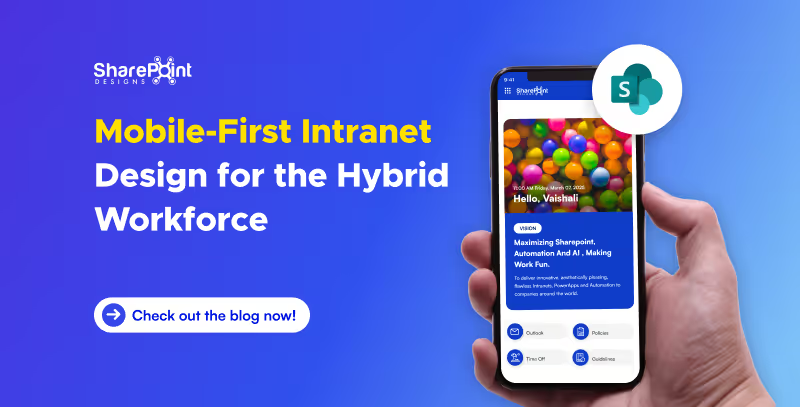
The workplace has evolved beyond physical boundaries. Today’s hybrid workforce isn’t tied to desks; they collaborate from coffee shops, client sites, or even while commuting. In this new era of work, an intranet that works beautifully on mobile isn’t optional; it’s essential.
A mobile-first intranet empowers employees to access vital information, engage with their teams, and complete tasks, regardless of their location or the device they’re using. This blog explores how to design an intranet that meets the demands of hybrid work and goes beyond just responsive design.
Why Mobile-First Intranet Design Matters?
Designing with mobile-first principles means prioritizing the mobile user experience, starting with small screens and scaling up. This approach ensures that all employees, whether working remotely, in the office, or in the field, receive a consistent and efficient intranet experience.
Key Benefits:
- Instant Access to tools and content, anytime, anywhere.
- Faster Load Times and improved performance on mobile networks.
- Higher Engagement from frontline and remote employees.
- Better Accessibility for diverse roles and work styles.
Must-Have Webparts for a Mobile-First Intranet
To go beyond simple responsiveness, focus on purpose-driven features built with mobile usability in mind. Below is essential intranet components designed for hybrid teams:
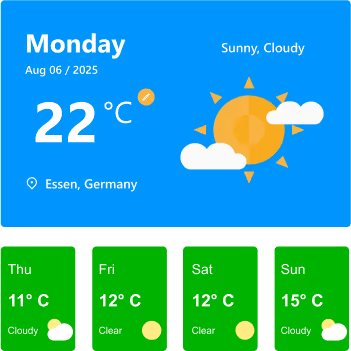
1. Weather Webpart
Whether you’re on a jobsite, traveling to meet a client, or planning an outdoor event, having quick weather info at your fingertips helps you prepare better. On a mobile intranet, it’s right where you need it, no extra apps required.
Features:
- Displays current day’s weather with location, date, temperature, and conditions (e.g., Sunny, Cloudy).
- Location detection to automatically fetch weather details for the user’s city.
- Toggle option for Celsius/Fahrenheit for personalized preference.
- 7-day or current-week forecast cards showing temperature, condition icons, and quick visual cues.
- Clear weather icons and colors for instant understanding at a glance.
Watch: Weather Webpart Demo
2. Birthday Reminder Webpart
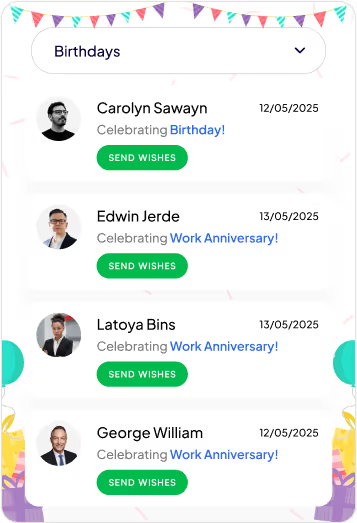
In a hybrid workplace, you don’t pass by a colleague’s desk to say happy birthday. This Birthday reminder webpart ensures no one’s special day is forgotten, wherever you’re working from.
Features:
- Category Filter: Dropdown menu lets you switch between multiple celebration types, including birthdays, work anniversaries, new joiners, and recognitions.
- Personalized Cards: Each entry shows the person’s photo, celebration type, and date, making it easy to identify and remember the occasion.
- Quick Action (Send Wishes): Dedicated “Send Wishes” button for each person allows you to instantly send greetings or messages.
- Event Feed Layout: Scrollable list of celebration cards helps you quickly see all upcoming and current occasions at a glance.
- Engaging Visuals: Festive header and clean card design create a cheerful, celebratory feel without overwhelming the UI.
Watch: Birthday Reminder Webpart Demo
3. Top Navigation
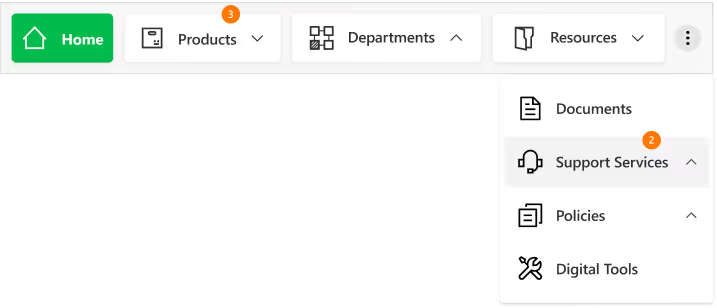
On mobile, clarity is everything. A well-structured top navigation makes it easy to get where you need to go without endless scrolling or tapping.
Features
- Sticky Positioning: Stays visible as you scroll for constant access.
- Custom-Styled Navbar: Fully themed navigation bar with clean typography, consistent iconography, and a modern, minimal look for better brand alignment.
- Intuitive Menu Structure: Clear text labels paired with relevant icons make it easy to identify sections at a glance.
- Expandable Options: The three-dot menu keeps extra navigation links organized without crowding the main bar.
- Real-Time Notifications: Numeric badges on menu items instantly indicate new updates or unread content, helping users prioritize.
- Dropdown Navigation: Smooth, organized dropdown menus allow quick access to subcategories like “Training & Development” or “Policies & Procedures.”
4. News Webpart
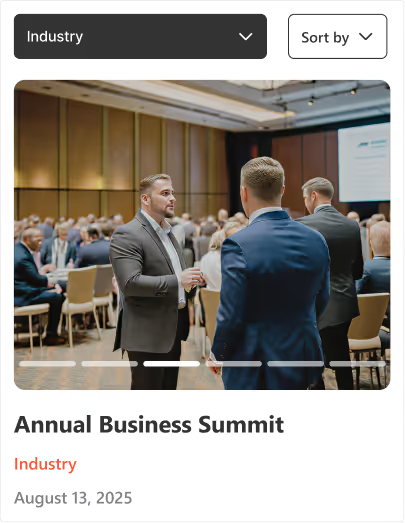
Company updates shouldn’t get buried in your email inbox. The mobile-friendly news webpart keeps important announcements front and center in a clean, scrollable feed you can check anywhere. With its slider design, category tags, and filtering options, it ensures you never miss a relevant update.
Features:
- Multi-Slide View: Browse several updates within a compact space using horizontal sliders.
- Category Tags: Each news item is labelled for quick context (e.g., Industry, Company).
- Active Slide Indicators: Clear visual markers show your current position in the feed.
- Smart Sorting & Filtering: Dropdown and "Sort by" options help you quickly find relevant news.
Watch: News Webpart Demo
5. Events Calendar
From virtual town halls to on-site training, the events calendar ensures everyone stays informed about upcoming activities, even on the go. It combines clear scheduling with easy interaction for a seamless event experience.

Features:
- Month Slider Navigation: Quickly preview previous or next month’s events without leaving the current view.
- Upcoming Events List: Displays event details like time, date, and category directly below the calendar.
- Category Filters: Group events by type (e.g., Meetings, Training, Conferences, Community & CSR) for faster access.
- Add to Outlook Integration: Instantly save events to your Outlook calendar with one tap.
- Add Events Button: Allows users to add their own events to the shared calendar for team-wide visibility.
6. Organization Chart
When teams are distributed across locations, knowing who’s who becomes essential, the organization chart provides a clear, structured view of roles, teams, and reporting lines, making it easier to identify colleagues, understand team connections, and reach the right person without delays.
Features:
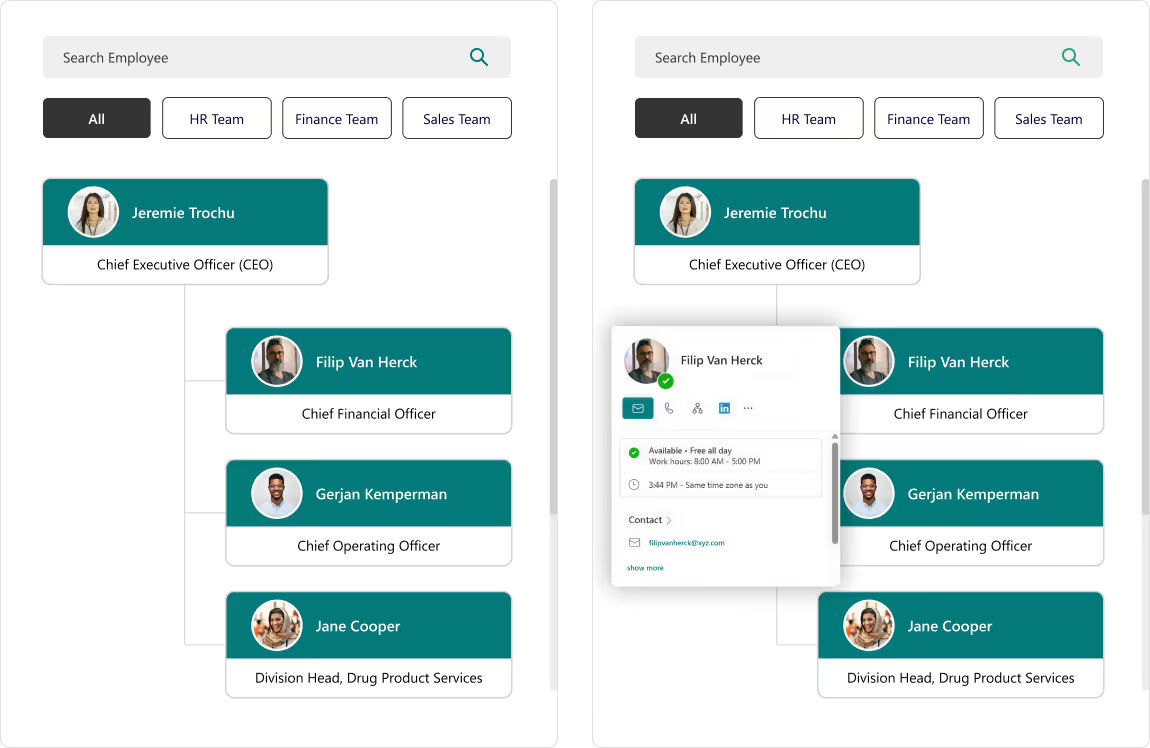
- Search Bar: Instantly find employees by name without scrolling through the entire directory.
- Department Filters: View team members grouped by specific categories like HR, Finance, or Sales.
- Interactive Hover Cards: Access quick actions like chat, email, call, or LinkedIn profile directly from a colleague’s profile card.
- Hierarchical View: Clearly see reporting structures and leadership levels for better team understanding.
7. Document Library
The Document Library keeps all files organized, searchable, and up to date, so you can quickly access the right document when it matters most. Whether filtering by category, searching by keyword, or sharing a file on the go, you’ll always have the latest version at your fingertips.
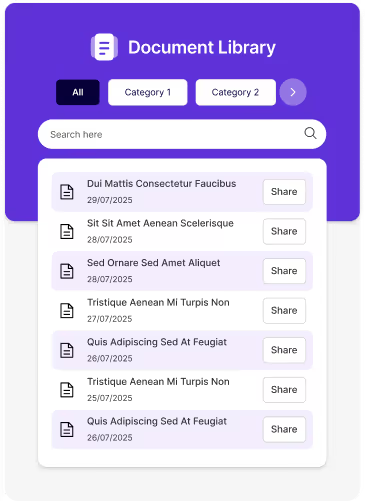
Features:
- Category Filters: Organize files into categories for easy navigation and reduced clutter.
- Search Functionality: Locate specific files instantly using the built-in search bar.
- Share Option: Share documents directly with colleagues in just one click.
- Clean, Mobile-Friendly Design: Ensures quick access and smooth browsing on any device.
8. Feedback and Improvement
An interactive platform to capture employee or user feedback instantly, helping organizations make data-driven improvements. The engaging design and one-tap access make it quick and easy to share thoughts.

Features:
- One-Tap Feedback Submission: Directly link to online feedback forms for instant input without delays.
- Engaging Visuals: Animated and expressive icons encourage higher participation rates.
- Actionable Insights: Feedback can be analyzed to identify trends and improve services.
Mobile-First Intranet Design for the Hybrid Workforce
The workplace has evolved beyond physical boundaries. Today’s hybrid workforce isn’t tied to desks.

In today's increasingly complex workplaces, onboarding new employees seamlessly is crucial. Traditional methods often involve mountains of paperwork, lengthy orientations, and manual tasks. A recipe for wasted time and errors.
Employee onboarding software: a game-changer that streamlines the process, fosters engagement, productivity, and ultimately, retention. A smooth and engaging process Here's how to leverage employee onboarding platforms and HR software to create a winning onboarding experience.
This blog explores how onboarding software revolutionizes the new hire experience, ultimately benefiting both employees and employers.
Challenges of Traditional Onboarding
- Paperwork Overload:
Manual document processing is time-consuming and prone to errors. - Inconsistent Communication:
Mixed messages or lack of clear expectations can lead to confusion. - Generic Approach:
A one-size-fits-all approach doesn't cater to individual needs. - Limited Engagement:
Passive learning methods fail to capture interest and motivation.

From Paperwork to Progress: How Onboarding Software Revolutionizes the New Hire Experience?
In today's increasingly complex workplaces, onboarding new employees seamlessly is crucial. Traditional methods often involve mountains of paperwork,

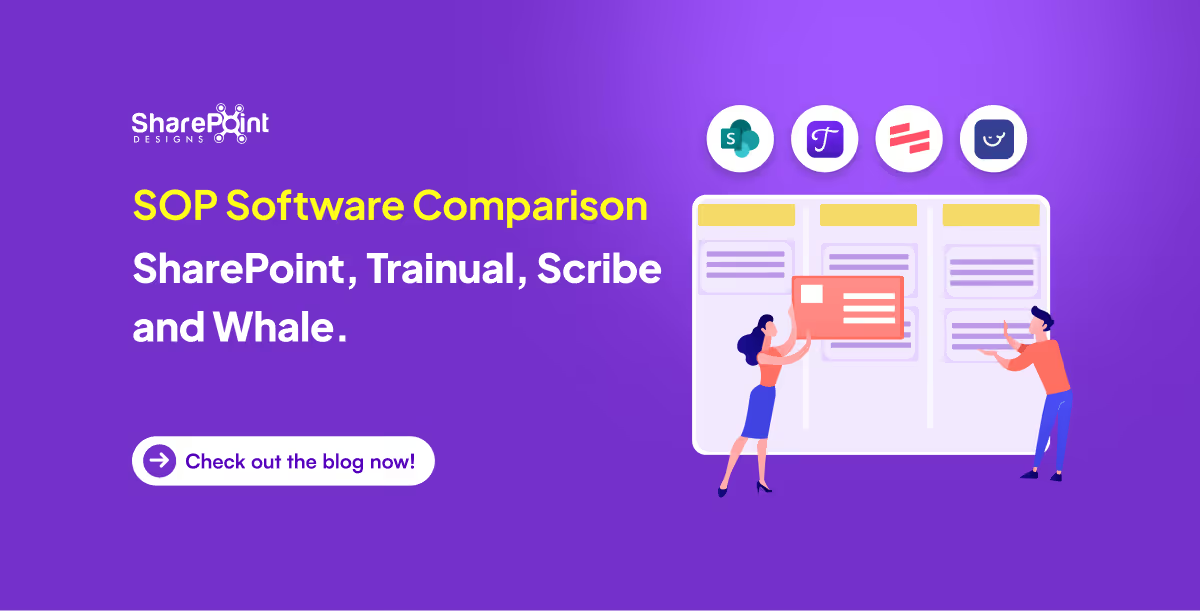
The right software choice for managing standard operating procedures (SOPs) can improve compliance, efficiency, and onboarding of new employees. The decision can be daunting with so many tools available in the market. In this comparison, we look into four industry leading SOP management systems: Microsoft SharePoint, Trainual, Scribe and Whale.
1. Microsoft SharePoint
Overview
Microsoft SharePoint is a sophisticated document management system due to its strong internal communication capabilities and an enterprise-grade document repository. When integrated together with specialized SOP manager plugins, it transforms into a robust SOP management system.
Pros
- Highly customizable: Supports unique SOP formats, metadata tagging, workflows as well as access on roles-based permissions.
- Integration: Seamless integration with Microsoft 365 apps such as Teams and Outlook alongside Power Automate.
- Compliance-ready: Features like audit trails monitoring, document versioning and retention policies provide built-in compliance monitoring.
- Scalable: Well, suited for both small and mid-sized businesses (SMBs) alongside large enterprises.
Cons
- Requires either IT support or a consultant specialized in SharePoint for initial setup and customization.
- More difficult for non-technical teams to adapt to compared to other solutions.
Best For
Companies that are mid-size to larger have already adopted Microsoft 365 since it's easier to integrate. Companies needing specific workflows tailored to compliance needs also fit here more easily than other competing brands.
2. Trainual
Overview
Trainual is an SOP and training software that is cloud-based, ideally for small businesses and startups. It has a user-friendly interface with content authoring tools integrated within the program.
Pros
- Employee onboarding: Retention and training are maintained through strong emphasis on accountability.
- Templates: Comes with pre-built SOP templates.
- Progress tracking: Track who read what and passed which test.
Cons
- Basic workflow customization.
- Limited document control and metadata features.
- Deep Microsoft tool integrations lacking.
Best For
Startups and small businesses that need to quickly devise, share, instruct, and create Standard Operational Procedure documents.
3. Scribe
Overview
Scribe is an AI-powered software that captures workflows and converts them into step-by-step documentation automatically.
Pros
- Quick SOP creation: Great time saver.
- Collaboration friendly: Shareable links with extensions available in browsers.
- Automatic documentation: Captures clicks and screens in real-time.
Cons
- Hard-structured formats to organize SOPs severely lacking.
- Standalone as an incomplete SOP management solution.
- Limited versioning, approval features, compliance capabilities.
Best For
Teams needing step-by-step guides visually documented or quick instructional tutorials tailored towards internal documentation of repetitive tasks.
4. Whale
Overview
Whale focuses on onboarding, training, and knowledge retention by providing a dedicated SOP and knowledge management platform.
Pros
- Visual and structured SOPs: Use rich editing tools like videos and images to embed them into the SOPs.
- Integration-ready: Slack, Chrome, and Teams.
- Onboarding workflows: Content can be triggered to onboard new users automatically.
- Insights: Provides analytics such as engagement metrics, versioning data, and user analysis.
Cons
- Unlike SharePoint, document customization features are not as flexible.
- Small teams may find the pricing model unfavorable.
- Automation of workflows is not as sophisticated when compared with Power Automate from Microsoft.
Best For
Teams looking for off-the-shelf software that allows them to easily integrate Standard Operating Procedures (SOP) alongside training components and provides user analytics will find this useful.
If you are searching for a Trainual alternative, Scribe alternative, or Whale alternative, Microsoft SharePoint stands out as the most versatile and future-proof choice for SOP management. Unlike standalone tools, SharePoint offers enterprise-grade document control, advanced workflow automation, and seamless integration with Microsoft 365 apps like Teams, Outlook, and Power Automate. Its highly customizable framework allows organizations to design SOP processes that align perfectly with compliance requirements, departmental needs, and operational goals. Whether you are scaling operations, improving onboarding, or streamlining documentation, SharePoint delivers a robust, all-in-one platform that outperforms other solutions in flexibility, security, and scalability.
Conclusion
Selecting the right software for SOPs requires consideration of level of business structure, size and operational goals.
- Consider choosing SharePoint if your need is enterprise-level complex compliance policies, advanced workflows as well as office 365 integration.
- Go with Trainual when you are a small business looking for quick-onboarding frameworks.
SOPs also available rapidly alongside guides and how-to-do docs which help less experienced personnel execute assigned tasks seamlessly without much oversight- Makes work life enjoyable is another key strength that comes client servicing software.
Fabulous results swiftly obtained via whale where in-depth analysis is key blended value-add features hence let the analytics do the talking, boast an all-in-one battle quarter driven by desires optimal sop blended plus powerful onboarding surge.
Searching for help setting up SharePoint SOP Manager?
Book complimentary session with us and launch your SOP manager under 7 days!
SOP Software Comparison: SharePoint, Trainual, Scribe and Whale
The right software choice for managing standard operating procedures (SOPs) can improve compliance, efficiency, and onboarding of new employees.
Most people don’t hate SharePoint.
They hate how it looks.
The usual complaint sounds like this:
“It works, but it doesn’t feel like a website.”
And they’re right.
By default, SharePoint is built to manage content, not to impress users. But with the right structure, layout choices, and modern features, SharePoint can absolutely look and behave like a real, modern website.
We’ve seen this happen across intranets, HR portals, knowledge bases, and even internal marketing sites. Let’s walk through real scenarios and practical changes that turn SharePoint into something employees actually enjoy using.
Why SharePoint Often Doesn’t Feel Like a Website
In one organization, the intranet technically “worked.”
All documents were there. Permissions were fine. Search existed.
But employees still avoided it.
The reason wasn’t SharePoint itself. It was because:
- Pages looked cluttered
- Navigation felt confusing
- Branding was inconsistent
- Important content was buried
A website guides users.
A typical SharePoint site just stores information.
That’s the gap we need to close.
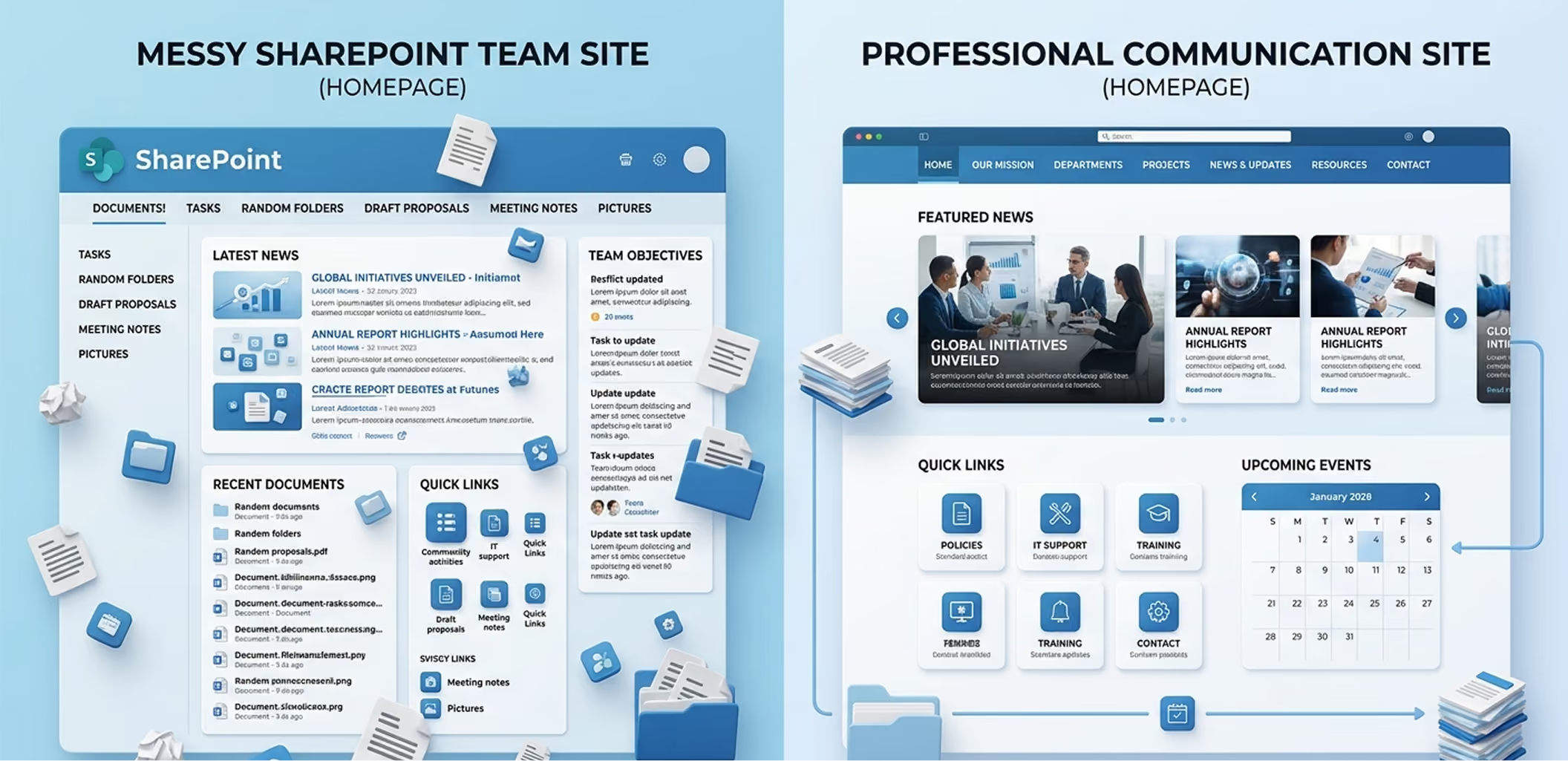
Step 1: Start with the Right SharePoint Site Type (This Matters More Than Design)
One of the biggest mistakes teams make is starting with the wrong site.
If your goal is to make SharePoint look like a website, Communication Sites are non-negotiable.
Why communication sites work better
- Full-width layouts
- Cleaner navigation
- Better visual hierarchy
- Designed for broadcasting information, not collaboration chaos
In almost every successful SharePoint website-style example we’ve seen, the foundation was a communication site, not a team site.
Step 2: Fix the Homepage First (Most SharePoint Website Problems Start Here)
In a real case, an intranet homepage had:
- 12 quick links
- 8 announcements
- 4 banners
- Zero clarity
After redesigning the homepage using modern SharePoint web parts, the layout changed to:
- One hero message
- 3–4 primary actions
- Targeted news
- Search at the top
Engagement went up within weeks.
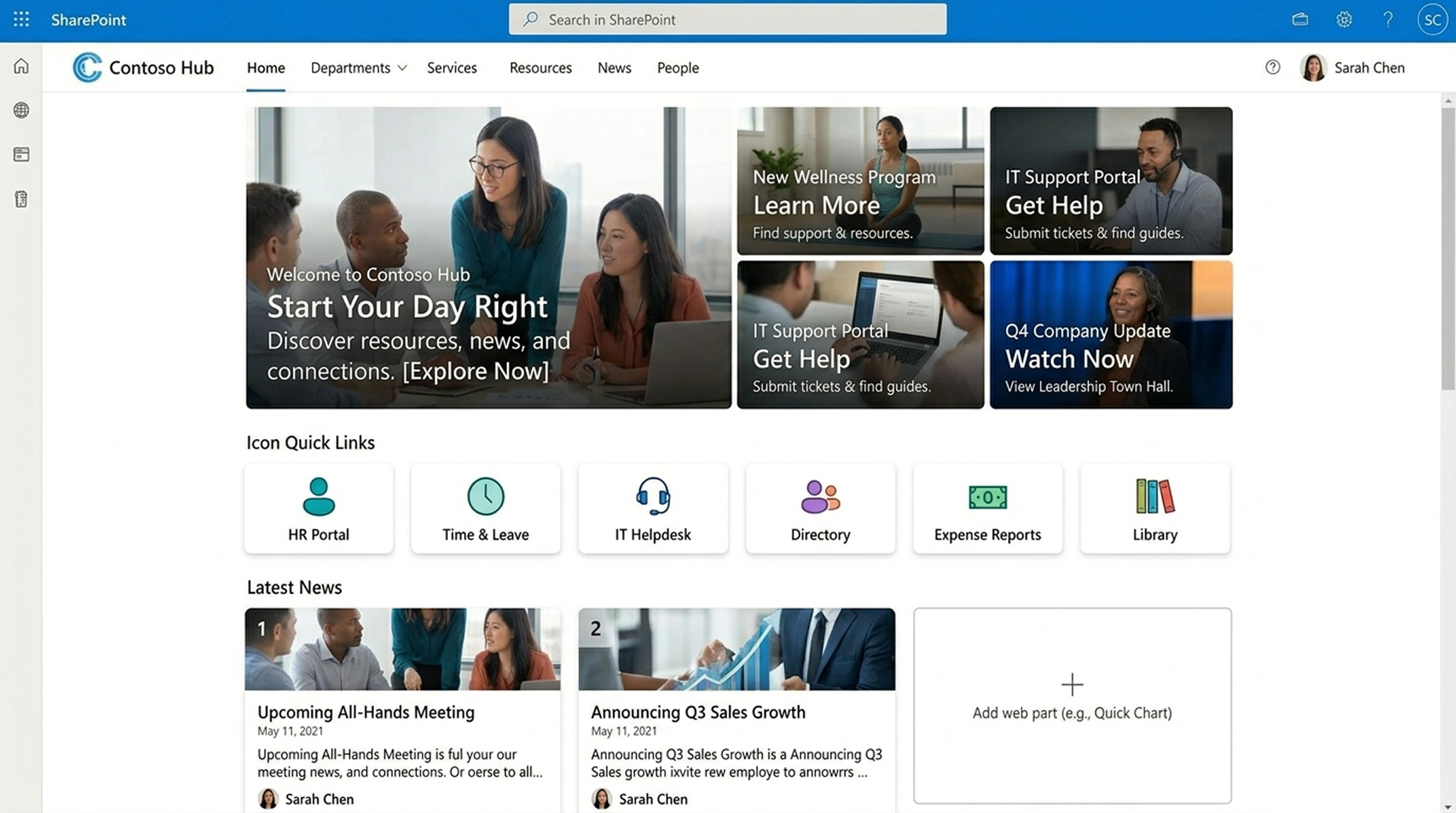
What a website-like SharePoint homepage includes
- Hero web part with a clear purpose
- Quick Links with icons (not text lists)
- News web part with audience targeting
- Visible Microsoft Search
Key lesson:
A website homepage answers “What should I do here?”
Your SharePoint homepage should do the same.
Step 3: Use Navigation Like a Website, not a File System
One major difference between SharePoint and a website is navigation discipline.
In one company, each department added its own links. Navigation became unreadable.
They fixed this by:
- Using hub sites
- Standardizing navigation across all sites
- Limiting menu depth
- Adding footer navigation for secondary links
Now the intranet felt predictable. And predictability builds trust.
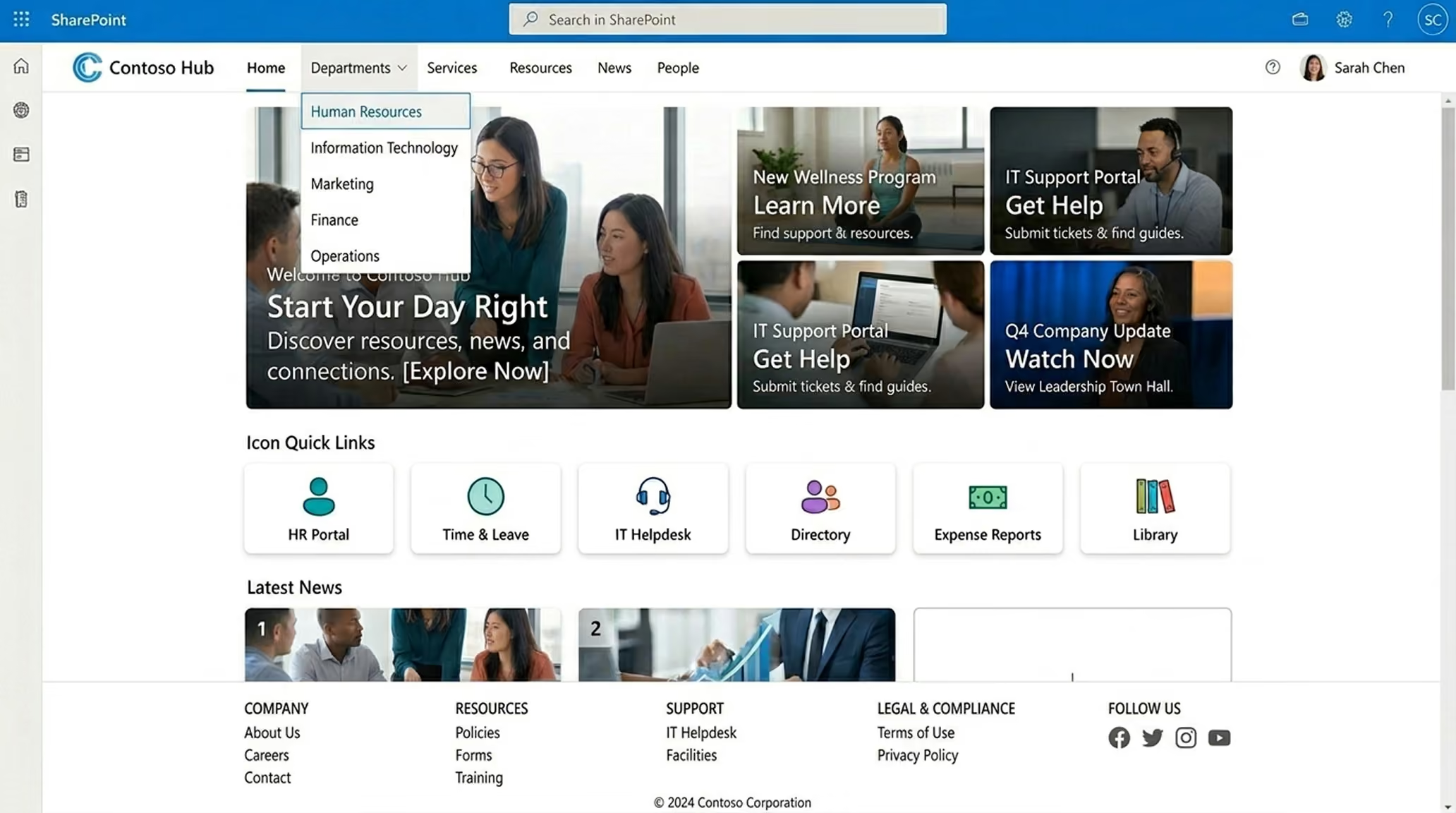
Website-style navigation tips for SharePoint
- Use hub navigation as your main menu
- Keep labels human, not technical
- Avoid document-library-first navigation
- Add a footer for policies and legal links.
How to Make SharePoint Look Like a Real Website (What Actually Works)
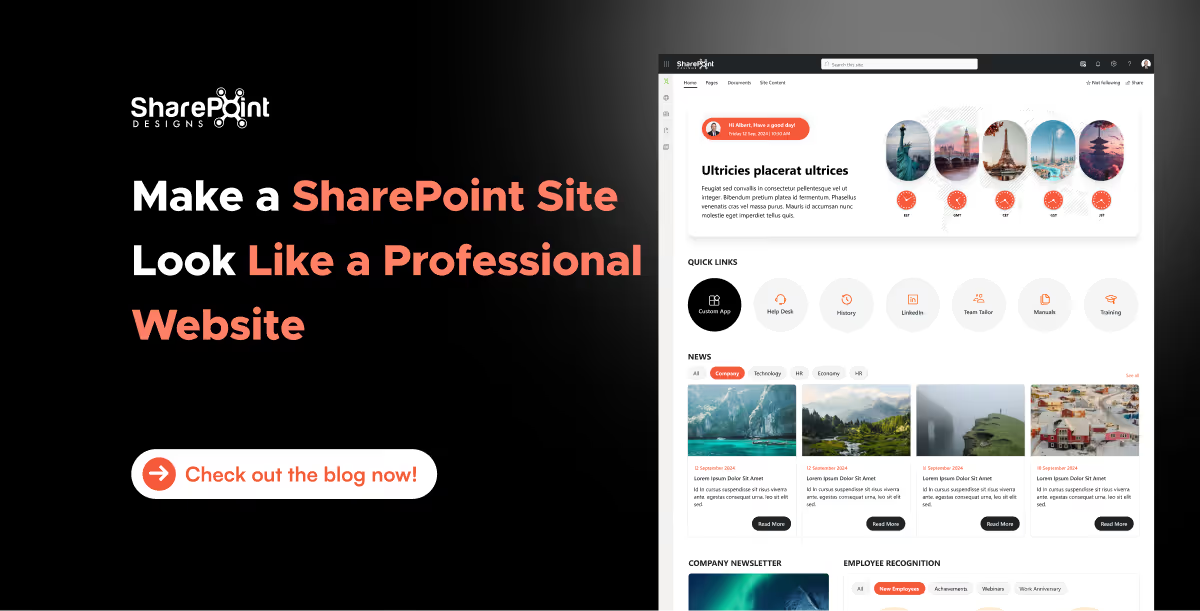
SharePoint is powerful but let’s be honest: default SharePoint sites don’t always feel like modern websites.
The SharePoint intranet homepage serves as the digital gateway to your organization. It’s where employees go to find updates, access tools, and connect with the broader company. A well-designed homepage can boost employee engagement, improve productivity, and reduce time wasted navigating cluttered systems. In this guide, we outline the best practices to help you design a high-impact SharePoint intranet homepage that aligns with your business goals.
Why Your SharePoint Homepage Matters
The homepage sets the tone for your entire intranet experience. When done right, it:
- Increases intranet adoption
- Centralizes communication and resources
- Encourages cross-departmental visibility
- Reduces support tickets and duplicated work
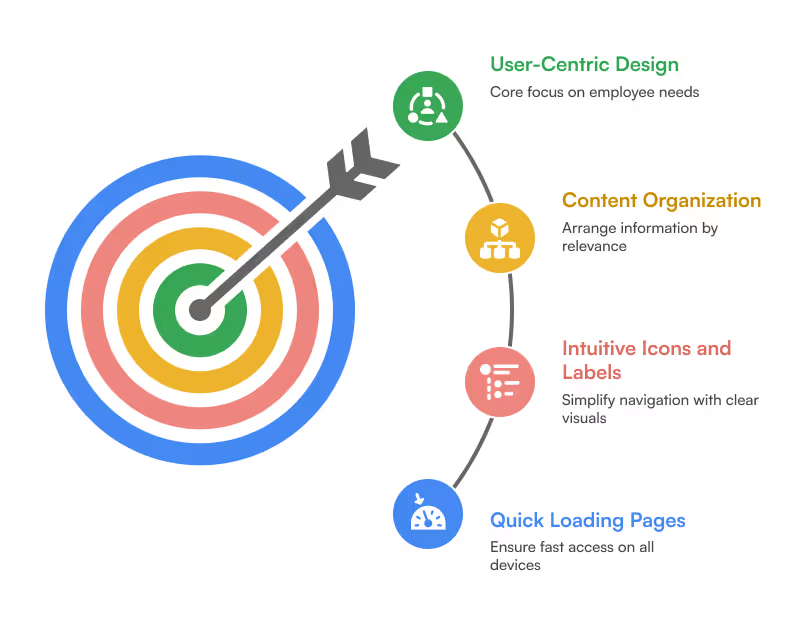
1. Focus on User-Centric Design
Your homepage should cater to employees, not administrators. Conduct user interviews or surveys to understand what information they need daily. Ensure that:
- Content is organized by relevance and frequency of use
- Icons and labels are intuitive
- Pages load quickly on desktop and mobile
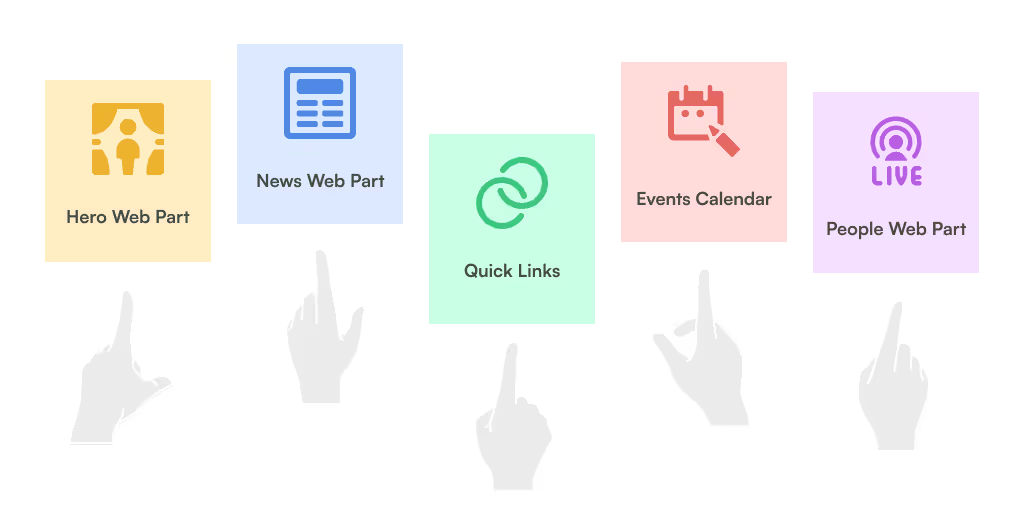
2. Prioritize Key Web Parts
Use Out-of-the-Box (OOTB) and custom SharePoint web parts to surface important information:
- Hero Web Part: Feature announcements, department portals, or campaigns
- News Web Part: Company updates, events, and HR bulletins
- Quick Links: Direct access to frequently used tools or resources
- Events Calendar: Highlight upcoming meetings, holidays, and webinars
- People Web Part: Show key contacts or newly joined team members
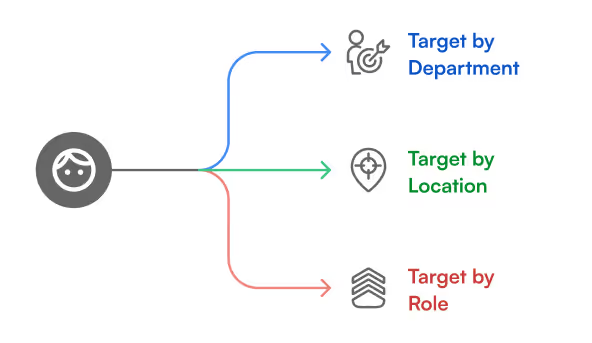
3. Personalize Content with Targeting
Leverage SharePoint’s audience targeting features to show content based on department, location, or role. This ensures employees only see what’s relevant to them, reducing clutter and improving relevance.
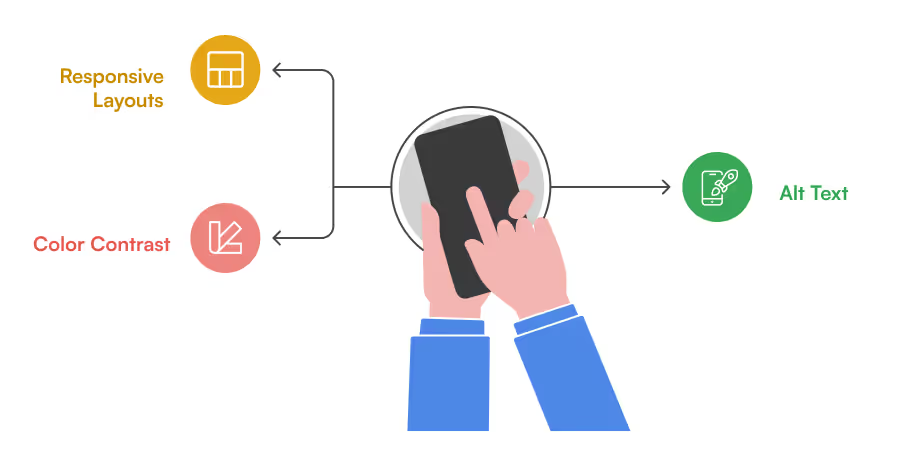
4. Design for Mobile & Accessibility
With hybrid work models, ensure your intranet is responsive and accessible:
- Use responsive layouts for mobile usability
- Add alt text to images
- Ensure color contrast meets accessibility standards (WCAG)
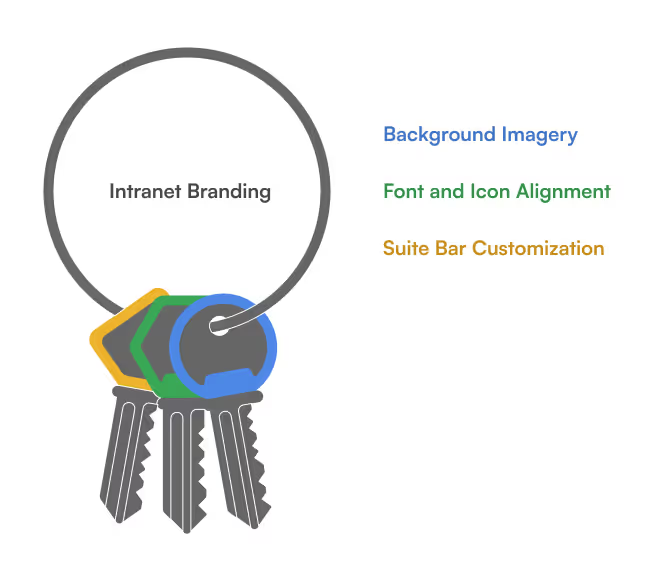
5. Use Branding to Reinforce Culture
Your intranet should reflect your organization’s identity. Customize:
- Suite bar with logo and brand colors
- Fonts and icons aligned with your internal guidelines
- Background images or banners that highlight team culture
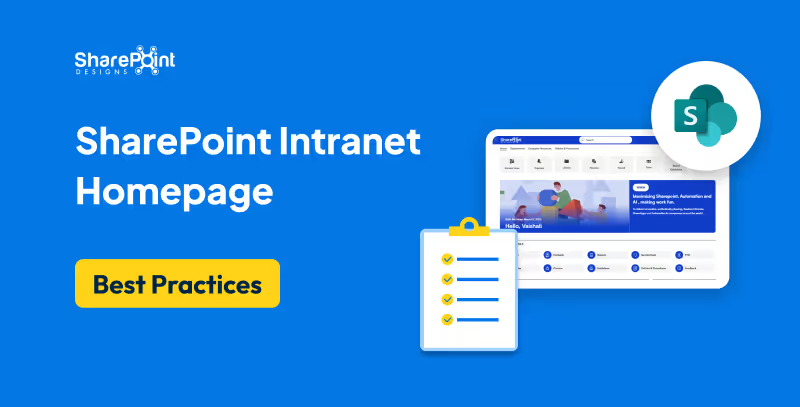
SharePoint Intranet Homepage Best Practices to Boost Engagement and Usability
The SharePoint intranet homepage serves as the digital gateway to your organization.
Introduction: Why This Guide Matters
In this detailed guide, we’ll cover:
- Why hiring a SharePoint consultant is often better than going in-house
- Key criteria to evaluate consultants
- The questions you must ask before signing a contract
- Common mistakes to avoid
- Freelancer vs. consulting firm - pros and cons
- A practical hiring checklist
- Conclusion: What kind of partner your business really needs
1. Why Hire a SharePoint Consultant?
Many organizations begin their SharePoint journey with internal IT or a basic out-of-the-box setup. But they soon hit barriers:
- Low user adoption
- Poor navigation and UI
- Inconsistent file governance
- Inability to scale for business needs
- Missed automation and integration opportunities
What a SharePoint Consultant Brings:
- Deep platform expertise: SharePoint Online, SPFx, Power Platform, Teams, Microsoft Graph, etc.
- Strategic alignment: Matching SharePoint’s capabilities to your business goals
- Process mapping and workflow design
- Knowledge of compliance (GDPR, HIPAA, ISO) and secure architecture
- Post-launch support, training, and optimization
Think of a consultant not just as a technician, but as an intranet architect who ensures your digital workplace performs at every level.
2. Key Criteria to Evaluate a SharePoint Consultant
Choosing the right consultant isn’t just about experience or pricing. You need a well-rounded partner.
Key Evaluation Criteria:
A. Experience & Portfolio
- Do they have a track record of successful SharePoint deployments?
- Have they worked in your industry or with your use case?
B. Business Understanding
- Can they translate business challenges into platform solutions?
C. Design & UX Skills
- Do they offer modern, branded, user-friendly designs or just functional backends?
D. Custom Development Capability
- Can they build SPFx web parts, automate flows, and integrate with Teams, Power BI, and Azure?
E. Communication & Transparency
- Will they walk you through every phase, or just drop a delivery?
F. Support & Training
- Do they train internal admins and end-users for long-term success?
3. Questions to Ask Before You Hire
A consultant’s true value shows in how they respond to these questions:
Strategy & Planning
- What is your approach to understanding our business needs?
- How do you decide between out-of-the-box features and custom development?
Implementation & Delivery
- What’s your delivery methodology? Agile? Waterfall? Hybrid?
- Can you give us a timeline with milestones and checkpoints?
Adoption & Training
- How will you ensure adoption across departments?
- Do you offer training sessions, videos, or documentation?
Post-Launch Support
- What does your support structure look like after go-live?
- How do you handle future feature requests or troubleshooting?
4. 5 Costly Mistakes to Avoid When Hiring a SharePoint Consultant
Hiring the wrong consultant leads to low ROI and high frustration. Here are mistakes you should avoid:
Mistake #1: Hiring for Cost, Not Capability
Low-cost freelancers or agencies may lack the depth needed for complex setups, resulting in patchy work that requires rework.
Mistake #2: Ignoring UX and Branding
A clunky UI kills adoption. A great SharePoint consultant should care about layout, navigation, and branding as much as backend logic.
Mistake #3: No Roadmap or Governance Plan
Without a roadmap, SharePoint turns into a dumping ground. Consultants must help you structure libraries, permissions, metadata, and workflows.
Mistake #4: Not Involving End-Users Early
User feedback helps shape a usable, useful system. If you don’t involve real users early, expect resistance at launch.
Mistake #5: No Post-Implementation Support
A consultant who leaves right after go-live can leave your internal team stranded. Support, iteration, and governance are essential.
5. SharePoint Freelancer vs. SharePoint Consulting Firm: Pros & Cons
Depending on your project’s complexity, timeline, and internal capacity, you might consider a freelancer or a full consulting team.
Freelancers
Pros:
- More affordable
- Fast for small tasks or isolated issues
- Flexible for short-term work
Cons:
- Limited skillset (often one-person team)
- Risk of unavailability or bandwidth issues
- Little to no project management or documentation
- No support continuity
SharePoint Consulting Firms (Like SharePoint Designs)
Pros:
- Team-based expertise (UI, backend, architecture, governance)
- Better quality assurance and peer review
- Defined SLAs, training, and documentation
- Long-term support and scalability
Cons:
- Higher investment (but also higher ROI)
- May require more structured planning
Tip: Choose a freelancer for one-time help. Choose a firm for enterprise-wide impact.
6. SharePoint Consultant Hiring Checklist
Use this checklist before making a final decision:
- Can they demonstrate relevant, recent SharePoint projects?
- Do they understand business processes beyond just SharePoint tech?
- Have they asked about your end-users, pain points, and KPIs?
- Can they balance out-of-the-box and custom solutions intelligently?
- Do they offer user training and documentation?
- Are they clear about scope, timelines, and pricing?
- Do they support post-launch optimization?
- Do they bring design, automation, and compliance thinking into one plan?
7. Final Thoughts: Hire for Growth, Not Just Setup
A SharePoint consultant isn't a plug-and-play hire. You're choosing a partner who will define how your team works every day, how they collaborate, how they find information, how they feel about internal tools.
At SharePoint Designs, we bring the full package:
- Branded and user-friendly intranets
- End-to-end DMS and KMS setups
- Process automation with Power Platform
- AI integrations and Copilot agents
- Deep understanding of your people, not just your platform
We don’t just build SharePoint portals, we maximize your team’s performance through smarter digital workspaces.
Let’s Talk
If you're exploring SharePoint for the first time or need to fix what's already built, we're happy to help.
Book a Free Consultation

The Complete Guide to Hiring a SharePoint Consultant for Your Business
SharePoint is a powerful platform but only when implemented the right way. Whether you're planning to build an intranet,
Launching a SharePoint intranet in 2026 is no longer just about setting up pages or storing files. It’s about building a digital workspace that enhances communication, strengthens culture, and drives productivity across hybrid and distributed teams. But one critical decision remains for every organization:
“Should you build your SharePoint intranet from scratch or buy a ready-to-deploy solution?”
This blog explores both options in depth, breaking down the pros, cons, and hidden costs so you can make the smartest decision for your team.
Summary
This article helps you choose between building a custom SharePoint intranet or buying a ready-to-deploy SharePoint solution in 2026. It explains why intranets matter, weighs pros and cons of each approach, and highlights trade-offs across cost, time to launch, flexibility, maintenance, and UX. Building offers maximum customization but higher costs, longer timelines, and resource demands. Buying accelerates launch with lower risk and vendor-backed features, with light customization as needed.
Why Companies Need a SharePoint Intranet in 2026?
Before we dive into build vs buy, let’s clarify why companies are prioritizing SharePoint intranets more than ever:
- Unified Communication Hub: Bring together remote, on-site, and hybrid teams through a single, connected platform.
- Policy & Knowledge Access: One location for SOPs, HR policies, FAQs, and compliance docs.
- Team Engagement: Celebrate wins, share updates, and spotlight people.
- Process Automation: Streamline onboarding, approvals, and content workflows.
- Microsoft 365 Integration: Seamlessly tie into Outlook, Teams, Power Automate, and more.
Option 1: Building a SharePoint Intranet from Scratch
Custom-built SharePoint intranets give you full control over the design, components, and structure. This route is often favored by companies with complex needs, internal development resources, or highly specific branding and workflows.
Pros of Building:
- 100% tailored experience to your organization’s workflows
- Flexible design and custom branding options
- Ability to integrate unique business apps or third-party systems
Cons of Building:
- High upfront development cost (often $25K+ for mid-sized organizations)
- Long implementation cycles (typically 3 to 6 months)
- Requires skilled SharePoint developers and administrators
- Ongoing maintenance and troubleshooting responsibilities
- Inconsistent UX if not built with best practices
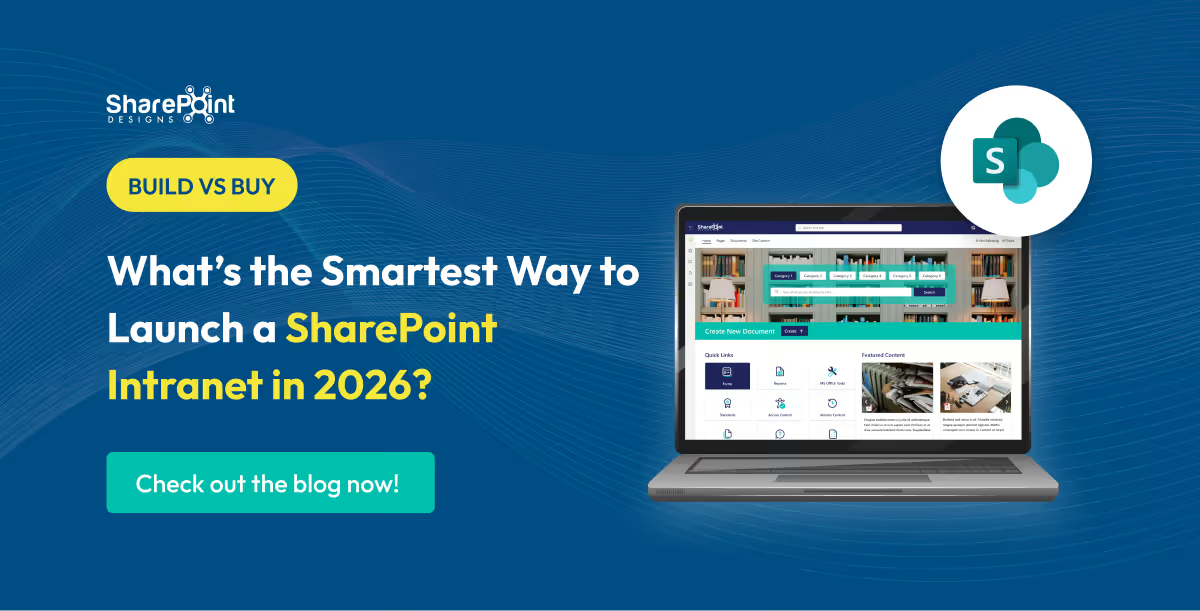
Build vs Buy: What’s the Smartest Way to Launch a SharePoint Intranet in 2026?
Launching a SharePoint intranet in 2026 is no longer just about setting up pages or storing files.



.svg)





