Published Date -

Custom Search Web Part for SharePoint - Smarter, Faster, Personalized Search
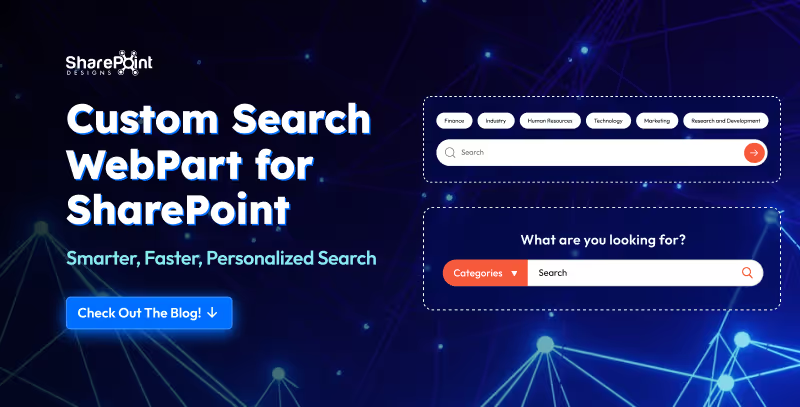
Ever spent more time hunting for a document than actually using it?
Let’s be honest in the modern workplace, no one has time to play hide and seek with files. Whether it’s that one policy doc, a video tutorial, or even a quick note from leadership, you need it fast, and you need it now.
Enter the Custom Search Web Part, your digital sidekick that makes searching feel less like a chore and more like a superpower. It’s not just a search box; it’s smart, stylish, and totally customizable. From cheerful greetings and real-time clocks to sleek filters and layouts that fit your vibe, this tool turns the daily hunt for information into a smooth, almost fun experience.
1. Classic Centered Layout
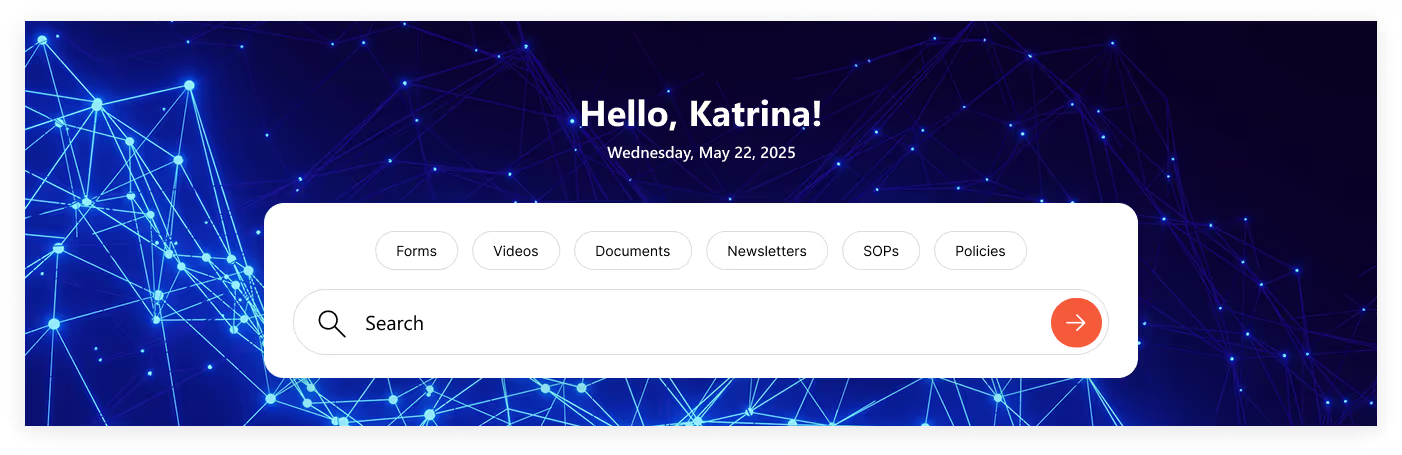
- Customizable Welcome Message: Greet users with “Hello", "Welcome”, “Good Morning” or your own style.
- Personalized Touch: Username of the logged-in user is automatically fetched.
- Always On Time: Displays accurate date & time synced with the user’s time zone.
- Smart Search Bar: Quickly search for file types across the organization.
- Built-In Filters: Narrow results instantly with categories like: Forms, Videos, Documents, Newsletters, SOPs & Policies.
2. Modern Open Layout
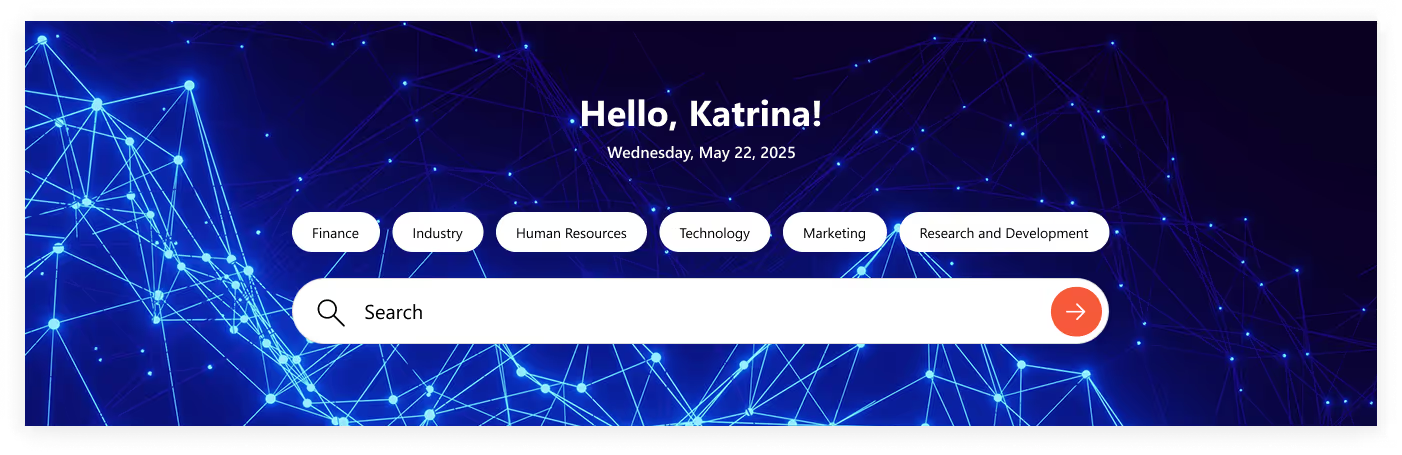
- Same Core Features: Welcome message, username, and real-time date & time.
- Fresh Look: No boxy background, just a clean, open design.
- Seamless Blend: Minimal, modern layout that fits perfectly with your site’s style.
- Smart & Sleek: Functionality remains strong, but with a lighter, more stylish touch.
3. Left-Aligned Experience
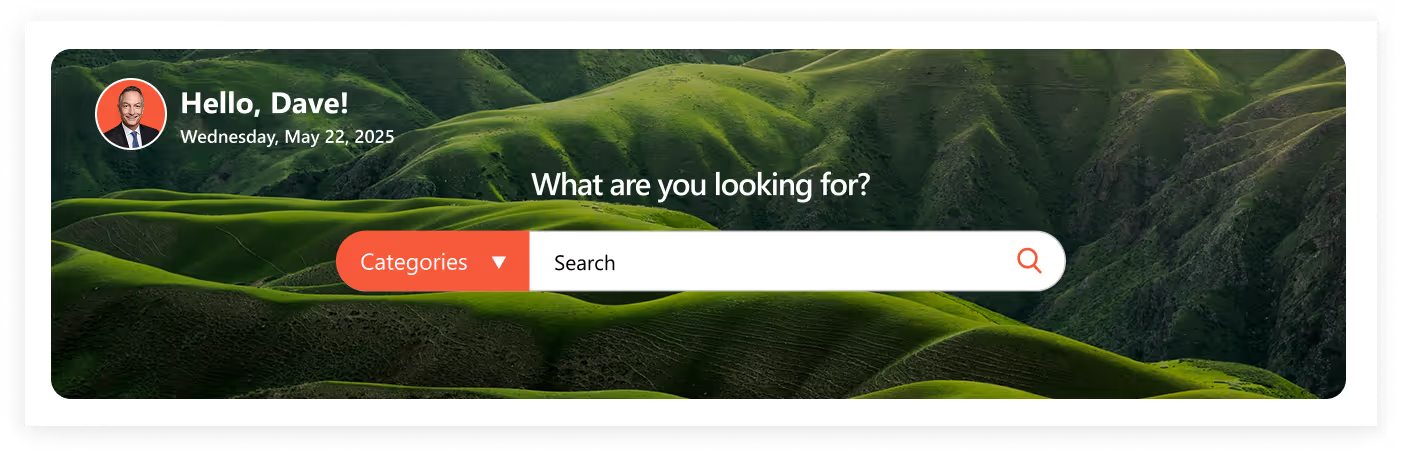
- Left-Side Greeting: Custom welcome message, username, profile picture.
- Stay Synced: Date & time adjusted to the user’s local country.
- Center Search Power: Custom Search Bar placed at the heart of the layout.
- Category Dropdown: Quick filtering options to make searches sharper & faster.
- Personal Touch: Profile picture adds more user connection.
4. Leadership-Powered Layout

- Personalized Left Side: Welcome message, username, profile picture, and live time.
- Central Smart Search: Quick department-wide search with category dropdown.
- CEO Spotlight: Right-side box featuring CEO’s profile picture, A short meaningful message, “Read More” link to full content
- Connected Experience: Combines search functionality with leadership communication.
Conclusion
The Custom Search Web Part isn’t just about searching, it’s about creating a personalized digital experience that saves time, boosts productivity, and strengthens workplace connections. With multiple layouts from classic to modern, left-aligned to leadership-powered, there’s a design for every team and every purpose. Whether you want minimal and sleek or feature-rich with CEO messages, the choice is yours. One thing’s for sure with this web part, finding exactly what you need has never been simpler, smarter, or more seamless.
faqs

Agnes Prismitha

Agnes Prismitha is a Product Ambassador with 1.8 years of experience in building collaborative digital workplace solutions. She works closely with both technical teams and stakeholders to ensure solutions meet business needs and encourage product adoption.





.svg)