Tech Ideas & Best Practices
In today’s digital era, businesses rely on SharePoint for collaboration and data management. However, SharePoint alone cannot provide advanced analytics. By connecting SharePoint with Power BI, organizations can transform static lists and documents into interactive, data-driven dashboards that drive smarter decision-making.
Why Connect SharePoint with Power BI?
Integrating SharePoint and Power BI offers several advantages:
- Centralized Data Access: Use SharePoint as a single source of truth and visualize it in Power BI.
- Real-Time Insights: Keep dashboards updated with automated refreshes.
- Better Decision-Making: Convert raw SharePoint data into meaningful visualizations.
- Microsoft Ecosystem Integration: Both tools seamlessly connect with Office 365 and Azure.
How to Connect SharePoint with Power BI
1. Connect SharePoint Lists to Power BI
SharePoint lists often hold structured project or business data.
Steps to connect:
1. Open Power BI Desktop → Get Data.
2. Select SharePoint Online List.
3. Enter your SharePoint site URL (e.g., https://company.sharepoint.com/sites/project).
4. Sign in with organizational credentials.
5. Load the required lists into Power BI.
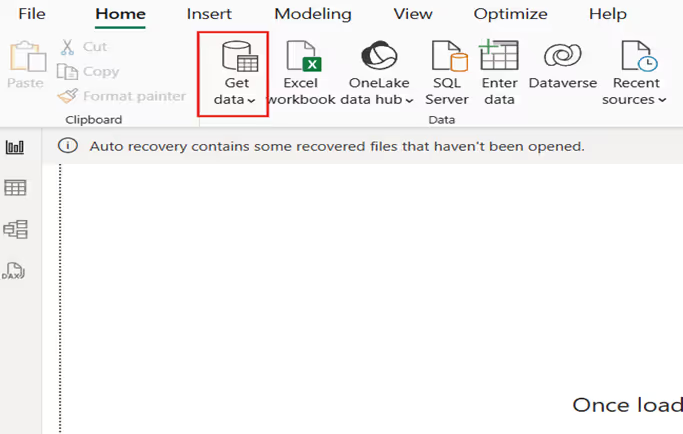
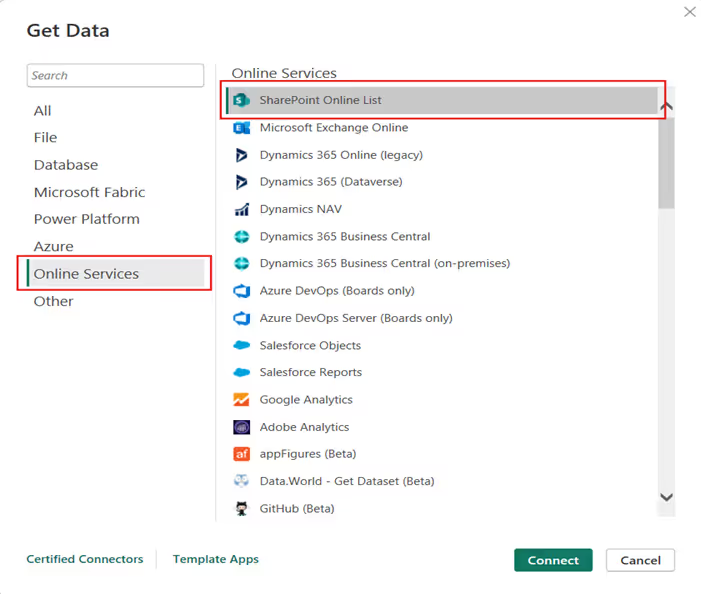
Best for: task management, issue tracking, and HR records.
Connecting SharePoint with Power BI for Data-Driven Dashboards
In today’s digital era, businesses rely on SharePoint for collaboration and data management.

Quick Links aren’t just about getting from point A to point B, they are about making navigation effortless, engaging, and even a little exciting.
Imagine your intranet where every click feels smooth, every layout looks polished, and every user finds what they need without the clutter. From sleek boxed designs to dynamic interactive panels, these Quick Links layouts aren’t just functional, they’re stylish upgrades that bring personality and flow to your digital workspace.
Summary
This guide highlights five SharePoint Quick Links layouts includes Horizontal Boxed, Dropdown Menu, Two-Row Boxed, Department-Based, and Interactive Side Panel that make intranet navigation fast, clear, and visually polished. Each option blends clean design with usability to help users find what they need without clutter. You can mix and match these layouts and implement them quickly using the referenced SharePoint Intranet Templates.
1. Horizontal Boxed Layout

- Sleek and streamlined, this layout lines up your quick links like a well-dressed team of icons and titles.
- Clean, consistent, and perfect for top-of-page navigation, it delivers fast clicks with a fresh, flowing look.
2. Quick Links with Dropdown Menu
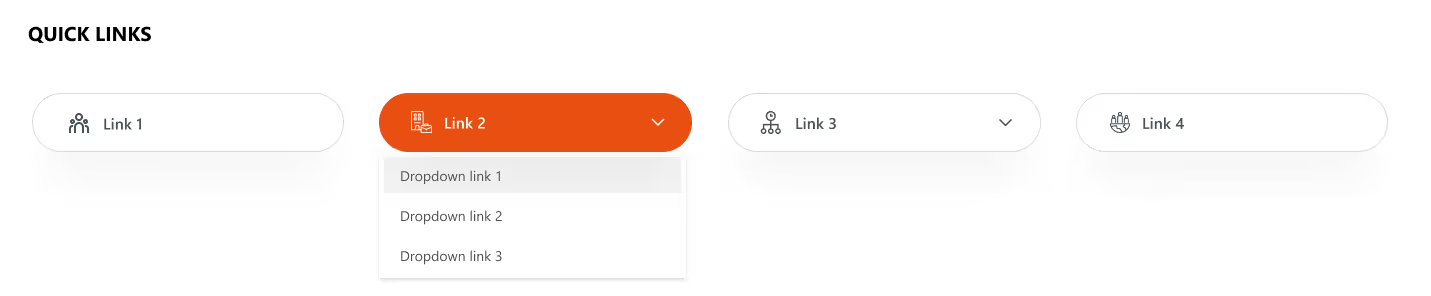
- Turn things up a notch with icons, titles, and a smart dropdown.
- Compact yet clever, this layout lets you pack in more links without clutter.
- Just click, expand, and boom; navigation made simple and stylish.
Explore our SharePoint Intranet Templates to implement these Quick Links layouts instantly.
3. Two-Row Boxed Quick Links
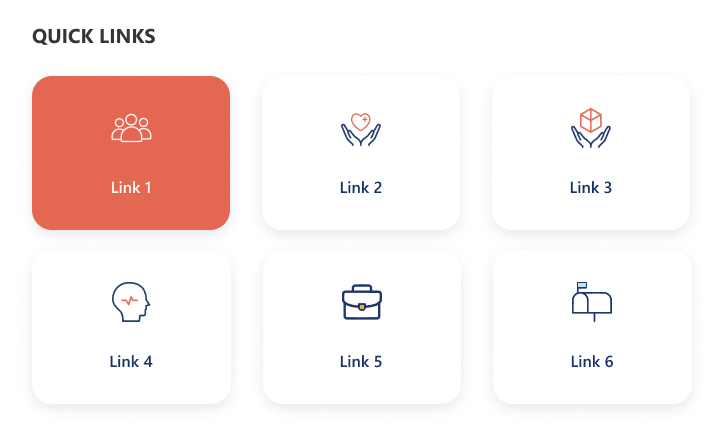
- Balanced and tidy, this design stacks your links in two neat horizontal rows.
- With crisp icons and clear titles, it’s perfect for organizing more content in a way that’s stylish, accessible, and easy on the eyes.
4. Department-Based Quick Links
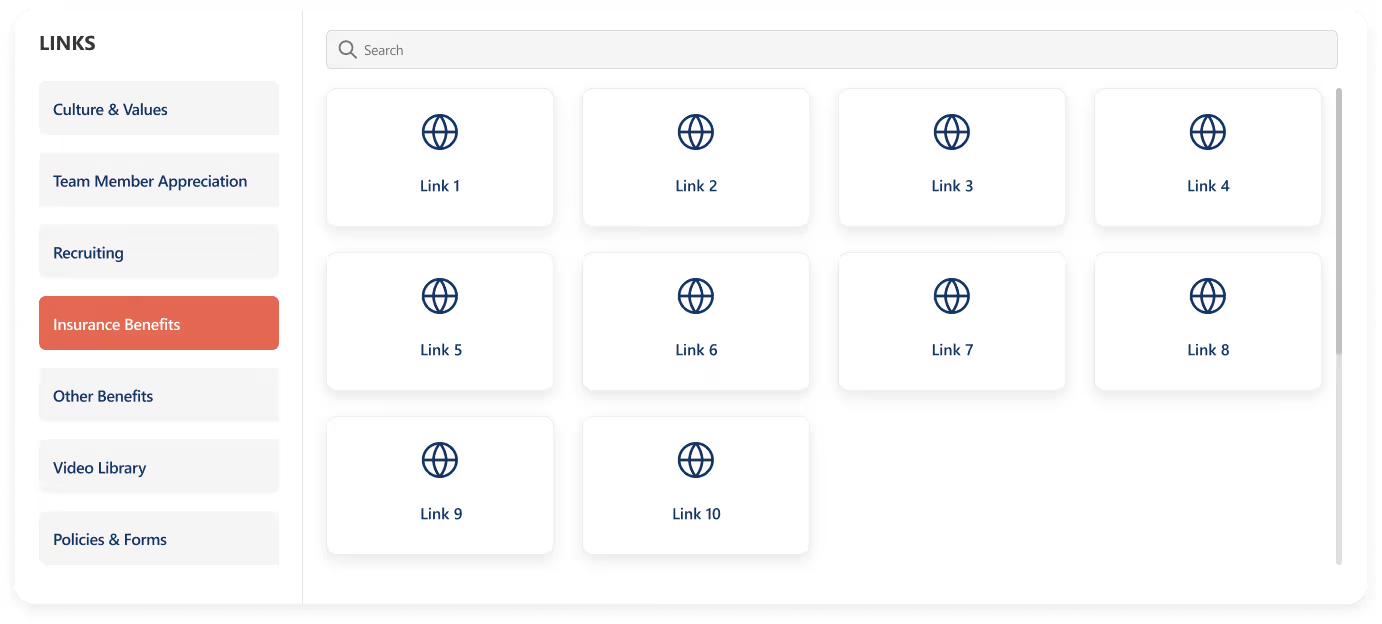
- Built for clarity and speed, this layout stacks departments vertically on the left for quick switching, while the right side features a handy search bar for precision.
- Below, a clean boxed display shows the selected department’s links.
- Add a custom web part title on top for your own flair.
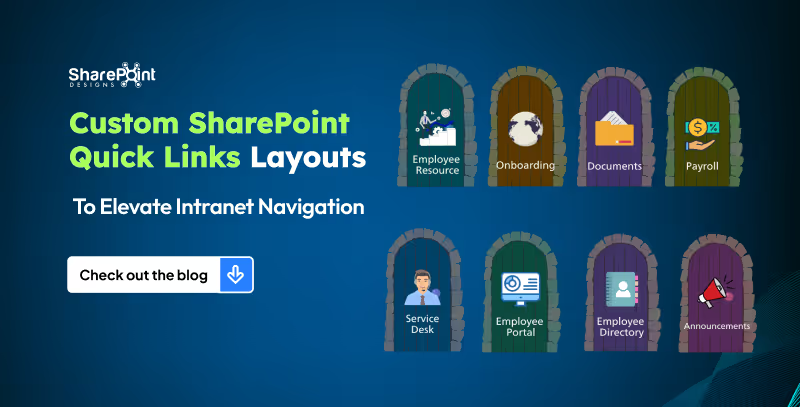
5 Custom SharePoint Quick Links Layouts to Elevate Intranet Navigation
Quick Links aren’t just about getting from point A to point B, they are about making navigation effortless, engaging, and even a little exciting.

News doesn’t have to be boring, especially on your intranet!
Imagine a space where every update feels alive: bold images, smooth layouts, and department filters that make sense. That’s exactly what our Custom News Web Part brings to the table. From dynamic tabs to sleek carousels, we’ve designed layouts that don’t just share information they show it off. Whether your team loves to scroll endlessly, skim quickly, or spotlight the big stories, we’ve got a style that fits.
1. Dynamic Department Tabs
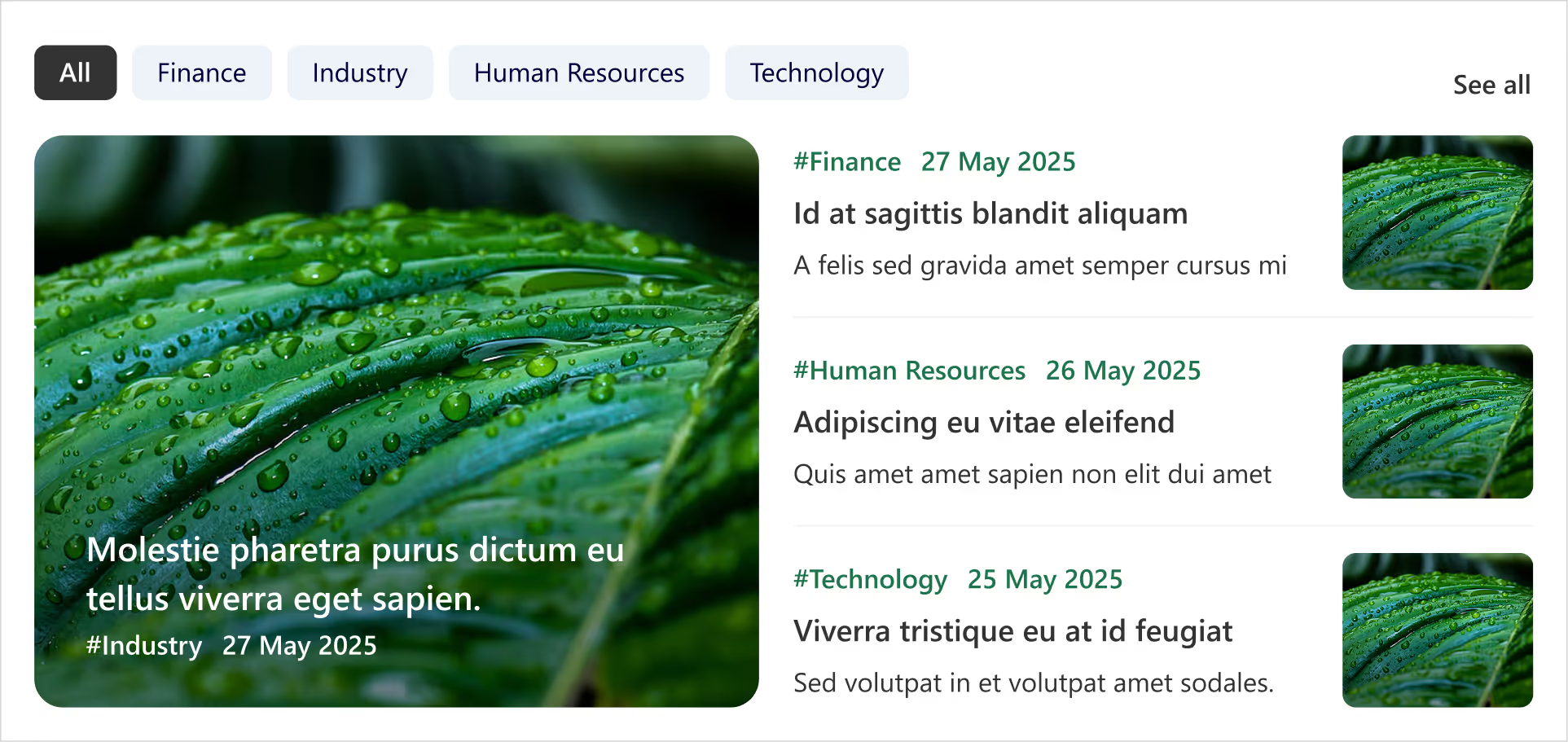
- Clickable tabs for each department (HR, Finance, Marketing, etc.).
- Instantly update the news feed when you tap a tab.
- Each Box includes department tag, crisp images, and publish date.
- Handy ‘See All’ link at the top-right corner for a dedicated news page.
- Smart, fresh, and perfectly tailored for departmental updates.
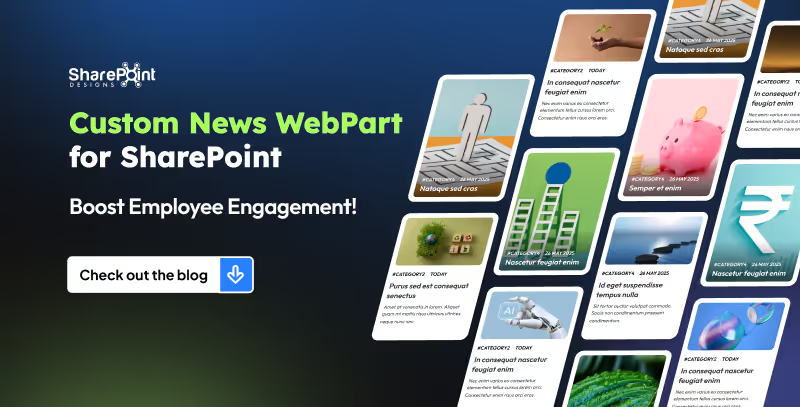
8 Custom SharePoint News Web Part Layouts to Boost Employee Engagement (That Employees Actually Love)
Imagine a space where every update feels alive: bold images, smooth layouts, and department filters that make sense.
Ever spent more time hunting for a document than actually using it?
Let’s be honest in the modern workplace, no one has time to play hide and seek with files. Whether it’s that one policy doc, a video tutorial, or even a quick note from leadership, you need it fast, and you need it now.
Enter the Custom Search Web Part, your digital sidekick that makes searching feel less like a chore and more like a superpower. It’s not just a search box; it’s smart, stylish, and totally customizable. From cheerful greetings and real-time clocks to sleek filters and layouts that fit your vibe, this tool turns the daily hunt for information into a smooth, almost fun experience.
1. Classic Centered Layout
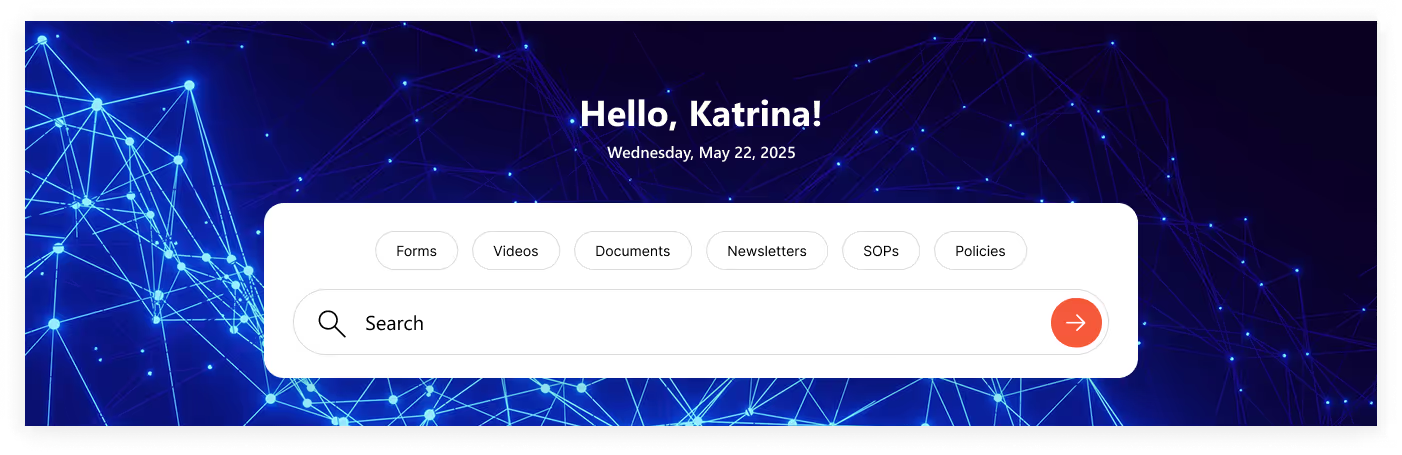
- Customizable Welcome Message: Greet users with “Hello", "Welcome”, “Good Morning” or your own style.
- Personalized Touch: Username of the logged-in user is automatically fetched.
- Always On Time: Displays accurate date & time synced with the user’s time zone.
- Smart Search Bar: Quickly search for file types across the organization.
- Built-In Filters: Narrow results instantly with categories like: Forms, Videos, Documents, Newsletters, SOPs & Policies.
2. Modern Open Layout
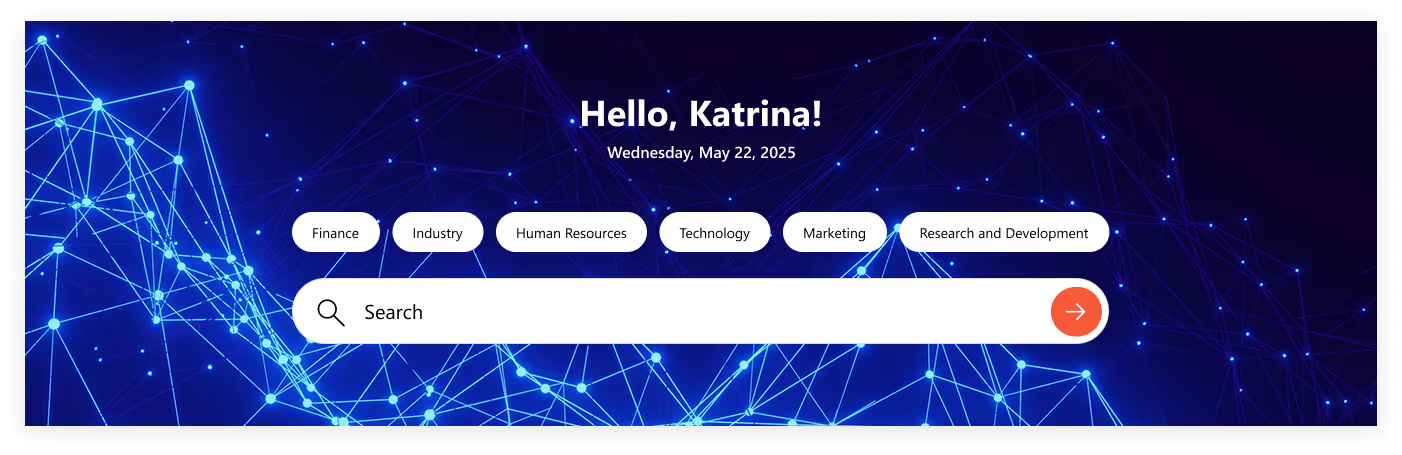
- Same Core Features: Welcome message, username, and real-time date & time.
- Fresh Look: No boxy background, just a clean, open design.
- Seamless Blend: Minimal, modern layout that fits perfectly with your site’s style.
- Smart & Sleek: Functionality remains strong, but with a lighter, more stylish touch.
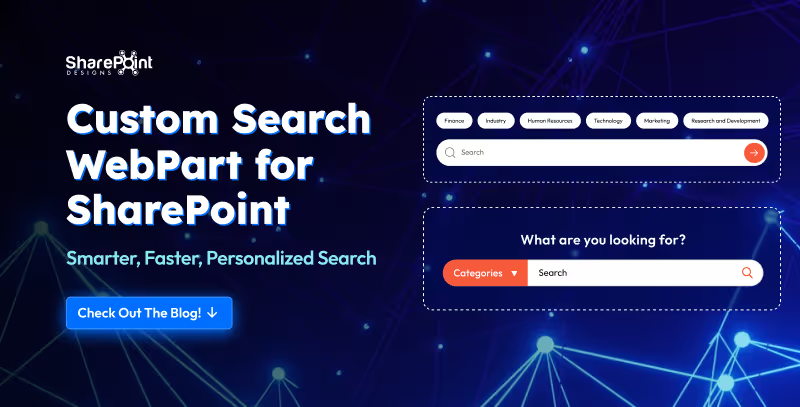
Custom Search Web Part for SharePoint - Smarter, Faster, Personalized Search
Let’s be honest in the modern workplace, no one has time to play hide and seek with files.
Welcome Home Digitally...Meet the Custom Welcome Banner Web Part
Your SharePoint homepage doesn’t have to be just a portal, it can be a personal greeting, a global dashboard, and a daily dose of inspiration all in one. With the Custom Welcome Banner Web Part, every visit feels tailored, a warm welcome message, your name, the current time, and even live updates from around the world.
From rotating messages that showcase your company’s vision to interactive clocks and weather boxes for global teams, this web part turns a standard homepage into a dynamic, engaging experience. Stylish, personal, and smart, your SharePoint home just got a personality upgrade.
Explore Our Custom Welcome Banner Web Parts
Global Time Greeting Banner
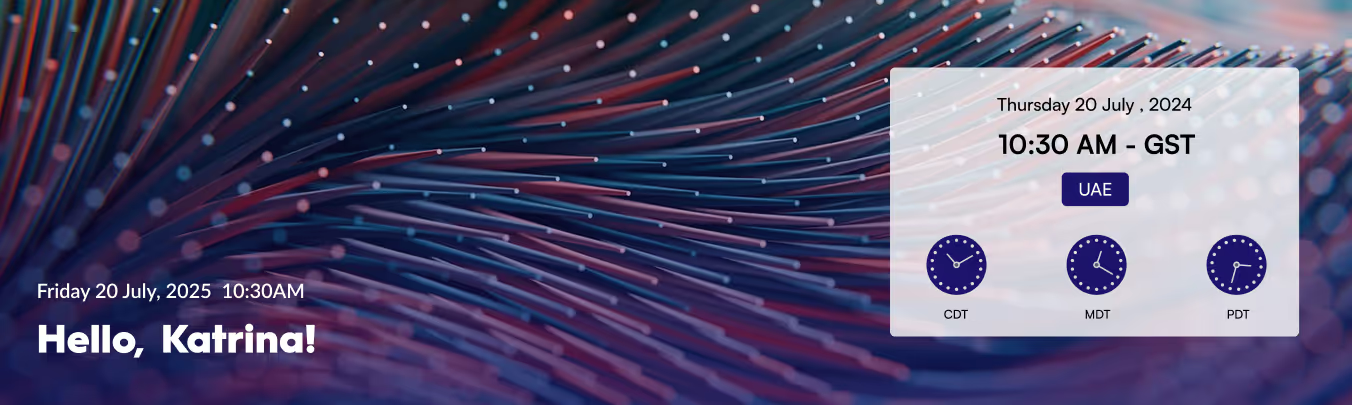
- Left side: Customizable welcome message, user’s name, local date/time.
- Right side: World clock zone
- Box displaying date/day of selected country.
- Three analog clocks showing different UTC time zones.
- Clean, informative, globally connected layout.
Vision & Values Spotlight Banner
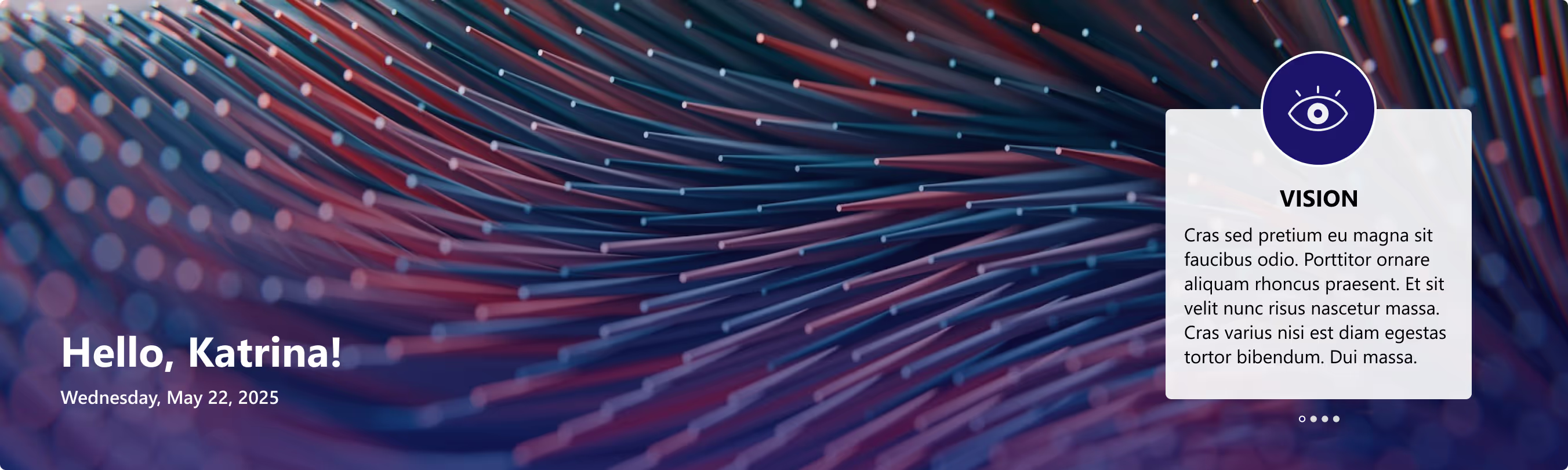
- Right side: Box for organization’s vision, mission, and values.
- Messages rotate dynamically at intervals.
- Highlights the company’s core values in a clear, engaging way.

Transform Your SharePoint Homepage with Custom Welcome Banner Web Parts
Your SharePoint homepage doesn’t have to be just a portal, it can be a personal greeting, a global dashboard, and a daily dose of inspiration all in one.
For today’s employees, getting the right information quickly is critical to staying productive. Employees need to access the right information with minimal clicks, avoiding cluttered menus and outdated links. This is where a Custom Top Navigation Web Part comes into play. This web part is not just a design enhancement, it is a functional solution that makes SharePoint intranets smarter, cleaner, and more user-friendly.
From simple menus to dynamic mega menus, we offer various custom top navigation web parts. Here’s what they look like.
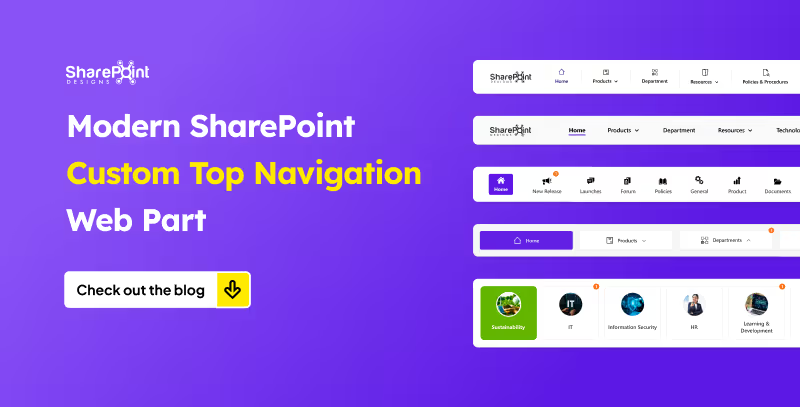
1. The Informative Navigation Bar

- Organization’s Logo: neatly placed on the left, giving the navigation bar a professional, branded look.
- Quick Links: positioned right beside the logo, each with its own icon and label for tools, portals, or important pages just a click away.
- Standout Feature (Right Side):
1. Livestock market updates
2. Current date display
3. Real-time currency values for key countries - Overall Design: clean, functional, and designed to keep users informed and connected directly from the top of the page.
Modern SharePoint Custom Top Navigation Web Part: Boost UX and Productivity
For today’s employees, getting the right information quickly is critical to staying productive.
For nearly two decades, SharePoint has been at the core of enterprise collaboration, document management, and intranet solutions. Over time, it has evolved from the Classic SharePoint experience to today’s Modern SharePoint experience.
Many organizations now face a common question: Should we continue with Classic sites, or transition to Modern sites?
The decision is not as simple as flipping a switch, it depends on your existing environment, level of customization, user adoption needs, and your digital transformation strategy. Let’s explore both approaches in depth to help you make the right choice.
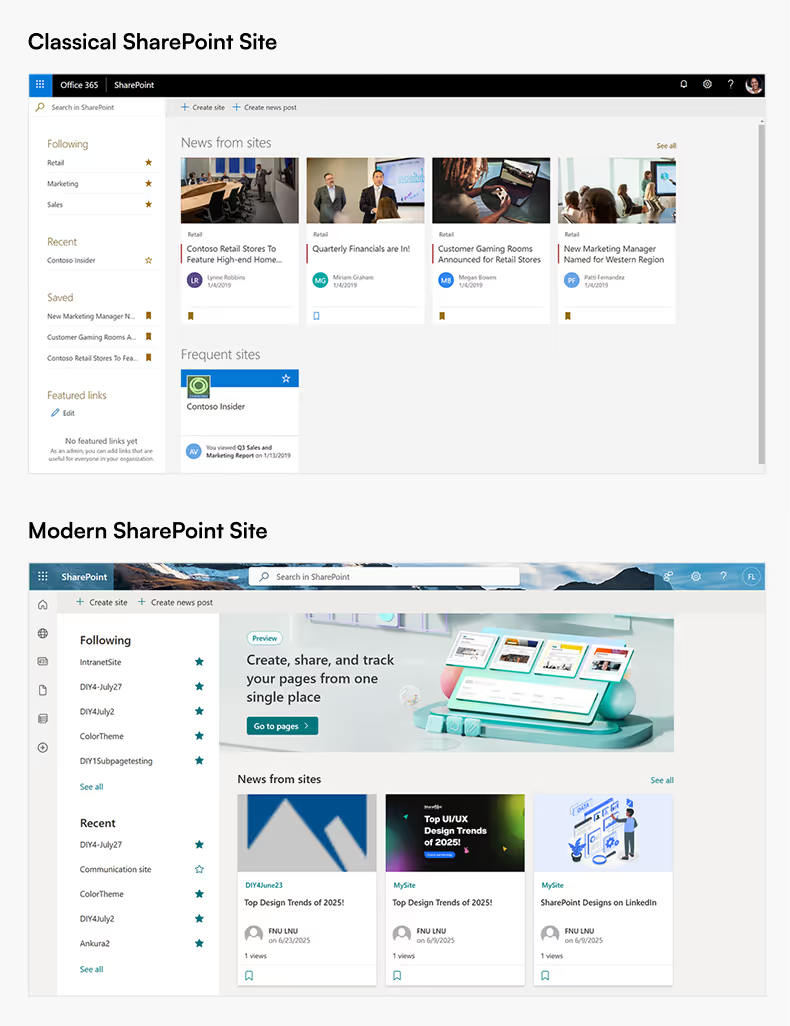
What are Classic SharePoint Sites?
Classic SharePoint sites represent the long-standing interface that many enterprises have relied on for years.
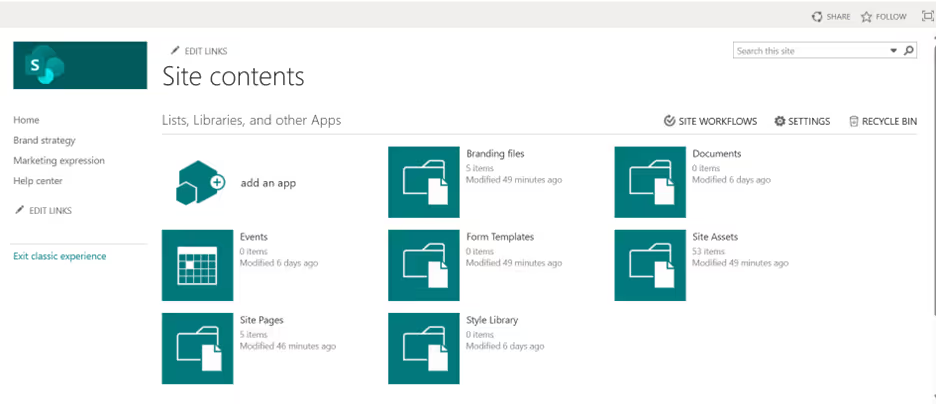
Key Characteristics:
- Traditional User Interface: A familiar, structured layout that legacy SharePoint users know well.
- Extensive Customization: Supports master pages, page layouts, and script injection, giving developers granular control.
- Legacy Tools: Compatible with SharePoint Designer workflows and InfoPath forms, which are still critical in some organizations.
- Detailed Control: Offers deep configuration options for site navigation, branding, and permissions.
Challenges with Classic Sites:
- Outdated, less intuitive design compared to modern web standards.
- Limited responsiveness for mobile users.
- Heavy reliance on custom development, increasing maintenance costs.
- Only maintained for compatibility, no new features are being developed for Classic.
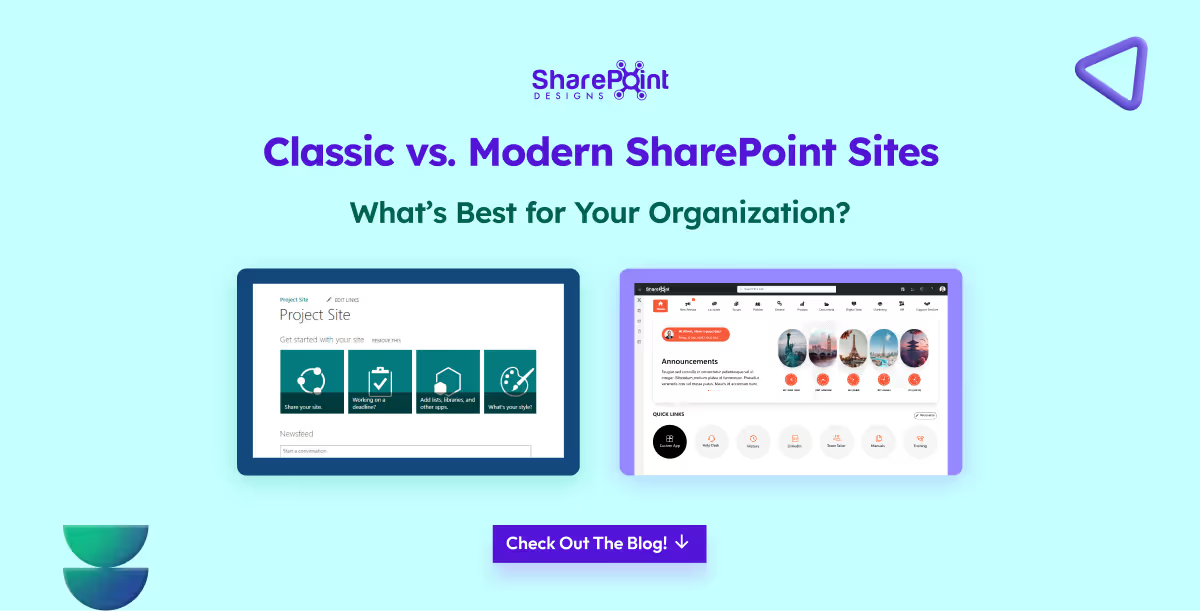
Classic vs. Modern SharePoint Sites - What’s Best for Your Organization?
For nearly two decades, SharePoint has been at the core of enterprise collaboration, document management, and intranet solutions.

Introduction
In today’s hybrid work model, managing office attendance and allocating seats can be a real challenge, especially in shared workspaces. That’s why companies are increasingly turning to the best hybrid workplace App solutions.
Our Power Apps based Attendance & Seat Management solution helps employees book desks, track attendance, and gives managers real-time visibility into office usage. It’s more than just a seat booking app it’s a complete hybrid workplace management app built on Microsoft Power Apps.
Best Hybrid Workplace App: Smart Attendance & Seat Management with Power Apps
In today’s hybrid work model, managing office attendance and allocating seats can be a real challenge, especially in shared workspaces.

Logging into a company intranet should feel like walking into a great party. Imagine stepping into a room where you’re greeted warmly, the atmosphere feels alive, and there’s something fun or useful waiting for you at every corner.
You wouldn’t want to hang around at a dull party where no one talks to each other, the music is flat, and the vibe feels lifeless. The same goes for an intranet; if it feels static and boring, employees won’t engage with it.
What is Employee Engagement?
Employee engagement is the emotional commitment employees have toward their work, team, and organization. It’s not just about job satisfaction , it’s about employees feeling motivated, connected, and willing to go the extra mile because they believe in the company’s mission.
When engagement is high, employees actively participate, share ideas, and contribute beyond their basic responsibilities. An engaging intranet plays a big role in nurturing this commitment by making communication, recognition, and collaboration more seamless.
Why is Employee Engagement Important?
Employee engagement is more than just a “feel-good” factor; it drives measurable business impact:
- Higher Productivity: Engaged employees are more focused and proactive.
- Lower Turnover: They feel valued, reducing resignation rates.
- Stronger Collaboration: Engagement improves teamwork and communication.
- Better Customer Experience: Happy employees create better customer interactions.
- Culture Building: Recognition and inclusion foster a positive workplace culture.
A well-designed modern intranet directly fuels engagement by offering recognition, communication, personalization, and collaboration tools making it a hub where employees feel connected to the company and each other.
So how to make some small adjustments to your intranet home page so that your employees keep coming back for more every day?
In this article, we’ll explore 14 modern, Gen Z-inspired ways to boost intranet engagement practical ideas designed for today’s workplaces that want to blend productivity, collaboration, and fun.
1. Personalized welcome message with a small animation to water a plant or feed a fish
Imagine logging in and being greeted by your own virtual plant or a goldfish that you can take care of with just a click. This small act adds a personal, fun touch to the start of the workday. It creates a sense of ownership and routine, making employees feel more connected.
Simple animations like watering a plant or feeding a fish bring joy while reinforcing engagement.
When they're not logged in for more than 3 days may be send a notification saying, "you plant is dying or please feed your fish", that way they login, of course this feature can be disabled when they are on vacation.
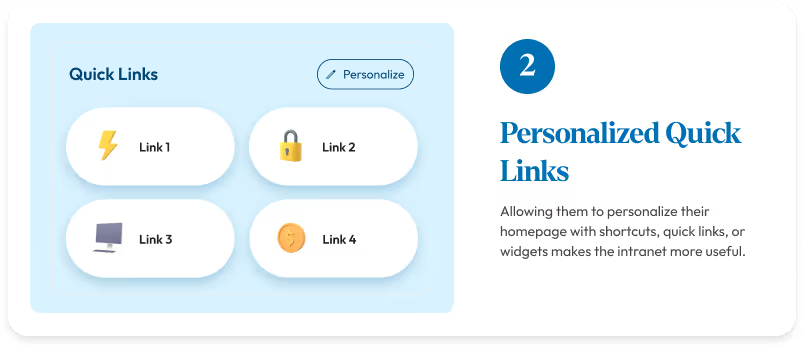
2. Personalized Quick links
Employees have different needs based on their roles.
“Allowing them to personalize their homepage with shortcuts, quick links, or widgets makes the intranet more useful."
Instead of spending time to search for the information, now everything is within reach. This saves time and keeps them coming back to use the platform.
3. Shoutouts & Kudos with animations
Recognition is one of the strongest motivators. Adding shoutouts and kudos with fun animations makes appreciation more visible and engaging.
A simple “well done” can feel special when paired with a celebratory animation like confetti or balloons.
It makes the employees feel motivated and valued.
14 Fresh Intranet Content Ideas to Boost Employee Engagement (Inspired by Gen Z)
Logging into a company intranet should feel like walking into a great party.
Intranets once felt revolutionary, a digital space to find documents, read announcements, and access links. But in reality, they never went beyond that.
Think of the old intranet like an office bulletin board, HR pinned policies, IT posted updates, and management shared announcements. Employees glanced, downloaded a form, and moved on.
Conversations? None. Connections? Missing.
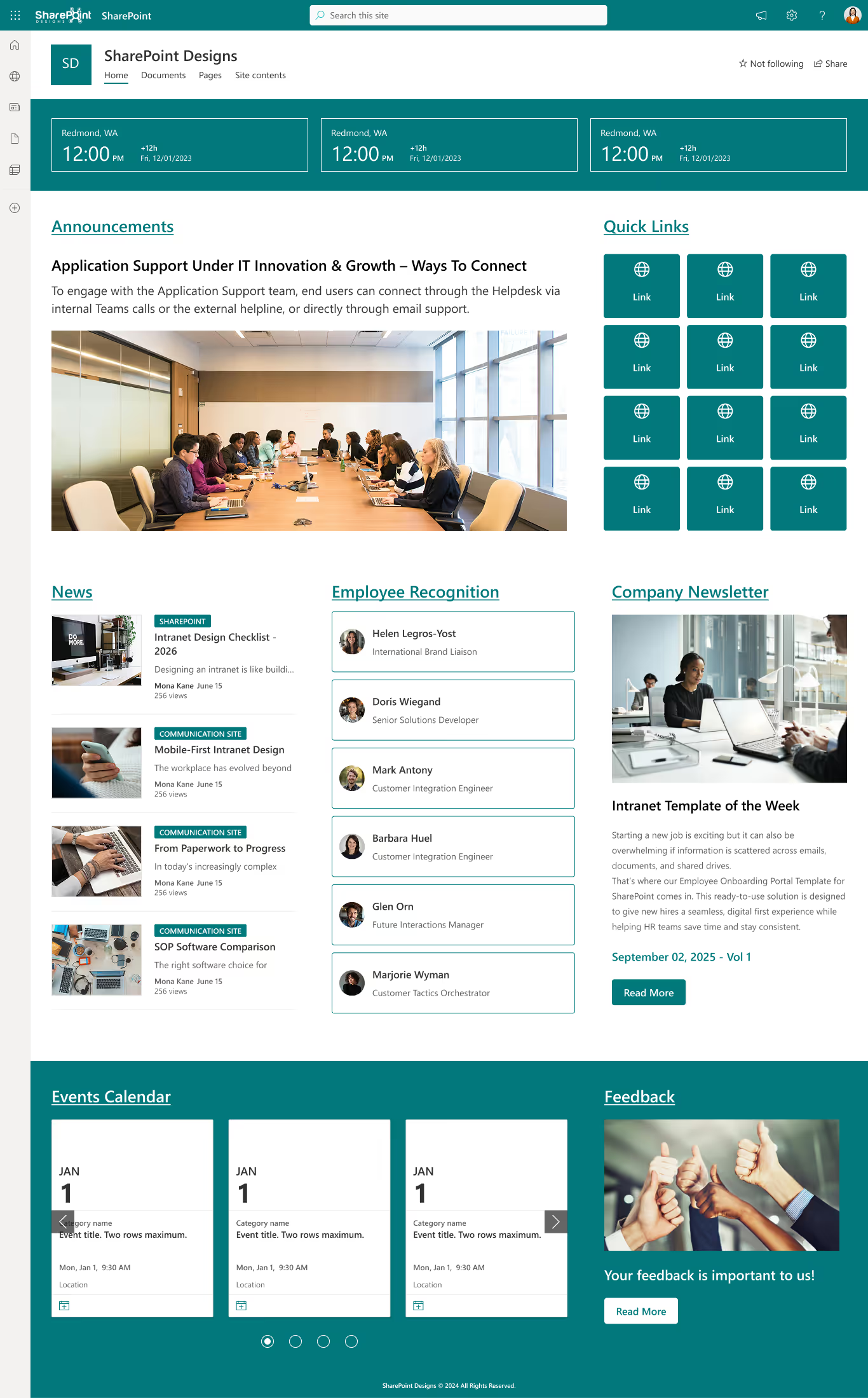
Here is the old intranet,
The chaotic arrangement can really throw you off, making it tricky to locate things swiftly and adding a touch of confusion to the hunt.
Whereas, the modern intranet is streamlined, user-friendly, and free of clutter. Everything is organized logically, so employees genuinely enjoy using it.
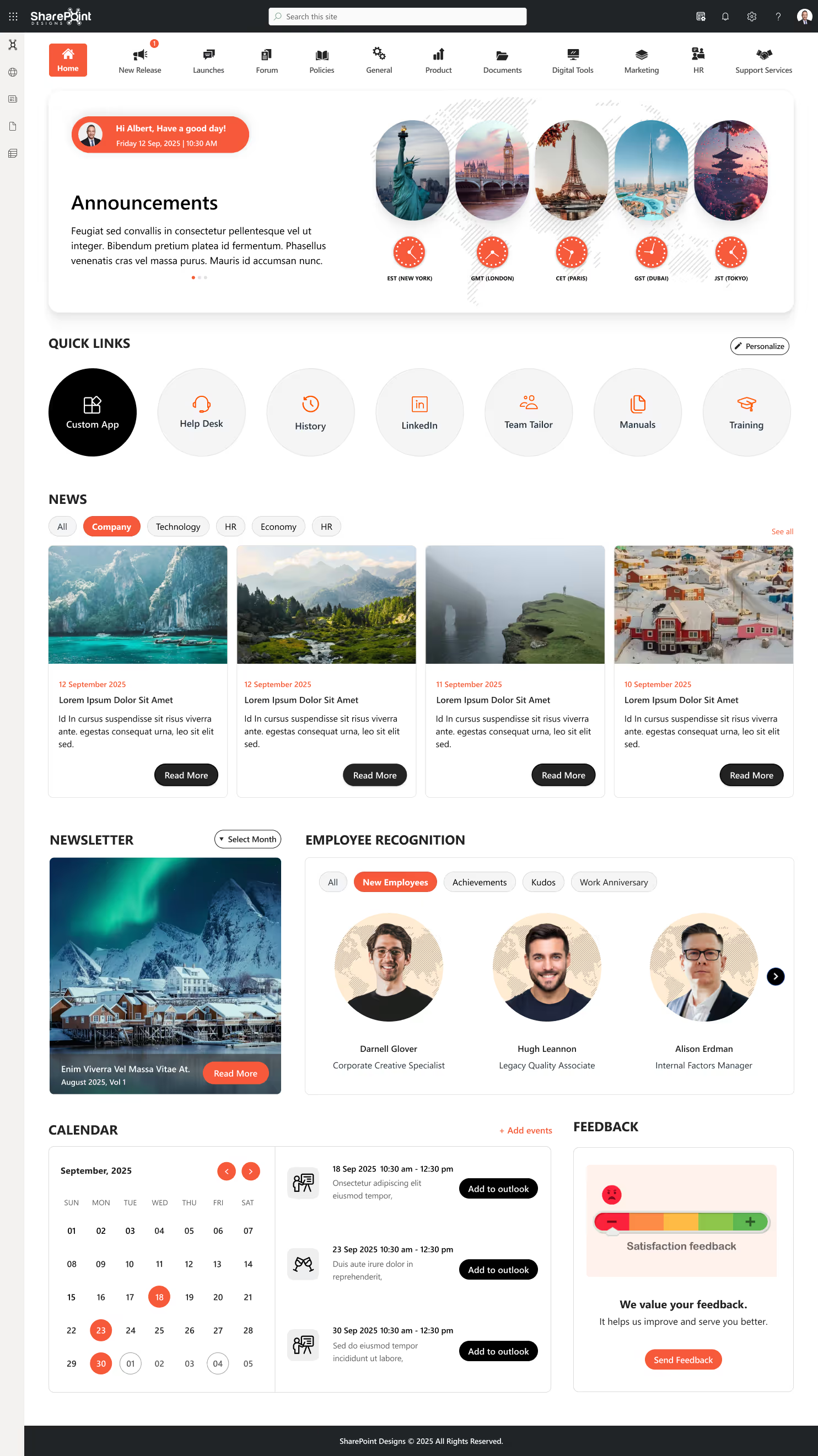
You can clearly spot the difference between the old intranet and the modern one. Now, let’s break it down further.
Web parts are the building blocks of any intranet, and they tell the story best. So, let’s compare how web parts looked and felt in the old intranet versus how they shine in the modern intranet.
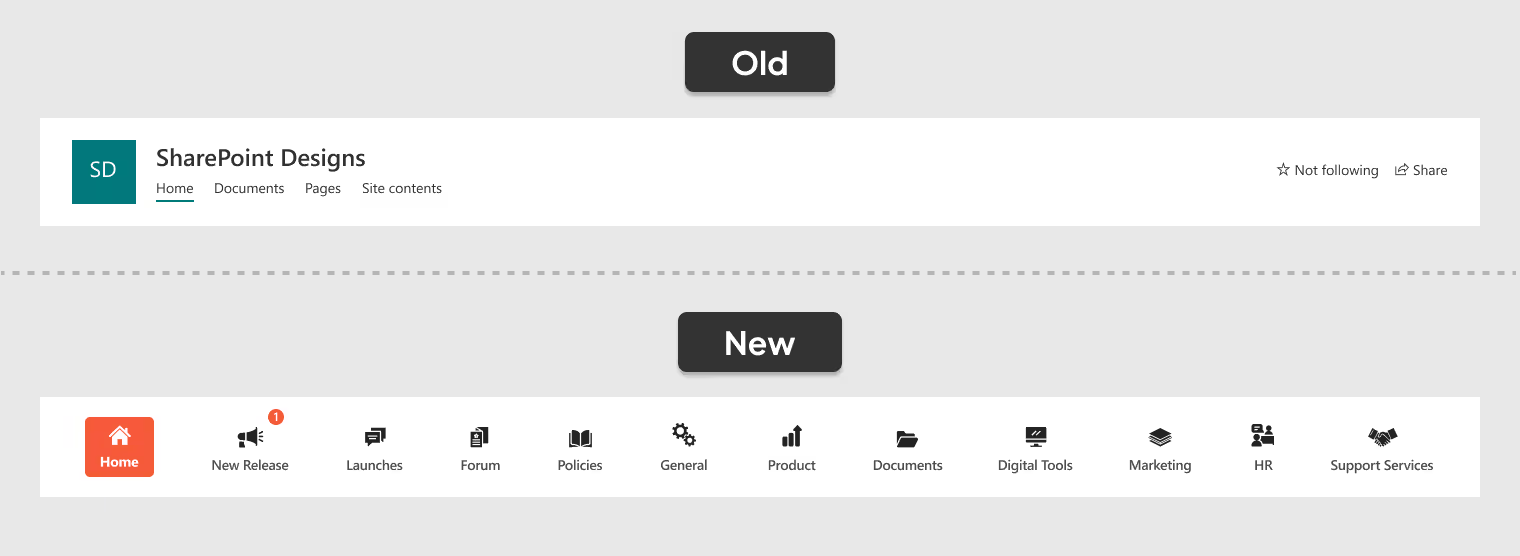
1. A Smarter Way to Navigate
- Old Navigation: A simple, text-based menu with no icons, hierarchy, or alerts, making it functional but less engaging and harder to scan quickly.
- New Navigation: A centralized, icon-based menu with real-time alerts, organized categories, and a modern design that makes navigation effortless and engaging.
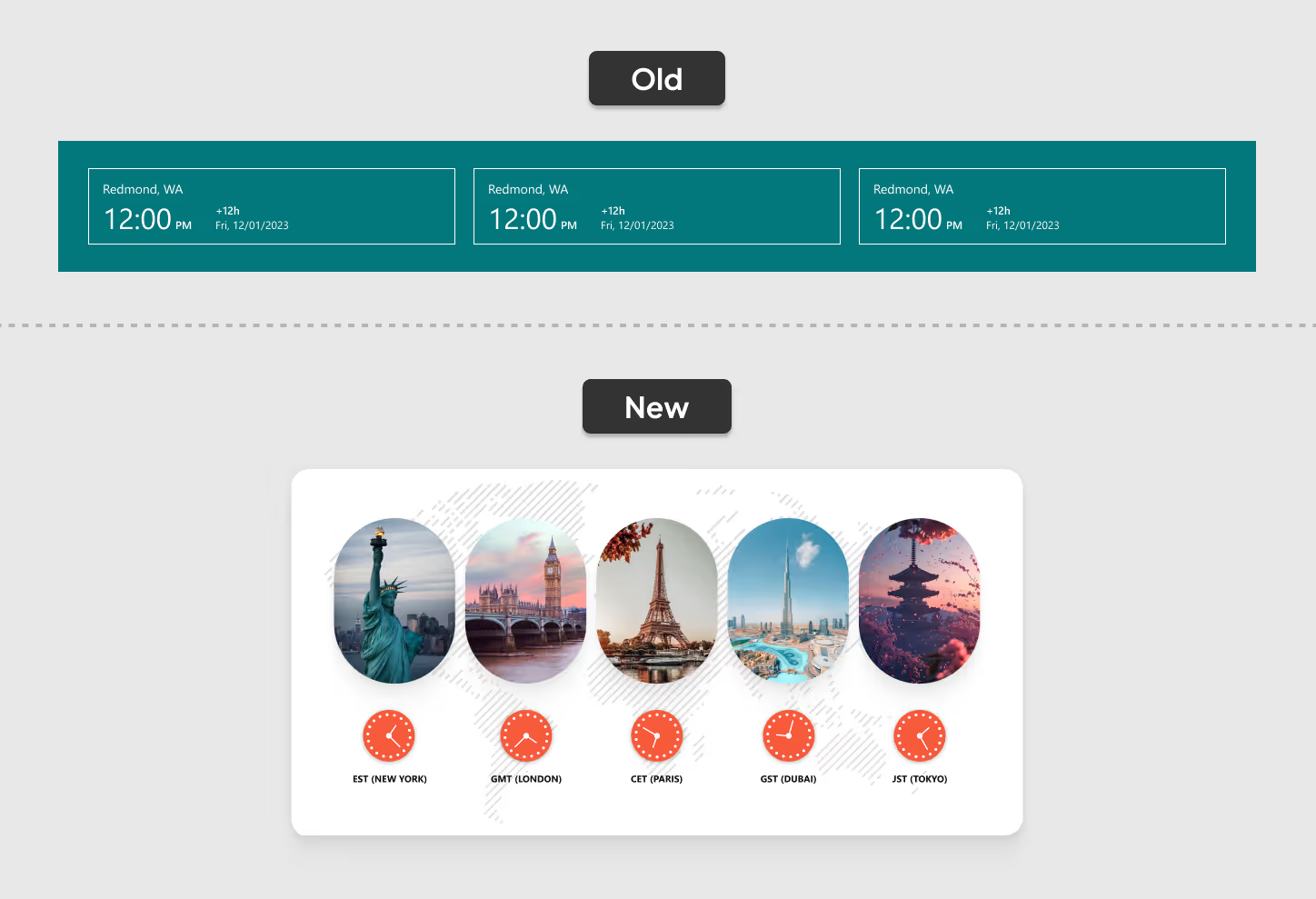
2. Global Time Zones at a Glance
- Old Clocks: Three small, cluttered clocks made it hard to read time zones and left users guessing.
- New Clocks: Five neatly displayed clocks in the Welcome Banner show key time zones clearly making global collaboration effortless.
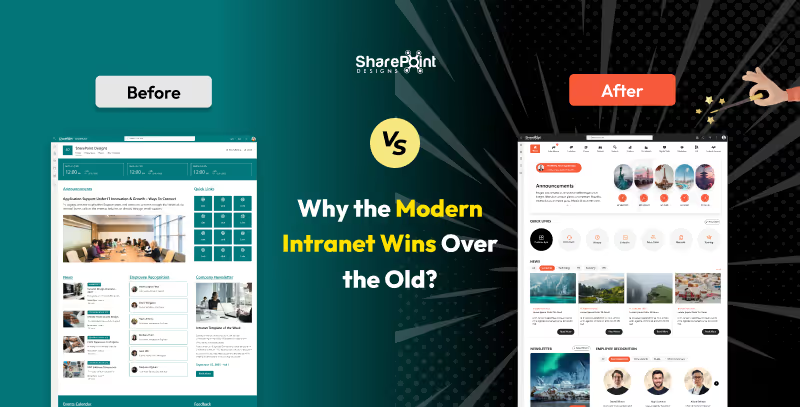
Modern Intranet vs Old Intranet: Why the Modern Intranet Wins Over the Old?
Intranets once felt revolutionary, a digital space to find documents, read announcements, and access links.
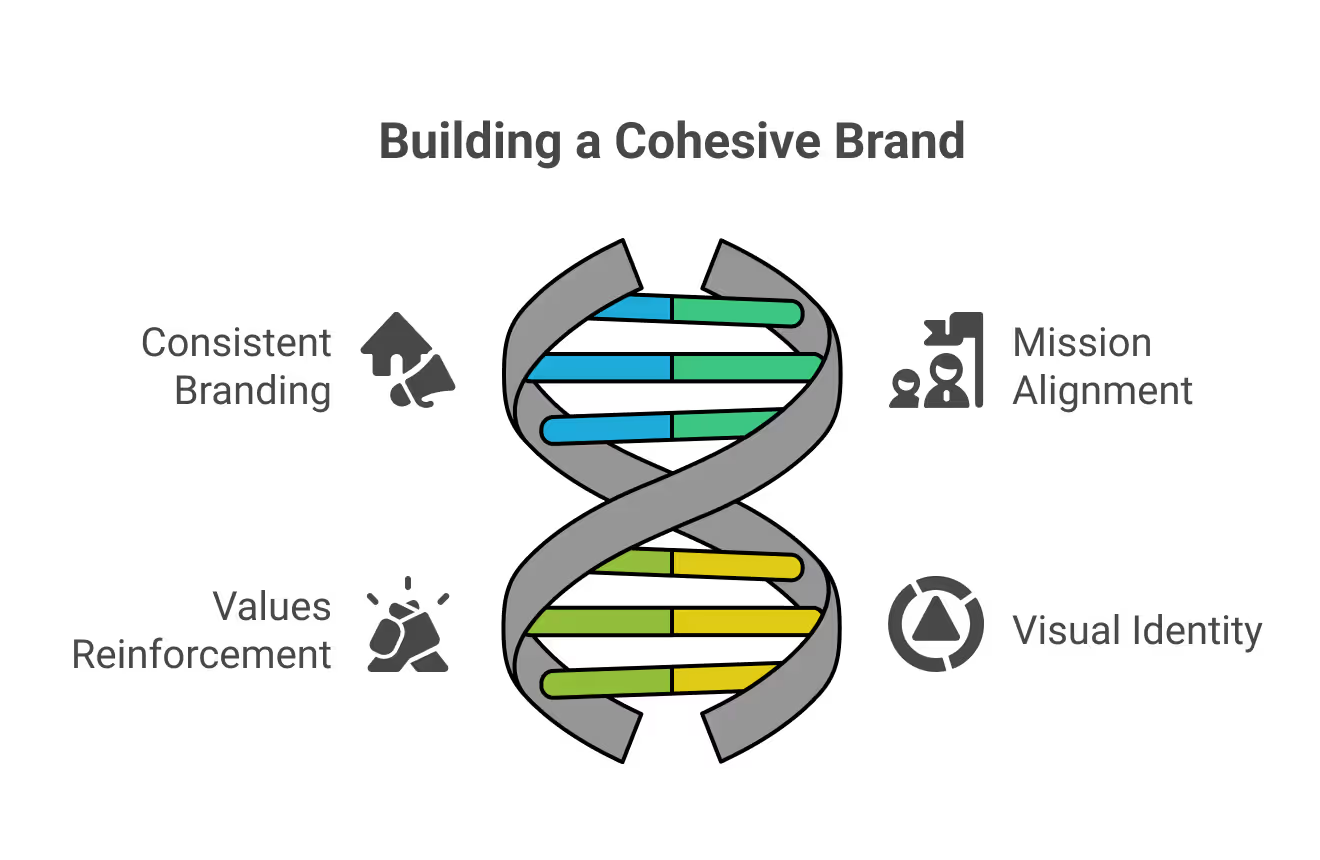
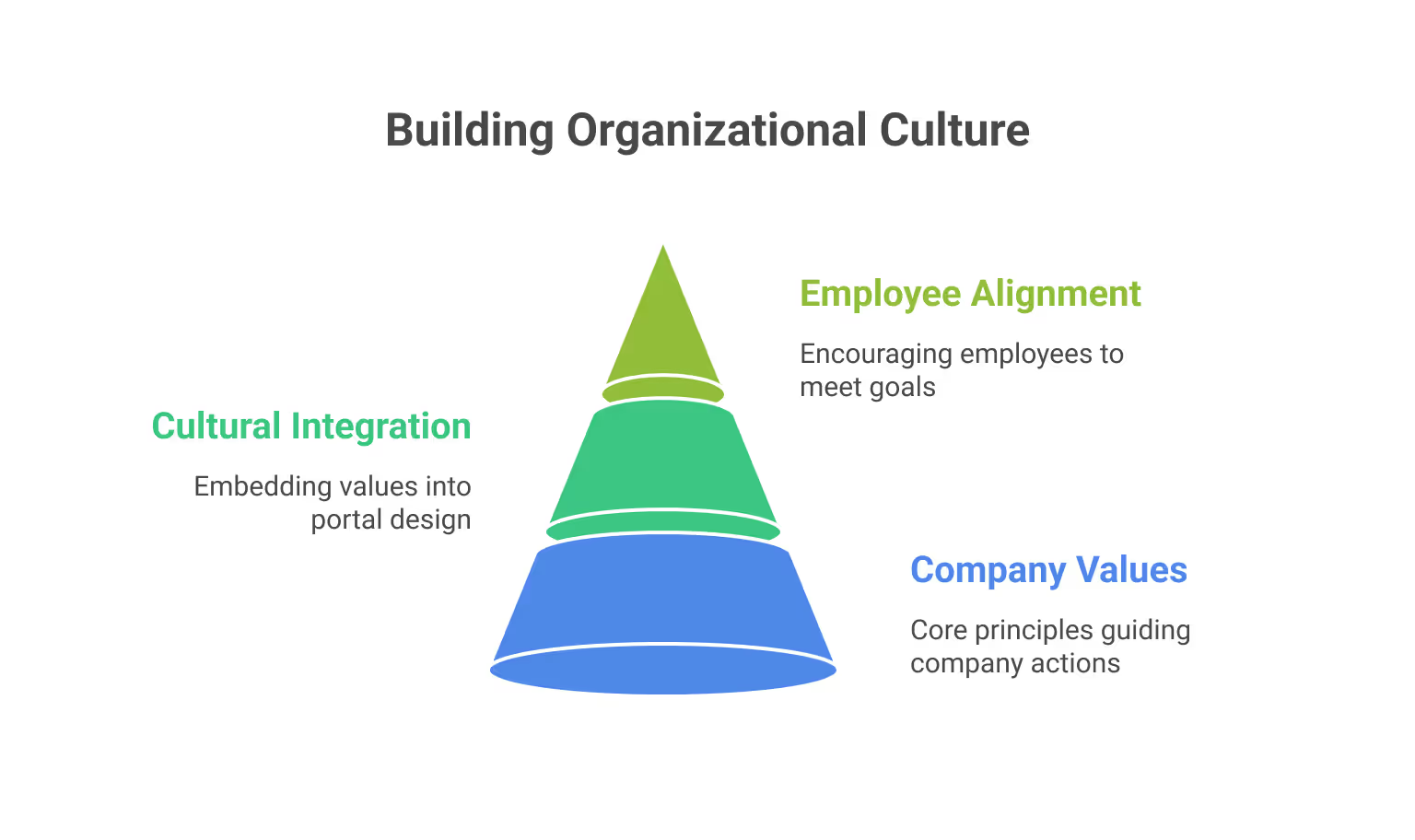
1. Unified Company Identity
When the intranet reflects the same branding used across other platforms, employees feel more connected to the organization’s mission, values, and visual style. This alignment helps everyone work toward shared goals.
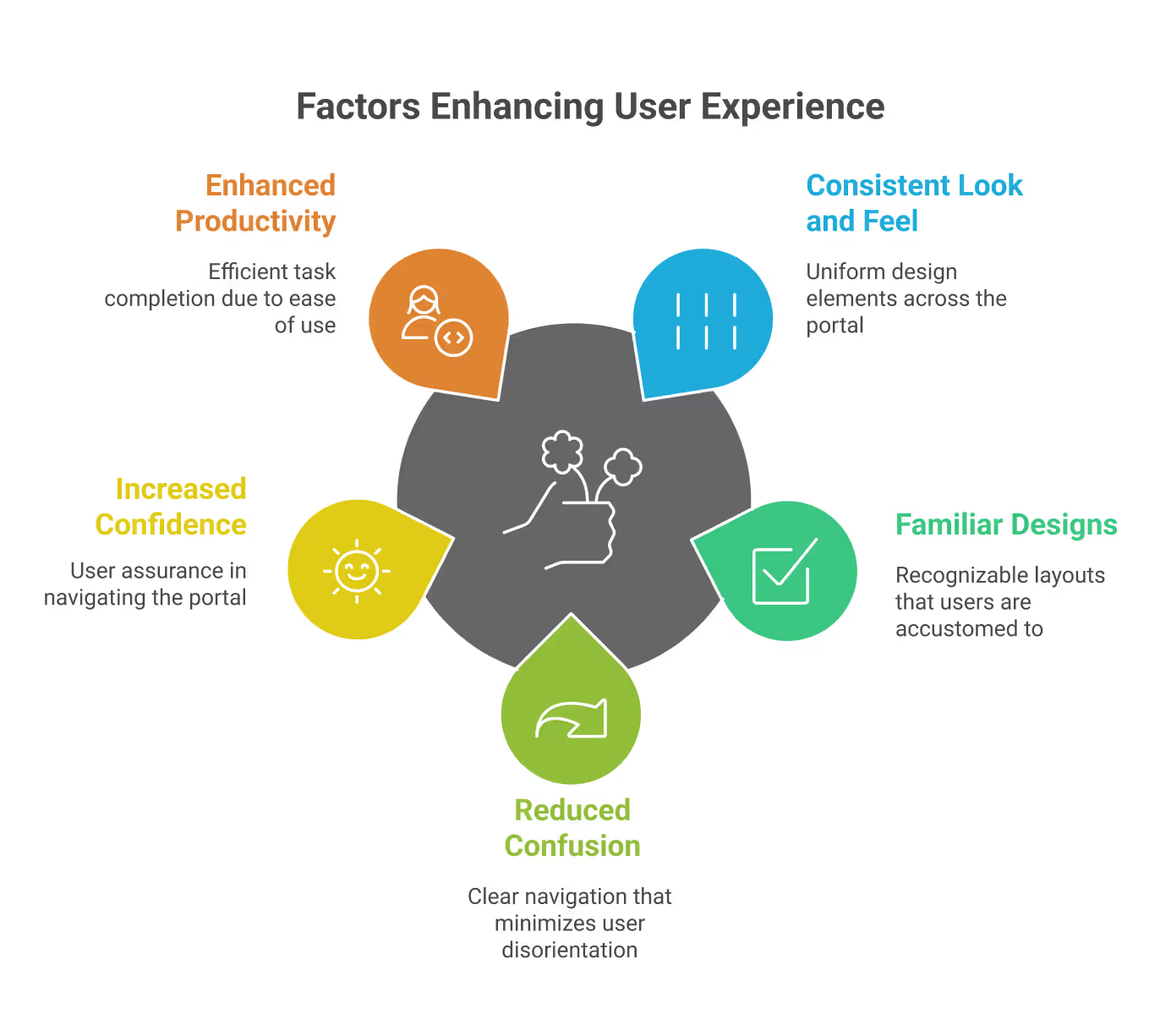
2. Better User Experience
A familiar and consistent design minimizes confusion, making it easier to navigate. Employees quickly recognize patterns, which improves efficiency and allows them to focus on their tasks instead of adapting to different layouts.
3. Stronger Workplace Culture
Embedding company values and culture into the intranet design helps employees feel connected and valued. It strengthens a shared identity across the workplace and inspires people to work in line with the organization’s vision.
The Power of Consistent Branding in Intranet Portals
When the intranet reflects the same branding used across other platforms, employees feel more connected to the organization’s mission, values, and visual style.

Designing an intranet is like building a home. Before breaking ground to lay the foundation, you need to have a blueprint in place and invite everyone who will live in that house to share their dreams and ideas.
Likewise, before starting the development of an intranet, you should involve your future intranet users from the very beginning. Their voices and aspirations help create a space where everyone feels welcome, heard, collaborates, and is inspired to contribute.
To ensure your intranet is aesthetically appealing, functional, and engaging, you can follow this comprehensive checklist:
1. Meet Stakeholders and Define Your Sitemap
Begin by meeting with stakeholders across departments. This step is crucial for gathering requirements, understanding different needs, and ensuring buy-in from all areas of the business. Use these discussions to create a sitemap that outlines the structure of your intranet.
If you need ideas and don’t know where to start, please browse through our ready-to-install templates. You can even pick and choose different components from each design to create your own custom design.
2. Establish Branding Elements
Consistent branding helps employees connect with the intranet. Decide on your company’s branding colors, logo, and preferred font. While fonts can be optional, a unified look and feel will make the platform more professional and recognizable.
We at SharePoint Designs help you visualize your end product in a minute by using our DIY design tool. Provide your theme color and upload your logo; your custom intranet design is ready in seconds.
Find the link below for quick access: DIY Design Tool
You can even download the designs to discuss them with your stakeholders. It may not be 100% perfect to your end product, but it will definitely provide you with a good starting point.
3. Select High-Quality Visuals
As the adage goes, "A picture is worth a thousand words”. Where appropriate, incorporate high-quality images.
Why do Images Matter?
- 90% of the information processed by the human brain is Visual.
- Good images enhance user experience & engagement.
- Poor images can make designs feel inauthentic & untrustworthy.
Best Practices for Selecting Images
- Relevance & Context: Align images with the message
- Authenticity: Avoid overly staged or artificial-looking photos
- Consistency: Maintain a uniform color, tone, & style
- Quality & Resolution: Use high-quality, sharp images
- Licensing & Copyright: ALWAYS check usage rights
- Customization: Adjust colors, crop, or add overlays to match branding.
Intranet Design Checklist - 2026
Designing an intranet is like building a home. Before breaking ground to lay the foundation,



.svg)





