Tech Ideas & Best Practices
Managing brand consistency across an organization can be challenging, especially when assets like logos, fonts, and colors are scattered across different departments. The SharePoint Brand Center makes this easier by centralizing your brand assets in one place, ensuring that everyone in your company has access to the right tools to keep branding consistent.
In this blog, we’ll explore how the SharePoint Brand Center works and the benefits it brings to organizations looking to streamline their branding efforts.

Summary
The SharePoint Brand Center centralizes logos, colors, fonts, and other assets in Microsoft 365 to ensure consistent branding and easy access across the organization. Key features include a central asset library, support for custom fonts in SharePoint and Viva Connections, and fast delivery via the Public CDN. Benefits span consistent branding, time savings, empowered employees, and reduced costs. Getting started requires admin activation, connecting or creating an asset library, and enabling the Public CDN.
What is SharePoint Brand Center?
The SharePoint Brand Center is a new feature within Microsoft 365 that helps organizations manage all their brand assets from one centralized location. With it, you can store logos, colors, fonts, and other branding materials in one place. Employees can then easily access these assets, ensuring that all internal and external communication follows the same brand guidelines.
Key Features:
- Central Asset Library: Store and manage your brand materials in one place.
- Custom Fonts: Use your own fonts in SharePoint and Viva Connections.
- Fast Access: Utilize Public CDN to ensure quick access to assets.

How It Helps Your Organization
1. Consistent Branding
Ensuring that your brand is consistent across all departments is crucial. The SharePoint Brand Center makes it easy by giving everyone access to the correct and up-to-date brand assets, helping prevent mistakes like using outdated logos or fonts.
2. Saves Time and Resources
Instead of employees wasting time searching for logos or templates, they can easily find everything they need in the SharePoint Brand Center. This streamlined approach frees up time for more important tasks.
3. Empowers Employees
With the Brand Center, every employee has the tools to create professional, on-brand content. This reduces the burden on marketing teams and helps maintain a unified brand identity throughout the organization.
4. Cost Savings
By centralizing your brand management, you can avoid using multiple third-party tools and eliminate redundant work. This helps save both time and money.
Getting Started with SharePoint Brand Center
Setting up the SharePoint Brand Center is simple:
- Admin Setup: A global admin activates the Brand Center in Microsoft 365.
- Create or Connect Asset Library: Use an existing library or create a new one.
- Enable Public CDN: Ensure assets are delivered quickly to all users.
Conclusion: Simplify Your Branding Process
The SharePoint Brand Center is a powerful tool that helps organizations manage their branding efforts efficiently. By centralizing brand assets, saving time, and empowering employees to create on-brand content, it can have a positive impact on both productivity and brand consistency.

Simplify Your Brand Management with SharePoint Brand Center
Managing brand consistency across an organization can be challenging, especially when assets like logos, fonts, and colors are scattered across different departments.

In SharePoint, you may want to provide users with direct access to the edit form of a particular item in a document library or list. Instead of manually navigating to the item and clicking edit, you can create a URL that redirects users straight to the edit form of the desired item.
Why Use URL Redirection for Edit Forms?
There are several scenarios where redirecting users to the item’s edit form can be useful:
Streamlined Workflows: When users need to frequently update metadata or document properties.
Task Automation: Automating the redirection for approval or review workflows.
User Convenience: Reducing the number of clicks needed to access important information.
Understanding Different Page Types in SharePoint URLs
When constructing a SharePoint URL for redirection, you can choose different Page Types to open specific forms:
- PageType=6: Opens the edit form of the item.
- PageType=4: Opens the display form (read-only view) of the item.
- PageType=8: Opens the new item form, allowing users to create a new document or list item.
Step-by-Step Guide to Creating Direct Links for Different Forms
1. Get the Item ID
Each document or item in a SharePoint document library has a unique ID, which you’ll need for opening the edit or display form.
2. Construct the URL
Here’s the general format of the URL for different forms:
https://[Your SharePoint SiteURL]/_layouts/15/listform.aspx?PageType=[Type]&ListId=[ListGUID]&ID=[Item ID]
Replace [Type] with the appropriate PageType value:
- For edit form (PageType=6)
- For display form (PageType=4)
- For new item form (PageType=8)
3. Retrieve the List GUID
To find the List GUID:
- Go to the document library or list.
- Click on "Library Settings" or "List Settings."
- The URL in your browser will contain List= followed by the GUID.
4. Example URLs
Here’s how the URLs would look for different forms:
Edit Form (PageType=6): EditForm.aspx
https://yourcompany.sharepoint.com/sites/yoursite/_layouts/15/listform.aspx?PageType=6&ListId={3B95E68C-2B4F-4A69-A307-15DF785B2E34}&ID=9

Display Form (PageType=4): DispForm.aspx
https://yourcompany.sharepoint.com/sites/yoursite/_layouts/15/listform.aspx?PageType=4&ListId=3B95E68C-2B4F-4A69-A307-15DF785B2E34&ID=9

New Item Form(PageType=8): Upload.aspx
https://yourcompany.sharepoint.com/sites/yoursite/_layouts/15/listform.aspx?PageType=8&ListId=3B95E68C-2B4F-4A69-A307-15DF785B2E34

5. Use the URL in Hyperlinks or Buttons
You can now embed these URLs in emails, buttons, or dashboard links. Depending on the PageType value, users will be taken directly to the edit, display, or new item form.
6. Key Considerations
- Permissions: Ensure users have the necessary permissions to view or edit the forms.
- Security: Avoid exposing sensitive data in the URL, and make sure permissions are correctly set.
- User Experience: Consider the user flow after opening the forms (e.g., redirection after submission).

How to Open a Specific Item's Edit Form in SharePoint Document Library Using URL Redirection
Unlock the power of SharePoint with our quick guide on using URL redirection to open a document's edit form directly.

SharePoint Syntex, a part of Microsoft 365, is an AI-driven tool that empowers organizations to automate content management processes, enhance productivity, and ensure compliance across various types of content. Whether dealing with documents, images, videos, or app-managed content, Syntex offers a suite of features designed to optimize how information is captured, processed, and utilized within your organization. This blog will explore all the key features of SharePoint Syntex, categorized under Documents & Images, Video, Storage, and App Features.
Documents & Images
1. Autofill Columns
Feature Overview: Autofill Columns allow users to add prompts to specific columns in SharePoint lists or libraries to automatically extract or generate information from the contents of files stored within those locations.
Use Case: This feature is particularly useful for automating metadata generation, ensuring consistency across documents, and reducing the manual effort required to input data into SharePoint lists. For instance, legal teams can extract contract expiration dates or parties involved directly into corresponding columns.
2. Content Assembly
Feature Overview: Content Assembly enables users to create modern templates linked to data sources, such as SharePoint lists, to generate repetitive structured documents automatically.
Use Case: Organizations can streamline the creation of standard documents like contracts, proposals, or reports by pulling data directly from structured data sources, reducing errors, and ensuring consistency in document generation.
3. Document Translation
Feature Overview: The Document Translation feature allows users to create translated copies of documents directly within SharePoint Syntex.
Use Case: This feature is invaluable for global organizations that need to maintain multilingual versions of key documents, such as company policies or marketing materials. It ensures that all employees and stakeholders have access to documents in their preferred language.
4. eSignature (SUPPORTED REGIONS ONLY)
Feature Overview: eSignature functionality within SharePoint Syntex enables users to set up PDFs for electronic signatures by internal and external stakeholders.
Use Case: This feature simplifies the process of gathering signatures for contracts, agreements, and other formal documents, reducing the need for physical document handling and expediting approval processes.
5. Image Tagging
Feature Overview: Image Tagging allows users to categorize and label images with descriptive keywords automatically.
Use Case: This feature is particularly beneficial for marketing, media, and creative teams that manage large libraries of images. By automating the tagging process, it enhances the discoverability of images and improves organization within SharePoint libraries.
6. Optical Character Recognition (OCR)
Feature Overview: OCR capabilities in SharePoint Syntex enable enhanced search functionalities by recognizing and extracting text from images within documents.
Use Case: This feature is essential for organizations that deal with scanned documents, handwritten notes, or images that contain text. It allows users to search for and retrieve information from these documents as if they were regular text documents
7. Prebuilt Document Processing
Feature Overview: Prebuilt Document Processing models in Syntex allow users to configure pretrained models to extract information from common business documents like contracts, invoices, and receipts.
Use Case: These models are pre-trained to recognize and extract structured data from standard documents, making it easy for businesses to automate document processing without the need for extensive model training.
8. Structured and Freeform Document Processing
Feature Overview: This feature lets users train custom models to extract information from structured documents like forms or freeform documents like letters and contracts.
Use Case: Organizations can tailor these models to handle specific document formats unique to their business processes, such as customer service letters or legal contracts, enhancing the precision of data extraction.
9. Taxonomy Tagging
Feature Overview: Taxonomy Tagging automates the process of tagging files using terms from your organization’s managed metadata.
Use Case: This feature helps maintain consistency in how content is categorized and retrieved across the organization, which is critical for compliance and content management.
10. Unstructured Document Processing
Feature Overview: Unstructured Document Processing allows users to train custom models to classify and extract information from a wide range of file types, regardless of format.
Use Case: This feature is ideal for organizations dealing with a diverse array of document types that do not conform to a specific structure, enabling effective content management across various departments.
Video Features
Video Transcript Translation
Feature Overview: SharePoint Syntex allows for the translation of video transcripts and closed captioning files. This feature supports multiple languages and ensures that video content is accessible to a broader audience.
Use Case: Organizations with multilingual teams can use this feature to make video content understandable across different regions by providing translated transcripts or captions, thus improving communication and training efficiency.
Storage Features
1. Microsoft 365 Archive
Feature Overview: The Microsoft 365 Archive is a long-term storage solution for inactive or historical SharePoint content. It maintains the same searchability, security, and compliance standards as active data, ensuring that archived content remains accessible and compliant with organizational policies.
Use Case: Organizations can use the Microsoft 365 Archive to store large volumes of historical data securely, which is not frequently accessed but needs to be retained for compliance purposes.
2. Microsoft 365 Backup
Feature Overview: This feature provides backup and recovery capabilities for SharePoint, Exchange Online, and OneDrive for Business. It ensures that your content is securely backed up and can be restored efficiently in case of accidental deletion or other data loss scenarios.
Use Case: Organizations requiring robust data protection strategies can rely on Microsoft 365 Backup to ensure quick recovery of critical business data, minimizing downtime and data loss risks.
App Features
1. SharePoint Embedded
Feature Overview: SharePoint Embedded is a solution that allows developers to use the SharePoint file and document storage platform within their applications. This API-only solution creates secure, isolated storage partitions within a Microsoft 365 tenant that are accessible only through the specific app that created them.
Use Case: Independent Software Vendors (ISVs) and enterprises can utilize SharePoint Embedded to manage content securely within their applications while benefiting from Microsoft 365's advanced content management features like search, sharing, versioning, and compliance.
2. App-Managed Content Experiences
Feature Overview: Content stored by applications using SharePoint Embedded does not count toward the organization's SharePoint storage quota. Instead, it is billed separately via an Azure subscription based on the total storage used and the number of API calls.
Use Case: This feature is ideal for apps that require extensive storage but need to isolate their data from the organization's general SharePoint usage. It provides a flexible, scalable, and secure storage solution.
Conclusion
SharePoint Syntex is more than just a document management tool; it is a comprehensive AI-powered platform that enhances the way organizations handle a variety of content types, including documents, images, videos, and application-specific data. By automating key processes, improving accessibility, and ensuring robust data management, Syntex empowers businesses to operate more efficiently, stay compliant, and drive innovation.
Whether you are looking to streamline document processing, improve video accessibility, manage large volumes of data securely, or integrate content management capabilities into your apps, SharePoint Syntex offers a wide range of features to meet your needs. As organizations continue to adapt to the evolving digital landscape, the adoption of tools like Syntex will be crucial in maintaining a competitive edge and achieving operational excellence.

Comprehensive Guide to SharePoint Syntex Features and Use Cases: Unlocking the Power of AI for Content Management
SharePoint Syntex, a part of Microsoft 365, is an AI-driven tool that empowers organizations to automate content management processes, enhance productivity,

For organizations heavily reliant on SharePoint Online, customizations play a crucial role in tailoring the platform to meet specific business needs. However, with Microsoft’s continuous delivery model, where updates are automatically rolled out, concerns about the impact of these updates on custom solutions are natural.
At SharePoint Designs, we understand these concerns and have developed a robust approach to ensure that your customizations remain unaffected by updates, providing you with peace of mind and uninterrupted business operations.
1. Proactive Update Management: Keeping You Ahead of the Curve
At SharePoint Designs, we meticulously monitor and manage Microsoft updates to ensure that your SharePoint environment remains stable and fully functional. We are proactive in our approach, closely tracking the Microsoft 365 Roadmap and engaging with early releases to anticipate and prepare for upcoming changes.
Our proactive update management includes:
Early Testing: We leverage the Targeted Release program to test your environment against new updates before they reach your production site. This early testing allows us to identify potential conflicts and resolve them ahead of time.
Continuous Monitoring: Our team continuously monitors Microsoft’s announcements and updates, ensuring that we are always aware of what’s coming next and how it might impact your environment.
2. Strategic Custom Development Aligned with Microsoft Best Practices
Custom development is at the heart of how SharePoint Designs helps organizations maximize the potential of SharePoint Online. We understand that the longevity and reliability of customizations depend on how well they align with Microsoft’s best practices and strategic directions.
Key aspects of our custom development approach include:
Utilizing SharePoint Framework (SPFx): We focus on developing customizations using SPFx, which is Microsoft’s recommended model for SharePoint customizations. SPFx is resilient, future-proof, and supported by Microsoft, ensuring that our solutions are robust against updates.
Following Power Platform Integration: We also integrate Power Apps and Power Automate in our custom solutions, utilizing Microsoft’s low-code/no-code tools to create flexible, scalable, and update-resistant applications.
Adherence to Microsoft’s Development Guidelines: All our custom solutions are meticulously planned and developed in strict adherence to Microsoft’s development guidelines. This alignment ensures that our customizations are built to withstand future changes in the SharePoint environment.
3. Comprehensive Governance and Testing Framework
At SharePoint Designs, we believe that governance and testing are critical to maintaining the integrity of your SharePoint environment. Our comprehensive governance framework ensures that every customization is rigorously reviewed and tested, minimizing the risk of disruption during updates.
Our governance and testing process includes:
Governance Policy: We establish and enforce a governance policy tailored to your organization, which includes guidelines for customization, change management, and regular reviews.
Sandbox Testing: All customizations are first deployed in a sandbox environment that mirrors your production site. This allows us to test the impact of updates without affecting your live environment.
4. Ongoing Support and Continuous Improvement
Our commitment to your SharePoint environment doesn’t end with the deployment of customizations. We provide ongoing support to ensure that your solutions continue to perform optimally, even as the platform evolves.
Support and improvement services include:
24/7 Support: Our support team is available around the clock to address any concerns or issues related to your SharePoint environment, ensuring that you have assistance whenever you need it.
Regular Updates and Refactoring: We regularly revisit and refactor customizations to align with the latest Microsoft best practices and updates. This proactive approach ensures that your custom solutions remain resilient and effective.
Continuous Learning and Innovation: We stay at the forefront of Microsoft’s technological advancements, continuously learning and integrating the latest features and capabilities into your custom solutions.
Conclusion: Your Trusted Partner in SharePoint Customization
At SharePoint Designs, we understand the critical importance of maintaining the integrity of your SharePoint Online environment, especially in the face of continuous updates. By aligning our custom development with Microsoft’s best practices, leveraging modern development frameworks like SPFx, and providing comprehensive governance and support, we ensure that your customizations are not only protected but also positioned to thrive in an ever-evolving digital landscape.
Our meticulous planning and proactive approach mean that you can focus on what you do best—running your business—while we take care of ensuring your SharePoint environment remains a powerful, reliable tool for your organization. Trust SharePoint Designs to safeguard your investment in SharePoint Online, delivering custom solutions that are built to last.

How SharePoint Designs Ensures Customizations Stay Resilient Amid Microsoft SharePoint Online Updates
For organizations heavily reliant on SharePoint Online, customizations play a crucial role in tailoring the platform to meet specific business needs.
In today's digital age, businesses need robust, secure, and efficient platforms to manage their operations and data. SharePoint, a powerful tool from Microsoft, offers extensive capabilities for document management, collaboration, and workflow automation. However, maximizing the potential of SharePoint requires specialized expertise, which is where our niche SharePoint consultancy services come into play.
Why Choose Our SharePoint Consultancy Services?
1. Tailored Solutions for Your Business Needs
Every business is unique, and so are its requirements. We offer bespoke SharePoint solutions that align perfectly with your specific needs, ensuring seamless integration with your existing systems and workflows. Our consultancy services cover the entire spectrum from initial planning and deployment to ongoing support and optimization.
2. Expertise in the Latest Technologies
Staying updated with the latest advancements is crucial in the fast-evolving tech landscape. Our team of seasoned SharePoint consultants is proficient in the latest SharePoint versions and features, including SharePoint Syntex, Microsoft Viva, and Power Platform integrations. This expertise enables us to implement cutting-edge solutions that enhance productivity and collaboration.
3. Comprehensive Service Offerings
Our consultancy services encompass all aspects of SharePoint, including:
1. Architecture and Design: Crafting a robust SharePoint architecture tailored to your organizational needs.
2. Migration Services: Seamlessly migrating your data and workflows from legacy systems to SharePoint.
3. Customization and Development: Developing custom SharePoint solutions that cater to your unique business processes.
4. Training and Support: Providing comprehensive training and support to ensure your team can leverage SharePoint to its fullest potential.
4. Proven Track Record of Success
We have a proven track record of delivering successful SharePoint projects across various industries. Our client testimonials and case studies speak volumes about our commitment to excellence and customer satisfaction.
5. Focus on Security and Compliance
In an era where data breaches and compliance issues are rampant, our consultancy services prioritize security and compliance. We implement best practices and advanced security measures to protect your data and ensure regulatory compliance.
6. Enhanced Collaboration and Productivity
By leveraging the full potential of SharePoint, we help you create a collaborative work environment where teams can work together efficiently, irrespective of their location. Features like document co-authoring, version control, and automated workflows significantly boost productivity and streamline operations.
Our Unique Approach
What sets us apart from other SharePoint consultancy providers is our holistic and client-centric approach. We don't just implement solutions; we partner with you to understand your business challenges and goals, ensuring that our services add real value to your organization. Our approach includes:
1. In-depth Consultation: Conducting thorough assessments to understand your business needs and pain points.
2. Strategic Planning: Developing a comprehensive strategy that aligns with your business objectives and ensures a smooth implementation.
3. Agile Methodology: Using agile methodologies to ensure flexibility, faster delivery, and continuous improvement.
4. Post-Implementation Support: Offering ongoing support and maintenance to ensure your SharePoint environment remains optimized and up-to-date.
Case Study: Transforming Collaboration at a Leading Manufacturing Firm
One of our recent success stories involves a leading manufacturing firm struggling with disjointed communication and inefficient document management. By implementing a customized SharePoint solution, we:
1. Streamlined Document Management: Enabled centralized document storage with advanced search capabilities and version control.
2. Enhanced Collaboration: Introduced team sites and communication sites, fostering better collaboration and information sharing across departments.
3. Automated Workflows: Developed automated workflows for common processes, reducing manual effort and minimizing errors.
The result was a significant increase in productivity and a more cohesive working environment, enabling the firm to focus on its core business operations.
Conclusion
Choosing the right SharePoint consultancy service provider can be the difference between a successful digital transformation and a failed initiative. As a niche provider of SharePoint consultancy services, we bring specialized expertise, a client-focused approach, and a commitment to delivering solutions that drive real business value. Let us help you harness the power of SharePoint to transform your business operations and achieve your strategic goals.

Elevate Your Business with Specialized SharePoint Consultancy Services
In today's digital age, businesses need robust, secure, and efficient platforms to manage their operations and data. SharePoint, a powerful tool from Microsoft,
When working with Power Automate and SharePoint, managing time zones can be a complex task. Whether you're scheduling tasks, automating workflows, or simply trying to display the correct time on a SharePoint list, handling time zones correctly is crucial for ensuring your data is accurate and your workflows run smoothly. In this blog, we'll explore common challenges and provide step-by-step solutions to effectively manage time zones in Power Automate.
Understanding the Time Zone Challenge
SharePoint stores date and time values in Coordinated Universal Time (UTC). While this is great for consistency, it can cause issues when users in different time zones access the data. For example, a task due at 5 PM UTC will display differently for users in New York, London, and Tokyo. Power Automate, being a versatile tool, provides sever always to handle these discrepancies.
Step-by-Step Guide to Handling Time Zones in Power Automate
Step 1: Capture the Time Zone
First, it's essential to capture the user's time zone. This can be done in various ways, such as setting Regional Settings from Site Administration in Site Settings.
1. Create a SharePoint Site & List for Time Zones:
- Create a new Site called "SPDDEMO."
- Create a new list in SharePoint called "TimeZone."
- Add columns for "User" (Person or Group) , "SatartDateAndTime" (Date Picker), "EndDateAndTime" (Date Picker).
2. Set the TimeZone:
- Settings > Site Information > View all site settings > Site Administration > Regional Settings
- Set the Time zone & Region accordingly you want.
Step 2: Retrieve the Time Zone in Power Automate
Use Power Automate to retrieve the user's time zone when the workflow runs.
1. Get List Item:
- Add a "Get items" action to retrieve the user's time zone from the "TimeZone" list.

- Add a "Send Http request to SharePoint" action to retrieve the regional time zone from the " SPDDEMO " site.
- Add method GET and Uri as _api/web/regionalSettings/Timezone
2. Get Time Zone:

3. Simplify the output using Parse JSON
- Pass the above output Body through Parse JSON to get simplify output.

4. Change the sign of Bias:
- Use one compose and called “Compose SPDDEMOBias”.
- To Change the Bias received from the Parse JSON multiply it with -1(Minus one)
- Use function: mul(body('Parse_JSON_SPDDEMO_Regional_Time_Setting')?['d']?['Information']?['Bias'],-1)

Step 3: Convert UTC to the User's Time Zone
Convert the UTC time to the user's time zone in Power Automate using simple add Minutes function and Bias.
1. Add a Compose Action:
- Add addMinutes function and the Bias as to be added minutes and then format ‘M/dd/yyyy h:mm tt’ to the get list items in “TimeZone” list like “StartDateAndTime” , “EndDateAndTime”,” Created”, “Modified” etc.
- Use function: addMinutes(outputs('Get_item_SPDDEMO')?['body/Created'],outputs('Compose_SPDDEMO_Bias'),'M/dd/yyyy h:mm tt')


Navigating Time Zones in Power Automate with SharePoint: A Comprehensive Super Change Guide
When working with Power Automate and SharePoint, managing time zones can be a complex task. Whether you're scheduling tasks, automating workflows,
In today's digital age, organizations are continually seeking ways to streamline operations, enhance productivity, and improve user experiences. Leveraging artificial intelligence (AI) to enhance SharePoint forms and workflows presents a strategic opportunity to achieve these objectives. By integrating AI capabilities, businesses can automate repetitive tasks, enhance data accuracy, and gain predictive insights, there by transforming how they operate.
This blog will delve into the power of AI in SharePoint, explore practical applications across various business scenarios, and provide detailed examples of AI-enhanced workflows. We will cover the following sections:
1. The Power of AI in SharePoint
Artificial intelligence is revolutionizing how organizations handle data and automate processes. In SharePoint, AI can be used to create smarter forms and workflows that streamline various business processes. AI capabilities, such as natural language processing (NLP), machine learning, and cognitive services, can be integrated into SharePoint through tools like Microsoft Power Automate and Azure AI.
By embedding AI into SharePoint, organizations can achieve:
- Automated Data Processing: AI can automate the extraction, classification, and validation of data, reducing manual efforts and increasing accuracy.
- Predictive Analytics: AI models can analyze historical data to provide predictive insights, helping businesses make informed decisions.
- Enhanced User Experience: AI-powered features like natural language input and intelligent recommendations make forms easier to complete and more intuitive.
2. Leveraging Microsoft Power Automate
Microsoft Power Automate is a powerful tool that allows users to automate workflows between various apps and services. It enables the synchronization of files, the collection of data, and the automation of notifications. By incorporating AI ,Power Automate can significantly enhance these workflows.
Copilot-Assisted Automation
Power Automate’s Copilot feature leverages AI to assist in creating and managing workflows using natural language inputs. This capability allows users to build complex automation processes without extensive coding knowledge. For instance, users can describe the desired workflow in natural language, and Copilot will generate the necessary automation steps.
Intelligent Document Processing
AI Builder, a feature within Power Automate, enables the integration of AI models into workflows. It can be used to process documents, extract data, classify information, and even translate content. This is particularly useful for automating tasks like invoice processing, contract management, and customer support.
3. Enhancing SharePoint Forms with AI
Integrating AI into SharePoint forms can enhance their functionality and user experience. Here are a few ways to do this:
AI-Powered Search and Recommendation
AI models can enhance search capabilities within SharePoint forms. For example, Azure Machine Learning can be used to build a recommendation engine that suggests relevant documents or data based on user input. This can help users quickly find the information they need.
Natural Language Processing (NLP)
NLP capabilities can be integrated into SharePoint forms to allow users to interact with them using natural language. This can improve the user experience by making forms easier and faster to fill out. For instance, users can describe their needs in natural language, and the form will auto-fill the appropriate fields.
4. Using Azure AI Services
Azure AI offers a comprehensive suite of tools that can be integrated into SharePoint for advanced AI functionalities. These services include Azure AI Studio, Azure Cognitive Services, and more.
Azure AI Studio
Azure AI Studio is a unified platform for developing generative AI solutions. It can be used to create AI models that provide real-time insights and analytics, which can be embedded into SharePoint forms and workflows. This helps organizations leverage their data to gain actionable insights.
Azure Cognitive Services
Azure Cognitive Services provides a range of AI capabilities, including speech-to-text, text-to-speech, language understanding, and more. These services can be integrated into SharePoint to enhance form interactions and automate data processing. For example, speech-to-text can be used to transcribe audio inputs into text fields within forms.
5. Integrating Azure Open AI Studio
Azure OpenAI Studio brings the power of advanced generative AI models like GPT-4 to SharePoint, enabling new capabilities that were previously unimaginable. By integrating Azure OpenAI Studio, organizations can create highly intelligent and interactive forms and workflows.
Generative AI for Enhanced User Interaction
With Azure Open AI Studio, you can develop generative AI models that understand and generate human-like text. This capability can be used to create more interactive and intuitive SharePoint forms. For instance, forms can auto-generate responses based on user inputs, provide detailed explanations, and even offer suggestions for completing tasks.
Advanced Analytics and Insights
Azure OpenAI Studio can be used to analyze large datasets and generate insights that can be embedded into SharePoint workflows. For example, a generative AI model can analyze customer feedback data and provide a summary of key trends and sentiments, helping businesses make data-driven decisions.
Automating Complex Workflows
Generative AI models from Azure OpenAI Studio can automate complex workflows by understanding context and making decisions based on patterns in the data. This can significantly reduce the time and effort required to manage workflows and improve overall efficiency.
6. Leveraging Microsoft Copilot Studio
Microsoft Copilot Studio is designed to help organizations harness the power of AI to transform their business processes. It allows users to create custom AI models that integrate seamlessly with Microsoft 365 and other Microsoft tools.
Personalized AI Models
Copilot Studio enables the creation of personalized AI models that can be tailored to specific business needs. These models can understand and process natural language, making it easier to automate tasks and improve efficiency.
Enhancing Collaboration
Copilot Studio can enhance collaboration by providing AI-driven insights and recommendations within Microsoft Teams and other collaboration tools. This helps teams stay aligned and make better decisions.
Streamlining Processes
With Copilot Studio, organizations can streamline processes by automating repetitive tasks and providing AI-driven support for complex workflows. This reduces the workload on employees and allows them to focus on higher-value activities.
7. Practical Applications and Detailed Examples
Here are detailed examples of how AI can enhance SharePoint forms and workflows across various business scenarios:
Example 1: Expense Report Automation
Scenario: Employees submit expense reports through a SharePoint form.
AI Enhancements
Receipt Scanning: Use Azure Cognitive Services to automatically scan and extract data from uploaded receipts.
Expense Categorization: AI models classify expenses into categories (e.g., travel, meals, accommodation)based on the extracted data.
Policy Compliance Check: An AI engine checks the submitted expenses against company policies and flags any discrepancies.
Workflow
- Employee submits an expense report with receipts.
- AI extracts and categorizes expense data using Azure Cognitive Services.
- Power Automate triggers a workflow that routes the report to the finance team for review.
- AI checks for policy compliance and notifies the employee and finance team of any issues.
- Approved expenses are automatically recorded in the financial system.
Enhanced with Copilot Studio
- Personalized AI models in Copilot Studio can provide tailored recommendations for expense categorization based on historical data.
- Copilot can offer insights into spending patterns and suggest cost-saving measures.
Enhanced with Azure OpenAI Studio
- Generative AI models can provide detailed explanations and guidance on submitting accurate expense reports.
- OpenAI can automate the review process by generating summaries and insights for finance team approval.
Example 2: Customer Feedback Analysis
Scenario: Collecting customer feedback through SharePoint forms.
AI Enhancements
Sentiment Analysis: Use Azure Cognitive Services to analyze the sentiment of customer feedback.
Keyword Extraction: AI extracts key themes and topics from feedback.
Trend Analysis: Machine learning models identify trends over time to inform business decisions.
Workflow
- Customer submits feedback through a SharePoint form.
- AI performs sentiment analysis and keyword extraction using Azure Cognitive Services.
- Power Automate triggers a workflow to categorize feedback based on sentiment and keywords.
- Feedback trends are analyzed and visualized in Power BI dashboards.
- Automated alerts are sent to relevant teams if negative trends are detected.
Enhanced with Copilot Studio
- Copilot can provide real-time recommendations for responding to customer feedback.
- Personalized AI models can suggest improvements based on historical feedback data.
Enhanced with Azure OpenAI Studio
- Generative AI models can generate detailed summaries of feedback trends and provide actionable insights.
- OpenAI can automate the creation of customer response templates based on the sentiment and content of feedback.
Example 3: Employee Performance Review
Scenario: Managing employee performance reviews using SharePoint forms.
AI Enhancements
Goal Tracking: AI tracks progress on individual and team goals.
Performance Prediction: Machine learning models predict future performance based on historical data.
Personalized Recommendations: AI provides personalized training and development recommendations based on performance data.
Workflow
- Manager and employee complete performance review forms in SharePoint.
- AI tracks progress on goals and provides a summary of achievements.
- Machine learning models predict future performance and identify areas for improvement.
- Power Automate triggers a workflow to schedule follow-up meetings and training sessions.
- Personalized training recommendations are sent to the employee and manager.
Enhanced with Copilot Studio
- Copilot can provide personalized coaching tips and development plans based on individual performance data.
- AI models can generate insights into team dynamics and suggest ways to improve collaboration.
Enhanced with Azure OpenAI Studio
- Generative AI models can create detailed performance reports and highlight key achievements.
- OpenAI can provide predictive insights into future performance trends and potential areas of improvement.
Example 4: Inventory Management
Scenario: Automating inventory management processes with SharePoint forms.
AI Enhancements
Demand Forecasting: AI models predict future inventory needs based on historical sales data.
Stock Level Alerts: AI monitors stock levels and sends alerts when inventory is low.
Supplier Recommendations: Machine learning algorithms recommend suppliers based on price, delivery time, and past performance.
Workflow
- Employee submits inventory update through a SharePoint form.
- AI forecasts future demand and adjusts inventory levels accordingly.
- Power Automate triggers a workflow tore order stock when levels are low.
- AI recommends suppliers and generates purchase orders.
- Automated notifications are sent to relevant departments.
Enhanced with Copilot Studio
- Copilot can provide real-time insights into inventory trends and recommend optimal ordering times.
- Personalized AI models can predict seasonal demand fluctuations and suggest adjustments.
Enhanced with Azure OpenAI Studio
- Generative AI models can automate the creation of detailed inventory reports and supplier evaluations.
- OpenAI can generate predictive insights into potential supply chain disruptions and suggest contingency plans.
Example 5: Incident Reporting and Resolution
Scenario: Managing incident reports and resolutions in the workplace.
AI Enhancements
Incident Classification: AI classifies incidents based on type and severity.
Resolution Recommendations: Machine learning models provide recommendations for resolving incidents based on past cases.
Automated Follow-Up: AI ensures follow-up actions are taken and tracks resolution progress.
Workflow
- Employee submits an incident report through a SharePoint form.
- AI classifies the incident and assigns a severity level using Azure Cognitive Services.
- Power Automate triggers a workflow to notify the relevant response team.
- AI provides resolution recommendations and tracks progress.
- Automated follow-up actions are scheduled and tracked until the incident is resolved.
Enhanced with Copilot Studio
- Copilot can provide real-time guidance on best practices for incident resolution.
- Personalized AI models can predict the impact of incidents on operations and suggest mitigation strategies.
Enhanced with Azure OpenAI Studio
- Generative AI models can create detailed incident reports and suggest preventive measures.
- OpenAI can automate the generation of follow-up action plans and monitor their implementation.
8. Benefits of AI-Enabled SharePoint Solutions
Integrating AI into SharePoint forms and workflows offers numerous benefits:
Increased Efficiency
By automating repetitive tasks, AI reduces the time required to process forms and handle workflows. This allows employees to focus on higher-value tasks, improving overall productivity.
Enhanced Accuracy
AI models improve data accuracy by validating and cross-referencing information in real-time. This reduces errors and ensures that data is consistent and reliable.
Better User Experience
Natural language inputs and intelligent recommendations make forms easier and faster to fill out. This enhances the user experience and increases user satisfaction.
Proactive Decision-Making
AI-powered predictive analytics provide insights that help businesses make proactive decisions. This enables organizations to anticipate issues and opportunities, leading to better business outcomes.
Cost Savings
Automating processes with AI reduces the need for manual intervention, leading to cost savings. Additionally, AI-driven insights can help optimize resource allocation and reduce operational costs.
Conclusion
Integrating AI into SharePoint forms and workflows is a transformative strategy that can significantly enhance business processes. By leveraging tools like Power Automate, Azure AI, Azure OpenAI Studio, Microsoft Copilot Studio, and AI Builder, organizations can create intelligent, responsive, and efficient systems that adapt to their evolving needs.
Whether it’s automating expense reports, analyzing customer feedback, managing performance reviews, handling inventory, or resolving incidents, AI-enabled SharePoint solutions offer a wide range of benefits that drive productivity, accuracy, and user satisfaction.
For organizations looking to stay competitive in today’s digital landscape, investing in AI-enhanced SharePoint forms and workflows is a crucial step toward achieving operational excellence and business success. Explore the comprehensive resources available on Microsoft's official site and stay updated with the latest advancements in AI and the Power Platform to unlock the full potential of your SharePoint environment.
Transforming Business Processes with AI-Enabled SharePoint Forms and Workflows
In today's digital age, organizations are continually seeking ways to streamline operations, enhance productivity, and improve user experiences.
Managing API permissions in SharePoint can be a crucial task for maintaining the security and functionality of your organization's digital environment. If you're a Global Admin, you can grant these permissions with ease by following the steps outlined below.
Prerequisite: Global Admin Role
Before you begin, ensure that you have the Global Admin role. This role is necessary to access and modify API permissions in the SharePoint Admin Center.
Benefits of granting API Access
Granting API access in SharePoint Online unlocks powerful features for custom webpart development. By leveraging APIs, you can build webparts that extend SharePoint's functionality beyond its core features.
Eg: Fetching User Details.
Step 1: Access SharePoint Admin Center
First, navigate to the SharePoint Admin Center. You can do this by going to the following
URL: https://<your-tenant-name>-admin.sharepoint.com/_layouts/15/online/AdminHome.aspx#/webApiPermissionManagement
Replace <your-tenant-name> with the actual name of your tenant. This link will take you directly to the Web API Permission Management section within the SharePoint Admin Center

Step 2: Approve API Requests
Once you're in the SharePoint Admin Center, follow these steps to approve API requests:
Click on "Pending Requests”: Locate and click on the "Pending Requests" section. This will display all the API requests that are awaiting approval.
Review Pending API Requests: Look through the list of pending API requests permissions type. These requests come from external applications (Such as Custom Webpart development) that are seeking permission to access your SharePoint data.

Select the API: Find the API in the list of pending requests.
Click "Approve": After selecting the API, click the "Approve" button to grant the necessary permissions.

By following these steps, you can easily manage and approve API permissions in SharePoint. This ensures that only trusted applications have access to your SharePoint environment, maintaining both security and functionality.
Conclusion
Granting API permissions in SharePoint is a straightforward process when you have the Global Admin role. By navigating to the SharePoint Admin Center and approving pending requests, you can control which external applications interact with your SharePoint data. Always review requests carefully to ensure they are legitimate and necessary for your organization’s needs.

How to grant API permissions in sharepoint admin?
Managing API permissions in SharePoint can be a crucial task for maintaining the security and functionality of your organization's digital environment.
Modern design is crucial in today's digital environment, and this is especially true for SharePoint intranets. The design of these digital hubs is critical to user engagement and productivity enhancement. They are the cornerstone of internal collaboration and interaction within enterprises.
When it comes to intranet platforms, SharePoint is a global leader because it provides unmatched scalability, flexibility, and integration possibilities. Because of its many capabilities and easy interaction with third-party apps and Microsoft 365, it is the platform of choice for companies all around the world.
See these design principles in real intranets Browse the LookBook
Why Modern Design Matters for SharePoint Intranets
A modern SharePoint intranet is more than just a place to keep files and documents. It's an interactive platform that promotes information accessibility and user engagement. This is how your intranet will benefit from a modern design approach:
1. Elevate User Experience (UX)
Empower users to swiftly and efficiently access the resources they need through an intuitive interface and seamless navigation.
2. Boost Employee Engagement
A visually captivating and user-friendly intranet design encourages user adoption, fostering a sense of excitement with modern layouts and captivating imagery..
3. Maximize Productivity
Streamlined workflows and an intuitive information architecture empower employees to focus on their core responsibilities by simplifying the resource search process.
4. Foster Collaboration
Modern design elements inspire employee interaction and the exchange of knowledge, promoting a strong sense of community within the organization.
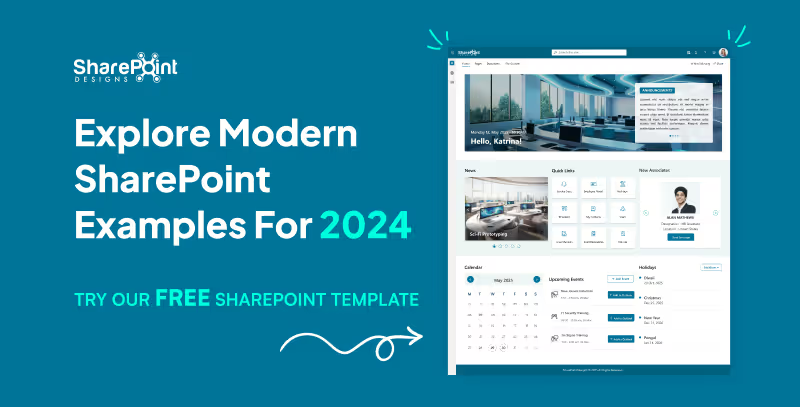
Explore Modern SharePoint Intranet Examples for 2024
Modern design is crucial in today's digital environment, and this is especially true for SharePoint intranets.
In the rapidly evolving digital landscape, organizations continuously seek tools that enhance efficiency and streamline operations. A pivotal development in this quest is the general availability of SharePoint eSignatures, slated for release in 2024. This feature marks a significant advancement in Microsoft's document management capabilities, integrating seamlessly with Microsoft Syntex to enhance user experience and security.
1. Streamlined Document Handling
SharePoint eSignatures revolutionize how businesses handle contracts and agreements by enabling digital signing directly within the SharePoint environment. This integration eliminates the need for third-party eSignature solutions, reducing costs and complexity while ensuring data remains secure within the Microsoft ecosystem.


Embracing Digital Transformation: SharePoint eSignatures Available in 2024
In the rapidly evolving digital landscape, organizations continuously seek tools that enhance efficiency and streamline operations.
Introduction
In today's digital-first environment, organizations are continuously searching for ways to streamline processes and enhance productivity. SharePoint Syntex, part of the Microsoft 365 suite, leverages artificial intelligence to transform the way your business manages and utilizes content. This blog post outlines a practical roadmap for IT leaders looking to deploy SharePoint Syntex effectively.

Unleashing Efficiency: Your Step-by-Step Guide to Implementing SharePoint Syntex
In today's digital-first environment, organizations are continuously searching for ways to streamline processes and enhance productivity.
Most organizations know SharePoint as a place to store files. But the businesses that get real value from it use SharePoint very differently.
They use it to:
- Reduce email overload
- Centralize knowledge
- Automate everyday processes
- Support hybrid and remote work
- Create a single digital workplace employees actually rely on
This article explains what SharePoint is, and more importantly, how it helps businesses improve collaboration, productivity, and information management in real-world scenarios.
What is SharePoint?
SharePoint is a web-based platform from Microsoft that helps organizations store, manage, share, and collaborate on information securely.
Over time, it has evolved from a basic file-sharing tool into a full digital workplace platform that supports:
- Intranets and internal portals
- Document management with version control
- Team and department sites
- Workflow automation
- Integration with Microsoft 365 tools
Today, SharePoint acts as a central layer that connects people, content, and processes across the organization.
Why Businesses Use SharePoint (Beyond File Storage)
The real value of SharePoint lies in how it brings structure to everyday work.
Instead of scattered files, emails, and disconnected tools, SharePoint provides a single source of truth where teams can collaborate with clarity and control.
This combination makes SharePoint especially valuable for growing and distributed teams.
How SharePoint Improves Everyday Workflows
In many organizations, work slows down because information lives in too many places.
SharePoint simplifies this by bringing documents, discussions, and processes together.
Practical workflow improvements include:
- Teams collaborating on the same document without email attachments.
- Automated approval flows replacing manual follow-ups.
- Department sites replacing shared drives.
- Clear ownership and visibility over content.
When structured properly, SharePoint reduces friction rather than adding another tool to manage.
What is SharePoint? A Complete Guide to How it Helps Businesses Work Smarter.
Most organizations know SharePoint as a place to store files. But the businesses that get real value from it use SharePoint very differently.



.svg)





