Published Date -

Do You Need a Third-Party AI Intranet Assistant if You Have Microsoft 365 Copilot?
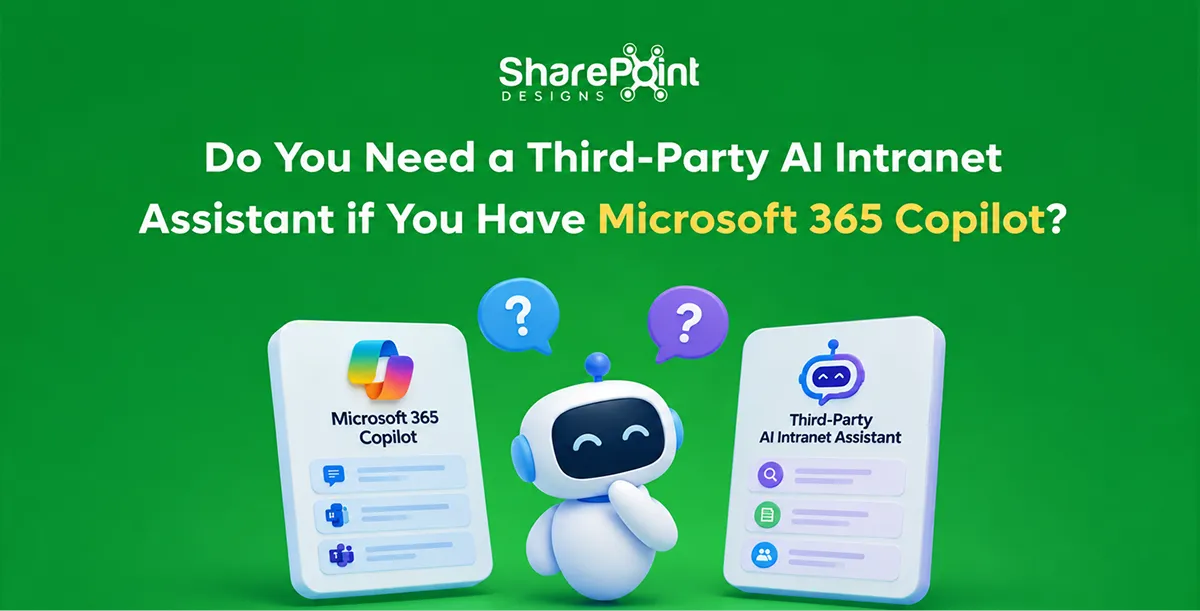
Most organisations that run their intranet on SharePoint do not need a third-party AI assistant. Microsoft 365 Copilot, Copilot Chat and SharePoint agents already answer questions from intranet content with existing permissions. A third-party assistant adds value in three cases: important knowledge sits outside Microsoft 365, many staff will never have Copilot licences, or employees need actions across non-Microsoft systems.
Last updated: 10 October 2026
Intranet vendors such as LumApps, Powell, Unily and enterprise search tools such as Glean all now sell AI assistants. This guide compares what Microsoft already provides with what those assistants add, and gives a five-question checklist for deciding.
What does Microsoft already provide for AI answers on a SharePoint intranet?
Microsoft provides three layers. Copilot Chat is available to Microsoft 365 users and can use agents for work content. Microsoft 365 Copilot, at $30 per user per month, answers from all content a user can access across Microsoft 365. SharePoint agents answer from selected sites and files, and can be used by unlicensed staff through pay-as-you-go billing.
From mid-2026, Microsoft also expanded Copilot Chat inside Word, Excel, PowerPoint, Outlook and OneNote for Business Basic and Standard customers. Our SharePoint knowledge agent guide explains how to set up an agent over intranet content.
What do third-party AI intranet assistants claim to add?
Third-party assistants claim three things Microsoft does not fully cover. They answer from systems outside Microsoft 365. They reach every employee without per-user Copilot licences. They also run actions across HR, IT and payroll systems. These claims are real in some environments and overstated in others. The test is whether your knowledge and tasks actually live outside Microsoft 365.
These claims are taken from vendor pages in September and October 2026. None of these vendors publishes list prices.
When is Microsoft 365 Copilot enough for intranet AI?
Microsoft 365 Copilot and SharePoint agents are enough when most policies, procedures and knowledge live in SharePoint, Teams and OneDrive. They are also enough when the staff who ask most questions are licensed, or when a SharePoint agent can serve the rest. In that situation, a second assistant adds cost and a second index without adding knowledge.
Signs Microsoft is enough:
- More than 80 percent of reference content is in SharePoint or Teams.
- Your main AI questions are about policies, procedures and projects.
- Frontline staff can use a SharePoint agent through Teams.
- IT wants one set of permissions and one audit trail.
When does a third-party AI assistant add real value?
A third-party assistant adds real value when much of your knowledge lives outside Microsoft 365, for example in Confluence, Salesforce, ServiceNow or Google Drive. It also helps when thousands of frontline staff need answers and actions, and per-user Copilot licences are not viable. The value comes from connectors and task actions, not from the language model itself.
Signs a third-party assistant may help:
- Key knowledge is split across several non-Microsoft systems.
- Employees need to complete tasks, such as shift swaps or payslip requests, inside the same chat.
- You run Google Workspace alongside Microsoft 365.
- You need one assistant across several Microsoft tenants after an acquisition.
How do the costs compare for 1,000 employees?
For 1,000 employees, licensing Microsoft 365 Copilot for everyone costs $30,000 per month at list price. Most organisations do not need that. A mixed approach licenses Copilot for knowledge workers and serves everyone else through a SharePoint agent on pay-as-you-go. Third-party assistants add their own per-user fee, which vendors do not publish.
Worked example for 1,000 employees, 300 of them knowledge workers:
The question-volume and credit figures are assumptions for illustration. Pay-as-you-go rates follow Copilot Studio's $0.01 per credit, with 2 credits per generative answer, as of October 2026.
What should you check before buying any AI intranet assistant?
Check five things before buying. Where does your knowledge live? Do answers respect permissions? How good is your content? Who owns accuracy? What is the full three-year cost? Any assistant, Microsoft or third-party, gives confident wrong answers from outdated or duplicated content. Fixing content usually improves answers more than switching tools.
- Knowledge map. List your top 50 employee questions and where each answer lives.
- Permissions. Confirm the assistant only shows content the user can already open.
- Content quality. Remove duplicate and outdated policies first.
- Ownership. Name who reviews answer accuracy each month.
- Three-year cost. Include licences, connectors, implementation and internal time.
Our AI-ready SharePoint score checks content readiness in a few minutes. For the content side, see how to stop Copilot quoting outdated policies.
How do you decide between Copilot and a third-party assistant?
Decide with a short pilot. Pick the 50 most common employee questions, run them through Copilot or a SharePoint agent, and score the answers. If Microsoft answers most of them correctly, fix the remaining content gaps and stay with one platform. If the failures come from systems Microsoft cannot reach, a third-party assistant is worth evaluating.
A four-week pilot plan:
- Week 1. Collect 50 real questions from help-desk and HR tickets.
- Week 2. Build a SharePoint agent over the relevant sites.
- Week 3. Score each answer as correct, partly correct or wrong.
- Week 4. Classify every wrong answer by cause: missing content, outdated content or unreachable system.
Our Microsoft Copilot consulting team runs this pilot as a fixed-scope engagement. Our article on why the intranet still matters with Microsoft Copilot explains the content foundation behind it.
faqs

Venkatesh Maran

Founder and CEO of SharePoint Designs, a Microsoft ISV with 6 products live on AppSource. We build products that solve the problems Microsoft left on the table. Intranets that people actually use. Document management systems that don't fight your workflows. Knowledge platforms that surface what matters. And now, AI agents built on Microsoft Copilot that take the repetitive work off your team's plate. Every product we build gets designed around your brand, your culture, and how your teams actually work. Trusted by enterprises across 23 countries, primarily in the US and Europe, with deep expertise in SharePoint, Power Platform, Microsoft Copilot, and Microsoft 365. Over 15 years in the ecosystem and still going. Our mission is simple: make work more fun.





.svg)





