Published Date -

SharePoint OOTB vs Custom SPFx Web Parts: Which Should You Choose?
%20WebPart.webp)
A few years into building things on SharePoint, you start to recognise a certain kind of Monday morning email. It is short. It is polite. And it almost always ends with the same four words: “should be simple, right?”
Mine, one Monday, was from a client who wanted a small dashboard on their intranet homepage. Nothing wild. Pull some project data, show it as cards, turn the late ones red, let people click through to the details. I read it twice, opened the site, and reached for the tool everyone reaches for first the built-in web parts that ship with SharePoint.
That is where this story starts, because every SharePoint developer lives through some version of it. The built-in parts get you moving in minutes. Then, one quiet afternoon, they run out of room and you have to decide what kind of developer you want to be.
The out-of-the-box crew (better than you think)
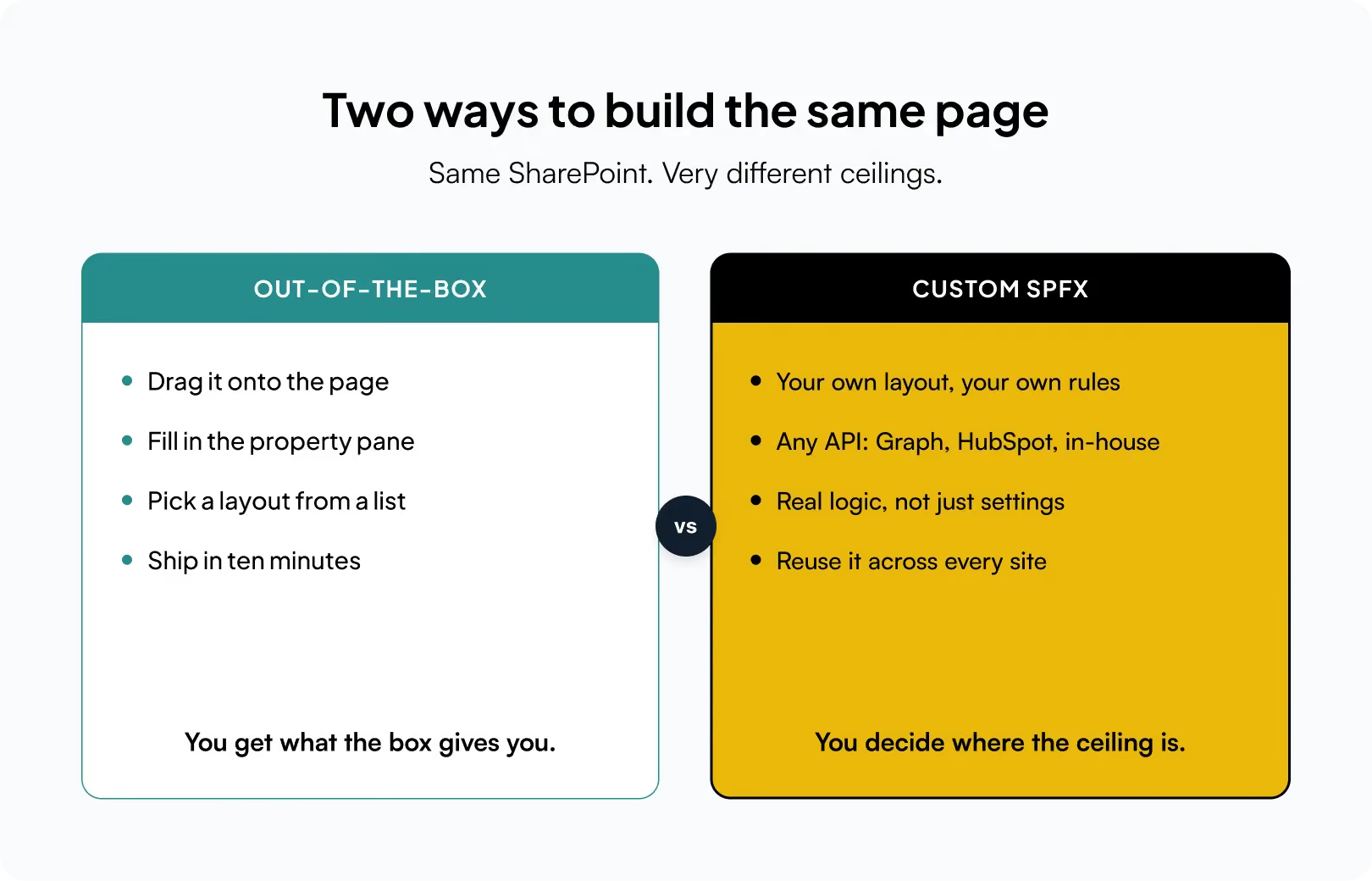
Let me defend them for a moment, because they deserve it. Out-of-the-box (OOTB) web parts are the readymade blocks Microsoft hands you: Text, Image, Hero, News, Quick Links, Highlighted Content, the humble List view, and a dozen others. You drag one onto the page, a little panel slides in from the right, you tick a few boxes, and you are done. No code. No deployment. No app catalog. No late nights.
For a huge slice of everyday work, that is exactly the right answer. A team wants a news feed and a few links? Do not write a single line of TypeScript for that you would be showing off, not helping. OOTB parts are fast, they are maintained by Microsoft, they survive tenant updates without you lifting a finger, and any site owner can rearrange them long after you have moved on. That last point matters more than people admit.
So, this is not a story about OOTB being bad. It is a story about what happens when the requirement grows one size too big for the block that was meant to hold it.
The afternoon the box said no
Back to my dashboard. The Highlighted Content web part could pull items across the site. Good start. But the client wanted the cards grouped by project stage, sorted by how many days were left, and colour coded green, amber, red based on a little calculation that lived nowhere in the list. They also wanted a status number in the corner pulled from a completely different system the sales team used.
I opened the property pane and looked for the setting that would let me do that. It was not there. Of course it was not there. A property pane can only ever offer you the choices its author imagined in advance, and no one at Microsoft imagined this client’s specific idea of “late.” I could get maybe seventy percent of the way. The last thirty percent the part that actually made the client say “yes, that one” was locked behind a door with no handle.
That is the honest boundary of OOTB. You get what the box gives you, and not one pixel more. When your requirement lands inside that box, life is wonderful. When it lands just outside, there is no dial to turn.
So what actually is a custom web part?
Here is the plain English version. The SharePoint Framework SPFx lets you build your own web part with the same tools the modern web is built on: TypeScript, React, and a normal package of code. You build it, bundle it, drop it into your tenant’s app catalog once, and from then on it shows up in the same web-part toolbox as all the built-in ones. To the person editing the page, it looks like just another block. Under the hood, it is a small application you wrote, running right there inside SharePoint.
That single shift from configuring someone else’s block to shipping your own is the whole game. And once you cross it, a lot of previously locked doors simply open.
Why I keep reaching for custom
After enough of those Monday emails, I stopped seeing custom web parts as “the expensive option” and started seeing them as the one that actually respects the requirement. A handful of reasons, from the trenches:
- You own every pixel. OOTB gives you a layout and a colour or two. A custom part gives you the whole canvas spacing, typography, hover states, the exact card design the brand team fought over. You are no longer bending the client’s vision to fit a template; you are building the template.
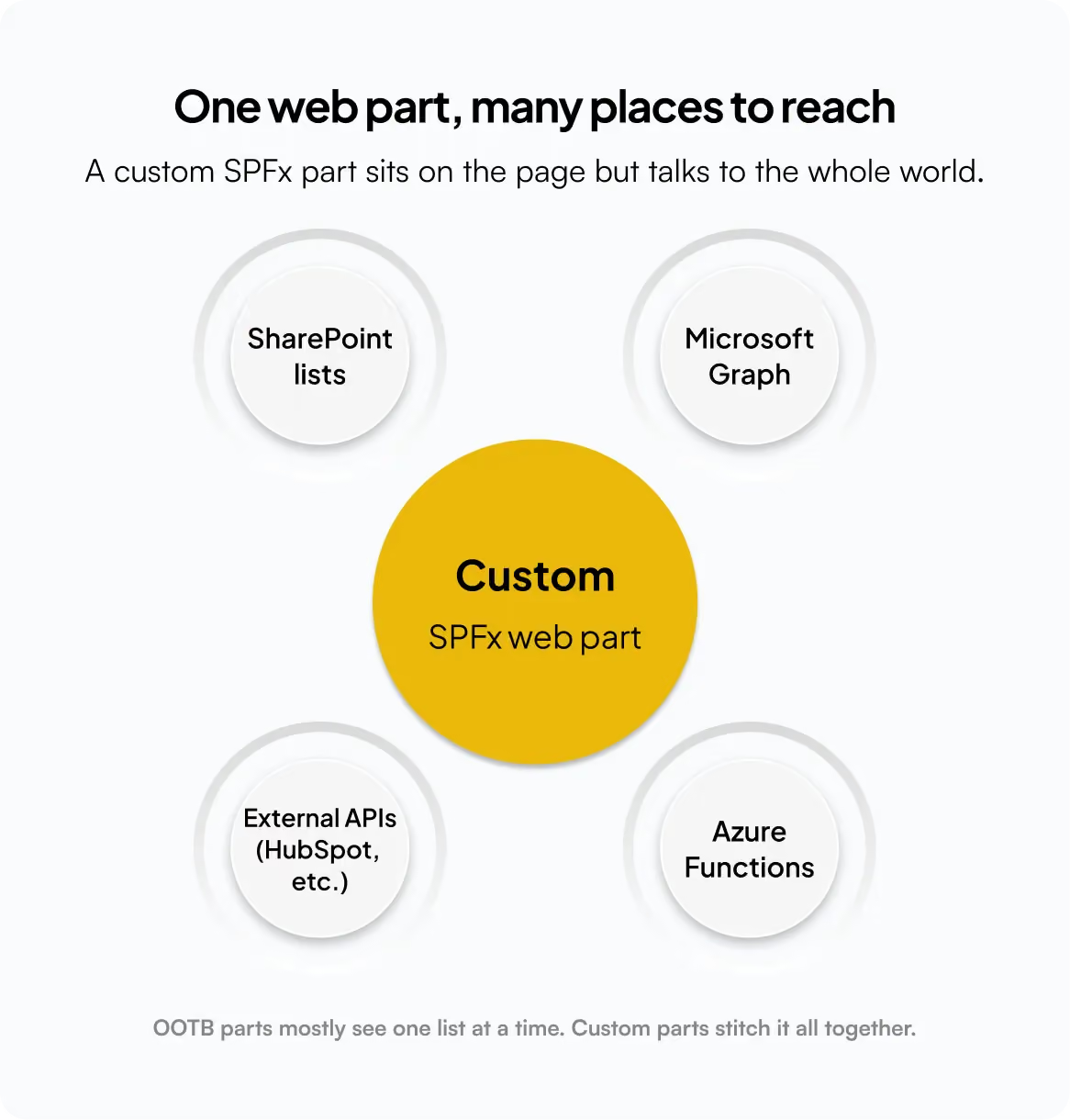
- It talks to anything. This is the big one. A custom part can call Microsoft Graph for people and calendars, hit an external service like HubSpot, or reach into an Azure Function you wrote for the heavy logic. My dashboard’s “number from the sales system” went from impossible to a single fetch call. OOTB parts mostly see one list at a time; a custom part stitches the whole picture together.
- The logic lives where it belongs. “Late” meant something specific to this client a rule with a few branches. In a custom part that rule is just code, sitting right next to the thing it colours. No brittle workaround, no fifteen nested conditions inside a view, no praying the formula bar behaves.
- Build once, reuse everywhere. Ship the part to the app catalog and every site in the tenant can use it, all pulling from the same code. Fix a bug once and it is fixed for all of them. Try keeping twenty hand-tuned OOTB pages in sync by hand and you will understand why this is worth so much.
- It grows up with your project. Because it is real code, it lives in Git. You can review it, test it, and push it through a proper pipeline. Six months later, when the client asks for “just one more thing,” you open the same tidy project instead of trying to reverse-engineer what past-you clicked in a property pane.
- You can tune the performance. Lazy load the heavy bits, cache the calls that do not change, load only the data actually on screen. With OOTB you get whatever performance profile you were given. With custom, slowness becomes a problem you are allowed to fix.
- Put those together and a pattern shows up: OOTB answers the question “how do I configure this?”, while custom answers “how do I build exactly this?”. Most memorable projects are hiding in that gap.
A tiny taste of the real thing
People imagine custom web parts as some towering wall of code. Often the core is smaller than the workaround it replaces. Here is the shape of that “late” rule that had no home in a property pane just plain logic, living exactly where it is used:
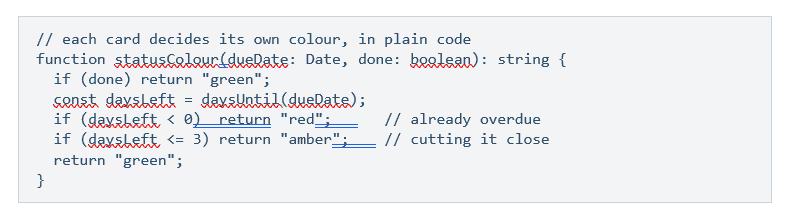
There is no property pane on earth that would have offered me that exact rule. But as a few lines of code, it took a minute and it did precisely what the client pictured.
“So should I ever use out-of-the-box?”
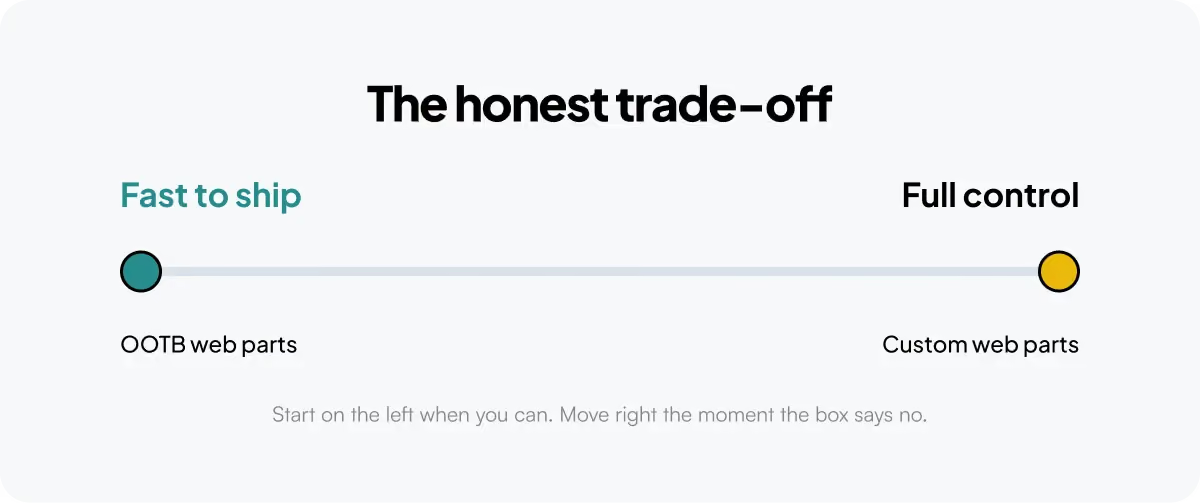
Absolutely, and often. If the built-in part does the whole job, using a custom one instead is not craftsmanship it is extra code for someone to maintain and a slower page for no reason. The skill is not always choosing custom; it is knowing the exact moment the box stops being enough.
A rule of thumb I actually use: Reach for OOTB when the requirement fits inside a property pane — news, links, a simple list, standard content. Reach for custom the moment you need your own layout, your own logic, or data from more than one place. If you find yourself fighting an OOTB part to make it do something it was never built for, that fight is the answer.
The one-line version
Out-of-the-box web parts are a brilliant place to start and a frustrating place to get stuck. Custom SPFx web parts cost a little more up front and hand you the one thing configuration never can: no ceiling. On the projects people actually remember the ones where the client leans in and says “yes, that one” the extra effort has paid for itself every single time.
So the next time a Monday email lands with “should be simple, right?”, go ahead and try the box first. Just do not be surprised when, one quiet afternoon, you find yourself opening a fresh SPFx project and smiling. That is not the hard road. That is the one with room to grow.
faqs

Sarat Chandra Lohar

Sarat Chandra Lohar is a SharePoint Developer with 3.5+ years of experience in designing and delivering efficient, scalable Microsoft 365 solutions. He specializes in SharePoint Online, SPFx, Power Apps, and Power Automate, focusing on building automated workflows, intranet portals, and business process solutions that enhance productivity and streamline operations.






.svg)





