Published Date -

Build vs Buy a SharePoint Document Management System
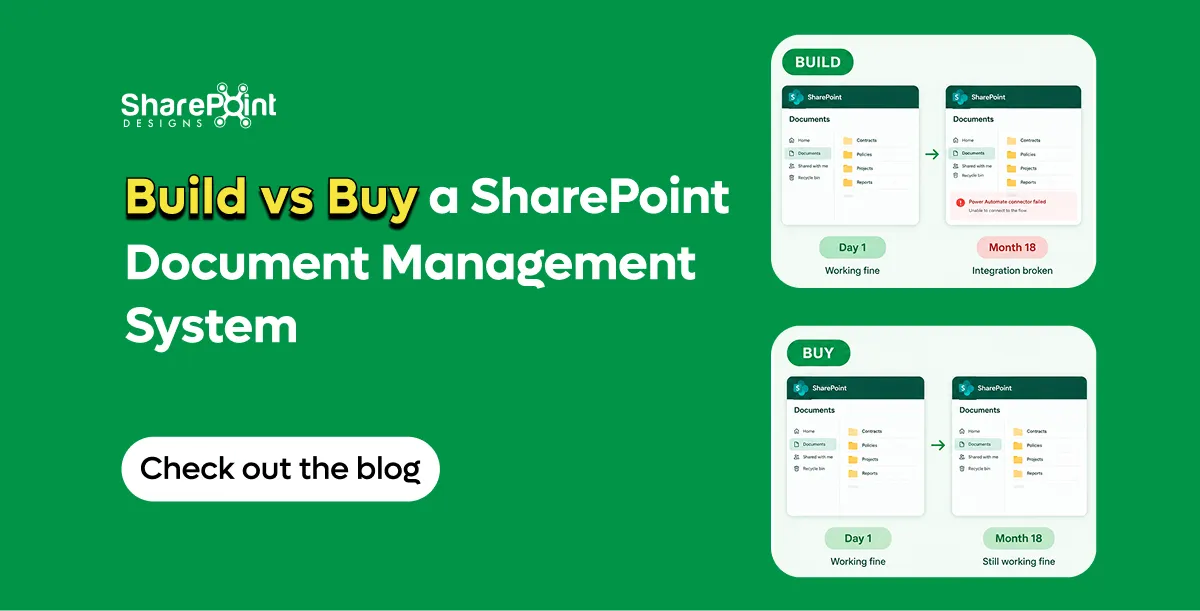
Build vs buy in SharePoint is rarely about ideology. It is about who will still understand the approval escalation path in eighteen months.
I like Power Automate. I have shipped a lot of it. I have also inherited tenants where the "DMS" was seventeen flows, three orphaned solutions, and a document controller who knew which flow to turn off when Finance complained. That is not empowerment. That is key-person risk wearing a Microsoft badge.
If you are still deciding whether SharePoint can be a DMS at all, read Can SharePoint Be a Document Management System?. This post assumes the answer is yes — and asks whether you should assemble the missing pieces yourself or buy a packaged layer.
What "build" usually means in 2026
On Microsoft 365, DIY SharePoint DMS typically looks like:
- Content types and columns (good — do this either way)
- Power Automate approval flows
- Maybe Power Apps forms
- Retention labels via Purview
- A SharePoint page pretending to be a dashboard
- Naming conventions enforced by training and hope
Sometimes add Spfx or custom scripting if someone had budget and a deadline.
That stack can work. It works best when requirements are shallow and ownership is clear.
What SharePoint OOTB already covers
Do not rebuild Microsoft.
You already get versioning, co-authoring, search, and Purview retention/labels (with the right compliance posture). Those are not reasons to buy anything.
SharePoint OOTB still does not give you:
- Auto numbering
- Multi-stage approval with escalation
- Scheduled review with pre-expiry
- Read-and-acknowledge
- Governed template creation dashboard
Build vs buy is mostly about those gaps — plus how polished you need role permissions, audit trails, and Copilot-oriented auto-tag/search to be on day one.
When DIY + Power Automate is enough
Build when most of these are true:
- One or two approval stages, same path for most docs.
- Escalation is a nice-to-have, not an audit finding waiting to happen.
- Review dates can live as a column plus a simple reminder pattern.
- Numbering can be manual or lightly scripted without political drama.
- You have an owner who will maintain flows after go-live — named human, not "the IT team."
- Template governance is a small library of content types, not a factory.
I am fine recommending DIY in that lane. Paying for packaging to impress a steering committee is waste.
Also build when you need deep custom behaviour unique to one line of business and no product will ever match it without becoming a second custom project anyway.
When packaged (DocVault) wins
Buy when several of these show up:
- Multi-stage approvals with escalation across Quality, Ops, and Legal
- Scheduled review with pre-expiry that must run without heroics
- Read-and-acknowledge for policies
- Auto numbering stakeholders will argue about if it drifts
- Template creation that needs governance, not a free-for-all
- You want role permissions and audit-oriented patterns without designing every screen
- You want Copilot AI search/auto-tag sitting on a coherent package rather than bolted scripts
DocVault is the packaged option we ship for that profile: runs inside the customer M365 tenant, nothing leaves the tenant, one-time pricing (see the product page) flat, unlimited users. Uses existing Microsoft 365 licences. Trial is a hosted demo with sample data — useful for UI and flow feel, not a substitute for tenant discovery.
Compared with per-seat specialist platforms, flat-inside-M365 packaging is a different economic animal. For SharePoint vs M-Files honesty — including when M-Files still wins outside Microsoft estates — see SharePoint vs M-Files in 2026.
The failure mode: flows that break after the builder leaves
Here is the pattern.
A strong internal maker builds v1. Approvals work. Everyone claps. The maker gets promoted or leaves. A connection reference expires. An Entra group is renamed. A content type gains a required column. The flow starts failing on 8% of items — enough to destroy trust, not enough to page anyone at 2 a.m.
Document controllers invent a parallel spreadsheet. Shadow process beats official process. Leadership says "SharePoint doesn't work." SharePoint was fine. The operating model was a person.
What failed on a project I still think about: we delivered a clever branching approval with adaptive expressions nobody else could read. It was elegant. It was also unmaintainable. When requirements changed, the business waited four weeks for the one person who understood it. We should have bought packaging for the commodity path and reserved custom build for the true exceptions. It depends on whether your "unique" process is actually unique — or just historically messy.
Hidden DIY costs (labour, not licence fantasy)
DIY cost is mostly labour and time:
- Discovery and information architecture (you need this for buy too)
- Flow build and rewrite cycles
- Test matrices across doc types
- Training and re-training
- Break/fix ownership
- Re-work when Microsoft connects or actions change behaviour
Custom consulting historically showed up around $50/hr on site in our older delivery model. I mention that only as a reminder that hours multiply quietly — not to invent project price bands. Your internal loaded cost may be higher than you think once you count meetings.
Buy shifts some of that into a known product fee and a supportable surface. It does not remove change management. Anyone who says otherwise is selling theatre.
For the cost anatomy with DocVault's current pricing on the product page anchor and why M365 already includes SharePoint,
A decision table I use with buyers
If your real problem is Dropbox/Drive shadow IT rather than SharePoint gaps, fix the category confusion first: SharePoint Document Management vs Dropbox and Google Drive.
Implementation notes either path still needs
Architecture still matters
The 5,000-item view threshold and ~100,000 items per library guidance do not disappear because you bought software. Package or DIY, bad libraries stay bad.
Compliance is configuration
SOX, ISO 27001, GDPR, HIPAA conversations should focus on audit trails, access, and retention you can demonstrate. Packaged controls help. They are not a certificate you hang on the wall without design evidence.
Classification is not optional
Buy a product with auto-tag and you can still create garbage metadata. Content types and ownership remain human work.
Practical recommendation
Start with requirements severity, not brand preference.
If your gaps are shallow and ownership is real, build on SharePoint OOTB + Purview + modest Power Automate. Keep the flows boring on purpose.
If your gaps match controlled-document product territory numbering, multi-stage escalation, scheduled review, acknowledgements, template governance — buy a SharePoint-native package and spend custom effort on the few processes that truly differentiate you.
That is the grown-up version of build vs buy.
For teams choosing the packaged SharePoint path inside Microsoft 365, see DocVault.
Solution background: document management system guide.
faqs

Venkatesh Maran

Founder and CEO of SharePoint Designs, a Microsoft ISV with 6 products live on AppSource. We build products that solve the problems Microsoft left on the table. Intranets that people actually use. Document management systems that don't fight your workflows. Knowledge platforms that surface what matters. And now, AI agents built on Microsoft Copilot that take the repetitive work off your team's plate. Every product we build gets designed around your brand, your culture, and how your teams actually work. Trusted by enterprises across 23 countries, primarily in the US and Europe, with deep expertise in SharePoint, Power Platform, Microsoft Copilot, and Microsoft 365. Over 15 years in the ecosystem and still going. Our mission is simple: make work more fun.









.svg)





