Published Date -

Best SharePoint Site Designs & Intranet Examples for 2026 (Updated Guide)
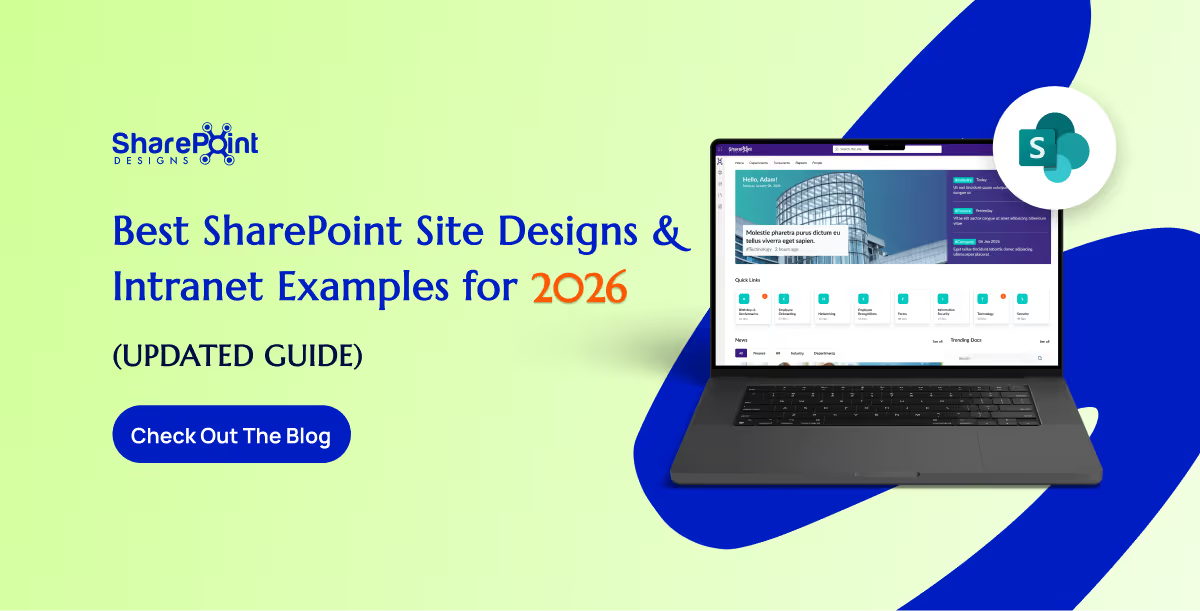
SharePoint continues to evolve into one of the most powerful intranet platforms for modern organizations. As businesses focus on hybrid work, AI-driven productivity, and employee experience, SharePoint's design capabilities have expanded dramatically.
In 2026, companies expect intranets that are clean, intuitive, and personalized far beyond what traditional portals offered a few years ago. SharePoint delivers these capabilities through modern site designs, advanced layouts, and ready-to-use intranet examples that help teams launch faster and work smarter. This updated guide explores the best SharePoint intranet site designs and examples for 2026, how they support today’s digital workplace, and what features truly matter when building a high-performing SharePoint environment.
Want a SharePoint Intranet Like These Examples? Explore Intranet Templates
Instead of designing everything from scratch, explore professionally designed SharePoint intranet templates built for Microsoft 365.
Why SharePoint Site Designs Matter More in 2026
Modern workplaces demand intranet experiences that are:
- Simple to use
- Visually appealing
- AI-powered and personalized
- Mobile-friendly
- Fast to deploy
- Integrated with Microsoft 365
- Designed for collaboration and engagement
SharePoint meets all these needs through modern page layouts, flexible components, and professionally designed site examples that eliminate guesswork and reduce development time.
Top SharePoint Site Designs and Intranet Examples for 2026
Microsoft’s SharePoint design ecosystem has grown significantly. The latest examples show how organizations can create digital workplaces that feel modern, connected, and engaging.
Below are the best-performing design styles and examples dominating 2026 intranet builds:
1. Modern Communication Sites (2026 Upgrade)
Communication Sites remain the backbone of enterprise intranets. The 2026 updates focus on:
- Streamlined layouts
- Improved readability
- Flexible navigation
- Strong visual hierarchy
- Personalized content sections
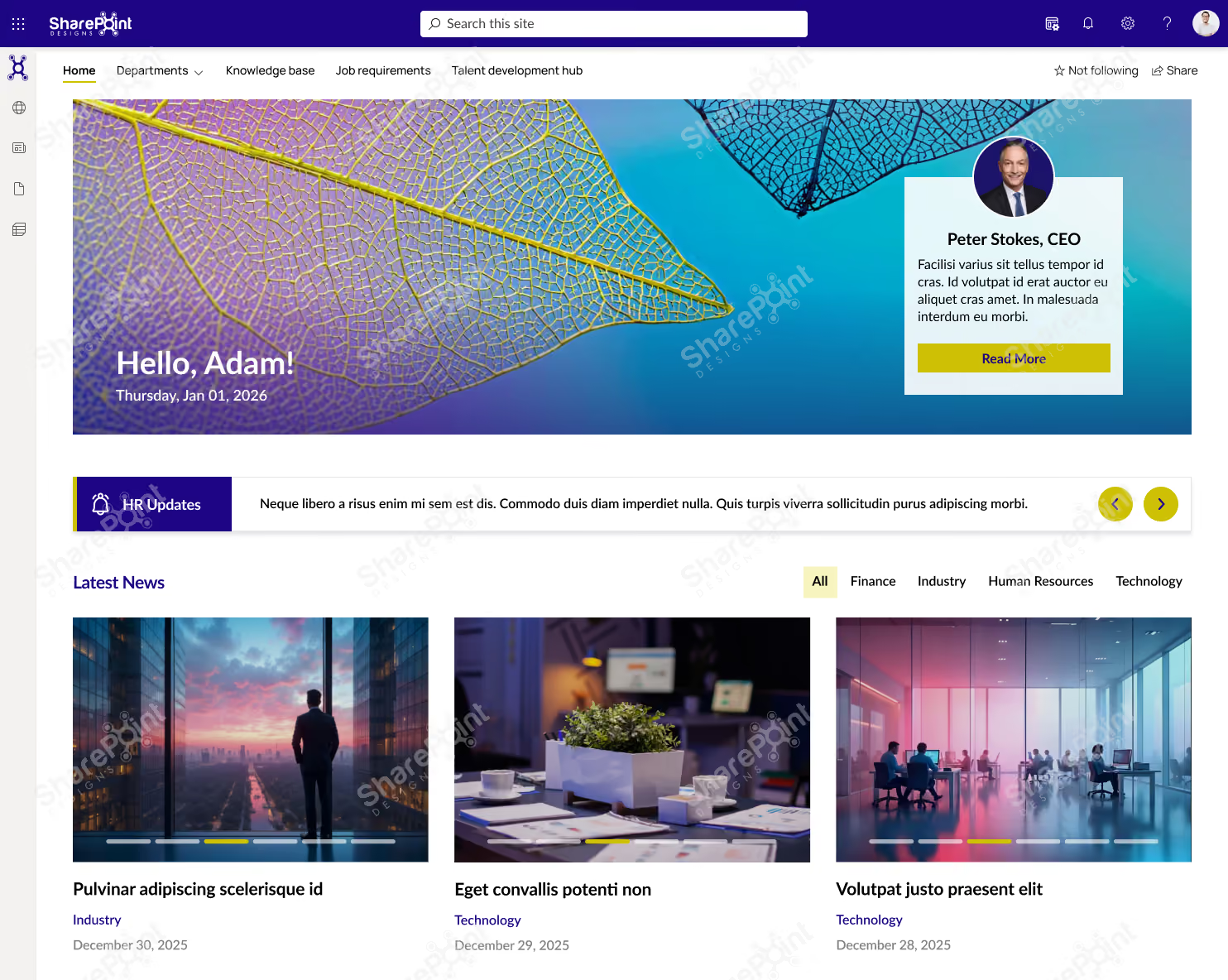
These sites help organizations share news, highlight updates, and maintain consistent branding across departments.
Looking for More Inspiration?
Explore 50+ professionally designed SharePoint intranet examples across HR, IT, Healthcare, Manufacturing, Finance, Education, and more.
Explore the SharePoint LookBook
Best for: Company-wide announcements, leadership communications, HR updates, and employee engagement.
Why This Template Works?
1. Built for daily employee use, not just announcements
2. Clean, scannable layout that improves content discovery
3. Combines news, resources, people, and links in one view
4. Easy to manage and scale without heavy customization
Who It’s For?
1. IT, HR, and Internal Communications teams
2. Mid to large organizations using SharePoint
3. Companies with hybrid or distributed workforces
Best Parts
1. Personalized hero with leadership visibility
2. Categorized news and updates
3. Quick access to policies, forms, and tools
4. Modern design that drives adoption
Book a live demo and see the platform tailored to your business needs. Schedule a Live Demo
2. Hub Sites for Structured, Scalable Navigation.
Hub Sites now offer deeper personalization and advanced navigation management. In 2026, businesses use them to unify:
- Department portals
- Regional intranets
- Project hubs
- Knowledge centers
Hub sites create a consistent experience across thousands of pages, no matter how large the organization grows.
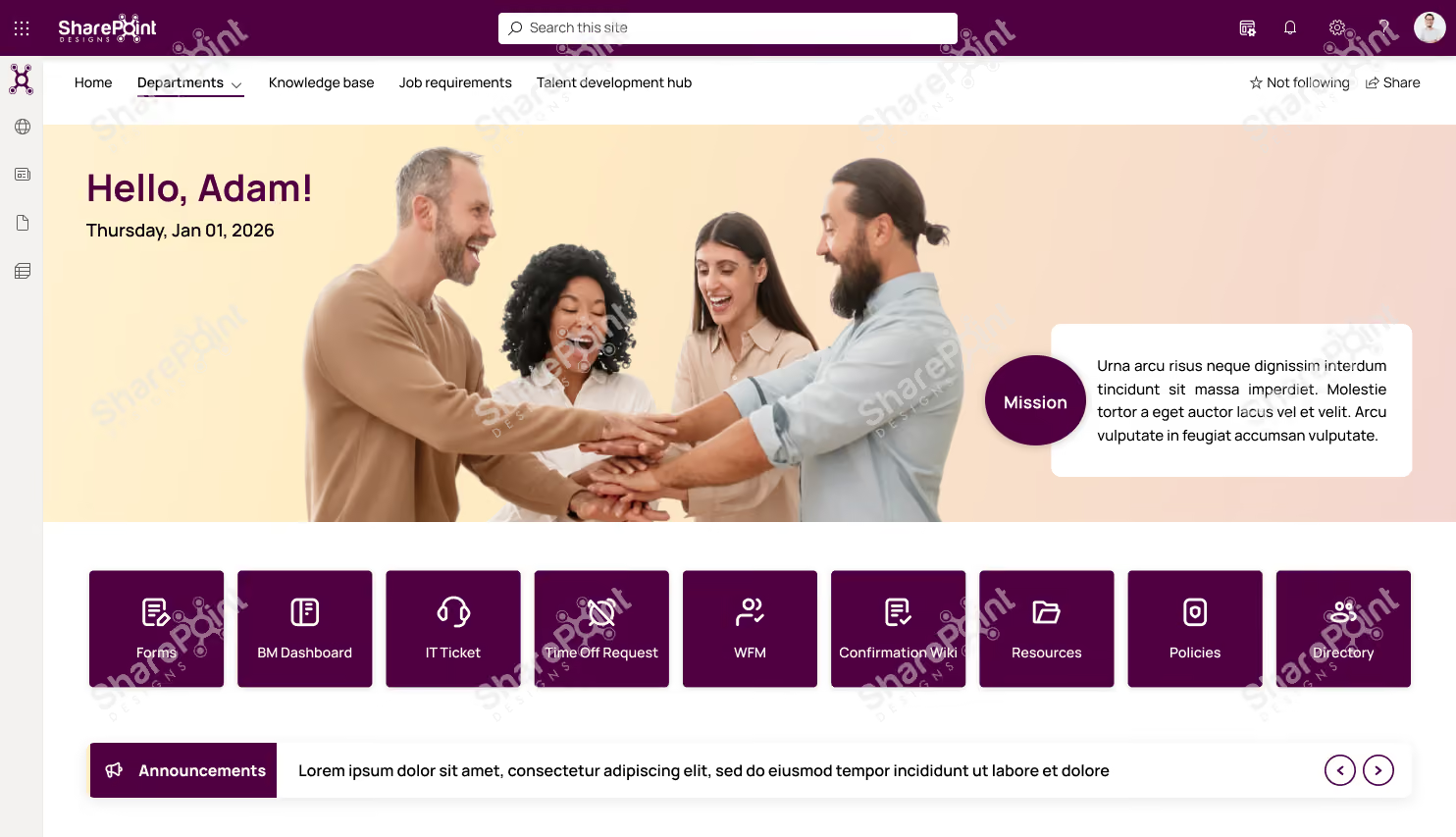
Why This Template Works?
1. Action-first layout with quick access to everyday tools and requests
2. People-centric design that highlights culture, goals, and leadership
3. Keeps employees informed with announcements, news, and events in one place
4. Clean structure that’s easy to update and scale
Who It’s For?
1. HR, IT, and People Ops teams
2. Organizations focused on employee engagement & internal communication
3. Mid to large enterprises using SharePoint
Best Parts
1. Centralized shortcuts for forms, tickets, and requests
2. Announcements and town hall countdown for timely communication
3. Goals and leadership sections to align teams
4. Modern, engaging UI that encourages daily use
Ready to launch a similar intranet?
Discover professionally designed SharePoint homepage templates, ready to deploy. Browse Templates
Book a live demo and see the platform tailored to your business needs. Schedule a Live Demo
3. AI-Powered SharePoint Home & Viva Connections
AI plays a major role in 2026 intranet experiences. Viva Connections integrates directly with SharePoint, offering:
- Personalized dashboards
- AI-curated news
- Task and workflow shortcuts
- Recommended content
- A unified mobile intranet inside Teams
Ready for an AI-Powered Intranet?
Create, customize, and launch a modern SharePoint intranet faster with Sangha's intelligent automation.
Explore Sangha
This transforms the intranet from a static portal into a smart, adaptive employee experience platform.
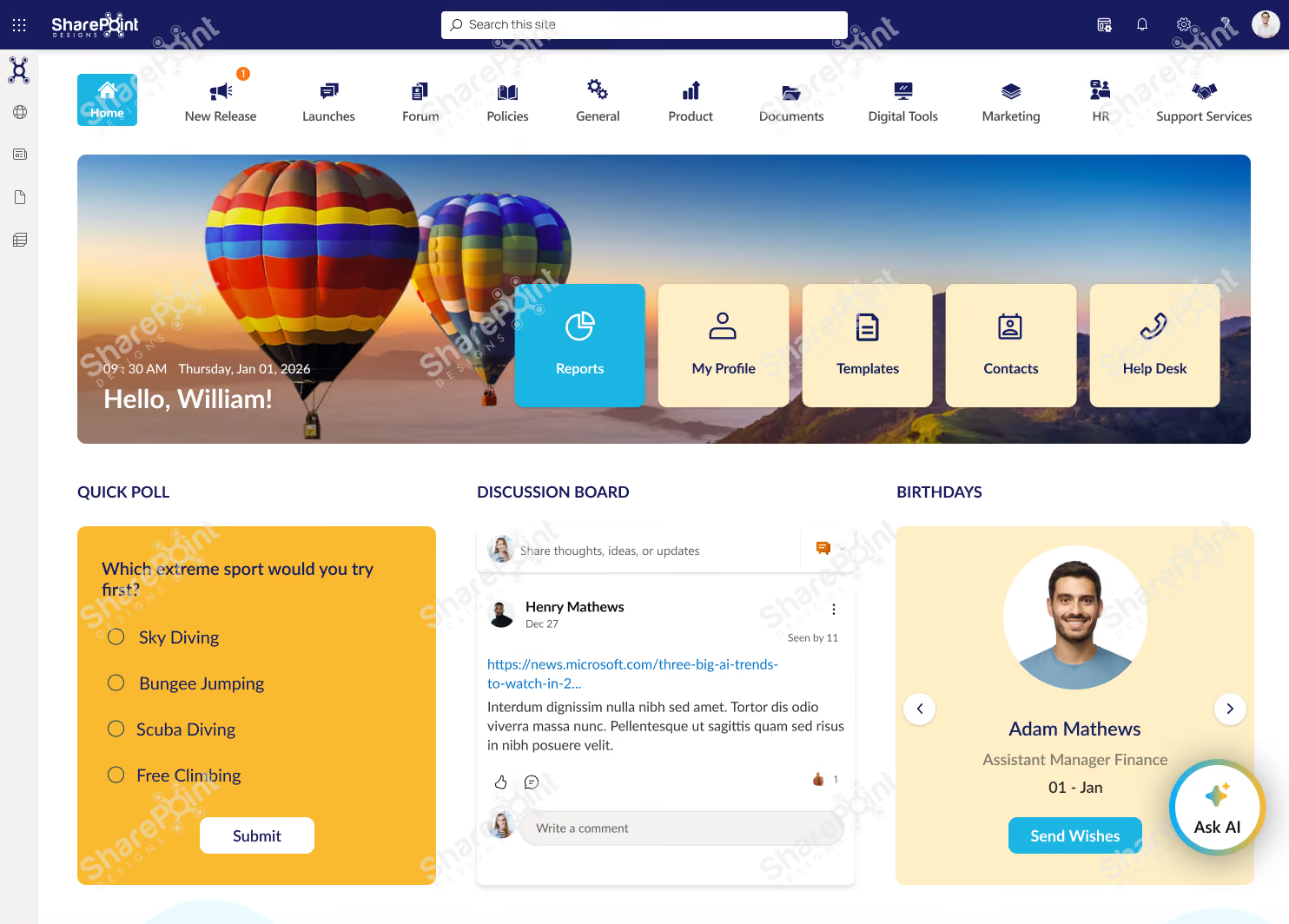
Why This Template Works?
1. Highly interactive layout that encourages participation, not just reading
2. Combines work updates and social engagement in one experience
3. Clear navigation to tools, documents, and services
4. Keeps content fresh with polls, discussions, and feeds
Who It’s For?
1. Internal Communications & HR teams
2. Organizations focused on culture, collaboration, and engagement
3. Mid to large enterprises using SharePoint
Best Parts
1. Quick access tiles for profiles, templates, contacts, and help desk
2. Polls, discussion boards, and birthdays to boost engagement
3. Categorized news and social media integration
4. Idea submission section to encourage innovation
Book a live demo and see the platform tailored to your business needs. Schedule a Live Demo
4. Modern SharePoint Intranet Examples That Stand Out in 2026
These trending designs shape intranets across industries:
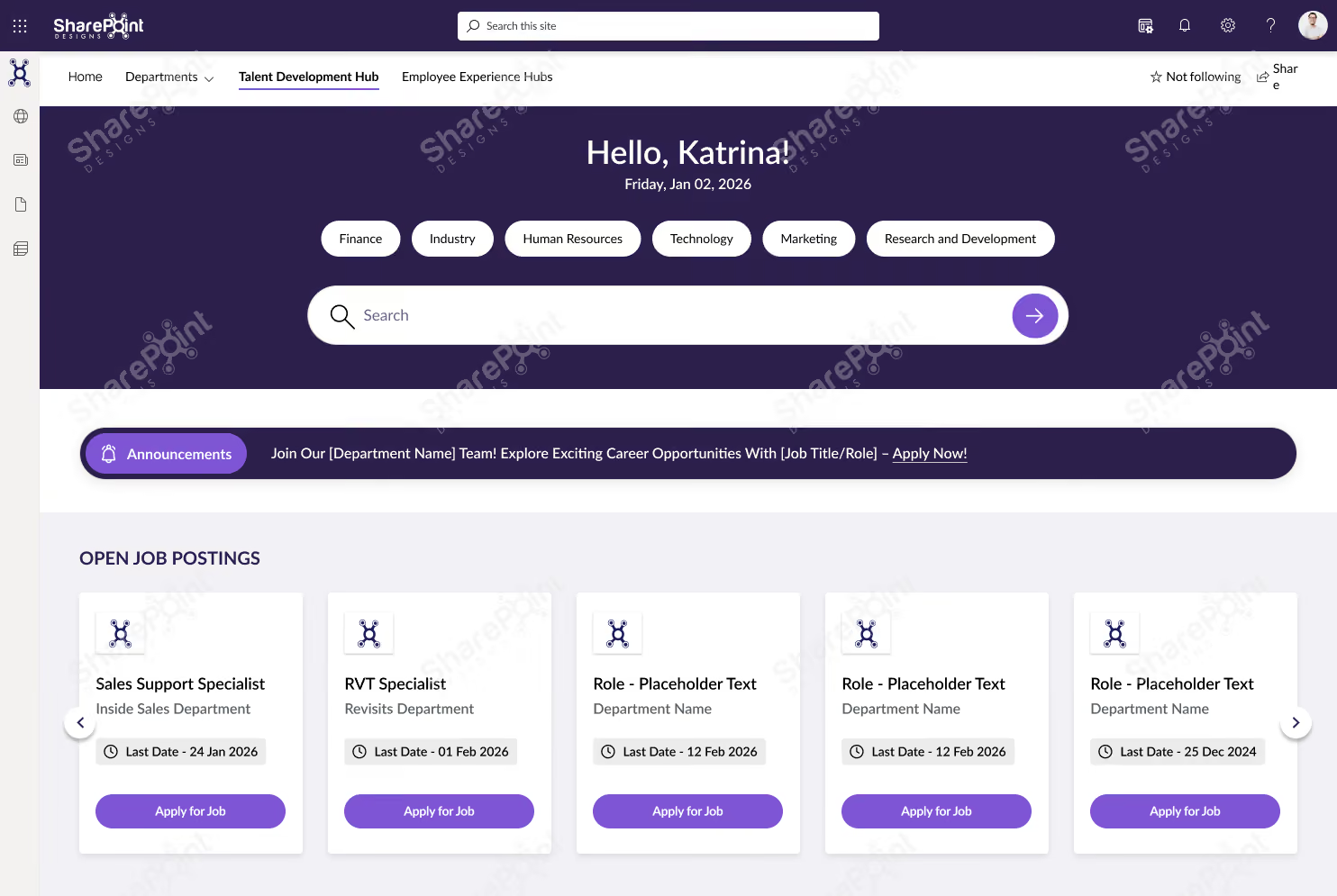
Employee Experience Hubs
Centralized hubs for announcements, events, resources, and employee services.
Beautiful intranets still need great document management.
Discover how DocVault adds intelligent search, approvals, version control, compliance, knowledge management.
Explore DocVault
Why This Template Works?
1. Purpose-built for learning & growth, not general intranet clutter
2. Smart filters and search make jobs, training, and resources easy to find
3. Clear progression from opportunities → learning → events
4. Structured layout that supports frequent updates
Who It’s For?
1. HR, L&D, and Talent Development teams
2. Organizations investing in internal mobility and upskilling
3. Mid to large enterprises using SharePoint
Best Parts
1. Open job postings with direct apply actions
2. Centralized SOPs and operational documents
3. Training hub with category-based filtering
4. Event calendar with Outlook integration
Book a live demo and see the platform tailored to your business needs. Schedule a Live Demo
HR Portals
Featuring onboarding guides, leave policies, self-service tools, and training content.

Why This Template Works?
1. HR-focused layout that simplifies policies, documents, and training access
2. Clear separation of information, actions, and learning
3. Intuitive navigation that reduces employee support queries
4. Easy to maintain with structured, repeatable sections
Who It’s For?
1. HR and People Operations teams
2. Organizations with growing or distributed workforces
3. Mid to large enterprises using SharePoint
Best Parts
1. Centralized guidelines, policies, and trending documents
2. Quick links for high-frequency HR tasks
3. Dedicated training and development section
4. Clean, professional design that builds trust and adoption
Book a live demo and see the platform tailored to your business needs. Schedule a Live Demo
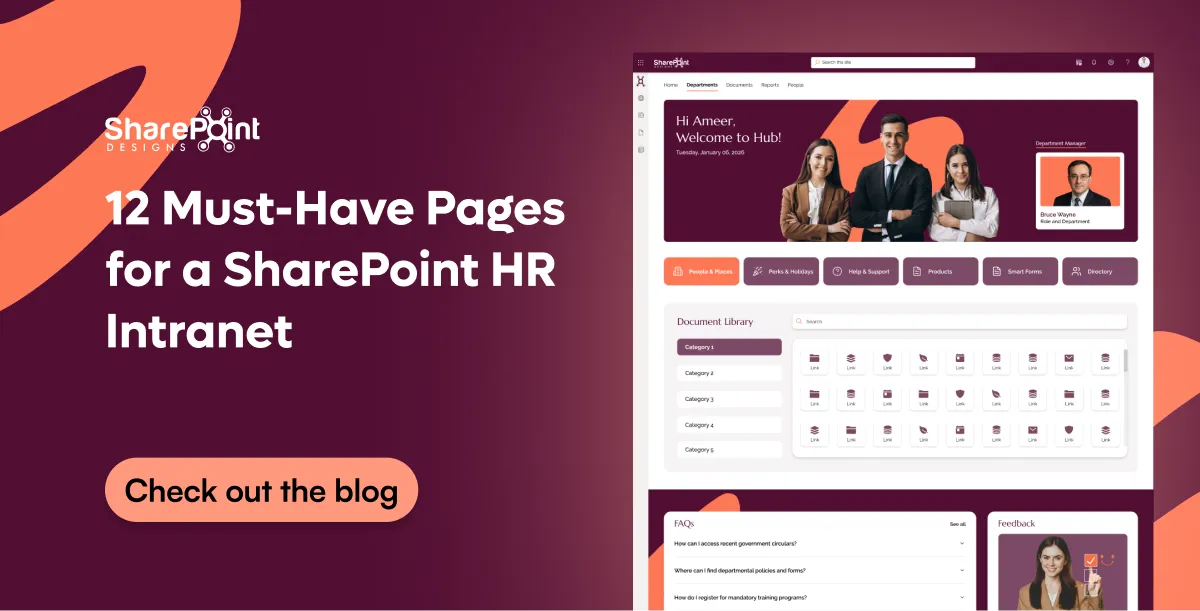
Departmental Sites
Customized layouts for IT, HR, Finance, Sales, or Marketing teams.

Why This Template Works?
1. Department-focused structure that keeps people, documents, and support in one place
2. Clear navigation reduces time spent searching for files and contacts
3. Designed for day-to-day departmental workflows
4. Simple, clean layout that’s easy to manage
Who It’s For?
1. Department heads and team leads
2. Internal teams managing shared resources
3. Mid to large organizations using SharePoint
Best Parts
1. Centralized document library with category-based access
2. Quick links to people, perks, forms, and support
3. Built-in FAQs to reduce repeated queries
4. Feedback section to improve team communication
Want to see more? View complete intranet examples from Healthcare, Manufacturing, Construction, Finance, Education and Government
Open LookBook
Book a live demo and see the platform tailored to your business needs. Schedule a Live Demo
Knowledge Base Sites
Structured articles, FAQs, SOPs, and search-optimized content libraries.

Why This Template Works?
1. Search-first design that helps employees find answers fast
2. Clear categorization improves document discoverability
3. Reduces repeated queries with self-serve knowledge access
4. Clean, structured layout that’s easy to maintain
Who It’s For?
1. IT, HR, and Operations teams
2. Organizations managing large volumes of documents
3. Mid to large enterprises using SharePoint
Best Parts
1. Advanced search with category and sub-category filters
2. Centralized document library and featured content
3. Time-zone aware widgets for global teams
Built-in help and support links for quick guidance
Book a live demo and see the platform tailored to your business needs. Schedule a Live Demo
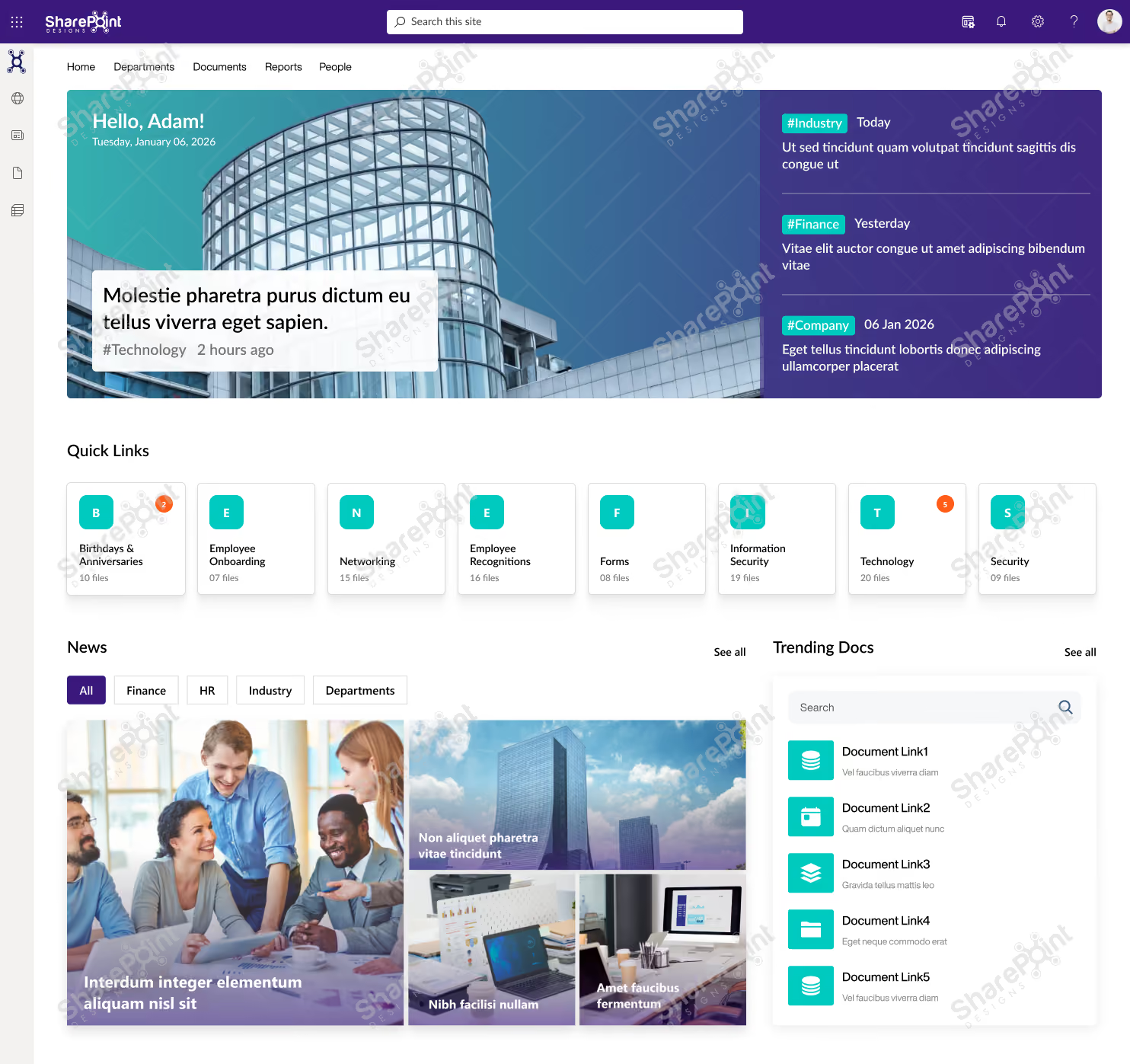
Project Workspace Designs
Modern dashboards for progress tracking, documents, workflows, and team collaboration.
Why This Template Works?
1. All-in-one dashboard that combines communication, events, documents, and performance
2. Clear visual hierarchy makes updates and insights easy to scan
3. Designed to support daily decision-making, not just announcements
4. Scales well as teams, projects, and data grow
Who It’s For?
1. Leadership, PMOs, and Operations teams
2. Organizations that need visibility across projects and updates
3. Mid to large enterprises using SharePoint
Best Parts
1. Personalized hero with live updates and highlights
2. Quick links for fast access to key business areas
3. Integrated calendar, town hall events, and news
4. Project progress tracking with visual metrics.
Book a live demo and see the platform tailored to your business needs. Schedule a Live Demo
These examples showcase the full power of SharePoint’s modern design capabilities.
SharePoint Look Book: Still the Best Design Inspiration The SharePoint Look Book continues to offer some of the best curated examples of what modern SharePoint can achieve.
It provides:
- Ready-to-use design ideas
- Proven layout structures
- Industry-specific intranet examples
- Modern branding and UX options
For many organizations, the Look Book becomes the starting point for refining their own intranet vision.
Trusted by global enterprises. Proven through real customer success. Explore Case Studies
What Makes a High-Performing SharePoint Intranet in 2026?
Based on current intranet trends, top-performing SharePoint designs include:
- Clean navigation
- Minimalist layouts
- Strong visual hierarchy
- Structured content sections
- Integrated AI features
- Personalized content blocks
- Modern card-based layouts
- Mobile-first design
These features improve user engagement and help employees find information faster.
How to Choose the Best SharePoint Intranet Design?
Use these questions to guide your selection:
- What is the main purpose of the intranet?
- Who will use it daily?
- What content needs prioritization?
- Which Microsoft 365 apps need integration?
- Does your team need fast deployment or customization?
- How scalable should the structure be?
Answering these helps you choose the right design and navigation model.
Should You Use Prebuilt SharePoint Intranet Designs?
Absolutely prebuilt designs and examples:
- Reduce development time
- Ensure consistency
- Improve UX
- Speed up deployment
- Lower cost
- Support branding and personalization
- Follow Microsoft best practices
They are especially useful for organizations that want a fast, professional intranet launch.
If you want to launch your intranet quickly without compromising design quality, our modern SharePoint intranet templates can help you get started fast. These templates are built for real business needs, follow Microsoft’s latest design standards, and can be customized to match your brand and workflows.
Conclusion: SharePoint Intranet Designs Are More Advanced Than Ever
As we move into 2026, SharePoint continues to stand as the leading platform for creating modern intranets. With improved design options, AI-powered experiences, and ready-to-use examples, organizations now have everything they need to build an intranet that is engaging, scalable, and future-ready.
Whether you're creating a brand-new intranet or redesigning an existing one, SharePoint offers the flexibility, structure, and visual quality required to meet the demands of today’s evolving workplace.
Explore Further
Browse the Full LookBook
See 50+ real SharePoint intranet designs across every industry View LookBook
Start From a Template
Get a professional intranet live in weeks, starting at $2,500 Explore Templates
Go Fully Custom with Sangha
AI-powered, brand-precise intranets built around your team See Sangha
Need Help Building a Modern SharePoint Intranet for 2026?
We help businesses design high-performing SharePoint intranets, tailored to specific needs, branding, and workflows.
faqs
Johnsi Jayasingh

Johnsi Jayasingh is a technology leader and Co-Founder & Chief Innovation Officer with over 20 years of experience in digital solutions. She specializes in Microsoft technologies, including SharePoint and the Power Platform, driving modern digital workplaces. She is known for turning complex technology into simple, high-impact user experiences.





.svg)





