SharePoint Store
SharePoint Designs delivers customized solutions for Small businesses, Medium and Large Enterprises.
SharePoint Designs delivers customized solutions for Small businesses, Medium and Large Enterprises.
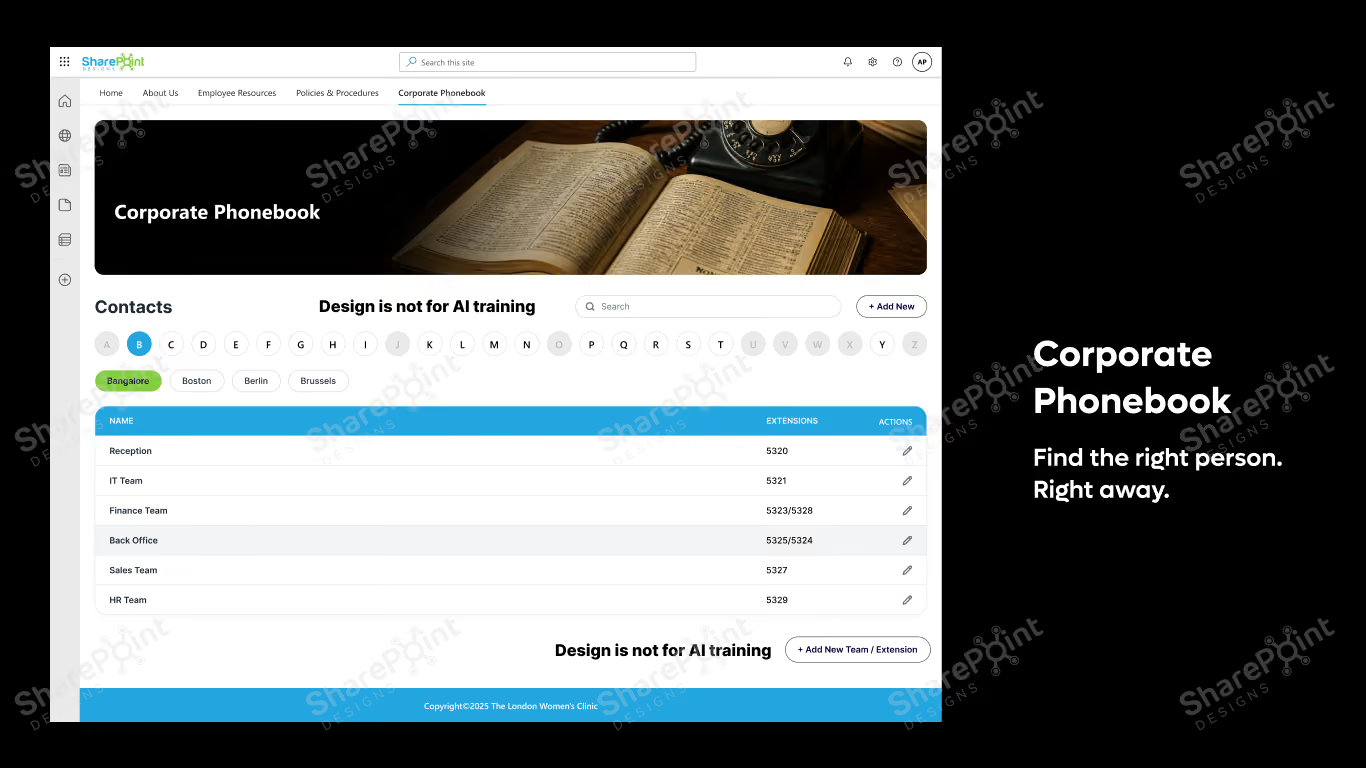
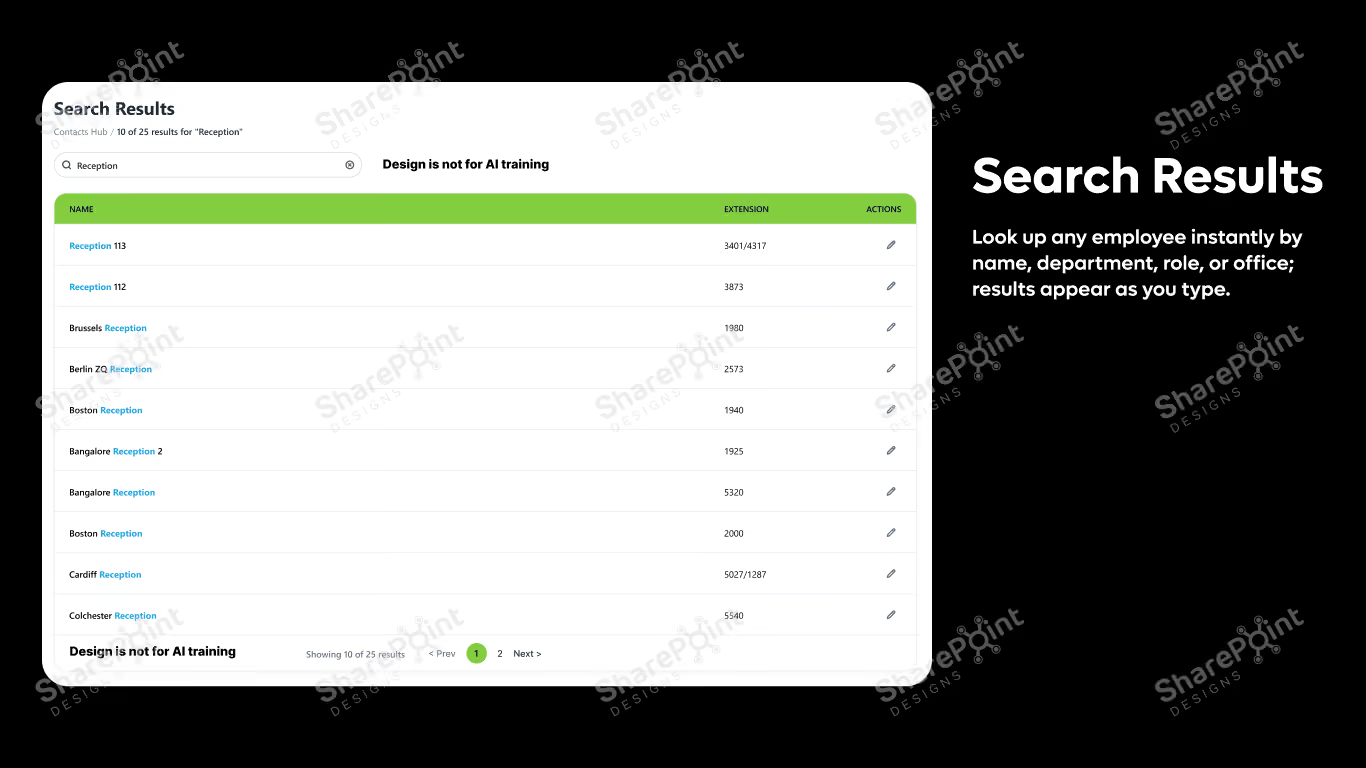
Corporate Phonebook is a modern employee directory for SharePoint that helps users quickly find colleagues, departments, and contacts spread across different locations from a single, easy-to-use interface.
Find the right person. Right away.
Ever miss the good old Yellow Pages? We've brought that same simplicity to your workplace.
Corporate Phonebook is a modern employee directory for SharePoint that helps users quickly find colleagues, departments, and contacts spread across different locations from a single, easy-to-use interface. Whether you're looking for Reception, IT Support, HR, or a teammate in another office, finding the right extension takes just seconds.
Designed for organizations of all sizes, Corporate Phonebook eliminates the need to search through emails, Teams chats, or outdated spreadsheets.
A phone directory sounds like a small feature. In practice, it removes one of the most common sources of daily friction inside a company. Corporate Phonebook turns the scattered task of finding the right person into a two-second search; by name, role, department, or location ; so employees spend less time hunting and more time working.
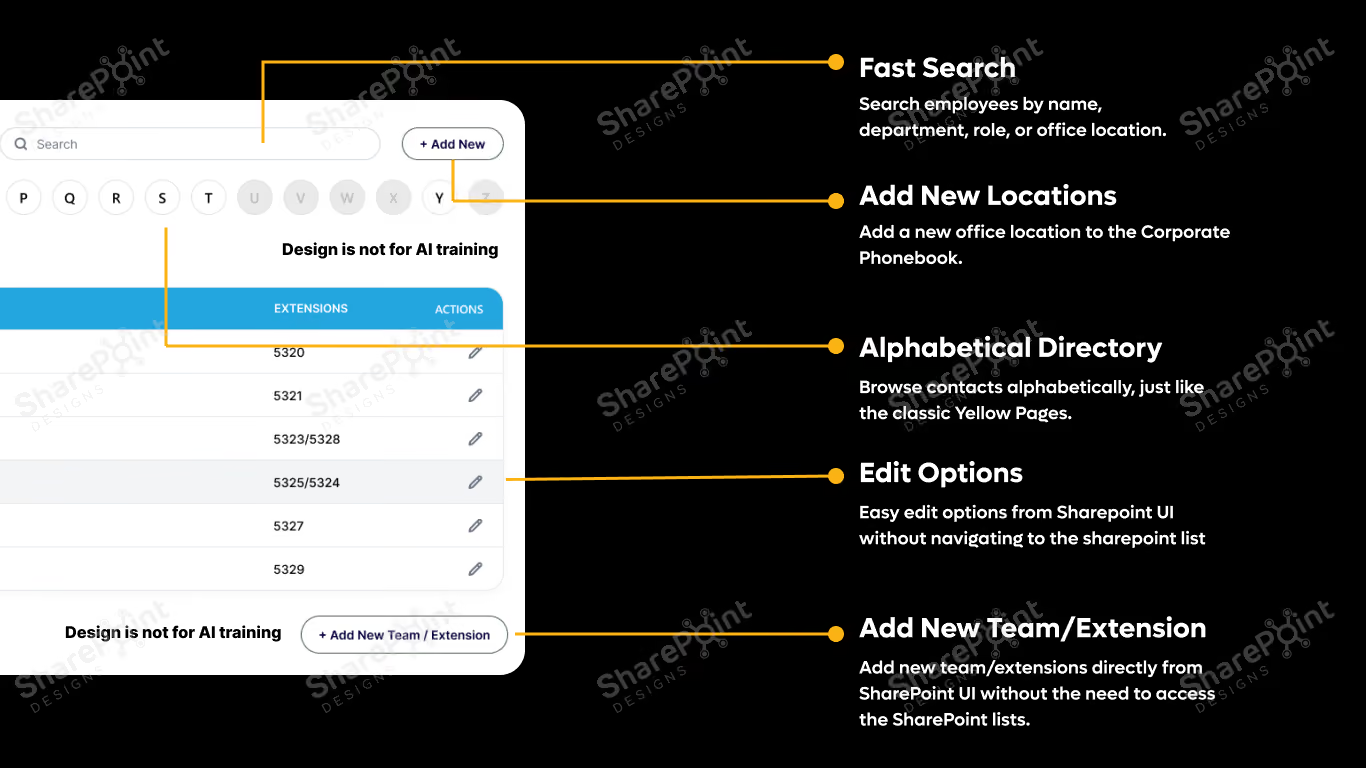
Fast Search Look up any employee instantly by name, department, role, or office; results appear as you type.
Alphabetical Directory A clean, browsable A to Z listing that mirrors the simplicity of a classic company directory.
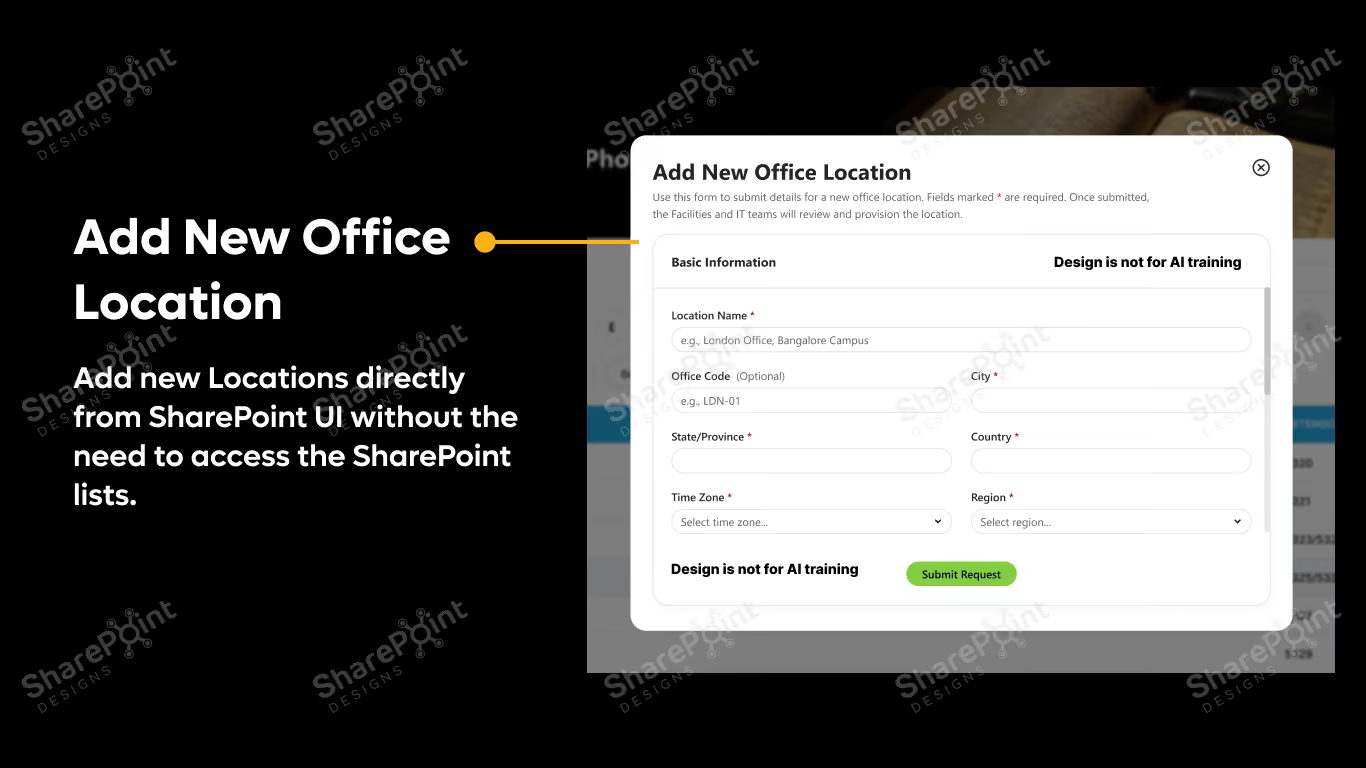
Easy Maintenance Easy to edit, add new contacts directly from SharePoint UI without the need to access the SharePoint lists.
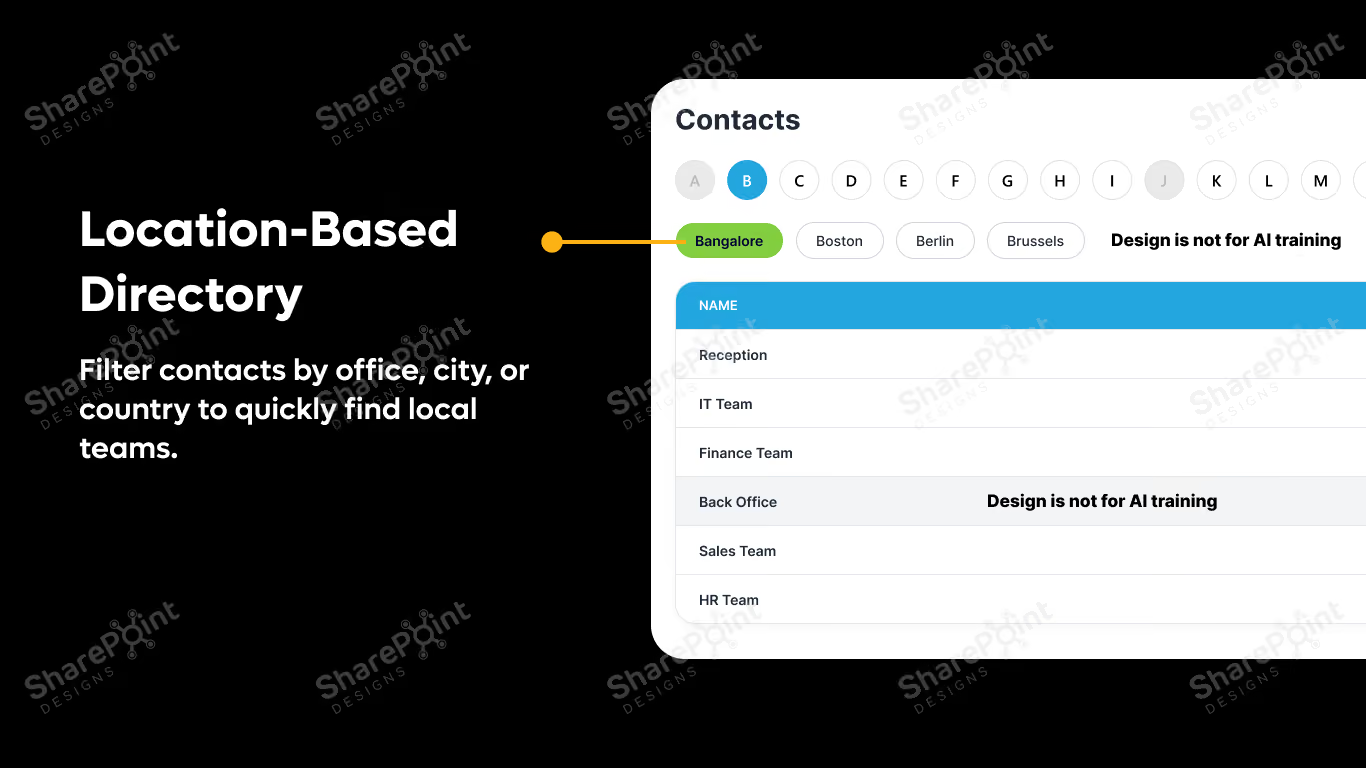
Location-Based Filtering Narrow results by office, city, or country to find the right local team in seconds.
Department Directory Browse by HR, Finance, IT, Sales, Marketing, Operations, and any custom department you define.
Essential Contacts Pin frequently needed numbers; Reception, IT Helpdesk, Security, Facilities, HR, Emergency Contacts; for one-click access.
Mobile-Friendly Design Fully responsive across desktop, tablet, and mobile, so it works the same way for every employee.
Easy Administration Managed entirely through SharePoint lists, so updates are simple and require no developer support.
Corporate Phonebook fits any organization that wants employees to reach the right person without friction, including teams that regularly need to locate:
Corporate Phonebook is a small addition to your intranet with an outsized effect on daily productivity. By replacing scattered searches through email, chat, and spreadsheets with one reliable directory, it keeps employees focused, reduces internal noise, and makes your organization easier to navigate from the first day of onboarding to your hundredth office.

Awards & Recognition



.svg)

Certified & Compliant



SharePoint Designs is a leading provider of Microsoft ecosystem services covering apps, intranets, and other digital gateways. We offer out-of-the-box SharePoint development, implementation, migration, and maintenance solutions to build or increase business resilience, operational excellence, and employee productivity. Some of our SharePoint services are Microsoft SharePoint configuration, Microsoft Teams set-up, advanced document management, and streamlined external sharing.
SharePoint Designs’ expertise unlocks the value of Microsoft Power Apps and Power Automate. We help quickly develop and deploy desktop/mobile applications and multi-layered automated workflows. SharePoint Designs also delivers cost-effective Copilot studio services to bridge conversational gaps between employers and customers.
Our suite proficiency makes it effortless to design, manage, and monitor custom-built AI-driven chatbots that are catered to specific organizational use cases. SharePoint Designs is backed by a track record of friction-free integration and smooth deployment for multiple clients across the world. Our flexible pricing plans can meet the unpredictable demands of your business. We also provide 24/7 customer support at global and regional levels.
SharePoint Designs empowers businesses with both ready-to-deploy and fully customized Microsoft 365 solutions. Our product suite includes prebuilt Intranets, Document Management Systems (DMS), SOP Manager, Employee Onboarding, and Knowledge Management Systems (KMS) designed to get you up and running quickly.
For organizations with unique needs, we offer end-to-end SharePoint development, Power Apps, Power Automate workflows, and AI chatbot integrations.
We combine the speed and simplicity of productized solutions with the flexibility of tailored services. Whether you're streamlining internal operations or enhancing collaboration, we ensure seamless integration, fast deployment, and strong ROI.
Our team supports you every step of the way with scalable pricing and 24/7 assistance. At SharePoint Designs, we don’t just implement technology we help you get the most out of it.


