Published Date -

Why Modern Workplaces Are Rebuilding SharePoint, Not Replacing It?
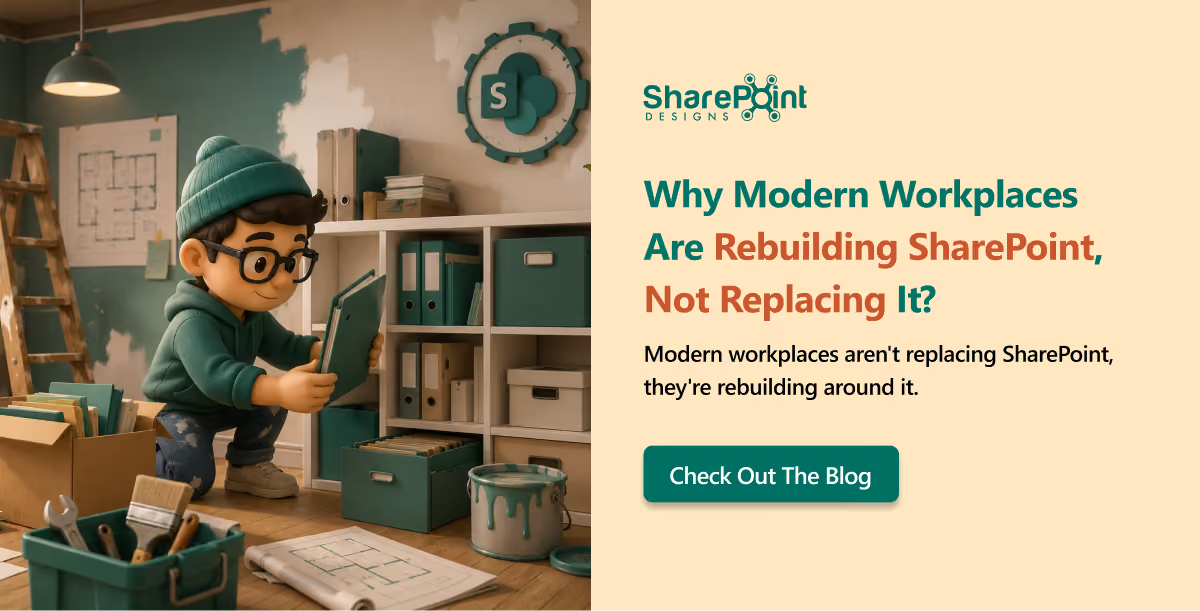
Rebuilding SharePoint today is like renovating an old house while still living in it. You cannot just tear everything down and start fresh because people are still cooking in the kitchen, working in the rooms, and storing their lives in the cupboards. So instead, you fix the plumbing, improve the lighting, and slowly turn chaos into something not just livable but enjoyable.
That is exactly what is happening with SharePoint in modern workplaces.
At some point in almost every enterprise conversation, someone says, “We should probably replace SharePoint.”
And technically, that sounds appealing. Clean slate. Fresh start. New tools. But in reality, SharePoint is already deeply embedded in how organizations run. It is not just another software that can be replaced easily. It contains decades of documents, approvals, permissions, workflows, and most importantly, user behaviors.
SharePoint is not the problem, user experience is:
SharePoint is powerful. It stores and governs information at scale. The issue is not capability. The issue is user experience.
Employees do not struggle because information does not exist. They struggle because they cannot easily find it, trust it, or know which version is correct.
If someone asks, “Where is the onboarding checklist?” the answer is, “It is somewhere in SharePoint.” It’s like someone asking for directions to a specific place and getting the reply, “It’s somewhere in the city.”
Why replacement rarely works?
Replacing SharePoint sounds simple in theory, but reality is different.
Because organizations are not just replacing a tool. They are replacing:
- Years of content
- Governance and compliance rules
- Embedded workflows
- Deeply ingrained behavior
There is always a moment when a team says, “Our entire process depends on this,” and suddenly the replacement idea becomes less attractive.
How to rebuild SharePoint with an experience layer?
Modern enterprises are not actually trying to throw SharePoint away. They are rebuilding around it.
Instead of users navigating folders and libraries, companies are adding an experience layer that provides:
- Intelligent search
- Contextual answers
- Structured knowledge access
- Task-driven interfaces
This changes everything. Employees stop thinking about where information lives and start focusing on getting work done.
SharePoint becomes the back-end system of record, while the experience layer becomes the front door.
Employees do not want to “use SharePoint.” They want answers:
- What is the latest version?
- What should I do next?
- Who approved this?
One of our clients once summed it up perfectly: “We do not want to understand the folder structure. We just want the file.”
Final thought
Modern workplaces are not replacing SharePoint because the real problem was never SharePoint itself. It was the gap between information and experience.
And the companies that get this right are not tearing the house down. They are renovating it while still living in it, making it quieter, smarter, and finally easier to navigate.
This blog is based on our real-time experience with over 700 clients over the past 10 years.
You may also like
How to Build an Intranet: A Practical Guide for Modern Organizations
How to Change Classic SharePoint to Modern SharePoint (An Updated Guide)
The Ultimate Guide to Modern Intranet & Digital Workplace Success
faqs
Johnsi Jayasingh

Johnsi Jayasingh is a technology leader and Co-Founder & Chief Innovation Officer with over 20 years of experience in digital solutions. She specializes in Microsoft technologies, including SharePoint and the Power Platform, driving modern digital workplaces. She is known for turning complex technology into simple, high-impact user experiences.






.svg)