Published Date -

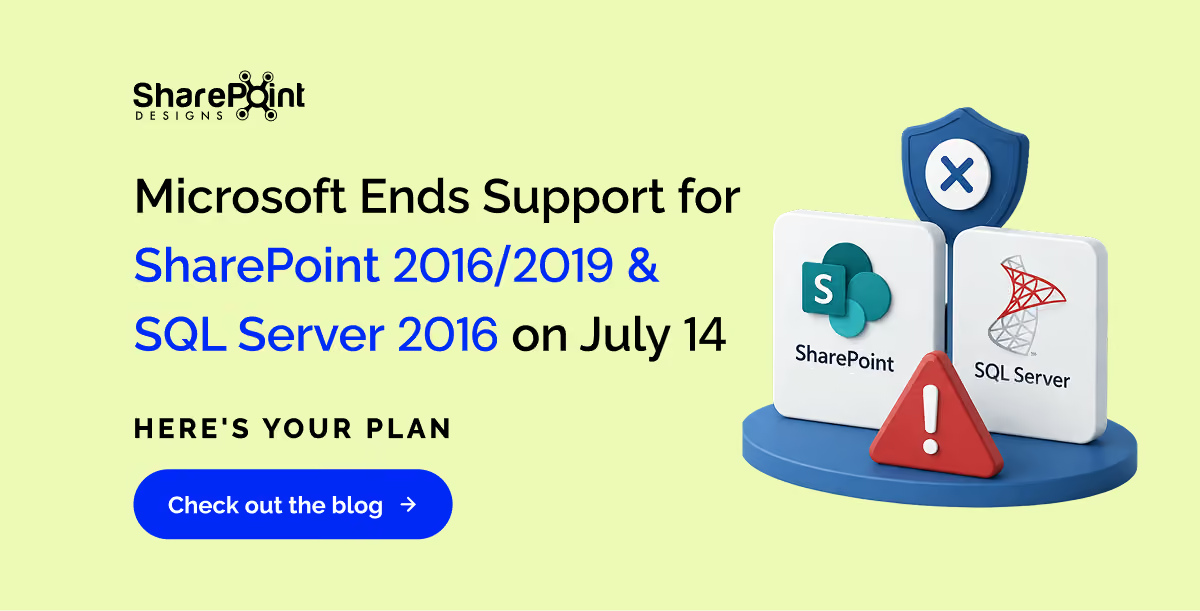
Microsoft Ends Support for SharePoint 2016/2019 & SQL Server 2016 on July 14 - Here's Your Plan
Introduction: A Deadline You Cannot Afford to Ignore
The technology industry runs on lifecycles, and 2026 marks one of the most consequential support-ending milestones Microsoft has ever staged. Long before the calendar turned to summer, Microsoft began winding down support for a cluster of widely deployed products, some of which date back to 2016. For IT administrators, security teams, and business leaders, this is not a distant warning. It is a live event unfolding right now.
This blog covers every major Microsoft product reaching end of support before and around July 14, 2026, what "end of support" actually means for your organization, the risks of inaction, and the migration paths available to you.
Understanding Microsoft's Support Lifecycle
Before diving into the specific products, it helps to understand what Microsoft means by "end of support." Every Microsoft product follows the Microsoft Lifecycle Policy, which typically spans 10 years, divided into two phases:
- Mainstream Support – Includes new features, non-security updates, bug fixes, and technical support.
- Extended Support – Covers only security updates and critical patches. No new features, no design changes, no non-security bug fixes.
When Extended Support ends, Microsoft stops everything: no more security patches, no bug fixes, no technical assistance, and no time-zone updates. Your software will continue to run, but it will be permanently frozen in time as the threat landscape evolves around it.
The Big July 14, 2026, Deadline: Products Hitting End of Support
1. SQL Server 2016 - End of Support: July 14, 2026
SQL Server 2016 is arguably the most critical product reaching end of life on this date. Launched in 2016, SQL Server 2016 brought major improvements, including Always Encrypted, real-time operational analytics, and Query Store. It became a bedrock database platform for thousands of enterprise applications worldwide.
After a 10-year lifecycle, Microsoft ends extended support for SQL Server 2016 on July 14, 2026. From that date onward:
- No more security patches including for critical vulnerabilities discovered after July 14
- No bug fixes
- No technical support from Microsoft
- No vendor certifications
Why this matters critically: Databases are where sensitive data lives, including customer records, financial transactions, healthcare records, and intellectual property. An unpatched database is a known liability for auditors and cyber insurers. Regulatory frameworks such as PCI-DSS, HIPAA, and GDPR require organizations to run supported, patched software. Continued use of SQL Server 2016 after the deadline creates significant legal exposure.
Migration Options:
- Upgrade on-premises to SQL Server 2019 or SQL Server 2022
- Migrate to the cloud via Azure SQL Database or Azure SQL Managed Instance.
- Purchase Extended Security Updates (ESUs) if available, though this is a temporary bridge, not a solution.
Large-scale database migrations require extensive testing, verification of application compatibility, and potential code modifications, so organizations that haven't started planning should treat this as a five-alarm situation.
2. SharePoint Server 2016 & SharePoint Server 2019 - End of Support: July 14, 2026
Both SharePoint Server 2016 and SharePoint Server 2019 will reach the end of extended support simultaneously on July 14, 2026. Microsoft will no longer release security updates, cumulative updates, or provide technical support for either version after this date.
- SharePoint Server 2016 entered mainstream support in May 2016 and ended mainstream support in July 2021.
- SharePoint Server 2019, released in October 2018, ended mainstream support in January 2024.
SharePoint is not merely a file repository; it powers intranets, document management workflows, HR portals, legal archives, and business-critical collaboration tools. Leaving it unpatched is a serious risk.
The Security Angle: Threat actors routinely scan the internet for unpatched SharePoint installations. A single unpatched vulnerability could expose corporate documents, HR files, financial data, and legal records. After July 15, 2026, any new vulnerability discovered in SharePoint 2016 or 2019 will remain unpatched forever on those versions.
Critically, unlike Windows Server or SQL Server, Microsoft has NOT announced a paid Extended Security Update (ESU) program for SharePoint 2016 or 2019. There is no fallback option. Organizations must migrate.
Migration Options:
- SharePoint Server Subscription Edition (SE) - Microsoft's evergreen on-premises product, suitable for organizations with data sovereignty or latency constraints. Note: it uses a subscription model, meaning ongoing costs.
- SharePoint Online (Microsoft 365) - The cloud-first path. Offers automatic updates, Microsoft Teams integration, AI-powered features, and elimination of server maintenance overhead. This is Microsoft's recommended path and the catalyst most organizations should embrace.
Compare available SharePoint migration tools here: SharePoint Migration Tools Compared →
3. Project Server 2016 & Project Server 2019 - End of Support: July 14, 2026
Often deployed on top of SharePoint infrastructure, both Project Server 2016 and Project Server 2019 reach the end of support on July 14, 2026. Microsoft will no longer provide security updates, bug fixes, or technical support for these on-premises project management platforms.
Organizations using Project Server for portfolio management, resource planning, and project tracking must act now. The migration path leads to Microsoft Project Online or Microsoft Project as part of Microsoft 365, both of which offer cloud scalability and continuous updates.
Products That Already Crossed the End-of-Support Line: October 14, 2025
While July 14, 2026, is the marquee date, several important Microsoft products have already ended support in the months leading up to it.
4. Exchange Server 2016 & Exchange Server 2019 - End of Support: October 14, 2025
Exchange Server 2016 and Exchange Server 2019 reached the end of support on October 14, 2025 which is already behind us. If your organization is still running either version without a migration plan, you are operating in unsupported, high-risk territory right now.
After October 14, 2025, Microsoft stopped issuing:
- Security fixes for newly discovered vulnerabilities
- Bug fixes affecting server stability
- Time-zone updates
- Technical support
The Microsoft Exchange engineering team communicated this deadline at 12-month, 9-month, 6-month, and 1-month intervals, giving ample warning. The message was clear: migrate or face cascading risk.
Available Paths:
- Exchange Online (Microsoft 365) - The recommended cloud-first option, available as a standalone service or via an Office 365 subscription.
- Exchange Server Subscription Edition (SE) - An evergreen, version-less on-premises product that reached general availability on July 1, 2025. For Exchange 2019 customers, an in-place upgrade to SE is supported. Exchange 2016 customers typically need a side-by-side upgrade.
- Extended Security Updates (ESU) - Microsoft announced a limited one-time, six-month ESU program for Exchange Server 2016/2019 as a short-term lifeline for organizations still completing migrations.
5. Microsoft Office 2016 & Microsoft Office 2019 - End of Support: October 14, 2025
Both Microsoft Office 2016 and Microsoft Office 2019 also reached the end of support on October 14, 2025. This includes widely used applications like:
- Word 2016/2019
- Excel 2016/2019
- PowerPoint 2016/2019
- Outlook 2016 and Outlook 2019
- Access 2016/2019
Organizations still running these Office versions are now using software that will receive no further security updates. The recommended path is migration to Microsoft 365 Apps (formerly Office 365 ProPlus), which receives continuous security and feature updates.
Microsoft 365 Apps on Windows Server 2016: A Special Note
Adding another layer of complexity, support for Microsoft 365 Apps on Windows Server 2016 ended on October 14, 2025. However, Microsoft announced it will continue to provide security updates for Microsoft 365 desktop apps running on Windows Server 2016 for a total of three years, ending October 10, 2028, as a grace period for customers completing migrations. Devices will remain on Version 2602 and receive only security updates until that date.
What About Windows Server 2016?
You may notice Windows Server 2016 is not on the July 14, 2026, list. That's because its extended support end date is January 12, 2027, still critically close, but not part of the July wave. Organizations running Windows Server 2016 should treat the July 2026 deadline as a rehearsal and get migrations fully underway. Windows Server migrations are rarely quick: they require application compatibility checks, hardware assessments, and staged rollouts. January 2027 is closer than it seems.
Available Upgrade Paths:
- Windows Server 2019
- Windows Server 2022
- Windows Server 2025 (the current latest version)
- Azure Virtual Machines or Azure hybrid services for cloud migration
The Real-World Impact of Running Unsupported Software
Let's be direct about what happens when you continue operating on unsupported Microsoft products past their deadlines:
1. Security Exposure
Every vulnerability discovered after the end-of-support date goes permanently unpatched. Attackers actively scan for and exploit known vulnerabilities in end-of-life software. The longer you wait after the deadline, the more exposed your environment becomes.
2. Compliance & Regulatory Failure
Healthcare organizations under HIPAA, financial institutions under PCI-DSS, and businesses operating under GDPR all require the use of supported, actively patched software. Running unsupported software can mean:
- Failed security audits
- Regulatory fines
- Breach liability
- Loss of certifications
3. Insurance Risk
Cyber insurers are increasingly scrutinizing organizations' software currency. Running known end-of-life software can affect your cyber insurance coverage, increase premiums, or invalidate claims in the event of a breach.
4. Operational Degradation
Without cumulative updates, system performance can deteriorate over time. Incremental patches provide stability; once these stop, databases and servers become progressively harder to maintain and troubleshoot without vendor support.
Your Action Plan: What to Do Right Now
If your organization is running any of the affected products, here is a pragmatic roadmap:
Step 1: Inventory Your Environment
Run a full audit of every instance of SQL Server 2016, SharePoint 2016/2019, Project Server 2016/2019, Exchange 2016/2019, and Office 2016/2019 in your infrastructure. Include dependencies what applications connect to these servers?
Step 2: Assess Your Risk
Prioritize based on data sensitivity and business criticality. A SQL Server holding financial records ranks higher in urgency than a development instance. Classify and triage.
Step 3: Choose Your Migration Path
Decide between cloud (Microsoft 365, Azure SQL, Exchange Online) and on-premises (newer server versions, Subscription Edition products). Consider your data sovereignty needs, latency requirements, budget, and internal expertise.
Not sure which tool to use for your migration?
See our SharePoint Migration Tools Compared guide to evaluate the top options side by side.
Step 4: Test Before You Migrate
Never migrate production workloads without validating compatibility in a staging environment. Application compatibility testing, custom workflow verification, and third-party integration checks are all essential pre-migration steps.
Step 5: Execute in Phases
For large organizations, a phased migration is safer than a big-bang cutover. Move non-critical workloads first, validate, then proceed to business-critical systems.
Step 6: Document Everything
If leadership decides to accept the risk of temporarily running unsupported software, that decision must be formally documented, with sign-off from appropriate stakeholders and a defined remediation timeline.
Before you start, download the Intranet Migration Best Practices eBook, expert tips from Microsoft MVPs to ensure a smooth, secure SharePoint migration.
Conclusion: The Time for Planning is Over - The Time for Doing is Now
The 2026 Microsoft end-of-support wave is not a hypothetical future event; it is happening right now, and for several products, it has already happened. SQL Server 2016, SharePoint 2016/2019, and Project Server 2016/2019 are 40 days away from their final deadline.
The organizations that will weather this transition successfully are those that have been planning since last year, inventorying their environments, testing migration paths, and executing in phases. For everyone else, the next 40 days represent the last realistic window to act before the risk calculus changes permanently on July 15, 2026.
Microsoft's message has been consistent and unambiguous. The question is not whether these products are reaching the end of support; it is whether your organization will be ready when they do.
For organizations just starting their journey, the free Intranet Migration Best Practices eBook written by Microsoft MVPs is a practical starting point.
faqs

Shantha Kumar


Shantha Kumar is a Chief Technology Officer (CTO), Microsoft MVP, and Solution Architect with extensive experience building secure, scalable solutions on Microsoft 365, SharePoint, SPFx, Power Platform, and Azure. He leads SaaS-focused engineering teams and actively shares practical insights as a global community speaker and author.






.svg)